

















PoE Node Finder: A Smarter Way to Optimize Your Path of Exile Builds
Path of Exile is a complex action role-playing game that offers players countless opportunities to customize their characters, develop unique…

What Makes Non-fiction Books Worth Adding to Your Reading List?
What if your next favourite book did more than entertain you? It could introduce you to a life you have…
Why Technology Businesses Need a Better Digital Publishing Strategy
For a technology business, expertise only creates value when the right people can find it, understand it and trust it….

Sampling and Approval: How Prototypes Protect Your Production Budget
The most expensive mistake in clothing production is discovering a problem after the full batch is made. Sampling exists to…

Qavden – Uniting AI, Metaverse, and Global Commerce
Qavden is leading a revolutionary transformation in global retail, aiming to create the ultimate decentralized ecosystem that connects the physical…

Parallel Programming for Beginners: Languages, Tools, and Practical Examples
While many modern computer programs can run simultaneously, classic programs will typically run one after another. Parallel programming is the…

Playinexchange Bonuses & Offers 2026: How to Maximize Your Earnings
There are several ways to maximize your benefits through platforms like Playinexchange, and understanding them can be useful when looking…

Cloud Compliance in Financial Services: Data Privacy, Regulations, and Governance
Introduction Cloud computing has become an important aspect of the financial sector. It means that banks, insurance companies, payment providers…

Cloud Computing Costs in Financial Services: How Banks Can Control Spending
Introduction Cloud computing is now an essential part of digital transformation within the financial sector. Banks, insurance companies, payment providers…

Cloud Migration for Banks: A Step-by-Step Guide to Modernizing Legacy Systems
Introduction Technology is transforming the banking sector. With the desire to increase efficiency and safety within financial services, banks can…

Cloud Computing and Artificial Intelligence in Banking: Use Cases and Benefits
Introduction The banking sector is changing rapidly as banking institutions are adopting various technologies to improve efficiency, security and provide…
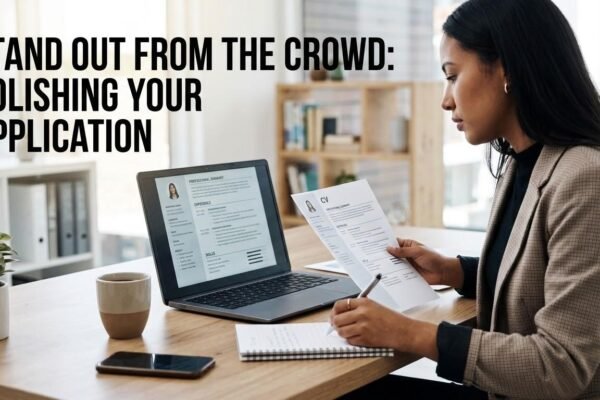
9 Common CV Mistakes That Can Hurt Your Job Application and How to Fix Them
Introduction One of the most important parts of a job application is your CV. It is used to give recruiters…

Website Navigation That Helps Customers Find the Right Service: A Hamilton Business Guide
Good website navigation helps a visitor answer three questions quickly: what services do you offer, which one fits their situation, and how do they take the next step? We plan menus, service categories, and links around those questions before deciding how a header should look. At Balla Media, we see navigation as part of the customer’s decision process, with clear labels and useful routes through the site. A Hamilton service business may offer several related services across multiple locations. The challenge is to make those choices understandable without filling the menu with every keyword variation. This guide explains how we approach the structure, what to test on mobile, and how to connect navigation with useful page content. Start with the customer’s vocabulary Customers may describe a problem differently from your internal team. A homeowner might look for “drain cleaning” while a company organizes that work under a technical department name. A prospective client should not need to understand your org chart to find the right page. List the services people ask about in calls, emails, and sales conversations. Compare those phrases with the page names on the site. Where the language differs, choose labels that are accurate and recognizable. We do not recommend replacing every business term with a broad keyword. The label still needs to describe the destination honestly. A useful menu balances customer language with the actual scope of the service. Which services belong in the main menu? Prioritize the services central to the business and the decisions visitors need to make. A small company may have only a few distinct pages. A larger business may need a Services category with meaningful subgroups. Avoid giving every minor task equal prominence. A menu with dozens of nearly identical items can make the most important choices harder to see. Consider whether a detail belongs on a service page rather than as a separate top-level destination. Our Hamilton web design services include planning a site’s structure around business goals and customer needs. The structure should reflect what the company wants to sell and what visitors need to understand, rather than copying a competitor’s menu. How should related services be grouped? Group services by a relationship customers can understand: problem, service type, audience, or another useful dimension. A residential and commercial split may work for one business, while another needs categories based on the work itself. Test the grouping with simple questions. If someone needs a particular service, which category would they try first? If two categories seem equally likely, clarify the labels or provide a cross-link. The goal is a clear route, not a taxonomy that only the staff admires. Keep the grouping consistent across the menu, service overview page, and page headings. If the menu says one thing and the destination uses an unrelated name, visitors may wonder whether they reached the right place. What should a Services overview page do? An overview page should help a visitor choose among services. Give each option a concise explanation of who it is for or what problem it addresses, then link to the detailed page. Avoid a list of names with no distinction. A company offering restoration, repair, or consulting may have services that sound similar to a first-time customer. Explain the difference in practical terms. A brief comparison can reduce uncertainty and lead to a better enquiry. The overview should also provide a next step for people who are unsure. A contact option can invite them to describe the issue rather than forcing them to choose a technical category incorrectly. How do contextual links support the menu? The main menu provides broad routes, while links within page content connect related decisions. A service page might explain when a related service is relevant and link at that moment. A blog can direct readers to the appropriate service once it has answered their question….

How Universal Windows Direct of New Jersey’s True Lifetime Warranty Actually Delivers for Homeowners
When you’re investing in new windows, hearing the words “lifetime warranty” sounds like the ultimate safety net. However, as plenty…

Your Smart Buyer’s Guide to Residential HVAC Installation for NY Homeowners
Choosing a new residential HVAC system is a significant investment in your home’s comfort and value. This guide provides a…
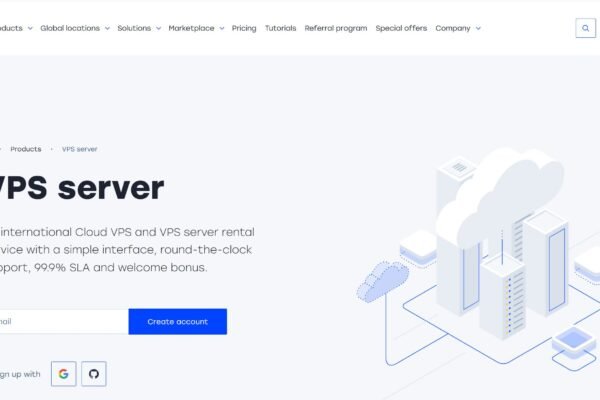
When Your Website Suddenly Gets Busy: A Cloud Server Survival Guide for Small Businesses
A marketing campaign can succeed faster than a website is ready for. A local shop gets mentioned by a popular…
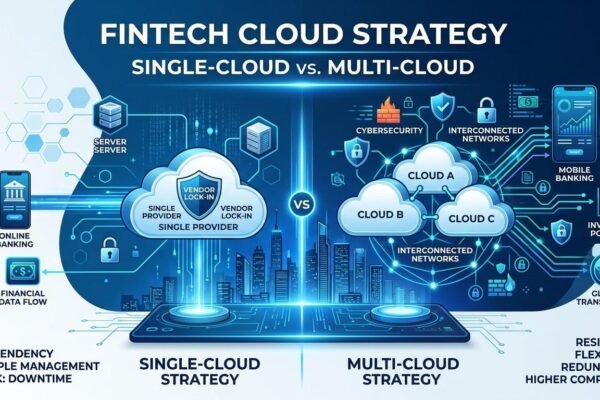
Multi-Cloud vs. Single-Cloud Strategy for Banks and Fintech Companies
Introduction Cloud computing is now a crucial part of the banking industry and has allowed organizations to store information, run…

How Cloud Computing Is Transforming Digital Banking and Fintech
Introduction The financial services industry has transformed drastically using new technologies. Many traditional banking services have moved to using a…

Public vs. Private vs. Hybrid Cloud: Which Is Best for Financial Institutions?
Introduction Cloud computing has become an essential part of the financial sector. It offers banks, fintechs, insurance providers and other…

Cloud Security in Financial Services: Risks, Threats, and Best Practices
Introduction Cloud based services have reformed the financial services sector which in turn has made available to banks, fintech firms,…

Glass Works: Crittall doors, Crittall partitions, glass walls, and so on
Introduction Glass has in fact become the hallmark of present day architecture and interior design which it does so in…

The Benefits and Risks of Artificial Intelligence in Digital Banking
Introduction AI is ushering in a new era of banking, transforming how banks interact with their customers, process transactions, and…

The Future of Big Data in Banking: Real-Time Analytics, Generative AI, and Intelligent Decision Systems
Introduction The present is a time of great change in the banking industry as we see more and more of…

Oratrics Moneyverse: Empowering the Next Generation Through Financial Intelligence
Every year, millions of young people enter adulthood with degrees, ambition, and talent, but without the ability to manage a…
Thank you for your sharing. I am worried that I lack creativ …