Introduction
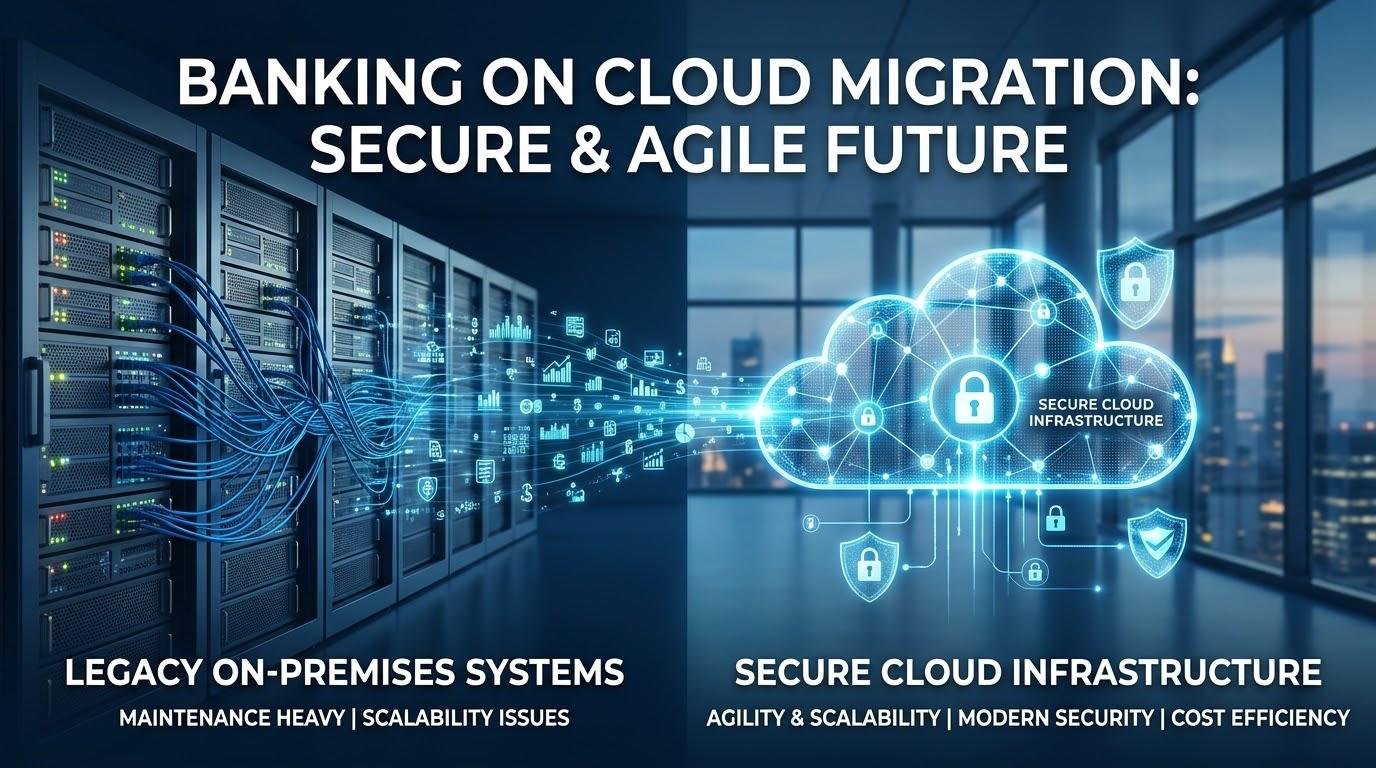
Technology is transforming the banking sector. With the desire to increase efficiency and safety within financial services, banks can find themselves struggling with outdated systems and servers to deliver a quality service. Migrating to the cloud can help. By moving databases, applications and systems to the cloud, banks can increase flexibility, increase processing power, reduce maintenance and promote innovation. However it needs to be planned carefully with banks ensuring that customer data remains safe.
Cloud migration is much more than just moving data from servers to online storage. The bank must assess their current technology, select a suitable solution, train staff, and manage any legal requirements. It is important to understand which method of migration you are going to use. One option is replatforming. This means that you make some changes to your application or infrastructure to optimize your system without a complete rebuild. The choice of migration method depends on your technology needs, budget and security standards. Planning your migration properly will ensure your bank can modernize without causing any unnecessary disruption.
Understanding Cloud Migration
Cloud migration is the process by which digital resources can be moved to a cloud computing system. This could include banking applications, customer databases, processing systems, reporting and communication systems. You can move to public, private or hybrid clouds. With public cloud you are using a third party to provide your computing resource. With private cloud you are securing the infrastructure for your organization. Hybrid cloud offers the best of both worlds. You can keep sensitive resources in a safe environment and move suitable applications to public cloud. This can help organizations that need to balance innovation and high security.
Step 1 – Determine Objectives & Create a Plan
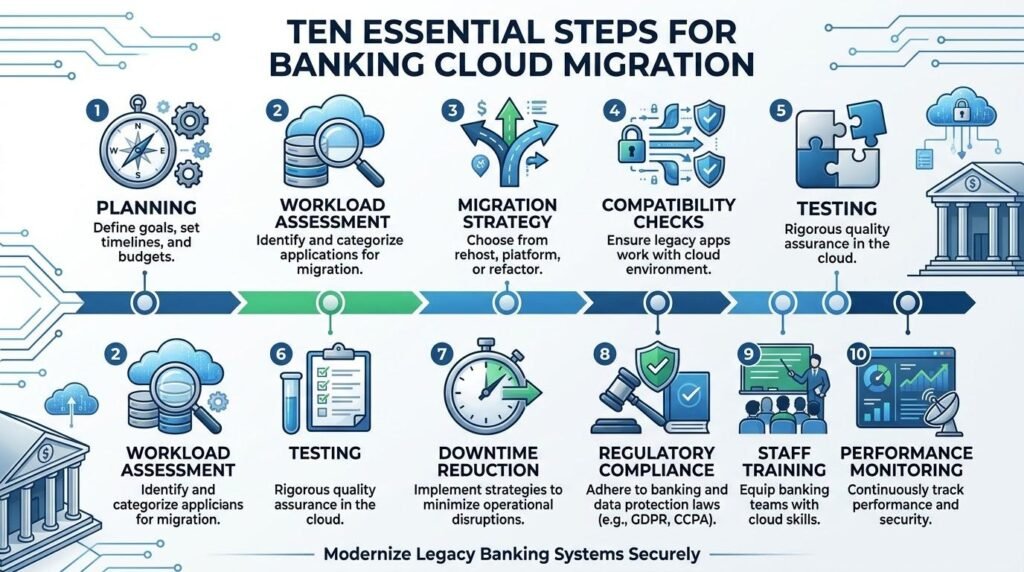
The first step is to determine what you want to achieve by migrating to the cloud. This could be to reduce maintenance costs, improve application speed, increase storage space and support digital services. The objectives will help your management team decide what to move to the cloud. Create a team consisting of IT, Cybersecurity, Risk, Compliance, Finance and your relevant department. Ensure everyone knows what their roles are. Decide on a budget, timeframe, targets and risk management processes. Having a detailed plan will keep you on track and help with decision making.
Step 2 – Assess Current Workloads
Before you start moving any systems to the cloud you must understand what you currently have. This includes understanding your application, database, servers and storage. Some applications may be old and may not be well documented. They may also rely on niche hardware that won’t be easy to replicate. Other applications may contain sensitive customer data or be vital for the running of the bank such as fund transfers, account management and payments. Identify what workload you have and categorize them by importance, complexity, security requirements and migration readiness. This will help you identify what systems you can easily move and what will need some preparation. This will also ensure you don’t move any unnecessary applications or outdated technology that will cause you more costs in the cloud.
Step 3 – Choose a Migration Method
Once you have assessed your infrastructure you will need to choose what migration methods you wish to use. There are three common migration methods; rehosting, replatforming and refactoring. Rehosting (sometimes referred to as lifting and shifting) involves taking your current application and moving it to the cloud with little to no changes. This is generally the quickest and cheapest option. As you aren’t changing the entire application you won’t be able to make the most out of your cloud. This is usually suitable if you need to move your application quickly or if you have plans to replace the system. Consider performance, security and compatibility with this method.
Replatforming involves making some changes to your application or infrastructure to optimize your application. This could include moving your database to a managed database service or changing some elements. This requires more planning and investment than rehosting but tends to be cheaper and quicker to implement. This can improve your scalability, maintenance and resource management. This is suitable for financial institutions that want to move their vital systems to the cloud but do not want to pay too much to completely redesign their application.
Refactoring is a larger scale migration. This can involve redesigning or rebuilding your applications to get the most out of your cloud. This could involve breaking down your large traditional application into smaller services or adding automation. This can provide lots of benefits in the long term but will generally take longer, require skilled developers, more testing and more investment. Only use this with applications that will provide value. When deciding between the options you should consider how much it will cost to migrate now and how much it will cost to maintain in the future.
Step 4 – Plan for Secure Data Migration
One of the most sensitive parts of modernizing your banking infrastructure is migrating data. Financial institutions hold sensitive customer data, history, balances and payments. Before migrating you should understand where your data is being held, how sensitive it is, remove any unnecessary or duplicate data and apply the correct permissions. Ensure your data is encrypted during migration and whilst in the cloud. Ensure there is adequate storage in the environment you are moving to and ensure it supports your database. Depending on how much data you have you may need to send across via secure network connections, specialist data transfer or physically. Ensure you have verified backups.
Step 5 – Check Application Compatibility
Not all traditional banking applications will work in the cloud without some changes. Some may run on an outdated OS, require niche hardware, use outdated coding or connect to other applications that are not compatible with your chosen cloud. Before migrating you should check that your applications are compatible. This includes understanding what dependencies your application has, what databases you have, what network requirements you have and connecting to payment processors, CRM and other services. If needed developers can update your software, replace any incompatible technologies and add integration. Planning for compatibility will reduce the chance of failure and mean your customers and staff will still have access to their vital services.
Step 6 – Test
Testing will help your financial institution spot any issues. Ensure your applications are working as expected by carrying out some functional testing. Check that your applications can carry out the required tasks such as searching customer accounts, making payments, transfers and updating customer information. Carry out performance testing to ensure your systems can handle regular and increased transactions without slowing down. Ensure your systems are secure by testing permissions, encryption, vulnerabilities and unauthorized access. Carry out data validation to ensure your data remains accurate. Finally, carry out user acceptance testing so your chosen staff can get familiar with the new environment. Testing should be carried out in a controlled environment and only migrate once any key issues have been resolved and your business needs met.
Step 7 – Reduce Downtime
A key concern when migrating to the cloud is downtime. Customers expect continuous access to their accounts, payments and transactions. To limit downtime migrate your systems in phases. Start with non-vital applications and then move onto vital systems such as processing and account management. You can run parallel environments to ensure your current infrastructure is running whilst you test your cloud. Ensure you have backup systems in place to reduce downtime. This will help with business continuity.
Step 8 – Legal and Cloud Security
Financial institutions operate under strict rules regarding customer privacy, financial records, cyber security and resilience. This must still be considered when migrating to the cloud. Before choosing a provider ensure they have the correct infrastructure, security, data storage and contracts in place. Depending on your location you may need to consider data protection laws, banking regulation, retention and where customer data can be held. The provider should have the correct security certifications, permissions, encryption and incident management. Ensure you understand your responsibilities as you are not fully handing over responsibility. Continue to carry out compliance checks and risk management processes.
Step 9 – Train Staff
To ensure a successful migration your staff will need to understand how to use the new environment. Many roles within your bank may see some changes including IT, Cybersecurity and customer services. Ensure you provide training for each department. IT staff may need more knowledge around cloud management, application monitoring, identity management and Cybersecurity. Customer services should understand how changes to your applications will impact interactions with customers. Your management team will also need to have enough knowledge to assess performance, costs and risks. Training should be provided before and after implementation to ensure your staff are confident using the new system. They will be able to troubleshoot common issues.
Step 10 – Monitor Performance
Once you have migrated your applications and databases you should continue to monitor your cloud. This will help ensure your systems are secure, reliable and cost effective. Using monitoring tools can help your IT team identify if your applications are available, processing quickly, using the correct amount of storage, network usage and any suspicious activity. Set up performance indicators to help you identify how your new environment is performing against your objectives. Regularly check how much you are spending on your cloud. If you are under-utilizing resources, your storage is too large or your services haven’t been set up correctly you could be increasing your costs. Continue to monitor your security, software updates, vulnerabilities and backups. This will help you identify any issues early.
Common Mistakes to Avoid
There are many mistakes that can be made that will cause you more costs. One mistake is not assessing your application dependencies. This can cause compatibility issues. Another common mistake is choosing a provider based on price alone. You must ensure they have the correct security, legal requirements, technical support and costs. Underestimating how long it will take to migrate your data, train your staff and test can cause issues. If your roles aren’t clearly defined between your financial institution and the provider you could be leaving gaps in your security. Not having back up can cause issues if something goes wrong. Don’t rush your migration. Migrating in phases with a good level of documentation, realistic budget and continuous risk management will give you a good foundation.
Conclusion
Migrating to the cloud can provide a great opportunity for banks to modernize their legacy systems, increase efficiency and help develop more responsive digital services. However it is important to follow a structured process. This includes assessing your infrastructure, choosing a migration method, securely migrating your data, ensuring compatibility, testing, legal requirements, staff training and monitoring. Rehosting can provide a quick and cheap option. Replatforming can help you make some improvements. Refactoring can help you fully modernize. Ensure you choose the correct method based on your priorities, budget and objectives. Managing downtime, keeping customer data secure, training your staff and having a good business continuity plan will help you move to a modern cloud infrastructure.
Get more well researched information about Cloud Migration for Banks here.