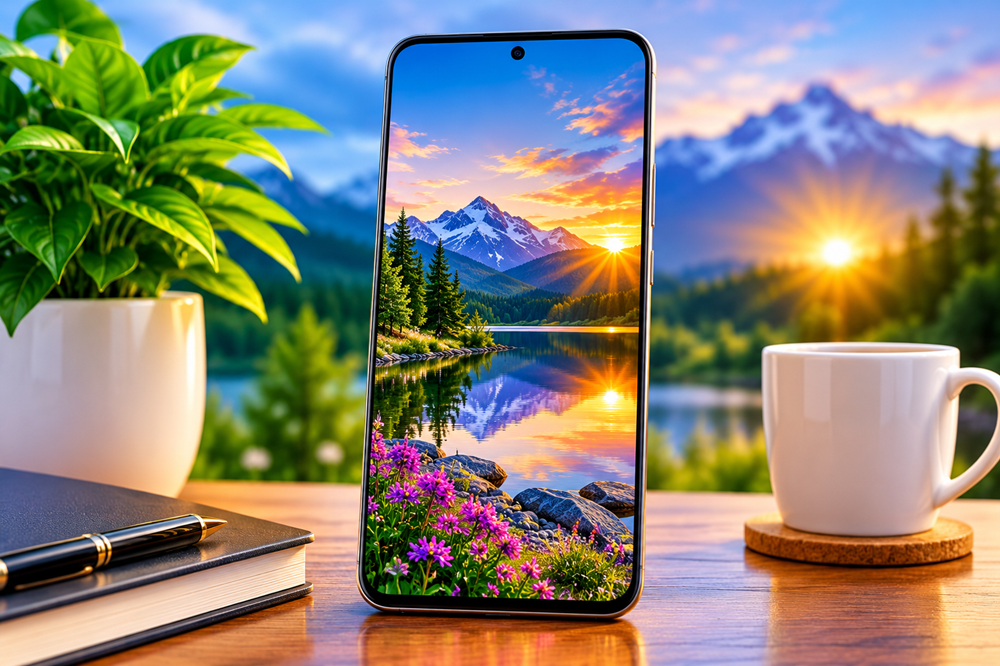
A wallpaper can look beautiful on its own and still feel awkward once it becomes your phone background. A mountain peak disappears behind the clock. A bright patch makes app labels difficult to read. A carefully framed scene loses its most interesting feature when you crop it to fit the screen.
These small details matter because a phone wallpaper shares its space with everything else you use throughout the day. With AI-generated artwork, there is plenty of room to explore unusual landscapes, playful characters, abstract shapes, and imaginary worlds. Choosing an image that works on a phone, however, takes more than finding something impressive.
The most useful way to judge a wallpaper is to consider both the artwork and the screen it will live on.
Start with the mood you want
Before comparing resolutions or checking tiny details, think about what you want to see when you pick up your phone.
Some people enjoy a quiet forest, soft clouds, or a simple dark background. Others prefer glowing city streets, colourful flowers, or a fantasy landscape filled with things to discover. Neither approach is automatically better. A wallpaper is personal, and an image you enjoy looking at is a sensible starting point.
It helps to be specific about the atmosphere. “Nature” could mean a bright summer meadow, a misty lake, or a snowy village after sunset. Each creates a different impression, even though they belong to a similar broad theme.
AI-generated artwork gives creators room to explore those differences. The appeal often comes from the combination of colours, lighting, and subject matter rather than the complexity of the scene.
Think vertically from the beginning
A phone screen creates a particular composition challenge: it is tall, narrow, and often partly covered by interface elements.
An image designed around a wide landscape may lose its balance when adapted to a vertical screen. Cropping can remove a building, cut through a character, or leave the main subject pressed against an edge. A picture that looked spacious can suddenly feel cramped.
Strong vertical compositions give the eye a clear route through the scene. A path might lead towards a distant house. A waterfall might connect the upper and lower parts of the picture. An abstract object might sit in the centre with enough surrounding space to preserve its shape.
When browsing wallpapers for phones, look at where the important elements sit, not just at the subject itself. A little breathing room around a tree, animal, or architectural feature can make the image easier to adapt to your screen.
Leave room for the clock and icons
The lock screen and home screen place different demands on an image.
On a lock screen, a large clock can become the most noticeable element. Notifications may cover the middle or lower part of the picture. On a home screen, icons, folders, and widgets create their own arrangement over the background.
This does not mean every wallpaper needs an empty upper half. It means the important parts of the artwork should work with your particular layout.
A relatively calm area of sky can provide a useful backdrop for the clock. Softer textures can sit comfortably behind app icons. A detailed subject may work well lower down, provided it does not collide with the controls on your device.
Previewing the image on your own phone is more useful than guessing from a thumbnail. Check whether the subject remains visible and whether you can still read the information you need.
Look beyond the resolution label
Resolution matters, but it is only one part of image quality.
A large file can still contain soft edges, awkward textures, or areas that look stretched. Increasing an image’s dimensions does not, by itself, create convincing detail. Equally, a well-prepared image can look pleasing without making every small surface unusually sharp.
Check the parts your eye naturally notices first. Are the main shapes clearly defined? Do smooth areas, such as skies, look clean? Are there distracting outlines around objects? Does the image hold together at the size you will actually view it?
The shape of the image matters too. A wallpaper may need some cropping to fit your display, even when its resolution is high. Avoid stretching it to fill the screen, since this can distort circles, faces, buildings, and other recognisable forms.
Choose detail that supports the scene
Detailed wallpapers can be beautiful. A winter street with illuminated windows, a garden filled with flowers, or an elaborate fantasy castle can give you plenty to enjoy.
The challenge is deciding where that detail belongs.
If every part of the image demands equal attention, the screen can feel busy. A stronger composition usually gives the eye somewhere to settle. The main subject might carry the richest detail, while the background uses quieter shapes or softer contrasts.
This is particularly useful for AI-generated artwork. It is worth checking whether the overall scene feels coherent and whether any obvious irregularities distract from it. A misplaced object near the focal point may matter more than a tiny imperfection in a distant texture.
The aim is a pleasing image at normal viewing size. A wallpaper does not need every leaf or stone to become a separate focal point.
Pay attention to colour and readability
Colour affects how a wallpaper interacts with the rest of your screen.
Bright backgrounds can feel lively, but pale areas may make light text harder to see. Dark backgrounds can create a quieter appearance, although strong highlights can still compete with icons and widgets.
Look at where the brightest and darkest areas fall. A glowing moon directly behind the clock may be less practical than one placed slightly to the side. A colourful abstract design may work better when its busiest section sits away from your most-used apps.
You can also use different images for the home screen and lock screen. A detailed scene might suit the lock screen, while a simpler background in similar colours keeps the home screen comfortable to use.
Test the wallpaper before deciding
A quick preview can reveal problems that are easy to miss in a gallery.
Set the image, check the crop, and return to the screens you use most often. Look at the clock, open a folder, and notice how your widgets sit against the background. If your phone allows you to reposition the image, try a small adjustment before rejecting it.
You may discover that an image you initially overlooked works beautifully on the device. Another that looked impressive in isolation may feel distracting after a few minutes.
That final check connects the creative side of wallpaper design with everyday use. Good AI-generated phone wallpapers combine an appealing idea with thoughtful framing, suitable image quality, and enough visual space for the interface. Those are the choices that turn digital artwork into a background someone enjoys using—the focus behind PixMobiHD.