Introduction
Cloud computing is now an essential part of digital transformation within the financial sector. Banks, insurance companies, payment providers and many other financial institutions have begun to move more of their processes to using cloud platforms to store information, process transactions, manage applications & provide digital services. This can reduce costs for financial institutions by reducing the amount they spend on buying new servers, maintaining hardware, managing the physical infrastructure and employing large numbers of individuals to manage the infrastructure. However, there are costs associated with using cloud solutions. Whilst they provide cost-effective and flexible options, they do have costs associated with the computing, storage, data, licenses and maintenance of the systems. To get the best out of cloud computing, financial institutions must understand the costs associated with it and have a strategy to control these costs. Using FinOps can help by combining finance, tech and business to help manage the costs.
Costs of Cloud Computing in Financial Services
Cloud computing has changed how financial institutions invest in technology. Previously banks would invest large amounts of money into physical servers, network, storage, cooling, electricity and data centres. With cloud computing, financial institutions can utilize external service providers to provide their infrastructure. This means banks can reduce the amount they invest in infrastructure upfront by renting computing power and storage. However, cloud infrastructure will have costs associated with it depending on how often they use it, how much information they store and how they set up their applications.
Reduced Infrastructure Costs
A key financial benefit is that cloud computing can reduce the amount spent on infrastructure. This is because banks no longer have to purchase all the servers and storage they need to support their growing digital services. As cloud providers provide computing power on a shared basis, financial institutions can reduce the amount they spend on replacing hardware, building data centres, physical security, cooling and electricity. In addition, some of the maintenance can be reduced as the provider will manage much of the infrastructure. Financial institutions can scale the computing power they use up or down as needed without investing repeatedly. This can provide financial flexibility to help support banks who have varying numbers of transactions or are increasing their digital banking services.
Pay As You Go
One of the most appealing aspects of cloud computing is the pay-as-you-go option. This means that financial institutions only pay for what they use. If there is an increase in transaction volumes during salary periods, banks can increase their computing power temporarily and then reduce it again when things return to normal. This can help to avoid unnecessary costs by ensuring financial institutions aren’t paying for infrastructure they don’t need. However, without careful monitoring, this can cause unexpected costs. If applications are running constantly, there is a surge in customer activity or services aren’t set up correctly, the bill will increase. To overcome this issue, banks should put a cap on how much they are willing to spend and monitor usage. Regularly reviewing the cloud invoice can help ensure these flexible prices are actually providing a financial benefit.
Storage
Storing data is an important aspect of cloud computing for financial institutions. Banks will need to store a high volume of information including customer details, transaction history, loan applications, financial statements, identification documents and regulatory reporting. Cloud providers will usually charge based on how much information is being stored, what type of storage and how often the data is accessed. If data is accessed frequently, this may be more expensive to store. However, if data isn’t accessed very often, old data can often be moved to cheaper storage. Before doing this, financial institutions must consider any regulations, data retention, security and recovery requirements. Without proper data management, financial institutions may incur unnecessary costs. By regularly reviewing data, banks can keep costs under control by having clear data retention policies.
Computing & Data Transfer Costs
Computing power is a vital part of financial institutions. This includes virtual machines, processing power, memory and specialist computing. Cloud providers will often charge for these resources. If you choose more than what you need, you could be paying for extra computing power that doesn’t provide much extra value. If you don’t have enough computing power, this can impact your applications. Data transfer can also cause unexpected costs. This can be incurred when transferring data between cloud services, different regions and from the cloud to external networks. If banks have frequent data transfers of large volumes of transaction data, backup data and analysis data, they may incur large costs. Understanding these costs can allow financial institutions to create efficient systems to avoid unnecessary data transfers increasing their monthly cloud costs.
Licensing and Duplication
Whilst migrating to the cloud, financial institutions must still invest in software. This includes specialized software, security tools, databases and other services. Some software will have a cost based on how many users, processing power or active installations there are. Migrating existing applications to the cloud may incur additional licensing costs or affect how much you are charged for existing agreements. Another cost is duplication. Many banks will have multiple environments including development, testing, backup, disaster recovery and production. Whilst important, this can increase costs by having environments running constantly. Financial institutions should review their requirements and reduce duplication. Decide if certain non-production environments can be turned off when they’re not needed.
Implementing FinOps
FinOps can be used to manage your cloud costs. This brings finance, tech and business together. It encourages different departments to understand how their decisions impact costs. The finance team can track budgets and analyze performance, the tech team can identify inefficiencies in resource usage and provide recommendations. Finally, the business department can decide if they’re getting real value from the cloud services. This creates accountability and makes it easier to identify unnecessary costs. For banks, this is a great solution as cloud costs can change rapidly depending on transaction volumes, customer activity and application requirements. By regularly reviewing, accurately tracking costs and sharing responsibility, financial institutions can gain better control.
Tracking Costs and Right-sizing Resources
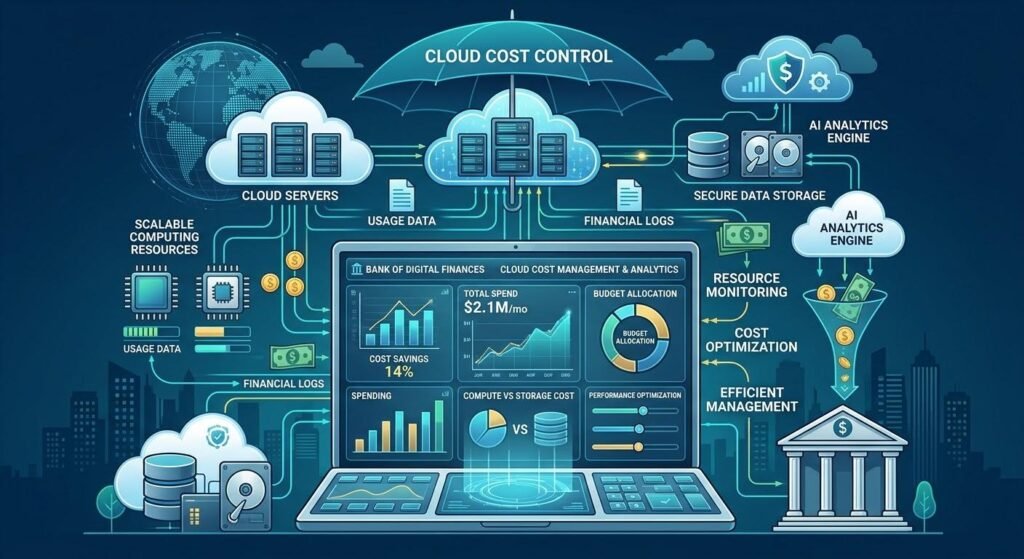
To manage your cloud costs effectively, you should track your resource usage. Cloud monitoring tools can help banks identify how much each department, application, storage service and project is costing. This can identify how much resources are being used, any unusual costs and services that are using more resources than expected. This can help financial institutions set alerts for when they are approaching set budgets or if there is an increase in usage. Right-sizing resources can also help. This means ensuring you have the correct amount of computing power for the workload. For example, if a banking application isn’t using much of its processing power, it can be moved to a smaller and cheaper size. By regularly right-sizing, financial institutions can reduce waste whilst keeping their applications running well.
Auto-shutdown
Financial institutions can reduce costs by implementing auto-shutdown. Development and test environments may not need to run overnight, at the weekend or bank holidays. By setting these to automatically turn off outside of working hours, financial institutions won’t be paying for computing power that isn’t being used. However, care must be taken to ensure it doesn’t affect essential banking processes, security, backups and disaster recovery. Budgeting can also help. Set monthly and yearly budgets, give each department a budget, predict how much you will use and compare this to how much you are actually spending. By combining auto-shutdown and regularly reviewing budgets, financial institutions can create a more predictable solution.
Infrastructural Cost
Whilst there are infrastructures costs that can be reduced by using cloud computing, there are costs associated with migrating. Large amounts of historical data, changes to applications, integration with legacy systems and training can incur large costs. Some applications may need to be redesigned to work efficiently in the cloud. During migration, financial institutions may need to continue to use their existing data center whilst paying for new cloud infrastructure. In addition, poor planning can cause financial institutions to use too many resources, pay for expensive licenses, incur unnecessary data transfer costs and have inefficient storage. If financial institutions don’t review their requirements, they will just be moving current inefficiencies. Therefore, it is important to have a detailed financial review, realistic plan and cost management.
Reviewing Total Cost of Ownership and Return on Investment
Before using cloud computing, banks should consider the total cost of ownership (TCO). This takes into account all the costs associated with migrating to the cloud. This will include migration costs, licenses, storage, computing, data transfer, cyber security, training, support, backup and maintenance. Compare these costs to how much you would have spent running your current infrastructure. Return on investment (ROI) can also be a useful metric. This will help decide if it is worth investing in as there will be financial and operational benefits. This can include reduced hardware costs, quicker application deployment, improved scalability, reduced maintenance and improved service availability. Consider how long it will take to recoup the costs of migration. Will you actually save money? By comparing different cloud pricing models and predicting future usage, financial institutions can make more informed investment decisions.
Improving Long Term Efficiency
To improve long term efficiency, financial institutions should have an ongoing cost management strategy. Banks should regularly review their cloud architecture, check performance of services, remove unused resources and decide if current resources are suitable. Negotiate with your cloud provider to have the correct pricing. If you are using certain resources, you may want to have reserved resources. However, ensure you have realistic predictions for demand so you aren’t paying for unnecessary resources. Security, compliance, data protection and business continuity should always be considered when looking to reduce costs. If financial institutions reduce costs by reducing essential controls, they could lose money and damage their reputation. Balance should be found to ensure cloud costs are helping provide reliable services.
Conclusion
Cloud computing can provide financial institutions with an opportunity to reduce infrastructure costs, improve scalability and update their technology. By utilizing flexible cloud services, banks can reduce costs on hardware, maintenance, electricity and data center management. However, there are costs associated with using cloud services. These include pay-as-you-go, storage, computing, data transfer, licences & duplication. By using FinOps, monitoring costs, right-sizing resources, auto-shutdown and budgeting, financial institutions can help identify waste. Reviewing total cost of ownership and return on investment can help banks decide if they are getting real value from using the cloud. Overall, by carefully planning, managing resources responsibly and regularly reviewing efficiency, financial institutions can see sustainable financial benefits from using cloud computing.
Get more well researched information about Cloud Computing Costs in Financial Services here.