Today, much of our data is stored on our phones and computers, and also the information we send via email, such as personal messages, financial information, working documents, passwords, and private records. As technology has become an integral part of our lives, hackers are always looking for opportunities to gain access to devices and accounts without permission.
Security breaches don’t always come with a red flag. In some cases, hackers may surreptitiously look over the shoulder, steal information or even log onto an account without the owner’s knowledge. It’s important to know the early signs of hacking to avoid serious consequences. The sooner you detect suspicious activity, the sooner you can protect your information, secure your accounts, and minimize the risk of further attacks, financial loss, or identity theft.
Why is early recognition of a Hack important?
An attacked device or account can lead to issues that extend beyond just one service. The stolen data can be used to impersonate the victim, send fake emails, log into private files or target other accounts linked to the victim. Most users only realize they’ve been hacked when they experience significant effects like making unauthorized purchases, losing files, or locked accounts. But there are also a number of indicators that are smaller that can be detected beforehand before the damage is great. Recognizing strange or unexpected behavior in your device, your account and your online activity is an opportunity to take immediate action. One of the major signs that you might be at risk is if you’re being sent some strange unusual login alerts, particularly if you’re seeing people trying to log on at times or locations when you didn’t try to log on.
Cybersecurity is an ongoing process, and users need to be aware of the various methods hackers use. A successful attack need not be complicated; it can occur when users use weak passwords, fall for phishing e-mails, download software from questionable websites, or use the same username and passwords. Any individual can be more alert to recognizing the warning indicators of a compromise when they know what to look for. From using a smartphone to bank to a computer to work or school to email to communicate, it’s one thing to know what to look for to protect your digital identity.

1. Unusual Login Alerts and Unknown Account Activity
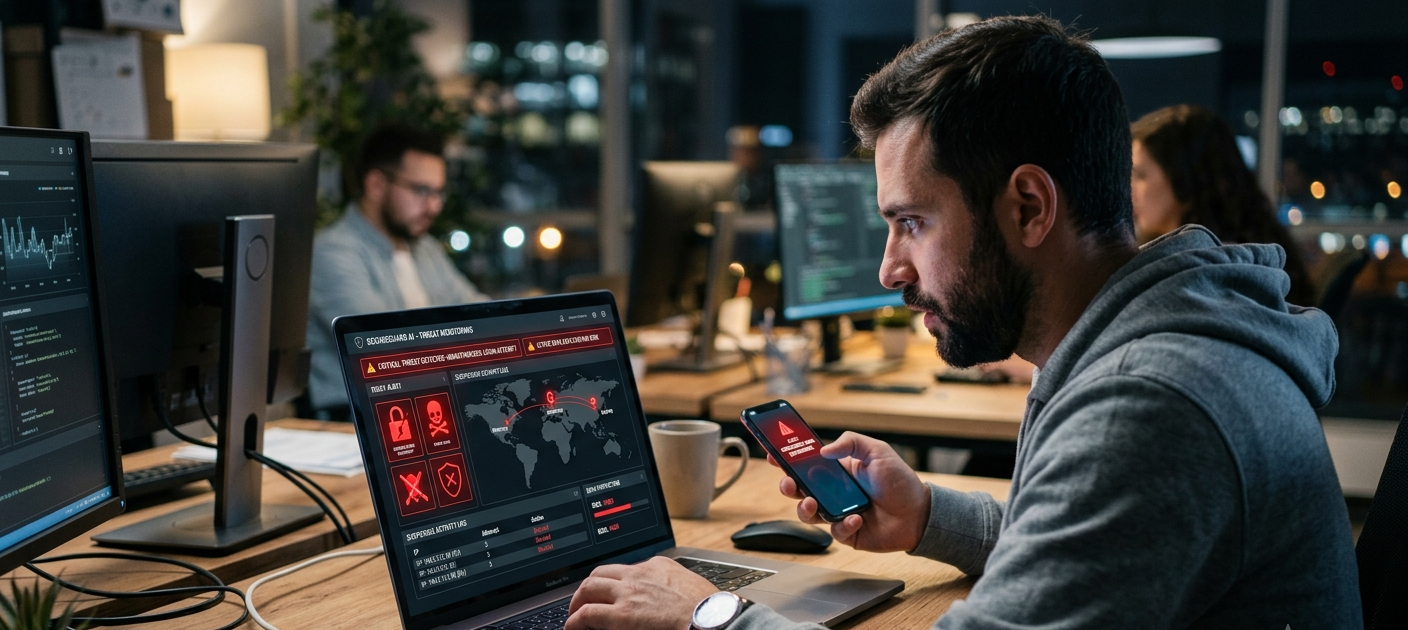
A definite indication that your account might be hacked is if you are finding any notification of failed or attempted logins or sign-ins that you don’t remember making. There are a number of online services that will alert you if someone uses an account from a new device, new location, or new browser. If you get a message informing you that your account was logged into when you weren’t, it may be because someone has found out your password. Never ignore these alerts as they may be a warning sign that hackers are considering making bigger changes in the future. If you can still log in to your account, that doesn’t mean that someone else doesn’t have them.
If you see an alert for suspicious logins, check the security settings of your account and verify the devices connected or the activity that has been recent. Use a strong and unique password that you don’t use anywhere else. If the service supports two-factor authentication, then use that.If the service offers two factor authentication, then use it, it is much more difficult for an attacker to gain access. Also see if other accounts are using the same password as it’s common for hackers to use stolen login info on other sites. You can prevent an attacker from gaining further access to your personal data if you act promptly.
2. Sudden Battery Drain on Your Phone or Computer
If a device suddenly drains its battery life much quicker than expected, then it may be malicious. Battery issues may also occur due to other reasons like old hardware, software updates, background apps, or excessive usage, but if battery usage is abnormal, there is a possibility of some unknown apps running in the background. Some malware runs in the background and consumes your device’s resources without your knowledge. All these secret activities can drain your battery, use your data and steal your processor power while gathering information or doing unwanted things.
If you do see unusual battery issues, look to see in your device settings what applications are consuming the most battery. Check for unfamiliar apps, programs, or services that you don’t remember installing. Discard any dubious applications and ensure you have the most up-to-date security version of your operating system. A trusted security scan is also useful to identify damaging software. While it’s not definitive proof that a device has been hacked, battery drain is definitely a red flag that should raise suspicion if it’s accompanied by other warning signs, like unusual pop-ups, sluggish speed or suspicious account activity.

3. Surprising Pop-Ups and Suspicious Messages
If you notice that there are lots of pop-ups, weird ads or unusual security warnings, this is another sign that you have been hacked. Some malicious programs may present themselves as alerts that will prompt users to click on bad links, download malicious software or provide personal information. The messages could state your device is infected with a virus or needs to log in immediately to resolve a problem. A good company will not require users to give out their passwords or other sensitive information via random pop-ups.
If you receive messages that you don’t expect, don’t click on links or open attachments from unknown sources. Close the message carefully and see if the problem persists. If pop-ups keep coming up, review browser extensions, recently installed programs and permissions given to applications. Deleting the suspicious software and removing unsafe browser settings may help to resume normal operations. When unexpected warnings emerge, it’s important not to rush into any decisions because many cyber attacks prey on panic and rush decisions.
4. Unusual Reduction in Device Performance
If your phone or computer has unexpectedly slowed down, it may sometimes be a sign of an unwanted problem in the system. Storage problems, bugs in the software or running too many apps will naturally make your devices slow. But if there are unusual slowdowns, which occur suddenly, it can indicate that malware is taking up your device resources. Some malicious programs are installed to run processes that take up memory, processing power, and Internet connections and make everyday activities extremely frustrating.
If the performance of your device has suddenly been altered, find out what may be going wrong. Review active processes, uninstall unknown programs, install updates and restart your computer. Additionally, you should also use trusted security software to scan for malware. If the slowdown doesn’t stop despite doing some basic troubleshooting, you may need to call in the tech guys. When a slow device is combined with other suspicious activity, it is considered to be a hacking device, but not necessarily if it is slow alone.

5. Emails That You Did Not Send in Your Sent Folder
If you notice that you’ve sent emails that you didn’t write, it’s a big red flag that someone may have accessed your account. One of the most common ways hackers access your email is that they can access your email to send out scams, messages with links to scams, or messages to your contacts. Email accounts can be important sources of passwords, personal information, and important documents, so having your control lost can lead to significant security issues.
If you are seeing emails you don’t recognize in your sent folder, change your password right away and see the details of your account recovery. See if unknown forwarding rules or filters have been set up, as attackers may set up rules or filters to get copies of your messages without you being aware. Let your contacts know that their email account might have been hacked and don’t believe any emails that come from your account. Securing your email account right away will help keep the hackers from being able to use it to gain access to other online services.
6. Locked Accounts/Password Change that you did not make
If you have forgotten your password and you cannot log in into your account, it’s one of the worst indications that your account has been hacked. Once cybercriminals get access, they may change the password to stop the real owner from accessing the account. In some instances, they may even modify recovery email addresses, phone numbers or security questions to ensure that account recovery will be difficult.
If you find that an account has been locked or modified, without your consent, use the official account recovery process offered by the service. Don’t click on links that appear in suspicious emails or messages, since the attackers might have a fake recovery page to get more information. Once you have got access, change your password, set up two factor authentication, and monitor your account activity closely. It is important to act promptly to improve the likelihood of regaining control before additional damage occurs.
7. Unfamiliar Apps or Files Showing Up on Your Device
Another possible indicator of a security breach is if you find unfamiliar applications, files or settings on your device. An infected user can install undesirable software that enables hackers to track activity or steal information or even have control over some functions. These programs may manifest themselves after installation of untrustworthy software, after clicking on unwanted links or after downloading unsafe files.
Check your device regularly and take out anything you don’t know. Beware of applications that ask for permissions that aren’t needed, like camera, microphone, contacts or files. By staying up to date, you can ensure that your operating system and applications are protected from potential vulnerabilities that could be targeted by attackers. By maintaining the digital systems regularly, it is easier to see changes that might turn into serious issues.
8. Unusual Network Activity or Data Consumption
Sometimes, unexpected increases in Internet use can be a sign of communicating with unauthorized services. Malware can communicate with attackers with stolen data, download more malicious files, or use lots of data for other activities. When Internet use suddenly increases and there is no explanation for this, it is worth investigating.
Review settings on your device to determine which apps are using data. Turn off programs and unplug unknown devices of which you do not have control connected to your accounts or network. You can also change your Wi-Fi password, which will further help you to protect yourself from unauthorized use. Regularly checking on network activity is another form of protection check, as odd behavior could indicate security issues.
9. Strange Messages from Friends
If individuals you know are receiving strange messages, links or requests from your account, it may have been hacked. Often, hackers will use a stolen account to deceive contacts, as messages are more likely to be trusted if they’re from a familiar name. This is a technique that is often employed in spreading scams or gathering more personal data.
Notify any person who received suspicious e-mails and advise them to not click on any links or enter information. Next, protect your account by changing your password, viewing logins, and enabling extra security features. It’s essential to protect your contacts because an account hack could impact several people beyond just you.
10. Security Settings Changed Without Your Permission
Another big red flag is if there are unauthorized changes to your security settings. Hackers could change privacy settings, disable security options, add new recovery options or even add in unknown devices to keep access. These adjustments are typically done subtly, and periodic examination of account settings can be useful in catching issues early.
Review key accounts like email, banking, social media and cloud storage. Uninstall unknown devices, update security data and verify recovery details. There are many ways that good account management practices can help minimize the risk of losing control of your digital identity.
What to Do Immediately If You Think You Have Been Hacked
When it comes to your phone, computer and/or email account being hacked, the sooner you act the better off you will be. If you think that malicious software is running on the affected device, you should, of course, disconnect it from the Internet first. Change crucial passwords, beginning with email, as it’s probably linked to password recovery systems. Wherever possible, use two-factor authentication and check recent activity on your accounts for further indications of unauthorized use.
Also, ensure that you update your operating system, apply security patches, uninstall any suspicious applications and run a malware scan. Contact financial accounts and/or sensitive information organizations immediately if financial accounts or information may have been exposed. If there has been suspicious activity, such as alerts, messages, or unauthorized changes, keep a record of this, as it may aid in recovery. The best protection against cyber threats is prevention and a rapid response.
Conclusion
Technology makes life easier, but it also offers opportunities to cybercriminals to target personal information. If you notice any of these, such as unusual logon messages, low battery life, odd-looking pop ups, sluggish performance, strange emails, or locked accounts, you can take action before the little security problem turns into a big one. While no device or account is 100% protected against an attack, there are a number of precautions that can be taken to minimize risk: habits, password strength, security updates and awareness.
Digital safety needs to be addressed regularly, as threats are constantly evolving. You can keep your personal data safe and under control by keeping track of your devices, blocking suspicious logins, and acting swiftly should you find any suspicious activity. Fighting off future security issues and protecting your digital life is easier the sooner it’s discovered.