Running an online storefront alongside an enterprise resource planning system is a common milestone for growing businesses. While PrestaShop handles customer-facing merchandising, checkout flows, and catalog presentation, an ERP and CRM platform like Dolibarr centralizes back-office operations such as inventory tracking, customer records, purchasing, sales orders, and accounting workflows.
When these two environments operate in silos, teams end up duplicating data by hand or reconciling discrepancies after the fact. Connecting the storefront directly to the back office eliminates repetitive manual entry and ensures that commercial, logistics, and finance teams always work from the same numbers.
What Does Dolibarr and PrestaShop Synchronization Do?
Dolibarr and PrestaShop synchronization connects an e-commerce store to an ERP system so product quantities, customer details, orders, and catalog updates stay aligned across both platforms. Instead of exporting spreadsheets or re-entering orders manually, businesses keep storefront availability and back-office records consistent automatically.
In practical terms, this bridge turns two specialized open-source tools into a unified operational stack. PrestaShop remains focused on conversion, user experience, and front-end merchandising, while Dolibarr acts as the structured backbone for stock control, invoicing, supplier management, and financial reporting.
Why Disconnected ERP and Storefront Workflows Slow Growth
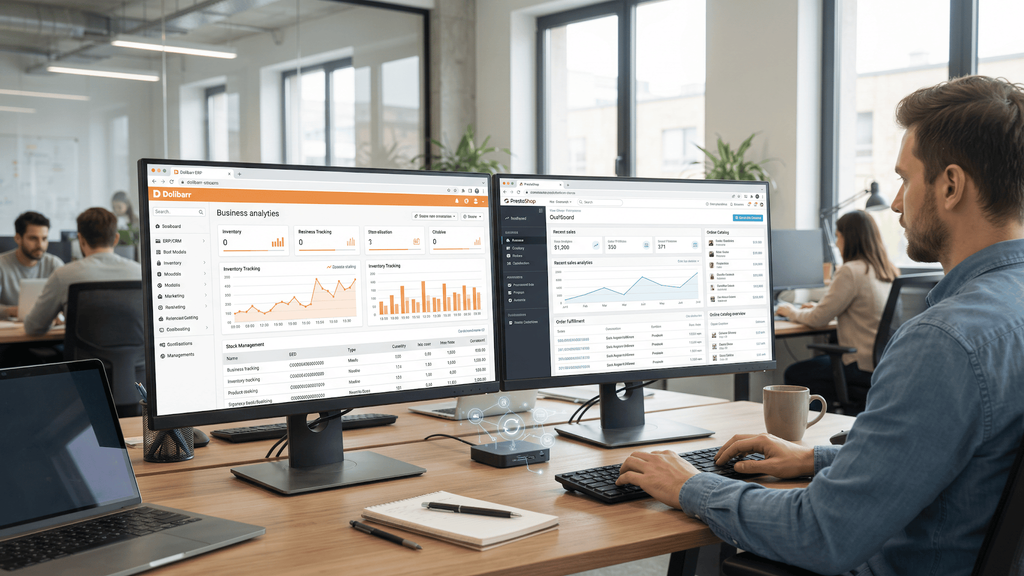
As order volume and SKU variety increase, manual handoffs between an e-commerce platform and an ERP quickly become a major source of friction. Sales teams need accurate availability before promoting products, warehouse staff need clean picking lists without delays, and finance departments need reliable customer and order histories without piecing together CSV exports from separate tools.
Common operational bottlenecks in disconnected setups include:
- Fragmented Customer and Order Data: Updating customer addresses, VAT numbers, order statuses, or billing records in one system without reflecting them in the other creates confusion for both support staff and buyers.
- Inventory Drift Across Channels: When stock adjustments happen in the back office—such as supplier receipts, physical inventory counts, or offline B2B sales—delayed updates on the storefront increase the risk of selling items that are no longer available.
- Repetitive Administrative Tasks: Copying product descriptions, pricing changes, or order details between systems consumes hours every week and introduces avoidable human error into accounting and fulfillment.
- Slower Decision-Making: Without consolidated data, managers struggle to evaluate real-time product margins, reorder thresholds, or cash flow accurately.
Key Areas to Align Between Dolibarr and PrestaShop
A reliable Dolibarr and PrestaShop synchronization strategy starts by mapping which system acts as the primary source of truth for each business domain, rather than forcing every field to behave identically across both platforms.
1. Catalog and Stock Alignment
Product references, stock levels, pricing, and core attributes must stay aligned so storefront availability reflects actual warehouse reality. Most growing merchants designate the ERP as the master reference for stock quantities and purchase costs, while using PrestaShop to manage SEO metadata, rich product descriptions, images, and promotional rules.
2. Customer and Order Lifecycle
Orders placed on the storefront should flow cleanly into back-office fulfillment and management workflows, while order statuses remain clear and traceable across both systems. Keeping customer profiles synchronized also helps B2B and omnichannel merchants track full purchase histories whether an order originates online, by phone, or through a sales representative.
3. Data Integrity and Error Handling
Automated synchronization is only as trustworthy as its safeguards. Clear activity logs, predictable synchronization intervals, and controlled handling of edge cases—such as missing SKUs, deleted products, or mismatched tax rates—prevent silent data corruption and make troubleshooting straightforward for technical teams.
How Should Businesses Prepare Before Going Live?
Before rolling out automated synchronization in production, technical and operational leads can significantly reduce deployment risk by following a disciplined checklist:
- Audit SKUs and Identifiers First: Consistent product references (SKUs, EANs, or internal codes) and clean, deduplicated customer records are the foundation of reliable matching between an ERP and an e-commerce store.
- Define Clear Synchronization Rules: Document which fields are pushed or pulled, how often automated tasks run, and how manual edits are handled so staff do not overwrite automated updates by mistake.
- Verify Tax and Currency Mapping: Confirm that VAT rates, shipping fees, and rounding rules match between PrestaShop and Dolibarr to avoid cent-level discrepancies on invoices and accounting exports.
- Test in Staging with Real Edge Cases: Validate standard orders, multi-item carts, partial quantities, refunds, and catalog updates in a non-production environment before enabling live synchronization.
Frequently Asked QuestionsWhich system should be the master for inventory: Dolibarr or PrestaShop?
In most setups, Dolibarr should serve as the master for inventory because it tracks supplier purchases, warehouse movements, and offline sales alongside online orders. PrestaShop then reflects those stock levels in real time or on a scheduled interval.
Can businesses synchronize Dolibarr and PrestaShop without disrupting daily operations?
Yes. By auditing product references beforehand, testing the connector on a staging environment, and starting with a controlled subset of products or orders, teams can transition to automated synchronization with minimal operational disruption.
Conclusion
Connecting Dolibarr and PrestaShop turns two specialized platforms into a cohesive, scalable e-commerce architecture. By aligning product data, stock visibility, and order workflows around clear rules and disciplined testing, businesses can eliminate manual overhead, protect data accuracy, and build a stronger operational foundation for long-term growth.