Introduction
When it comes to Windows application development, the programmer needs to use programming logic, user interface design, software testing, security checks and debugging to create reliable software. As software projects grow in complexity, developers are turning to AI coding assistants to streamline repetitive tasks and enhance productivity.With the rise of complexity in software projects, AI coding assistants are becoming more popular to automate repetitive tasks and boost productivity.
These tools can recommend code, provide clarification on obscure programming concepts, help detect errors, produce documentation, and even help to test the code. For Windows programmers working with C#While technical expertise is essential, everyday development tasks can be made more efficient with the use of NET, and the Windows App SDK, AI assistance. This doesn’t mean that the generated code is also correct, secure, or that it will work on all Windows environments, though. Developers need to know how to use AI tools, assess their suggested recommendations, and review the outcomes.
AI Coding Assistants for Windows Development
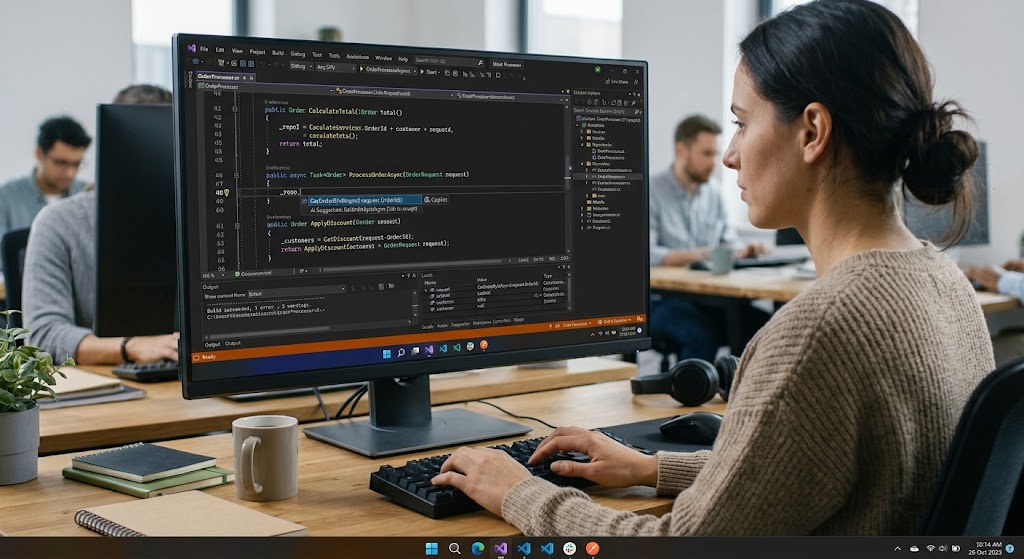
AI coding assistants are software products powered by AI models to assist coders in writing, understanding, modifying, and testing code. They can run in a combined integrated development environment (IDE), as command-line processes or in standalone chat interfaces in which developers explain problems to the AI. This can include AI-driven coding partners like GitHub Copilot, which can suggest code during the development process, clarify existing functions, or offer solutions for coding mistakes. They are most useful in understanding the surrounding code and making suggestions based on the developer’s instructions. However, these systems are not flawless and the advice they give may have logical errors, unsupported methods or incomplete implementation.
The usefulness of AI tools for Windows developers is heavily reliant on the compatibility of the AI support with the technologies and tools their project employs. A developer creating a desktop app using C# and .NET.NET can ask for support for creating classes, implementing asynchronously, validation of user input, or linking interface controls to application logic. Microsoft also has an official documentation of WinUI 3 for developers that can be used to reference suggested controls, XAML syntax, and platform-specific APIs. Using an AI assistant along with a well-documented and standardized development environment is more trustworthy than blindly relying on generated code. The assistant speeds up the implementation, the developer is still the one who makes architectural choices, makes sure they are correct, secure, and gives the user a good experience.
1. Creating Code using AI Assistants
Creating C# and .NET Components
One of the most practical applications of AI coding assistants is generating code, as developers often have to craft classes, methods, data models, validation procedures, and more. A programmer can describe what he or she would like the behaviour to be and request an assistant to generate an initial implementation, rather than writing the individual components. A person building a Windows inventory application, for instance, may ask for a C# class with a number of product numbers, names, costs, quantities and a technique to calculate the complete inventory worth. The assistant can provide a starting point for the developer to review and modify and add to the project. This will save repetitive typing, and make it easier for programmers to dedicate more time to business requirements and application design.
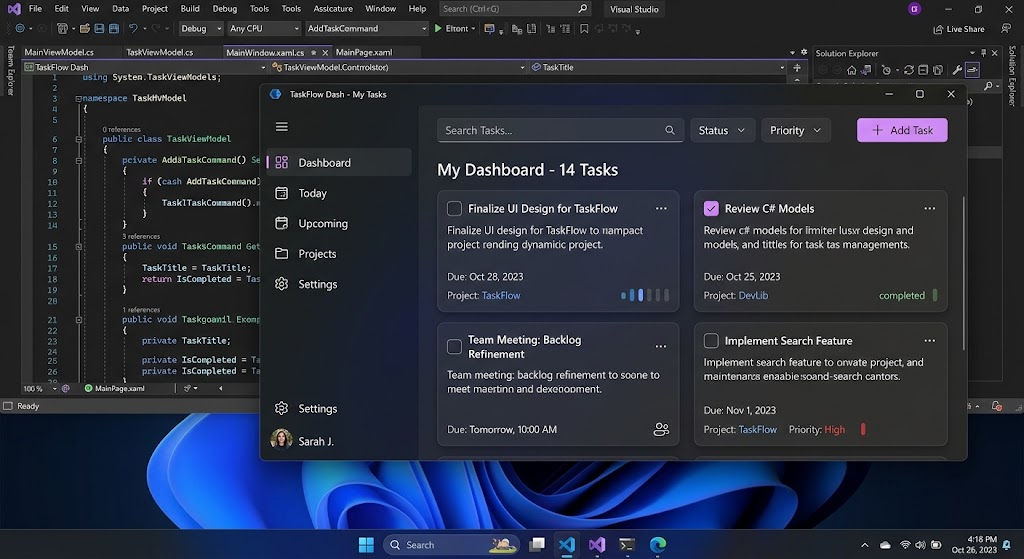
Let’s look at a developer working on a task management app in .NET. There should be a way to store the description of the task, its status, and the date on which it is due. A basic validation logic and properties could be generated within the TaskItem model using an AI assistant. It may also recommend ways to filter out the completed tasks or sort the tasks by the deadlines. The developer should then verify if the class being created adheres to the project’s naming standards, processes invalid values, and integrates with the existing data structure of the application. If the project is based on a specific design pattern, such as Model-View-ViewModel (MVVM), a specific request for an implementation based on the pattern should be made. Requirements tend to generate more helpful suggestions than something less specific, like giving the assistant a generic job order to create an entire application without any functionality.
How to create Windows User Interfaces.
AI coding assistants can also assist developers with the creation of Windows user interfaces with XAML and C#, by providing code generation and suggestions. A programmer can specify a screen with text boxes, buttons, navigation controls and a data table, and ask for a set of suggested layouts and the event handling code that goes with it. If you’re developing an app using WinUI 3, your assistant will be able to offer you suggestions for XAML markup and C# methods for handling user interactions. For instance, a developer might need to design an application that solicits a customer’s name, email address and telephone number, in addition to a submit button. The interface generated can be used as a first draft and the developer can focus on accessibility, visual uniformity, validation and on user expectations regarding the behavior of the interface.
But if you are to generate an interface, you need to take special care since the APIs, namespaces and lifecycle rules follow different principles in Windows frameworks. A suggestion made for Windows Presentation Foundation (WPF) or Universal Windows Platform (UWP) might not be directly applicable in a WinUI 3 app. When asking an assistant, developers need to provide the exact details of the framework, programming language, Windows App SDK version, and other project constraints. They also need to be prepared to bundle up the application and test the interface that it renders, instead of taking it on trust that a valid-looking XAML will work. Factors such as support of keyboard navigation, support for scaling the screen, responsiveness, support for accessibility, and proper handling of window events are important. Don’t use AI-generated layouts as final designs for user interfaces; think of them as templates that can be customized.
2. Troubleshooting and Fixing Programming Errors
Another potential area where AI coding assistants can help Windows programmers is debugging.Another potential use case for AI coding assistants with Windows coding is debugging. Applications can fail due to wrong values, wrong assumptions, asynchronous execution issues, invalid data bindings, or exceptions when running the application. While traditional debugging tools are still vital, AI-powered assistants can provide valuable insights into error messages, explain unknown exceptions, and offer potential solutions. The developer can give the assistant the necessary method, compiler output, and steps necessary to replicate the problem and request that the assistant identify the possible explanations. This can save time when a programmer is dealing with an unfamiliar code base, especially when using a framework or API that he or she has not used extensively.
If, for instance, a WinUI 3 app has a search box and a list of customer records, and when the user types a search term it doesn’t update the list of results, then the app is not user-friendly.For instance, if a WinUI 3 app has a search box and a list of customer records, but typing a search term doesn’t cause the list of results to be updated, then the app isn’t user friendly. The developer might request the AI assistant to research the filtering technique, the configuration for data binding, and the way the UI is being notified of changes to the data source. The assistant may find that a property-change notification is missing, an expression in a binding isn’t correct, or a filtering method does not ever change the collection that’s displayed. The programmer can then evaluate each of the explanations by using the breakpoints, variable inspection, and debugger within Visual Studio. The developer should only try to implement the fixes which are compatible with the observed behavior of the application, not all the suggested fixes.
Programmers need to offer the relevant and exact evidence to process it into a useful tool for debugging, especially for AI-powered tools. It is useful to have a prompt with the error message, the code that the error is in, the expected behavior, the observed behavior, and any changes that have been made recently that might have caused the problem. If a project’s security and privacy needs would require the use of an AI service, such information should not be shared with the service unless it is directly allowed by those security and privacy needs.If the use of an AI service is required by the security and privacy needs of a project, such information should not be shared with the AI service unless explicitly so required by these security and privacy needs. Developers should also differentiate between a plausible explanation and a confirmed diagnosis. A suggestion might sound good but might not be addressing a different problem somewhere else in the app. It is still important to reproduce the mistake, test the suggested correction and check for unexpected consequences.
3. Refactoring and Improving Existing Code
Refactoring is the process of changing the internal structure of software, so as to make it more readable and efficient, without altering its behaviour. As Windows apps get larger, you might find that there’s logic that’s duplicated, long methods, classes that are too tightly coupled, inconsistent naming, or a complex conditional statement. AI coding assistants can scan specific parts of the code and suggest improvements for maintainability. They may recommend isolating common code into a common method, breaking up a large class to create smaller ones, simplifying multiple conditions into more explicit expressions, or splitting dependencies apart with interfaces. These recommendations can be used by developers to find potential areas for improvement that may have taken a long time for manual review.
For instance, in an employee management app there could be several methods to validate an employee’s information, compute salary, and save the info. If multiple screens are implementing the same validation rules, the assistant may suggest creating a validation service which is shared. The developer may request a refactoring suggestion, review it against the current design and make one or more changes in small increments. Automated testing should be done after every change to ensure the application generates the desired outcome. This is especially relevant in the event of updating code related to financial calculations, file operations, authentication or database updates. A refactoring that seems straightforward can actually have an unintended impact on how missing values, exceptions, or edge cases are treated.
When using an AI assistant to rewrite substantial chunks of an existing application, the developers should provide the AI with clear guidelines, avoiding such use. Major changes can bring in unwanted dependencies, lose behaviour, or make it hard to see where additional defects are coming from. A good way to do this is to take a look at the existing implementation, find a specific change to make, make a minimum change, and examine the difference. Version control systems like Git also offer extra safety as they enable programmers to compare changes and roll back to previous versions when needed. Refactoring should make a code easier to read, easier to maintain or perform it faster without adding any unproven behavior. It is therefore up to the developer to decide whether an AI recommendation is really helpful to the project or just a more modern alternative.
4. Create Documentation and Explain Code
Software documentation enables developers to comprehend the functioning of the software, the interactions among its elements, and how to keep it up over the long term. Unfortunately, documentation is not always a top priority when time is short. AI coding assistants can tackle this issue by creating XML documentation comments for C# methods, providing summaries of classes, explaining complex algorithms, and writing setup instructions. They can also provide a basic description of the public interfaces and provide examples of the use of a component. With proper upkeep, this documentation can help make projects easier to understand for other programmers, and save time for some programmers that might otherwise be spent finding out about unfamiliar components.
A Windows file management application developer, for example, may want an assistant to write down a way to read selected files and retrieve their metadata. The assistant might be able to produce an XML summary that contained the following information about the method: purpose, parameters, return value, and exceptions. The developer should read these comments and correlate them with the actual implementation and make sure each statement is true. Don’t expect to always get populated results from the method: if it ever returns the empty collection, that fact should be documented, not a false promise. Documentation can be produced after the code has been written, but can become stale if the code is modified, so should be read in conjunction with any changes to the code.
AI tools can be especially beneficial when developers are presented with new or unfamiliar components of an existing application. If a programmer joins a project, he/she might want to know how the view models communicate with the data services, or how the configuration settings are loaded into the system. The assistant can give an interesting summary and suggest key classes to explore. Watch out for that though – explanations need to be validated in the source code as AI can often misinterpret the dependencies or say something that the application does not do. In case of complex projects, documentation should document verified architecture, known dependencies, supported workflows and known limitations. While AI can help streamline the process of creating these documents, the developers must still make sure that the documentation is correct and reflects the software.
5. Improving Software Testing with AI
Software testing is used to determine if an application will perform as expected with normal inputs, with unusual inputs, and/or in a failure situation. AI coding assistants can aid in creating unit tests, uncovering edge cases, preparing test data, and suggesting scenarios that could be missed. An assistant can write tests for C# applications based on the existing configuration of the project, using the xUnit, NUnit or MSTest framework. These tests can validate calculations, data transformations, error handling and input validation. AI support can help developers create a more robust and extensive testing process by speeding up the test case generation process, allowing them to leverage existing cases or develop new ones with AI-generated ideas.
Try a Windows budgeting program that can figure out what you’re spending each month and show you how much you have left. A developer may choose to have an assistant create test cases for typical transactions, clearing expense lists, zero dollar transactions, negative dollar transactions, and very high dollar transactions. The assistant might be able to generate initial tests and test data. The developer should then ensure that the results are expected and representative of the actual application requirements. An AI assistant shouldn’t make such decisions based on the business rules; for instance, negative transactions may or may not be allowed; the business rules determine that. Tests should ensure that desired behaviour is satisfied, not just reproduce the assumptions in the code. Otherwise, the same error can be made by an implementation and its tests, leading to a false sense of security in the results.
Testing also needs to be carried out beyond just specific methods in Windows applications. A user interface might build successfully but it may not navigate or keyboard input, window resizing or data binding properly. Therefore developers need to do both unit testing, integration testing and the right UI automation. When creating automation scenarios, AI assistants can provide the basic outline; when an automation test fails, they can explain why; and when a test fails to cover a specific area, they can identify the area, but the tests themselves should be run in an appropriate environment. The compatibility should be verified with the operating system versions, processor architectures, .NET runtimes and Windows App SDK configurations the application will run on. Programmers should also try out packaging, installation, upgrades, permissions and failure recovery before releasing an application. A helpful AI testing approach involves generating test ideas, doing real testing, creating meaningful assertions, and having humans validate the results.
7. Analyzing and Designing AI Assistants for Use in Existing Development Environments.
Visual Studio is a large development environment for Windows applications, because it’s integrated with a number of tools for editing, project management, compilation, debugging and testing. An IDE integrated AI coding assistant can leverage the context around a codebase to suggest code ideas for a specific file and/or a specific problem. These features can be utilized when developing C# classes, XAML interfaces, project configuration and test projects. Having AI integrated into a specific workflow diminishes the necessity of constantly moving between different applications and simplifies it to review recommended changes in conjunction with existing code. The availability and behavior of specific assistant features, however, will vary with the installed extension, account, IDE version and project configuration.
The first step in a practical workflow is to start the existing solution and determine which task should be addressed. The developer may ask for another type of validation, an explanation of a compiler error, or for a class to be simplified. The programmer then examines the code generated and makes the necessary modifications and compiles the solution. Compilation errors can be used to adjust the request and/or to do some manual investigation if it fails. After the code is compiled, the developer will perform tests to verify the code and check the code’s behaviour in the debugger. The final differences should be reviewed using source control and unrelated changes should be separated. This process ensures that AI-generated suggestions are part of the same verification process as manually written code.
Working with C#, .NET, and WinUI 3
The context for the AI assistance is partly specific to the quality of the AI assistance. The prompt for a C# desktop application should let you know if the project is using WinUI 3, WPF, Windows Forms, or another UI framework, since the UI components and application architecture vary. Relevant . should also be mentioned by the developer.Which NET and Windows App SDK versions to use when it’s relevant. For instance, when creating a settings page, the required controls, data binding method, validation rules, navigation behavior and any conventions already in use by the application should be specified. These details minimize the chance that an associate will combine incompatible APIs or create code based on a different Windows framework.
An example that we can use here is a developer extending a current WinUI 3 application with a settings page. The programmer can prompt the assistant to suggest a XAML layout and a C# view model that defines the available settings, validates user changes and saves the settings via an existing configuration service. The implemented code should be checked against existing Microsoft documents and current project dependencies. It is the responsibility of the developer to ensure that the namespaces, event handlers, binding expressions, and configuration methods are supported in the installed SDK. Once compiled, the settings page must be checked for valid and invalid input, for the settings to remain valid after restarting the program, and to produce the correct behavior when the configuration data cannot be saved. While AI can speed up the implementation process, it still needs to be integrated and verified for each project.
7. Verify Correctness, Security and Compatibility of Generated Code.
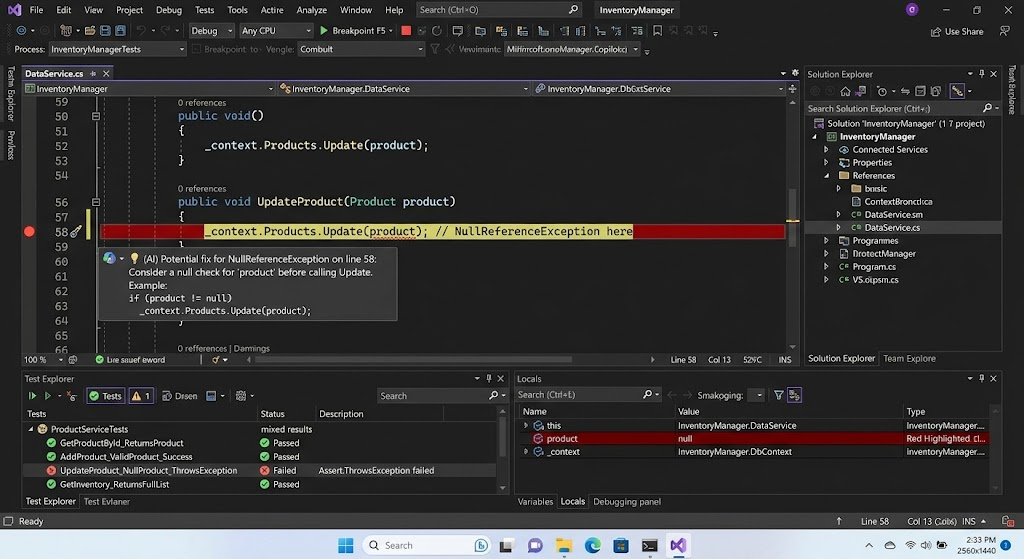
The code generated by AI tools should be considered as a suggestion, not a definitive answer. A frequent issue is that the code produced may compile, but fail to give the desired output. An Assistant may misinterpret the requirement, forget an essential validation step, mishandle an exceptional condition, etc. or select an algorithm that is not suitable for large data sets. It is recommended that the developer check the logic for explicit requirements, test with representative inputs, and consider edge cases before accepting the implementation. There are evidence types that can be provided from compiler diagnostics, static analysis, code reviews and automated testing. Neither ensures that a program is 100% correct, but using both methods together can identify the issues a conversation might not have picked up.
Security calls for as much attention. AI assistants can produce code that includes insecure file handling, input validation vulnerabilities, inadequate authentication measures, hard-coded secrets, or insecure file operations, among other issues. For a Windows application that imports documents, for instance, the generated code should not make the assumption that all selected documents are safe to import or contain the expected formats. Developers need to ensure that inputs are validated, errors are handled safely, access should be controlled, and confidential information or data should not be disclosed in log files or error messages. They should also analyze the dependency of packages and apply tools available to them to analyze for known vulnerabilities. Programmers employed by a company are responsible for adhering to the company’s policies regarding acceptable AI services, data management, and release of the source code for proprietary code, personal information, or regulated data.
Another important issue is compatibility, as Windows applications rely on specific versions of the framework, APIs, operating systems and deployments. The AI assistant can suggest a solution that was found in a previous framework, is a different UI technology, or needs a newer SDK than the project is using. It could also ignore differences between packaged and unpackaged applications or make assumptions about the Windows version the application is targeting. It is important for developers to check any dubitable suggestions against the official API references, release notes and working samples. They should then create and test the application with the intended target configuration If a specific API is no longer supported or has been superseded, the programmer should discuss a different one which would suit the exact needs of the project and ensure it works as expected.
8. Realistic AI-Assisted Development Workflows
For a small developer implementing a task management app, they can leverage AI without giving up control over the design. The first thing is to establish need: Users should be able to create tasks, set due dates, check off tasks and filter the list of tasks. The Assistant can offer the data model in C#, the WinUI 3 interface, and the view model to separate the logic from the presentation. The programmer then takes a look at the suggested structure and fine-tunes it to match the current solution. Once the first interface is created, the developer tests the project for XAML and C# errors, and executes the program to see the controls display and respond as intended.
Testing and refinement is the next step. The developer may request the assistant to propose unit tests for Adding Tasks, Rejecting Invalid Input, Sorting Due Dates, and Filtering for completed items. The programmer checks the test assumptions, runs the tests and fixes any failures. If the UI doesn’t update after a task update, the assistant can assist in exploring the data-binding and notification logic. The developer tests the diagnosis with the debugger and not by simply swapping out the old code. Last, the programmer checks the application for accessibility, persistence, exception handling and compatibility with the intended Windows environment. This workflow shows how AI can be used in various stages of development without taking over the design or quality assurance.
Business Application to Create and Manage Existing Business
AI can help developers who support legacy Windows apps as well. Assume a company has a known C# application that tracks customers, but some of the methods have redundant validation logic and the means of handling errors are inconsistent. The developer does not ask for a complete rewrite, but asks for a limited refactoring of one repeated operation that the assistant would like to perform. The assistant could propose to split the validation rules into a shared service and write tests to maintain the current behavior. Programmer reviews proposed change, considers implications on current classes, and makes it in a separate, reviewable change.
The developer then executes the existing test suite in conjunction with the new tests and then checks the results of the tests against the previous implementation. If an older . is used for the application,each suggested API should be determined to be compatible, as it is part of the NET version or framework specific controls. The programmer can also leverage the AI capabilities to record the refactored component and find other parts of the code that might be duplicated. But every additional change needs to be considered separately otherwise it will add unnecessary complexity. This is especially helpful for business software where it is possible to make incremental improvements without the risk of making sweeping changes. It also highlights the potential of AI coding tools in enhancing existing applications and new projects.
9. Limitations and Best Practices
While AI coding tools offer many benefits, there are some key drawbacks to keep in mind. Suggested code may be factually incorrect, use the wrong API, inefficient algorithms, incomplete exception handling, or not follow the architecture of the code. An assistant may also give an outdated answer, either because of a lack of up-to-date knowledge about the SDK changes, or because it may not be aware of the exact version of the project. While an answer is technically correct it could not be appropriate for the app’s performance, accessibility, security or maintenance needs. It is important, then, to ensure that developers don’t consider confident statements or fluent explanations as proof of correctness. The question that should be asked is whether the proposed implementation meets the requirements and if so passes the appropriate verification.
Programmers need to be diligent in developing specific prompts, technical context, and asking for limited changes that can be reviewed independently in order to use these tools effectively. They should refer to official documentation when using APIs they are not familiar with, build the project after major changes and keep critical behaviour automated tests. Source control helps you keep track of changes you’ve created and recover from them. Developers should also refrain from providing sensitive code or credentials to unknown services, and make sure to check any code generated by them before adding them to a project. Last, but not least, they should carry on their programming skills. Understanding C#Application architecture, debugging, and software security becomes simpler and helps identify wrong suggestions and make effective use of AI assistance.
Conclusion
AI coding assistants can generate code for Windows programmers, troubleshoot issues, refactor code components, create documentation, and create software tests in a more efficient manner. When used with C#These tools can save repetitive work and provide developers with the flexibility to explore potential solutions to technical issues, in established development environments, NET and WinUI 3. What they offer most is the ability to be part of the disciplined development process, consisting of a well-defined and documented set of requirements, compilation, automated testing, security analysis, and manual code review.
These risks – incorrect suggestions, outdated APIs and compatibility issues – continue to be significant and require developers to manage proactively. AI will not eliminate the need for knowledge of programming or professional judgement. Rather, it provides developers of Windows applications with improved efficiency in doing their work and keeps them responsible for ensuring application quality, security and reliability.