Introduction: BMW’s Modern Technology Explained
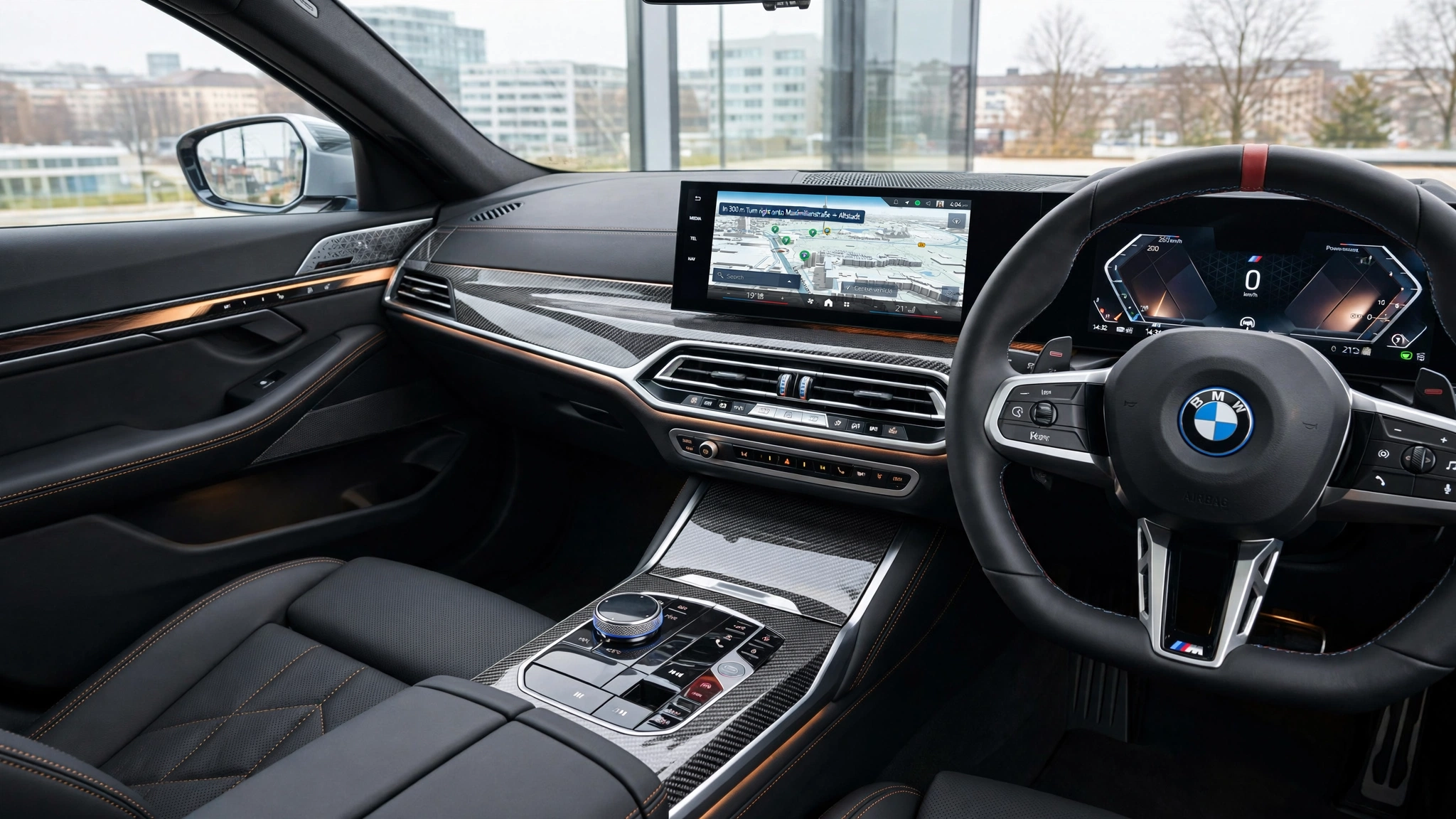
BMW iDrive safety systems combine connected devices, nav, smartphone integration and driver-assistance features are all wrapped into a single digital system in modern BMW vehicles. iDrive is BMW’s primary touch point for managing entertainment, navigation, vehicle settings, communication and more, and is at the heart of this experience. The iDrive lets drivers control the vehicle with a touchscreen, rotary controller, steering wheel buttons, and voice commands depending upon the model and year. Newer BMWs also feature customizable menus and widgets that make frequently used features more easily accessible.
BMW technology doesn’t just have to be about convenience. There are also more modern systems that are included in most modern models that are able to monitor traffic around you, alert you to cars in blind spots, keep you a certain distance back from the cars in front of you, and give steering assistance. The specific features will vary however, depending on the model, production year, market and optional equipment. Drivers will find it easier to use these systems correctly and won’t be confused by function changes that occur between generations of BMWs.
BMW’s iDrive Infotainment System
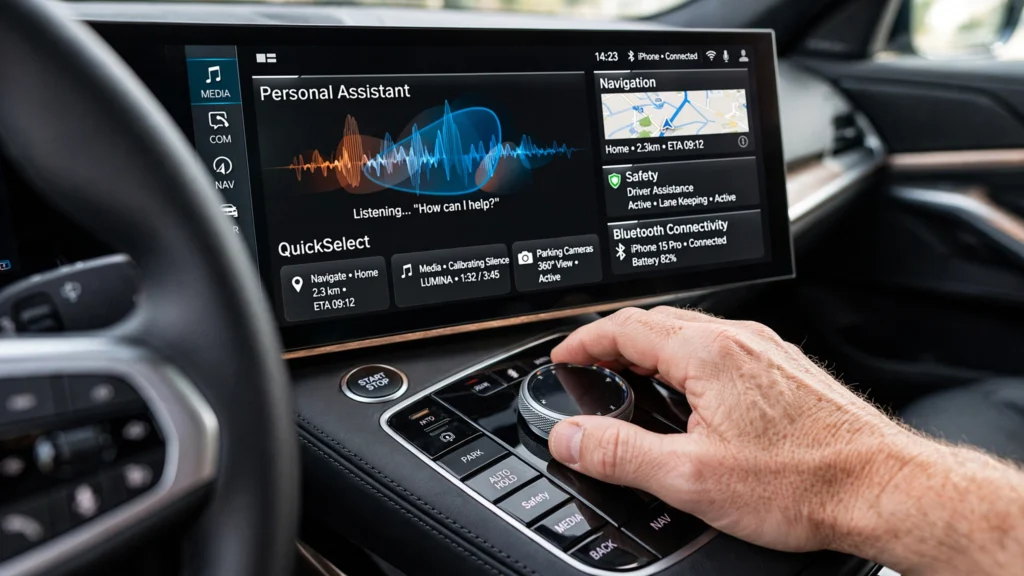
Many things in a modern BMW are controlled by its BMW’s iDrive infotainment system. Depending on the generation, the iDrive can offer navigation, entertainment, Bluetooth communications, smartphone connectivity, vehicle settings, and connected services. Newer versions are becoming more touch-sensitive, and older versions have been renowned for their rotary controller. The BMW Intelligent Personal Assistant also provides voice control to the driver to execute allowed functions without having to go through several menus.
Keep in mind that iDrive isn’t the same for all BMWs. BMW has released multiple iterations of its operating system and the effects, menu design and functionality may vary significantly from one iteration to another. For instance, newer systems are based on interfaces like QuickSelect and widgets that appear while they are live, whereas older systems may have different menus. Thus, owners need to find out the version of iDrive or BMW Operating System in their vehicle before implementing the directions provided on the internet.
Useful iDrive Features
Most people use iDrive for music, navigation and Bluetooth, but they don’t know how to use the other capabilities. BMWs offer voice controls, shortcuts, smartphone integration, camera functions, parking assistance and more, depending on the equipment. Familiarizing yourself with them will make driving easier in daily use since many of the functions you use will be quicker to use.
BMW Intelligent Personal Assistant is another handy feature for supported cars. Voice commands are available for some navigation, communications and vehicle functions, eliminating the need to look at menus. Familiar features should always be explored, but not while the vehicle is moving, though, for features unfamiliar, the car should always be safely parked. iDrive should not be a distraction from driving, it should make driving easier.
BMW ConnectedDrive Explained
BMW ConnectedDrive is the link between the vehicle, online services, smartphone functions, navigation services and certain digital functions. The services that ConnectedDrive offers vary according to the type of vehicle: ConnectedDrive can include BMW Maps, traffic information in real time, remote functions, Digital key and access to other connected services. Owners may be able to view some vehicle information, and use some supported remote functions from a device with a smartphone.
The capabilities of ConnectedDrive differ between vehicles and owners can’t depend on a vehicle having all the same capabilities as any other. The functions available may vary according to model, year of production, hardware, software, market and subscription. Installation of some features is included with the car, others may necessitate equipment compatibility or extra services. Therefore it is important to review the exact specifications of a BMW when purchasing a used model or comparing BMWs when purchasing a new one.
ConnectDrive features are easy to know and use.
A convenient feature of ConnectedDrive is the ability to communicate with the BMW vehicle via the My BMW App. Some models let owners remotely access various functions and view vehicle data without getting out. Navigation can also be done with cloud-based navigation, which can offer real-time data to assist with route planning and traffic conditions.
BMW also offers Remote Software Update for compatible cars. These changes may help to enhance current features and add new ones, if appropriate. But software won’t make all older BMWs the same platform with the latest technology; there are compatibility issues with hardware, too. The hardware which is installed during the time of manufacturing of the vehicle is the basis of its operating system.
Active Driving Assistant and Driver Assistance
The systems and the BMW’s Active Driving Assistant are intended to alert and support the driver in various driving situations. They may be fitted with various safety features, such as forward collision warning, lane departure warning, blind spot monitoring, and more, depending on the model and package. Adaptive cruise control and steering assistance are available to more advanced packages.
These technologies aim to assist the driver and are not meant to replace him. All BMW driver assistance systems are based on cameras, radar and other sensors that monitor some aspects of the environment, but are not without limitations. A system can have different performance levels due to various reasons including road markings, weather, traffic, obstructions to sensors, etc. Drivers need to be vigilant and in control.
Blind-Spot Monitoring
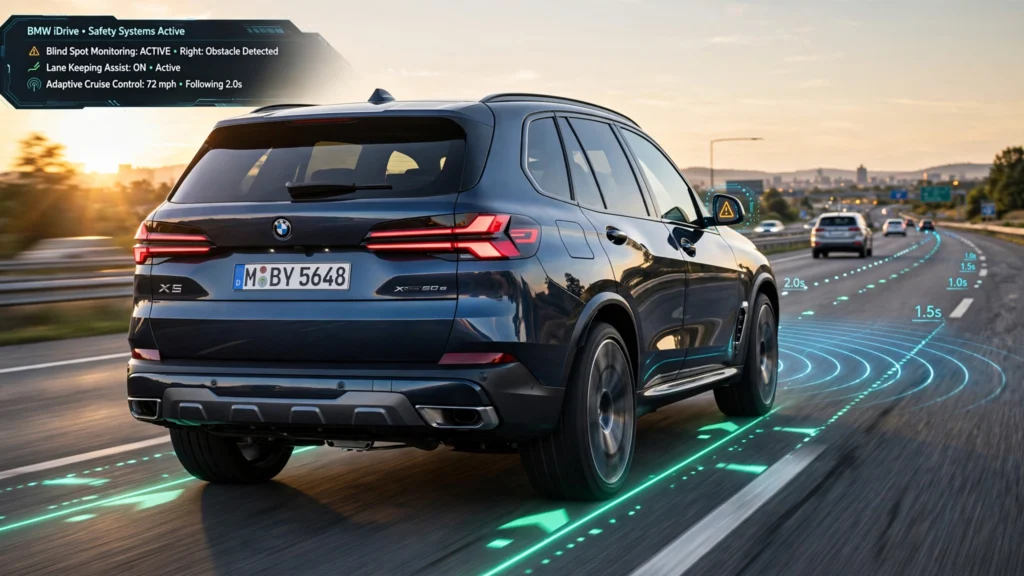
Active Blind Spot Detection can alert the driver if another vehicle is detected in the adjacent blind-spot. The system can warn the driver via the exterior mirror and can offer further steering-wheel feedback and/or intervention depending on the BMW model and equipment. This will be helpful if you are changing lanes on a busy road.
While blind-spot monitoring is a great extra safety feature, it should not be used as a substitute for looking in the mirror and at traffic around the car. Drivers should follow the rules and check before changing lanes even if they are not given a warning. The system may not identify all types of hazards in all circumstances.
Adaptive Cruise Control
Adaptive cruise control allows for long-distance driving to be more convenient by assisting in maintaining the selected speed and following distance. BMW’s active cruise control with stop and go has cameras and radar that can keep track of the traffic ahead. The BMW can decrease its speed when the vehicle in front slows down, thus keeping the set distance. With appropriate conditions, the system can also stop the vehicle.
There are some BMW models that have adaptive cruise control as well as steering assistance. This can lessen the work involved in some of the actions that are required while driving on the highway. The driver should, however, keep his or her eyes on the road and be ready to intervene. However, adaptive cruise control is not autonomous driving; and should never be expected to drive the vehicle without the driver’s attention.
Take advantage of the proper use of Cruise Control.
Drivers should familiarize themselves with the controls and understand different adaptive cruise control settings before using it frequently. Normally, the driver is able to select the desired speed and following distance, with the vehicle adjusting in the system’s limits.
It’s also crucial to be aware of the limitations of the system. The traffic may come and go rapidly and the sensors are not always going to sense exactly as a human would in every circumstance. It is therefore important to maintain the driver’s attention on the road, even when the system is providing speed control or steering assistance.
There are a number of features in modern BMWs that owners don’t necessarily know about that could prove useful. They can consist of, among others, Digital Key, Drive Recorder, parking cameras, Parking View, voice controls, advanced parking assistance and other ConnectedDrive services, depending on the model. These features illustrate BMW’s newfound versatility for software and cameras, which go beyond the scope of infotainment.
The parking technology is especially beneficial to larger BMW vehicles. Surround-view cameras and parking sensors can aid drivers to see their vehicle’s location when they are trying to park in tight areas. Some models can even offer automatic parking service. However, cars always need to scan the environment for hazards, as cameras and sensors are not 100-percent reliable.
Problems with the BMW iDrive or BMW Software.
BMWs of this generation may at times suffer from software issues like menus that freeze, navigation issues, failure to connect to the Bluetooth, issues with the smartphone, issues with connected services, or a few of these problems. The issue could also relate to another computer system in the vehicle due to the interactions between multiple electronic systems.
It doesn’t necessarily mean that a software is defective when a feature is missing. The hardware, software versions, the product’s market availability, and the equipment used are key factors for BMW. The driver assistance systems and infotainment options differ between two almost same looking BMWs. Owners should thus investigate the actual specs before taking it for granted that a feature is intended to be included.
If the iDrive begins to exhibit strange behavior, try to find out if it is a problem with one function or the whole system. For instance, if there’s a Bluetooth issue, it could be due to the smartphone rather than the car. Inspecting the phone connection, software updates and other connected services can help to determine the source.
If the problem persists or the safety related system issues a malfunction, professional diagnosis might be warranted. While software updates may be able to resolve some issues, they can’t fix all electronic or hardware-related problems. Owners should also stay away from “unsupported” software changes since modern BMW are very tightly integrated with the components of the vehicle.
Understanding what each safety system does, before using it, is the best way to employ BMW’s safety technology. Blind-spot monitoring can alert you to vehicles near your car, adaptive cruise control can keep you at your set speed and distance from other cars and lane-assistance systems can steer you back to your lane. These features can complement one another to help minimize driver workload as long as they’re used correctly.
But all of these technologies don’t take the driver’s duty. Always be ready to take control, be alert, watch traffic and listen to system warnings. In addition, it can be beneficial to check the vehicle’s settings as a parked car to enable drivers to be aware of the location of the assistance features and what various warnings indicate.
Conclusion
BMW vehicles are increasingly connected and high-tech with BMW iDrive, ConnectedDrive and the latest driver assistance systems. iDrive is the navigation, entertainment, communication, and vehicle settings, while ConnectedDrive includes online services, smartphone capabilities, remote controls and some digital enhancements.
These safety features—blind-spot monitoring, adaptive cruise control, lane assist and collision warning—can help to ease the strain on driving and add a layer of help. However, if drivers are aware of their limitations they are more likely to function well in their role. To enjoy the latest technology in BMW vehicles, you should learn the generation of the vehicle, see what features are available, keep the software up to date and be mindful in the driver’s seat.