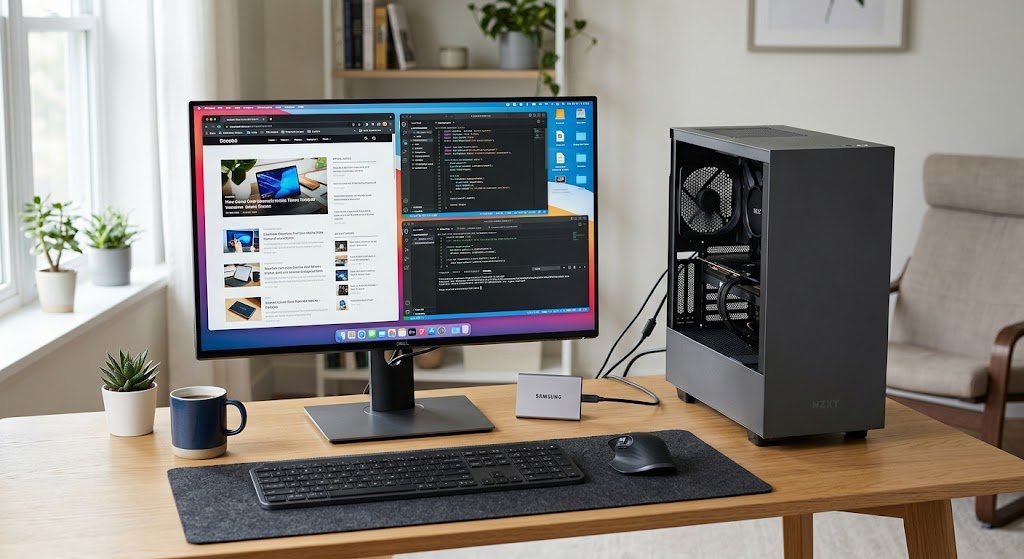
Daily, computers are used to accomplish even simple calculations, to send and receive messages, to conduct complex scientific research, to perform business operations, to enjoy entertainment, to educate, and to analyze data. While these activities might seem very different, most rely on a common process that enables computer systems to receive information, manipulate it, generate a product, and retain valuable information to be used later. It may be helpful to understand this process so that one can better visualize what happens inside the computer when a person types a message, clicks a button, takes a picture, watches a movie, fills out a web form, or saves a file.
Computers are not merely receivers and givers of information, but are also involved in the process of thinking. Instead, they use a structured information-processing cycle that has four stages that are closely interrelated, input, processing, output, and storage. They all have a particular job to do and when they work together they enable computer systems to make sense of raw data and turn it into meaningful information that others – or other computer systems – can use.
Information-processing Cycle of a Computer
The sequence of operation by which a computer can accept data, work on that data following directions, generate useful data, and retain it if necessary is called the information-processing cycle. Data is input into a computer or other source of data, and the process begins. The computer then follows instructions from the software and hardware, including the central processing unit to process the data. After the processing is done, the computer will send the output to an output device or a digital interface. This information can then be stored and later retrieved from storage by the computer or the user. This cycle may take place lightning fast, within a fraction of a second and this is why searching for information, be it numbers or documents may feel like it happens in a flash.
Children can learn about the basic information-processing cycle used by computers (input, processing, and output) used by computers by engaging in everyday activities. Now think about what would happen if someone used a mobile phone or computer to make a calculation to find the total cost of a few things. The numbers are typed in using a keyboard, touch screen or another method of entry. The processor performs the mathematical operations according to the calculator software’s instructions. The answer is displayed on screen as an output. When the calculation or related information is stored in a document, database or application, it becomes stored data and can be accessed later on. This example is very basic, but illustrates similar concepts to those found in more elaborate computer systems.
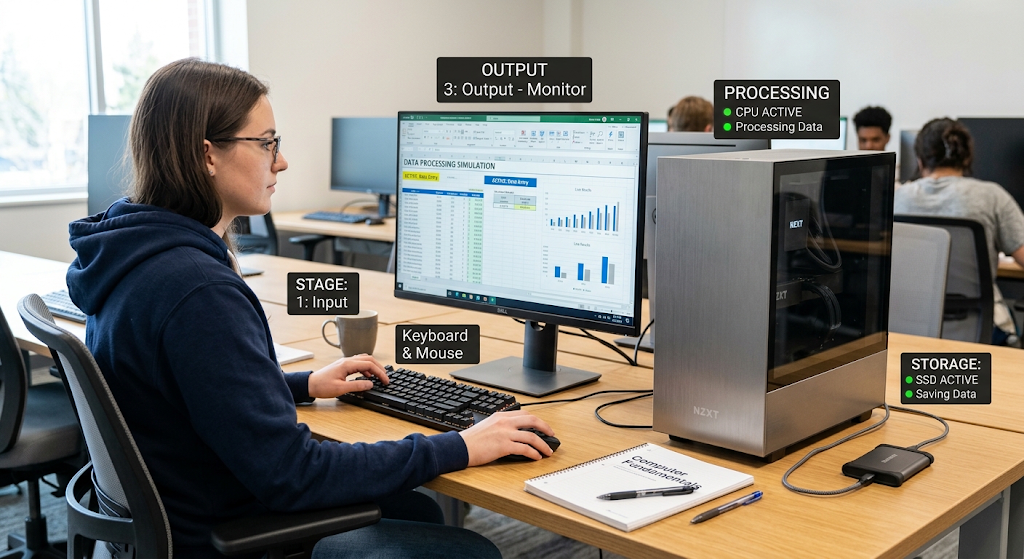
Stage One: Input
The first important step in the information-processing cycle is the input. All the data or instructions fed into a computer system to enable the system to perform a task. If the computer doesn’t have anything new to work with, it can’t produce anything new. Input may be in the forms of text, numbers, photos, sound, video, movement, commands, and signals from sensors.
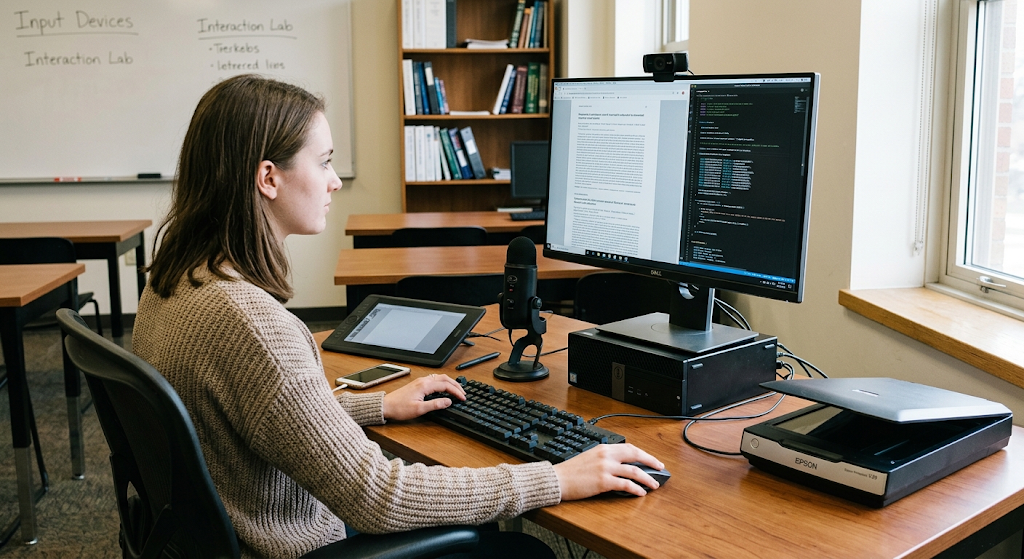
The typical input devices used by people are the keyboard, mouse, touch screen, microphone, camera, scanner, and computer connected controller. Input may also be automatic – received from machines and sensors without someone putting it into the machine. For instance, a temperature-monitoring system might be able to take readings from a temperature sensor, and a security camera could continuously record video information for the computer to analyze.
Common Input Devices
Input devices are used to obtain various kinds of information. Useful for writing, inputting information into websites or for communicating by using messaging applications, a keyboard enables the user to enter letters, numbers, symbols and commands. Movement and selection input is provided by either a mouse or a touch pad, and is used to interact with graphical interfaces.
In the context of touchscreens, display and input are combined, enabling people to interact directly with items displayed on a screen. The sound is picked up by microphones and images and video by cameras. Scanners are used to convert printed items and photographs into digital data that can be processed by computers. They look simple on the outside, but are significant on the inside, as they represent a means through which information can enter the computer system.
Everyday Example of Input
Suppose a student is working on an assignment on a computer. The student is typing words and numbers on a keyboard using a word processing program. Each keypress is an input that is received and interpreted by the computer. The student can place a picture inside and it is yet another way of input. The student can record an explanation using a microphone and the recorded sound is also input.
In both, the computer is given raw data which it must interpret and process, according to instructions. Quality and accuracy of input can impact later stages of the cycle because if data were incorrect or insufficient, the result would be incorrect or insufficient. For this reason, many computer programs have some sort of validation to determine if information entered into the program is reasonable or is complete.
Stage Two: Processing
Processing is the next step in which the computer is used to manipulate the input data to generate a useful output. At this stage, users are required to execute the instructions given in the program, perform calculations, compare values, arrange information, make decisions and perform other operations that the software calls for. A major part of these instructions is executed by the central processing unit (CPU) or processor.
But, not all modern computer systems rely on the CPU for processing. Depending on the task, additional hardware like memory, storage, graphics and network chips can also play a role. The software contains instructions to tell the computer what operations to take, and the hardware performs those operations.
The Role of the CPU
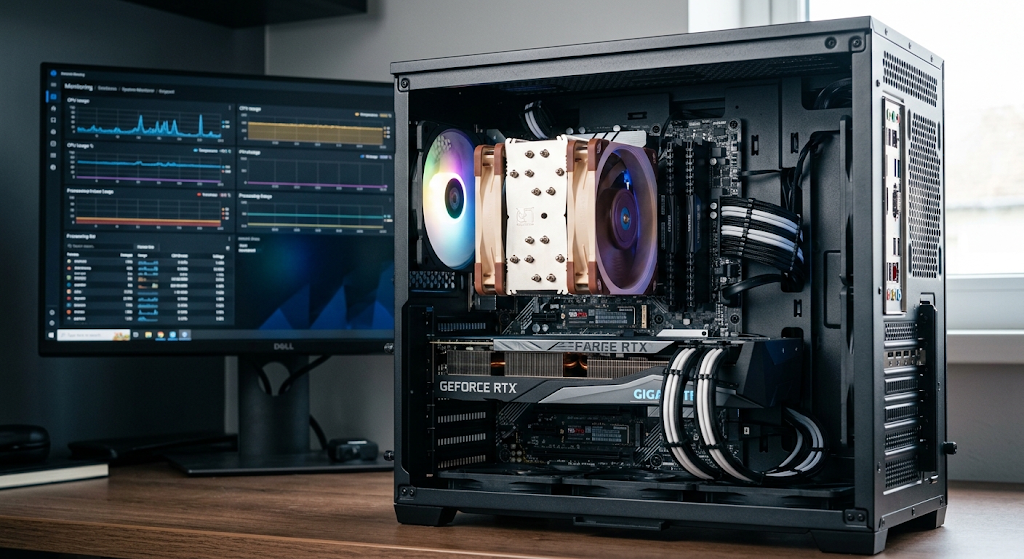
The computer’s brain, which is the CPU, is what we mainly refer to as the computer’s processor which in fact is doing most of the work in terms of running software and performing calculations. At the time a user opens an app, puts in info, or requests for a certain action the processor is the one which gives out instructions of what to do. It does arithmetic, logic, and control at very high speed.
Today’s processors have multiple cores in which they use to do many tasks at the same time more efficiently. The brain which is the CPU works alongside other elements like random access memory which we know as RAM that which at that moment the computer is using to put data and instructions in. This team work between the elements allows programs to run smoothly and to react to user input.
Processing a Simple Calculation
A simple example may illustrate this. Imagine a user gives 25 and 15 and a command to add them in on a calculator. We are to look at numbers as input, and a function which we tell the computer (addition, subtraction etc. as a set of instructions it follows. The computer’s processor or relevant chip does out the math and reports the result as 40.
That 40 then is data we present back to the user as output. In more complex cases we see the same idea play out but on a larger scale. For instance scientific models, financial programs, engineering software, and AI all may use large sets of instructions and large data sets which the computer processes very quickly. Also included in these complex systems can be multiple processors and parallel computing to get through the data faster.
Stage Three: Output
Output is the point at which the computer reports back to the user or to another system the results of its processing. Once data has gone through processes which transform it, we present that info in a format that is usable to the user or to another system. Output can be in the form of text, numbers, images, graphics, sound, video, print out of documents, or a set of signals to another device.
What type of output is given off depends on what the computer system is for. A student may see a report appear on the screen, a musician may hear through the speakers the results of audio which has been manipulated, and a business person may get a financial report from accounting software. In this way output is the stage at which the computer’s processing is made useful to people or to other connected systems.
Common Output Devices
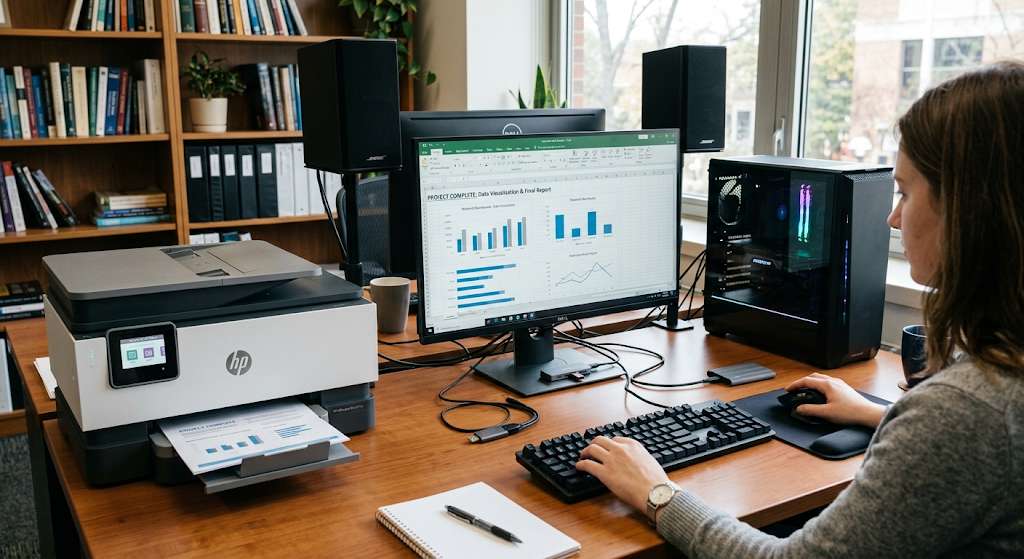
The monitor is a very common output device which we see display text, photos, video, applications, web pages and graphic info. Printers produce tangible copies of digital docs, images, labels, and reports. Speakers and head phones put out audio and also we have projectors which present computer generated info onto large screens for audiences.
In some computer systems output is sent to machines which perform physical tasks. For example a computer may give instructions to industrial equipment which it has processed from sensor info. Also output doesn’t have to be for a person to see or hear. In automated systems output may be a digital signal which another computer or machine uses to go to the next step.
Everyday Example of Output
In a digital shopping platform we see that a customer puts in a search query for a product. The computer system processes the request and puts forward products which match the search criteria. Results are then presented to the customer on the screen. We see product names, photos, prices, descriptions and stock info as output. Also if the customer chooses a product and goes through with the purchase the system may present a purchase confirmation or receipt.
At this point output is a way the computer reports back to the user what it has done and what the user should do next. This in turn may cause the user to put in more input thus causing the info processing cycle to repeat.
Stage Four: Storage
Storage is a process which preserves data and info so that it may be used at a later date. As opposed to short term processing which is transient, storage allows info to stay accessible after a given task’s end or after a computer is turned off. Computers have various storage solutions which include hard disk drives, solid state drives, memory cards, USB storage devices, and network storage systems.
Also online services which act as remote servers do store information which in turn allows users to access their files from any device which has access. Storage is very important as many computer functions require that info be saved for days, months, or even years.
Primary and Secondary Storage
Computer storage is put into 2 groups: primary and secondary. In the primary category we have RAM which is used for the data and instructions that the computer is at present working with. This type is quick and does what it is put out to do but what it holds is short term. In the second group we have secondary storage for which is meant for the long term.
Examples of secondary storage in today’s computers are solid state drives and hard disk drives. In them we put our files like photos, documents, videos, applications, and databases and they stay there until we decide to delete them or replace them. That which we put in RAM is lost when the computer is turned off which is not the case with what is in secondary storage.
Everyday Example of Storage
In the case of a photo with a smart phone the camera is the input which the device turns into a digital image. Then the finished photo appears on the screen as output. At save time the image goes to storage. At a later date the person opens the gallery app and retrieves the photo from storage.
Same goes for a school assignment which you save, a document you download, audio you record, or a spreadsheet you create. Storage is what gives out persistence so what you put in during one session is there for use in another.
How the Four Stages Work Together
Input, processing, output, and storage are not separate entities. They are what make up a continuous process. A computer takes in data via input, does what it is told to do with that data, presents results as output and may put the results or the original data away for later use. Once info is stored it is retrieved which in turn becomes input for another process.
This goes on and on while a person is using a computer. For example in the process of editing a document the user puts in text which is the input, the processor and software do their thing to that text which is processing, the edited document appears on the screen which is output, and the user saves the document to storage. When the document is opened at a later date the stored info becomes input for another go round.
A Complete Everyday Example: Using a computer at school
In a school setting we see this in a typical assignment which goes through a full info processing cycle. A student may start out by typing in info into a word processor which is via the keyboard. This is input as the student is at that point giving info and instructions to the computer. The computer in turn processes the key strokes and with the word processor’s help puts in characters, words, and paragraphs into the document.
Also included in the input are formatting commands like changing a heading or adding a graphic. Those also the student gives out which the computer in turn processes. What is put out is the document as it appears on the screen which is output, the student sees the result of the computer’s work. Also when the student hits save, the document is stored. At a later time the student may open up the saved file, make more changes and go through the cycle again.
Another Example: Using a cash machine.
An automated teller machine which also goes through these four stages. Into the machine customers put in their bank cards and give it information which the system in turn receives. The ATM and the banking system’s computers process the info presented by checking account info, authentication details, and the wants of the transaction. If the transaction is approved the machine gives out info via its screen may dispense cash or print a receipt.
We则 we put the relevant transaction info into storage which the bank uses to keep accurate account history. The customer may then do another action which creates new input thus beginning another cycle of processing. While the process uses complex security and banking infrastructure, what is present is the familiar input, processing, output, and storage.
Why Understanding This Cycle Matters
Learning out of what computers do to process info is that it serves as a base to understand many computing areas. In which students grasp the four stages they do better at recognizing the role of diff computer parts and see how software plays with hardware. Also it is easier to do basic troubleshooting. For example if a keyboard goes out the issue may be in input.
If a program does wrong calculus the issue may be in the processing or the instructions used. Also if info doesn’t display the problem may be in output. If a saved file is missing the issue may be in storage. By knowing in which stage a problem is at in the cycle users do better at clearly describing tech issues and to also come up with solutions.
Information-Processing Cycle in Modern Computing
Today’s computers still perform the same basic functions despite great advances in what they do. We see this in smartphones, tablets, servers, smart appliances, cars, industrial equipment and other digital devices. A smart watch may get info from sensors, it processes that info, displays a notice to the user, and at the same time logs data. A business server may handle customer requests, run database queries, present results, and save transaction info.
Very large scale systems may carry out millions or even billions of processes while we interact with them via simple interfaces. What we see is that although the tech has become very complex, the 4 main actions of info flow in computing systems are still the same.
Input, Processing, Output, and Storage as a unit.
Each step of the cycle plays a role in the total performance of a computer system. We put in accurate data which the computer then works with reliability, also we have effective processing which sees that the data is put to the use it is meant to be. We present appropriate output which reports back usefully to us and we have reliable storage which sees to it that we have access to important info when we need it. A weak link in any step affects the whole process. We may put in wrong data which in turn puts out wrong results, poor processing may produce un Reliable information, unclear presentation may make accurate results hard to interpret and不足了, please find the end A weakness in one stage can affect the entire process. Incorrect input can lead to incorrect results, poor processing can produce unreliable information, unclear output can make correct results difficult to understand, and inadequate storage can result in lost information.
This relationship explains why computer systems are designed as units of related elements instead of separate entities which perform different tasks. also try to maintain technical accuracy. Each stage of the cycle is a player in the total performance of a computer system. We put in accurate data which the computer uses reliably, also we have efficient processing which sees the data go where it is supposed to. We present appropriate output which reports back to us usefully and we have reliable storage which sees to it that we have access to important info when we need it. A flaw in any stage affects the whole. We may put in wrong data which in turn puts out wrong results, poor processing may produce unreliable info, unclear presentation may make accurate results hard to interpret and we may lose info in inadequate storage. This relationship is what is behind the design of computer systems as sets of related elements instead of separate entities which perform different tasks.
Conclusion
Input which is the entry point for data and instructions via devices like keyboards, cameras, microphones, touch screens and sensors. Processing is what transforms that data as per the given instructions which the CPU does mainly in many of our computing tasks. Output is how the results are put forward to the user through means like display screens, speakers, printers which also include other devices. Storage is the function which saves the data and info so that it is available for use at a later time.
As they go about their day to day activities which may range from doing school work, to managing finances, taking pictures, online shopping, using ATMs, or running large scale business systems etc. what we see is these stages play out constantly. In studying this cycle we in fact lay the basis for- which is the basis of how we learn computers and digital technologies function in our everyday lives.



The slot collection keeps me entertained for hours with amazing themes and fair payouts. I really enjoy how easy it is to navigate through the live dealer tables and find my favorite games. A solid choice for anyone who wants a secure and immersive casino experience.
Faydalı bilgilerinizi bizlerle paylaştığınız için teşekkür ederim.