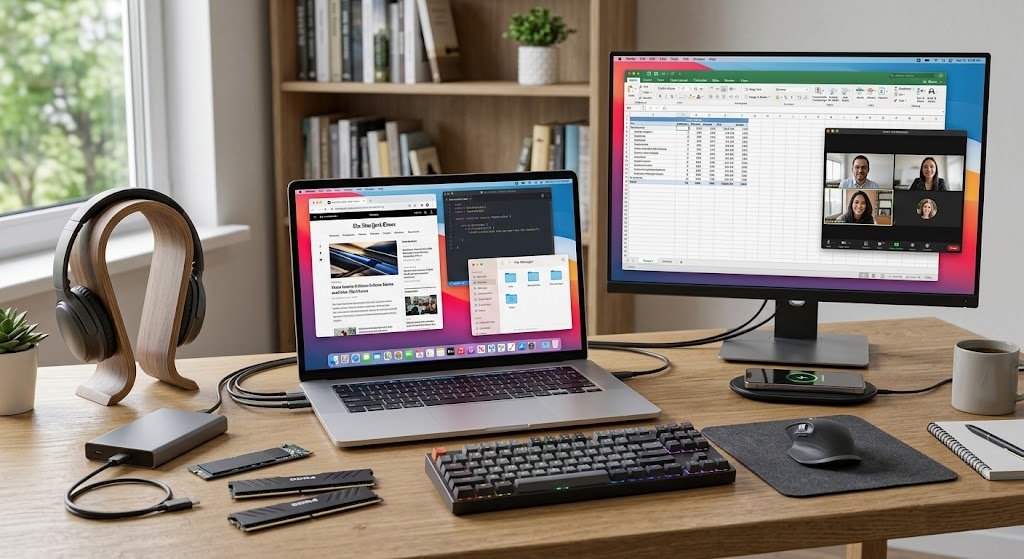
These days, computers are an integral part of our lives, from schools and communications, to business, entertainment, banking, healthcare, and scientific research. While modern computers can be used to conduct complex tasks in just a few seconds, any computer system relies on two essential elements: hardware and software. Hardware is the physical parts of a computer system, software are instructions and programs which direct the physical parts of a computer system. For students, technology novices and those seeking to acquire fundamental knowledge about computers, it is important to understand the distinction between these two terms.
For instance, a laptop computer has a processor, memory, storage drive, keyboard and screen; but these devices are unable to perform useful functions without software. Likewise, hardware is essential to run the software to perform its instructions. Software and hardware then rely on each other to be of service in a computer system, and this is identified as a cooperative relationship.

What is a Computer Hardware?
Computer hardware are the physical and tangible parts of a computer or computing system. Hardware components are the components that can be physically manipulated and seen, and are a little easier to identify for beginners as compared with software components. This may include, for instance, the central processing unit, the motherboard, the random access memory, the hard disk drive, the solid-state drive, the keyboard, the mouse, the monitor, the printer, the speakers, and the network equipment. IBM defines hardware as the physical technology used to support computing activities and to facilitate interaction with software for performing particular functions. When you press a key on a keyboard, for example, you are interacting with hardware, but the computer needs software to interpret the keypress and display the appropriate character on the screen. Hardware refers to the physical component of a computing system which carries out the processing, storage, reception and display of information in terms of electrical signals and electronic components.
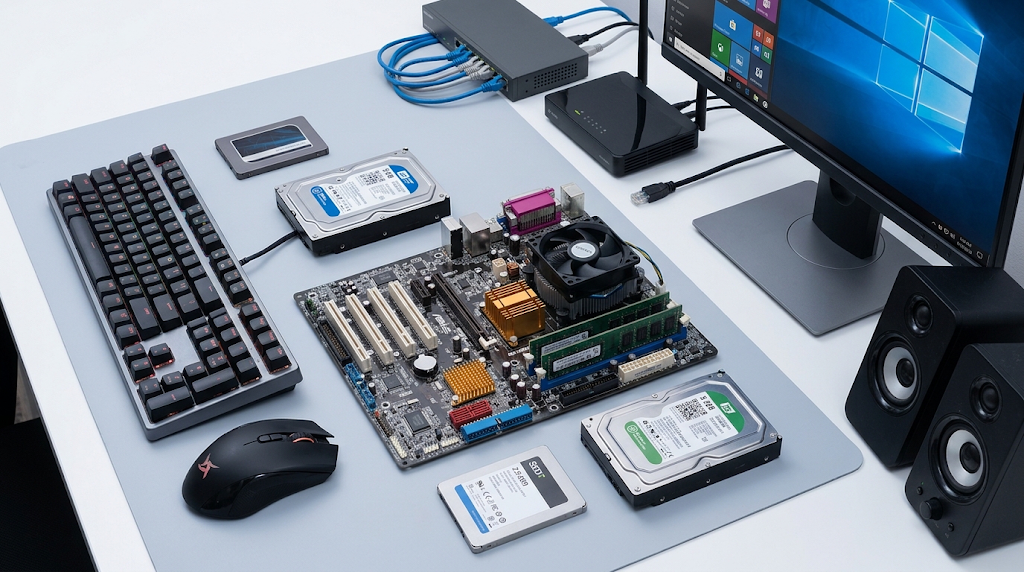
Computers contain a variety of hardware components.There are several main categories of computer hardware.
Computer hardware can be classified into several types according to their use in a computer system. There are five major classes: processing hardware, input hardware, output hardware, storage hardware, memory, and network/communication hardware. Processing hardware is used to do calculations and to run instructions; input hardware is used to enter information into the computer. Storage hardware stores data for later use and output hardware displays processed information to the user. Memory is used for temporary storage of information that the computer is using at any one time, and networking hardware allows computers and other devices to communicate. By helping to identify each of these categories, it becomes easier to visualize how the individual parts operate. The student types an assignment and then the keyboard gives it to the processor, which processes the instructions, the memory temporarily stores the information, the storage is used to store the document and the monitor is used to display the information.
Processing Hardware
The hardware used in a computer to execute instructions that enable the computer to do things. The CPU or central processing unit is the most important processing component in a traditional computer. The CPU does the following: runs instructions that are given by software, performs calculations, and controls operations and coordination of various parts of the computer. In fact, many modern computers also include a graphics processing unit (GPU) to process graphics and other highly parallel workloads.
If a student opens a word processor, he or she may not be aware that the processor is working, but the CPU is always running instructions in the background. The processor coordinates the writing, formatting, saving of the document, and even searches for information as the student enters text. The faster or more powerful processor can process the heavy work better, but the overall performance of the computer also depends on the capacity of its memory, storage, optimization of software and other hardware components.
Memory and Storage Hardware
Memory and storage are similar but both have different functions in a computer. RAM, or random access memory, is the memory used for temporary storage for the computer’s programs and information that are currently being used. Word processor, web browser, and presentation application are opened simultaneously by a student and the computer uses RAM to store the currently active information so that it can be accessed easily and quickly.
Storage devices, however, have a longer memory. Storage hardware can include hard disk drives or solid state drives, which can hold operating systems, applications, documents, photos, videos, and more. Most information stored in RAM is lost when a computer is turned off, but information on a storage drive stays in place when the computer is turned off. This difference is what makes it possible for a computer to remember a document it has saved after it has been turned off, but does not remember everything that was temporarily stored in RAM.
Input and Output Hardware
Input & output hardware is the means for people and computers to communicate with each other. Input devices are used to send information into a computer, and output devices are used to send information from a computer to the user. Typical input devices are the keyboard, mouse, touch screen, microphone, scanner, camera and game controller. Some of the most popular output devices are monitors, speakers, projectors, and printers.
For instance, take an online classroom. A student might send their voice to the online meeting application through a microphone, send video through a webcam, and type through a keyboard. The computer works with this information and sends the visual and audio information on the monitor and speakers. This process illustrates that the computer hardware does not have to be contained within the computer itself. External devices also have an important role in enabling the user to communicate with the digital systems.
What Is Software?
Software is a set of instructions, data and programs that tell the computer hardware how to work. Software is unlike hardware: It is not made of solid materials that a user can usually hold in his or her hands. Rather, it’s a digital representation of instructions that are stored and run by computing devices. These range from operating systems to web browsers, word processing software, media players, games, security software and mobile applications.
The computer puts the instructions for a program into memory when the user opens it and the processor runs the instructions. For instance, a word processor includes instructions that enable a user to create, edit, format, save, and print a document. A computer would be made of physical parts but not be useful for doing anything without software. Thus software provides purpose and function to hardware, allowing electronic components to be able to do meaningful things.
Main Categories of Software
There are multiple types of software: system software and application software. System software controls the operation of the computer’s hardware and supplies the platform for the other programs. This is an umbrella term for operating systems like Windows, macOS, Linux, Android and others. Application software facilitates a particular task or set of tasks, like writing a document, browsing a website, editing a photo, communicating with others, creating a presentation or analysing data.
Other categories may include programming software (used to write and test software), and utility software (used for maintenance, security, backup and optimization). In real life, these categories may overlap; but for the beginning learner, it is important to note that not everything in software is intended to perform the same function. There is some software to control the computer itself and other software to get a certain goal by the user.
System Software and Operating Systems
System software is the basic software that is necessary for the operation of the computer. Among the most vital aspects is its operating system, which controls hardware resources and supplies services that applications need. An operating system is used to boot up the laptop and to start the other hardware, as well as to handle memory, organize files, control connected devices, and provide the user with an interface to interact with the computer.
For instance, when the student opens a document, her operating system assists in finding the file on the storage device and provides it to the correct application. It also supports the interaction of the application with the devices like keyboard, display and printer. Many common computing activities would be very difficult if there was no operating system or other appropriate system-software environment. System software thus serves as an essential link between the hardware of a computer and the programs used by the users.
Application Software and Practical Examples.
Application software is software that is designed to carry out specific functions that are of direct use to a person, an organization, or other users. A student can write an essay in a word processor, find information online in a web browser, create a spreadsheet to organize information or calculate grades, and make presentation slides in a presentation program. An entrepreneur may use accounting software to keep track of the money, communication software to communicate with customers and customer relations software for business information.
A graphic designer might rely on image-editing software, and a video creator might rely on special video editing software. The purpose of these programs is diverse, but all require hardware and system software to work. For example, if a user is adding a text or picture to a photograph, the application shows the tools and instructions, the processor does the calculations, the RAM stores the image data that is currently in use, and the monitor displays the image.
Differences between Hardware and Software
The main difference between hardware and software is that hardware are the physical parts of a computer while software are the instructions that control the parts of the computer. Hardware is usually tangible and software is digital and can be used via a computing device. A hardware issue could be over heating, a broken connection, a worn out part or damaged circuits. Bugs, corrupted software files, compatibility or configuration issues can cause software problems.
Hardware is produced and assembled and software is designed, programmed, tested, installed and updated. While software can be updated or developed regularly as new applications are released, hardware changes are not the norm when a new application is installed. However, neither is of much use in a computing environment of its own accord. Software needs hardware instructions to do useful things; hardware needs software resources to run its instructions.
Essential Components of Software and Hardware
The hardware and software are complementary parts of a computer and should not be considered as competing components of a computer. Software is the mechanism that tells hardware what to do, and hardware performs the instructions by physical electronic mechanisms. For example, the user starts a Web browser, the application software asks the OS for resources. The operating system – which is a set of programs that coordinate with the processor, memory, storage, display and network hardware to deliver what the browser requires.
Network hardware carries information from the user’s computer to a remote server when they visit a Web page, and the processor and memory control the activities of the Web browser. The website is then shown on the monitor to the user. This is a simple activity, but it requires lots of hardware and software to work in less than a second. When one major part breaks down, the whole experience can be impacted, providing a proof of the reliance of modern computing on cooperation between physical parts and digital instructions.

A simple real world example.
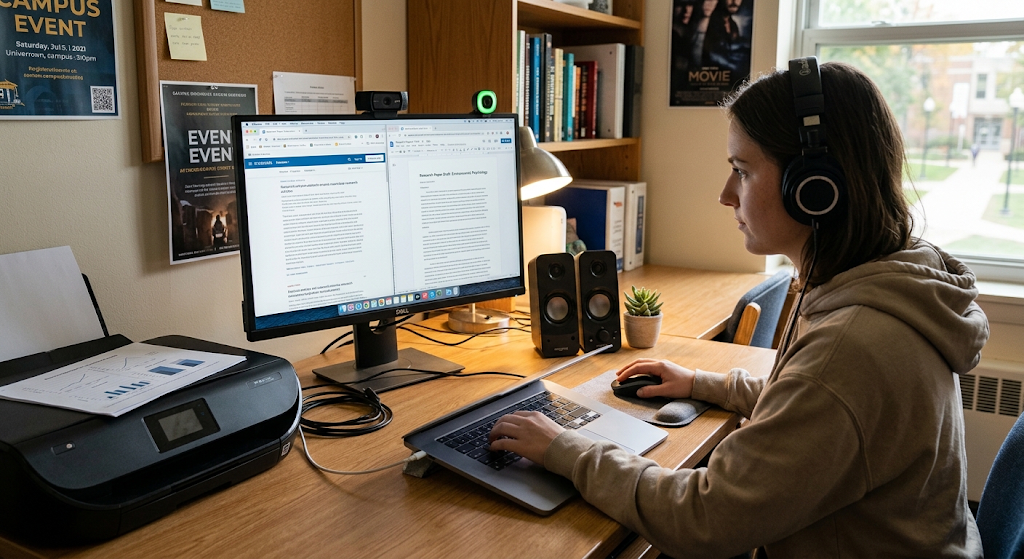
Visualize a student working on a school report on their laptop. The student presses the power button which switches on the computer hardware and loads the operating system. Once the system is loaded, the student accesses a word processor and starts typing on the keyboard. The keyboard is an input device which puts information into the computer, the processor is used to execute instructions, and RAM temporarily holds information used by the currently running application. As the student types their words, the monitor will show the words, and the storage drive will store the document when it is saved.
The student has selected to print the assignment and the operating system and word processor will use proper software/hardware interfaces to send instructions to the printer. There are physical aspects as well as software instructions at every stage. In this example, we see why knowing the difference between hardware and software matters: most normal computing uses both hardware and software co-operating instead of either one or the other.

Hardware and Software: Reasons for their importance.
Hardware and Software are of importance because almost everything in a computer is dependent on them. Hardware provides the processing power, memory, storage, connectivity and physical interfaces that are needed to execute tasks; software defines the way those resources are used to accomplish the tasks. Computers can be used to research information, complete assignments, take online courses, make presentations, and work on projects in an educational setting. In the business world, a computing system can be used to help with accounting, communication, inventory, customer service, data analysis, and much more.
A specialized piece of hardware and software can assist with record-keeping, communicating, imaging and administrative tasks in healthcare settings. In entertainment, computers and mobile devices offer entertainment games, music, video, and creative applications to play. These systems are useful because of the hardware and software that make them so. It is hard to imagine a powerful computer having limited uses if it does not have the appropriate software, or powerful software does not have appropriate hardware.
What If Hardware or Software Fails?
Hardware and software are interdependent; therefore, a failure in one could cause failure in the other, disrupting the work of the computer. Hardware failures can range from a broken display, damage to the keyboard, failure of the storage drive, failure of a memory module, overheating processor or a malfunctioning power supply. Software issues may be software crashing, operating systems not starting properly, corrupt files, incompatible software updates, and malicious software. Troubleshooting involves determining the cause of the problem, whether it is due to hardware, software, or the combination of hardware and software.
For instance, if it is unable to generate a document, it could be a printer, its connection, an OS, an application or the software driver that enables the computer to speak to the printer. It is important, therefore, that the beginner doesn’t presume that all computer problems are hardware based. The understanding of hardware-software relationship allows easier troubleshooting since the users can check both sides of the system.
Evolution of Hardware and Software
As technology evolves, and as users demand more sophisticated computers and hardware, computer hardware and software are still evolving. Hardware manufacturers have been releasing processors that are more powerful and efficient, faster storage solutions, more powerful graphics processors, larger displays, and even smaller computational devices on a regular basis. Software developers also develop new applications, operating systems, cloud-based services, security software, and AI systems to meet evolving demands. These are developments that can have a mutual impact.
Advanced software features may be possible with the new hardware, or new software needs may spur more powerful hardware. Some apps, such as those for creating complex graphics, editing video, scientific computation, or artificial intelligence (AI) workloads, might need dedicated processing power. Meanwhile, existing hardware can be optimized to accomplish tasks more efficiently using software enhancements. This ongoing relationship is the reason for the quick change of computing technology and why any student studying computer fundamentals must be familiar with both the physical and digital instructions.
How Students can Better Understand Hardware and Software.
Using familiar activities to tie in with technical concepts can help students and beginners to deepen their grasp of hardware and software, rather than just learning definitions. For the laptop they can recognise the various physical elements (keyboard, screen, processor, memory, storage, camera, speakers) and think about what programs use each element. The opening of a browser illustrates the interdependence of application software and system software and hardware. Saving a document illustrates the connection between memorizing and permanent storage.
Connect headphones and explore how software controls and physical output devices interact. It can be useful to reinforce these ideas by learning basic troubleshooting. For instance, learners may discover that the problem with a software application might be solved by rebooting the application, that too little storage space can cause problems for a computer, and that if a peripheral is not connected to a computer, it may not work even if the software has been installed properly. These practical experiences make abstract computing concepts real and be applied on a multitude of devices.
Conclusion
The two essential components of a modern computer or other digital device that enables it to carry out useful work are hardware and software. Hardware refers to the physical components of a computer system, including items like processors, memory, storage devices, input/output devices, cameras, printers, etc., whereas Software is the instructions and programs that manage the hardware and offer useful functions. Hardware can be categorized as processing, input, output, storage, memory and networking while software can be categorized as system software, application software, programming tools and utility software.
The most critical thing for novice gamers is to understand that there really is no hardware and software split. They collaborate in an ongoing way. A processor requires software instructions to determine what it should do and software requires hardware resources to perform the actions in the software instructions. Students can grasp this relationship and how it relates to real-world applications like writing an assignment, surfing the web, saving files, or printing documents to establish a solid foundation of knowledge about computers and other areas of technology.