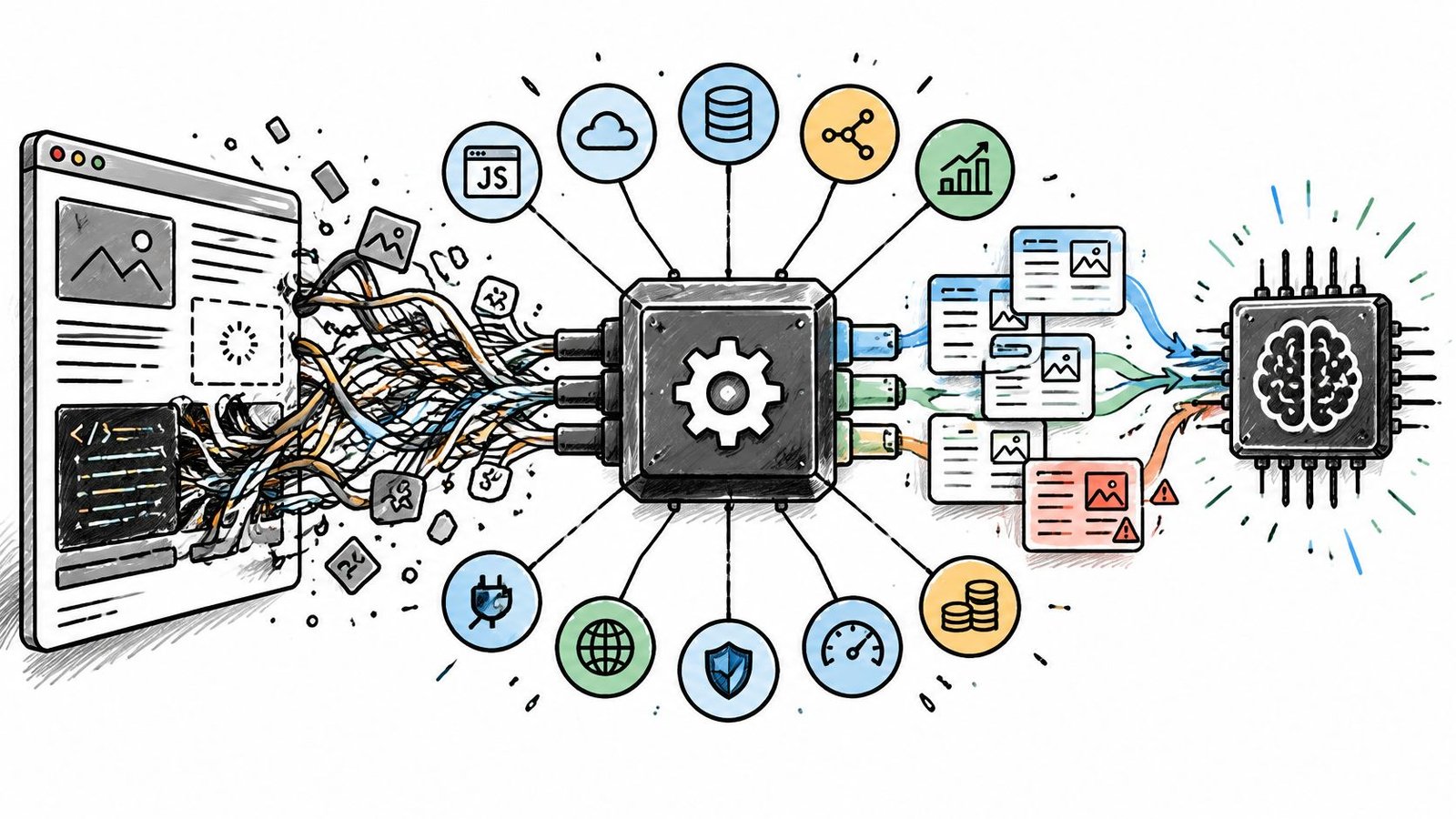
The first crawl comes back and it looks fine in the terminal. Then the model answers a support question by quoting a cookie banner, and the team loses a week discovering that raw HTML from a documentation site is mostly navigation, footers, and consent text. A retrieval pipeline fed that noise produces confident answers built from menus.
Scraping for AI is a different job from scraping for spreadsheets. You need Markdown or text that preserves the meaning of the page, fields that come back in the same shape on every run, and pages that finish rendering before capture. The scale involved is not marginal: the GPT-3 research paper reported that approximately 82% of its raw pre-training tokens came from filtered Common Crawl data, drawn from a corpus that now holds more than 100 billion web pages (Amazon Web Services).
The framework in this article is short: judge data quality, scalability, integrations, and pricing, in that order, because a cheap API that returns unusable text is the most expensive option on the list. Then come the providers themselves, grouped by the job each one does in an AI pipeline: clean text for retrieval, structured field extraction, JavaScript-heavy pages, search-plus-scrape for agents, and fully customizable browser control. Every entry names one place it fits, one place it's the wrong call, and what to validate before budget commits.
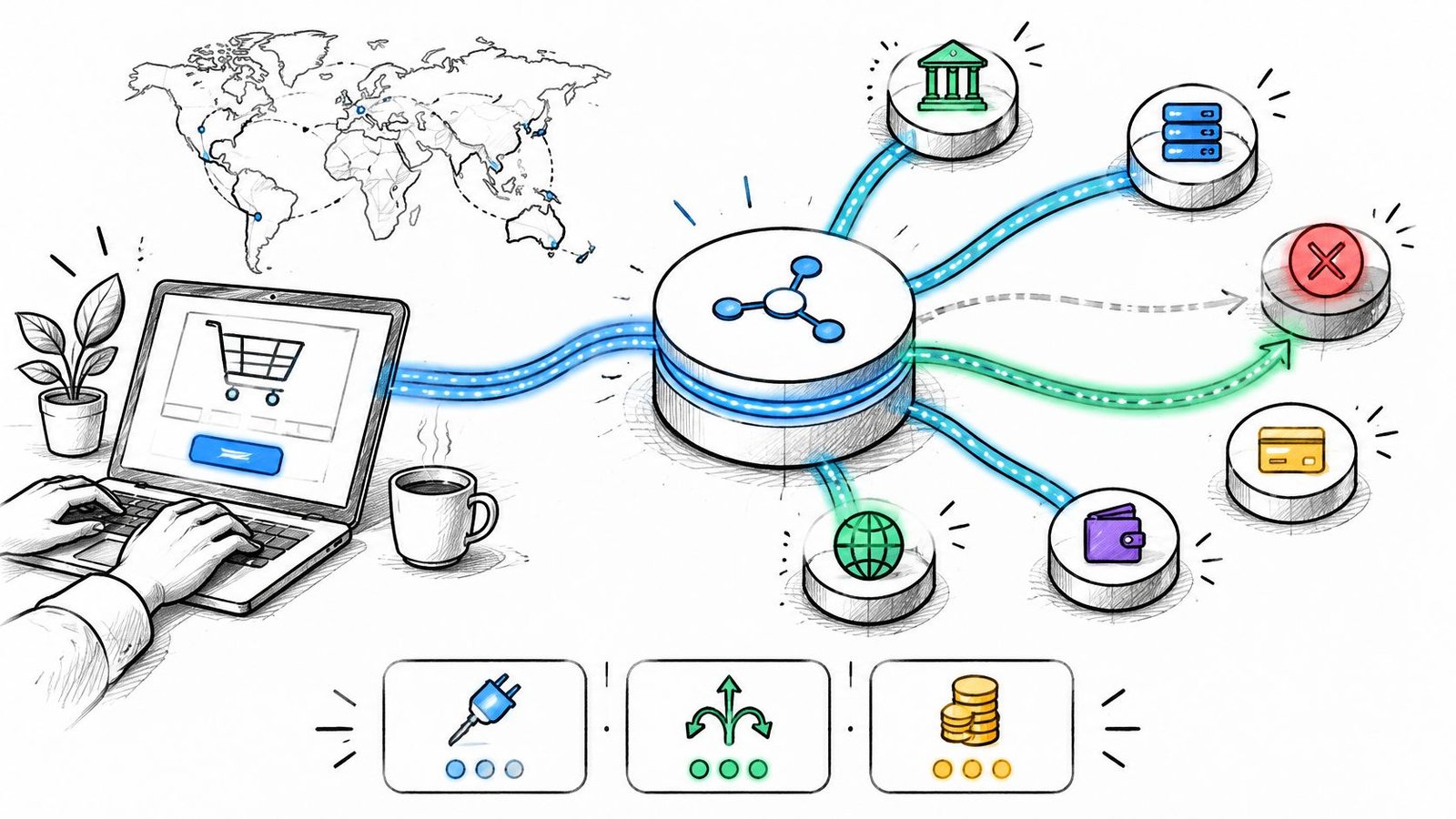
Pricing models differ widely across these tools. Credits, per-page rates, per-record billing, usage-based compute, and Actor-based event pricing all convert differently, so the identical monthly workload can land at very different totals.
Table of Contents
- 1. Context.dev
- 2. Firecrawl
- 3. Bright Data Web Scraper API
- 4. ScrapingBee
- 5. Zyte API
- 6. Oxylabs Web API
- 7. Exa Contents API
- 8. Jina AI Reader API
- 9. Apify
- 10. ScraperAPI
- 11. Browserless
- How the 10 web scraping APIs compare on best use, entry cost, pricing model, and AI-ready output
- Matching the Scraping API to Your Pipeline Before the Budget Commits
1. Context.dev
Job in the pipeline: clean text for retrieval, plus the company context that makes retrieval smarter.

Many businesses end up purchasing three vendors here: one for Markdown, one for structured product data, and one for brand assets. Context.dev consolidates these under a single key. Its Web Context API returns rendered HTML, LLM-ready Markdown, images with source URLs and alt text, sitemap crawls, and full-page screenshots. If you want to see the output format before signing up, its website to text converter runs the same conversion the API performs, which is the cheapest way to check whether tables, headings, and code blocks survive.
The second half is brand intelligence, and it's the part that saves plumbing. A brand lookup by domain, email, company name, or stock ticker assembles logos, colors, fonts, styleguides, social links, addresses, NAICS classifications, and a short company description, with logos served from a global CDN and cached with automatic quarterly refreshes. AI Query handles extraction of custom entities and product records. Transaction identification maps messy merchant descriptors to real brands, which matters when your pipeline ingests card-statement-style text.
Where it earns its place
Agents that need live web access, RAG pipelines that need fresh content rather than a snapshot, CRM enrichment jobs, and on-brand page generation through Zapier and similar tools. TypeScript, Python, and Ruby SDKs cover the common stacks, and a free tier with monthly credits means an evaluation costs time instead of money. Demand is there: a 2025 market analysis reported that 65% of enterprises used web scraping to supply AI and machine-learning projects in 2024 (FavTutor).
Wrong choice: multi-step browser work. Clicking through a checkout or logging into a portal needs real browser control, so reach for Browserless or an Apify Actor instead.
Before committing budget, run 30 URLs from your own sitemap with main-content extraction enabled and compare the Markdown against the live page for tables and nested lists. Watch credit consumption per page type, and confirm the brand fields you need exist for your regions.
2. Firecrawl
Job in the pipeline: recursive crawling and Markdown output for documentation and RAG refresh jobs.

Firecrawl treats Markdown as the primary output rather than an export option. Point it at one URL and you get a page; point it at a domain and it maps and crawls the site, following links and returning Markdown or schema-shaped JSON. The crawl step at the start of a documentation pipeline is the scenario it was built for.
Its open-source, self-hostable option matters for teams that start hosted and later want the same crawler inside their own network. That migration path is worth pricing in early.
Where it goes wrong is authenticated content. A knowledge base behind a login isn't a crawling problem; it's an authentication problem, and no crawler setting solves it. Self-hosting has a similar trap: you supply the proxies and absorb the blocking yourself, which is most of what the hosted service sells.
Price the whole crawl, not the single-page demo. A map-plus-fetch run over 5,000 pages is a different line item from the sample you tested with.
Validate credit consumption per endpoint and option, since it varies by feature, then confirm your hardest page type before you commit a monthly tier.
3. Bright Data Web Scraper API
Job in the pipeline: managed collection at volume, with unblocking, rendering, and structured delivery handled for you.

Independent benchmarking is where vendor claims meet reality. A 16-provider comparison across difficult targets including Amazon, Indeed, GitHub, Zillow, Capterra, Google, and X reported success rates ranging from approximately 57.76% for ScrapingDog to 98.44% for Bright Data (webscraping.cc). That spread is the argument for buying managed unblocking rather than assembling proxies yourself.
Bright Data bundles ready-made scrapers, custom scrapers, browser rendering, proxy rotation, retries, and structured delivery through API and webhook workflows, plus integrations for agent tooling. For recurring collection where a failure costs a downstream gap in the index, that breadth is the product.
The pricing unit is the real decision
Record-based pricing is the friction. A record is the vendor's unit, not yours, and if your useful output is one field from a page that yields six records, your cost per usable document moves without anything changing on your side. Available targets and output fields also vary by scraper, so capability is per-site.
For a small RAG prototype, the platform is more than the job needs. For a team already running nightly collection across a dozen targets, it removes three services from the stack. Validate by pulling the field list for your top target, counting records per page across a 200-page sample, and confirming your domain is supported before pricing a plan.
4. ScrapingBee
Job in the pipeline: field-level extraction from pages that share a purpose but not a layout.

Some pipelines don't need a crawler. They need four fields off 40,000 pages that all look slightly different, and parser maintenance is the main cost. ScrapingBee's AI extraction accepts natural-language instructions or defined fields, and the optional ai_selector parameter focuses extraction on one section of the page. JavaScript rendering, proxies, and anti-bot handling are standard request options, so the same call that fetches the page can also return the fields.
That combination removes the weekly task of patching selectors when a template shifts. It also changes the failure mode. A broken selector fails loudly, while a wrong extracted value passes unnoticed into your index.
The wrong choice is multi-page crawling, because requests are single-page and you orchestrate the crawl yourself. It's also a poor fit for workloads that swing hard month to month on fixed credit plans. If your volume triples in a launch week and drops to nothing after, a fixed tier costs you on both ends.
Practical rule: treat AI extraction as a first draft generator. Score a 200-page sample against the source page before any extracted field reaches a fine-tuning set or a customer-facing answer.
Budget for the extra credit cost that AI extraction adds on top of the regular request cost, and remember the output isn't guaranteed correct. Free credits cover a real evaluation rather than a demo, so run the sample before you commit to a plan.
5. Zyte API
Job in the pipeline: recurring extraction for Python teams, with structured output built into the request.
Recurring pipelines fail in ways single runs never reveal: a layout change on Tuesday, a silent field rename on Friday. Judging these tools by HTTP success is the wrong measure. What matters is end-to-end freshness: time from source publication to availability, how often change detection fires, duplicate and stale-page rates, structured-content accuracy, and the cost of re-fetching changed pages (Ujeebu). Recent governance guidance also links timestamps and validation directly to AI-data accuracy obligations, so a pipeline that can't say when a fact was captured carries model risk as well as quality risk.
Why Python teams shortlist it
Zyte API offers automatic extraction for products, articles, job postings, and page content, supports both HTTP and browser-rendered requests including browser interactions, and plugs into Scrapy and other Python workflows. Billing adjusts by target website and request type, and successful-response billing means unsuccessful attempts don't consume your budget.
The wrong choice is any team that needs a single flat rate forecast or extractors that never change shape without review. Extraction results can shift with model updates, so critical fields need a regression set. Validate by building 50 pages with expected values before you rely on discounts, and check the monthly minimums attached to volume pricing. New accounts get trial credit, which is enough to run that set once.
6. Oxylabs Web API
Job in the pipeline: search plus scrape in one subscription for agents that decide what to read next.

An agent doing its own research has two jobs per step: find candidate pages, then read them. Sending those to two vendors doubles the auth, the billing surface, and the number of failure modes you have to trace at 2am. Oxylabs puts search and scraping under one subscription, with preconfigured target scrapers, custom-domain options, JavaScript rendering, and separately priced AI parsing.
The agent tooling is the differentiator here: an MCP server and Agent Skills let compatible clients call collection directly without a custom integration layer.
It's overbuilt for the common case of clean text from known URLs. If you already hold the URL list, you're paying for search endpoints and preconfigured targets you never call, and the per-target pricing works against you.
Validate credit behaviour before you scale. Credits are shared across products and may expire at the end of the billing cycle, and costs vary by target and rendering mode with AI parsing billed separately. Instrument credit burn per agent step rather than per month, because a single tool-using agent can multiply requests faster than any dashboard suggests.
7. Exa Contents API
Job in the pipeline: retrieval for research agents, returning text, highlights, summaries, or schema-shaped JSON.
Exa is built for the moment after discovery, when an agent has a URL and needs the useful part of it. The Contents endpoint returns Markdown or text, highlights, summaries, or JSON shaped to your schema, can process batches of URLs and follow linked subpages, and offers freshness controls to choose between cached content and a live fetch. Paired with Exa Search, discovery and reading happen in one workflow.
This is also the entry where compliance belongs, because it doesn't try to defeat access controls. Publicly available information can still be personal data under GDPR, and lawful collection needs more than technical access. CNIL guidance says legitimate-interest collection may be possible only with necessity, proportionality, and safeguards, and recommends excluding sites that clearly oppose scraping through robots.txt or CAPTCHAs. The European Data Protection Board recommends using reliable sources, recording collection timestamps, and validating data before AI use to meet accuracy obligations (AIMultiple).
Validate first: check source access terms before you point any agent at a domain. The cheapest way to lose a quarter of engineering time is a corpus you have to delete.
Per-page pricing makes extraction costs easy to estimate, but confirm how search calls and content calls are billed separately on your volume.
8. Jina AI Reader API
Job in the pipeline: clean text from known, reachable URLs and PDFs with almost no integration work.
The fastest sanity check in this comparison is turning a URL into LLM-ready text with a single request, and Reader is built for exactly that. Basic use is available without an API key, subject to lower limits, and PDFs convert alongside HTML pages. Separate Search, embeddings, and reranking APIs let you assemble a retrieval stack from the same vendor, and EU-hosted endpoints are documented for teams with residency requirements.
Read that for what it is: a prototyping and known-URL tool, not infrastructure.
It's not a proxy-management or anti-bot service, so protected targets return errors, and it works only when the page is reachable. Treat it as the wrong choice for a production ingestion job that spans thousands of domains with a long tail of blockages.
Validate two things: the rate limits and token consumption attached to your key terms, and the quality of PDF extraction on your own documents. PDF parsing is where prototypes break, because a scanned report and a born-digital report produce very different text from the same endpoint.
9. Apify
Job in the pipeline: curated, source-specific collection and browser automation packaged as Actors.
Say you need a marketplace category, a job board, and a mapping sweep, each with different pagination and different traps. Writing three scrapers is a month of engineering; running three prebuilt Actors is an afternoon. Apify's Store holds reusable scrapers and workflows, and you can build and run custom Actors when nothing fits.
Results can be priced by event, by usage, or by a combination, which is why there's no single price for scraping on the platform. The free plan includes usage for testing, and the same platform supports agent development alongside collection.
That flexibility is the cost. Flexible workflows need setup and evaluation, and platform compute plus the Actor's own billing means two lines on the invoice for one job. A single-price estimate across projects will be wrong.
The trap with Actors: the listing shows a per-result price, but compute meters in the background. Run a small job, read the actual usage line, then schedule anything nightly.
Validate by checking when the Actor was last updated, running 100 pages against your target, and confirming the billing model before you queue 10,000.
10. ScraperAPI
Job in the pipeline: general-purpose fetch infrastructure for teams that own their formatting layer.
Some teams do not want an opinionated output format. They want rotating proxy pools, JavaScript rendering, automatic retries, and CAPTCHA handling behind one request, then they write the converter that turns HTML into clean Markdown themselves. ScraperAPI is that layer, with JSON auto-parsing, custom headers, sessions, and geotargeting exposed as request options.
Plan sizing is the first thing to settle. Reverbico's 2024 comparison put request limits across the compared providers at 150,000 to more than 3 million requests per month, depending on the API (Reverbico). Tier gaps that wide are where budget surprises live: a workload that fits comfortably on one plan can force a jump when a target starts requiring rendering or retries burn through credits faster.
The wrong choice is a RAG pipeline that needs Markdown on arrival. Standard output still needs cleanup or conversion, and building that converter is real work to cost in before the tier decision. Treat it as the foundation you build on, not the finished data layer.
Validate credit consumption on your actual targets, since it varies by website and request settings, then test concurrency against your burstiest workload before choosing a tier.
11. Browserless
Job in the pipeline: full browser control for pages that only render correctly, or only make sense, after interaction.
Some targets need a session, not a request: scroll to trigger lazy loading, accept a consent dialog, wait for a table to populate, capture the result. Browserless exposes REST endpoints for page content, scraping, screenshots, and crawls, and Smart Scrape tries simpler fetching before falling back to full rendering. Teams with existing Puppeteer or Playwright code can point it at hosted browser infrastructure instead of maintaining fleets.
It's the wrong tool for a static page fetch. If a simple HTTP request returns the content, a browser adds latency and cost for no gain, and a single stateless REST call can't complete a multi-step interaction.
Validate the billing shape first, because usage-based pricing depends on browser time, proxy traffic, CAPTCHA solving, and other factors. Note too that the site crawl API is listed as beta and limited to Cloud plans, so don't build a nightly crawl on it without a fallback path. Run one representative interactive flow end to end and measure session time.
How the 10 web scraping APIs compare on best use, entry cost, pricing model, and AI-ready output
Each row answers the four questions that matter before a trial: where the API sits in an AI pipeline, how to test it without a budget commitment, how billing scales, and what shape the output arrives in.
| Item | Best for | Free entry point | Pricing model | AI-ready output |
|---|---|---|---|---|
| Context.dev | Web context, brand enrichment, and live data for agents | Free tier with credits | Credit-based API usage | Clean Markdown, structured extraction, and rich brand data |
| Firecrawl | Crawling websites and feeding RAG pipelines | Free tier for evaluation | Credit-based; costs vary by endpoint and options | Markdown, structured JSON, and other formats |
| Bright Data Web Scraper API | Managed, recurring, or high-volume scraping | Free tier and pay-as-you-go | Record-based and pay-as-you-go options | Structured data; AI-agent integrations |
| ScrapingBee | Fetching pages and extracting specified fields | Free credits | Monthly credit plans | AI-extracted structured fields |
| Zyte API | Recurring extraction pipelines, especially Python workflows | Free credit | Usage-based; varies by target and request type | Structured extraction for common data types and custom attributes |
| Oxylabs Web API | Agent workflows combining web search and scraping | Welcome credits | Paid plans; costs vary by result type and options | Structured data, raw content, and separately priced AI parsing |
| Exa Contents API | AI search, research, and retrieval workflows | Per-page billing from the first request | Per-page pricing; separate pricing for search and agent workflows | Markdown, text, highlights, summaries, and schema-shaped JSON |
| Jina AI Reader API | Turning known, accessible URLs and PDFs into LLM input | Basic Reader use without an API key, subject to limits | Usage and rate limits depend on API key terms and token consumption | LLM-friendly text |
| Apify | Custom, source-specific scraping and browser automation | Free plan with testing usage | Actor-specific pricing by event, usage, or a combination | Actor-dependent; supports AI-agent workflows |
| ScraperAPI | Reliable collection with managed proxies and rendering | Free allocation for testing | Credit-based; costs vary by target and options | Page content or structured output; may need cleanup |
| Browserless | JavaScript-heavy pages and browser-based automation | Usage-based, metered by browser time and proxy traffic | Usage-based; depends on browser time and other factors | Rendered content and selector-based extraction |
Two patterns stand out. Retrieval-first tools return Markdown or text you can chunk directly into a vector store, while extraction-first tools bill against records or structured fields. Credit plans forecast cleanly per request but hide cost in per-endpoint multipliers; per-page and record-based billing map more directly to output volume.
Matching the Scraping API to Your Pipeline Before the Budget Commits
Start with the stage, not the vendor list. A retrieval pipeline needs clean Markdown or text and dependable page discovery. A structured workflow needs schema-based extraction plus a regression set, so field drift surfaces before it reaches production. JavaScript-heavy targets need rendering or a real browser, and agents that search before reading are better served by a combined search and scrape endpoint than two subscriptions wired together.
Then test on your own URLs. Take 20 to 50 addresses that represent your real mix, including the ugly ones, and run all of them through two or three shortlisted APIs. Score whether the output is usable without cleanup, how often the request fails outright, and the cost per successful page.
Practical rule: keep a labelled sample of 50 pages with expected field values and rerun it after any plan change, vendor model update, or site redesign. It's the only way to know whether a provider improved or quietly regressed.
Three checks before budget commits:
- Access terms: confirm the target site's terms and robots directives permit your use, and write down that decision so the next engineer doesn't relitigate it.
- Field validation: spot-check every AI-extracted field against the source page across a few hundred records before it reaches a vector store or a fine-tune.
- Spending cap: set a hard monthly ceiling at the account level, then watch the first two weeks daily, since credit multipliers hide in rendering and anti-bot options.
The market context makes this a procurement conversation rather than a side project. Mordor Intelligence projects the global web scraping market at USD 1.56 billion in 2026, growing to USD 4.03 billion by 2032 at a 17.08% compound annual growth rate, and identifies scraping as a data source for custom AI systems used in investment research, portfolio optimization, and trading (Mordor Intelligence).
Pricing models make comparison harder than the feature lists suggest. Credits, per-record billing, per-page rates, usage-based browser time, and Actor-based event pricing convert differently, and the same monthly workload lands at very different totals depending on how each vendor counts a unit. Model your workload in the vendor's own unit before arguing about the headline rate.
Pick the five hardest URLs in your pipeline today and run them through your two strongest candidates this week. The right tool is the one whose failures you can see and fix, not the one with the best published success rate. If you're still mapping the surrounding stack, Dutable's artificial intelligence and software development coverage explains how storage, embeddings, and ingestion fit together, and the comparison table on this page gives you the shortlist to test against.