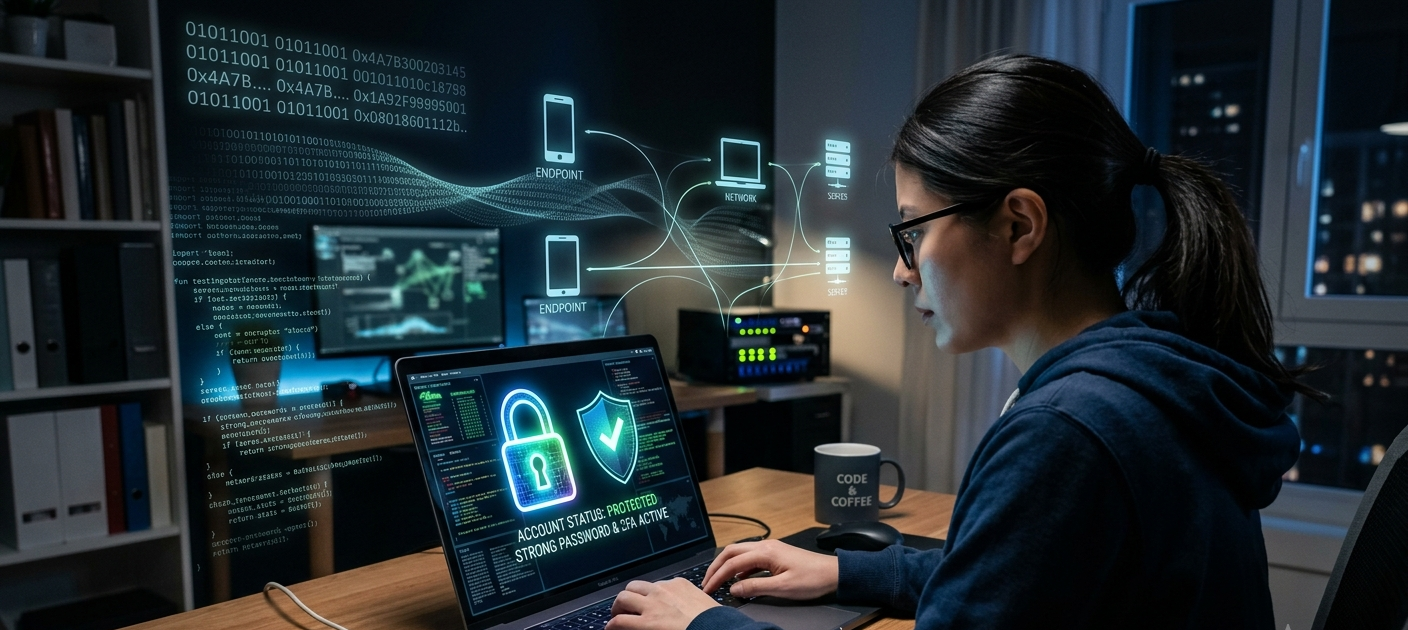
Introduction: Why Strong Passwords Matter in the Digital Age
The first line of defense that guards personal information, online accounts, financial information, private conversations, and digital identities is password protection. With more and more people turning to websites, applications and cloud services for their daily activities, cybercriminals are still coming up with new sophisticated techniques to steal login credentials. Predictable passwords or passwords that are used repeatedly allow an attacker to gain unauthorized access to accounts. A good password is not just a string of letters and numbers; it must be well planned, properly managed and periodically monitored. Users can minimize their exposure to hackers through password strength and security methods. Users can learn about hackers’ attempts to crack a password and learn the best ways to protect themselves from being hacked. Hacker-proof passwords are created by implementing strong password strategies, securing login data, and utilizing tools that facilitate digital security.
1. Use Long Passphrases Instead of Short Passwords
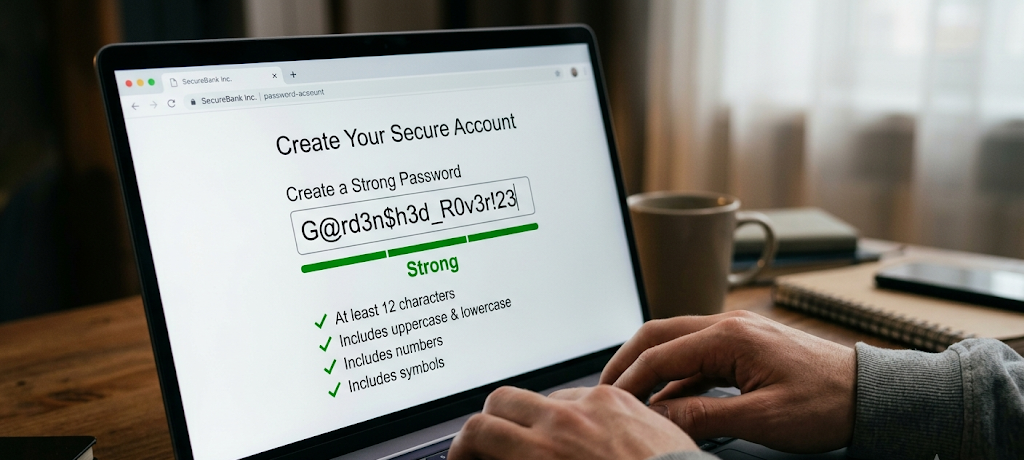
Keep passwords long, not short. Short passwords are not acceptable, use Long Passphrases.
Creating a strong password by using a passphrase instead of a short word or sentence is one of the best methods for doing so. Passphrase: A longer sequence of words typically a sentence or memorable phrase that is hard for an attacker to guess. A password cracking tool can crack millions of combinations in a matter of minutes, particularly if the common words, names, dates, or simple patterns are used. However, the more combinations that can be made, the longer and more unique the phrase.
For instance, rather than having a personal password, users can think up a memorable phrase using words that are not related to one another. The objective is to make the phrase lengthy while also not including details that others might get from social networks or public information. A strong passphrase is secure, yet easy to remember: the user should be able to construct a stronger passphrase without having to memorize a complex set of characters.
2. Combine Length With Complexity for Better Protection
The length of the password is a critical element in security; by making it longer, but not more complicated, you can create a double layer of security. If you can, use a combination of upper and lower case letters, numbers and special characters in a strong password. Automated software is frequently used by hackers to try out common password sequences, dictionary words and predictable password substitutions. A password which changes one letter to a number or appends a symbol at its end might still be susceptible to attack because people have learned to make this change. Length and complexity create unpredictable passwords that demand a greater number of attempts by an attacker.
It is important to users that they do not use such a common pattern as “Password123” or “Welcome2026” for their passwords, since these are two of the first combinations that criminals try. Rather, a secure password will be tough to remember, but easy to recall using a mental association, such as a story. Rather, a secure password will be difficult to remember, but easy to recall with a mental association, in this case, a story. The aim is to have a password that is hard for computers to guess, but easy for the user to handle.
3. Do Not Use the Same Password for Multiple Accounts
One of the largest errors people make when it comes to online security is the use of the same password. Users often have one strong password that they use for all their accounts, as it can be cumbersome to remember more passwords. This method, however, poses a significant security threat as once the website has been compromised, the hackers could try the same procedure elsewhere, such as another popular platform. The method is called “credential stuffing” and is used by criminals to log into several accounts with a single username and password.
Just an exceptionally tough password can be made useless if it is compromised via another service. All key accounts should have separate passwords, particularly those related to financial matters, e-mail, work, educational or personal information. Having distinct passwords means that if one account is compromised, it doesn’t mean that the other accounts are compromised as well. While it can be challenging to remember numerous different passwords, security software like password managers can help you keep your passwords strong without having to remember each one’s details.
4. Use a Password Manager to Secure Login Information
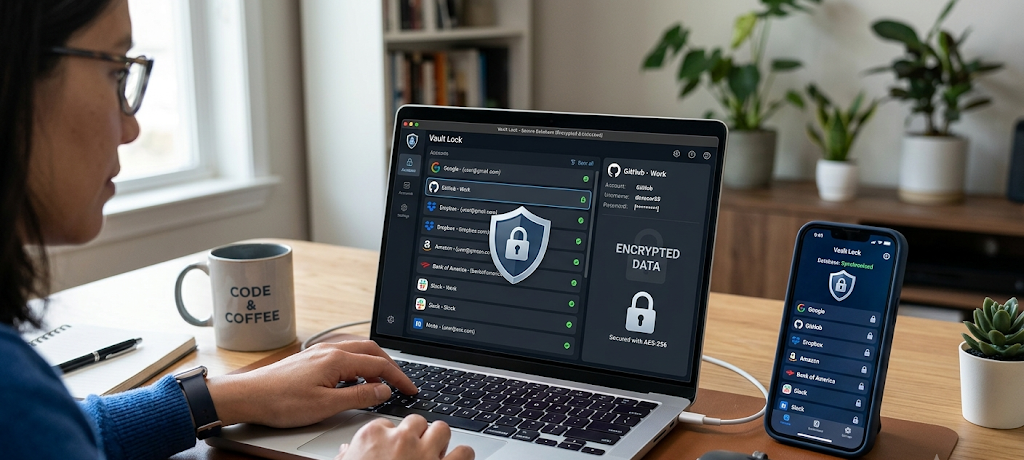
Remember to Take Care of Your Data Security
One of the most helpful tools for any user who desires to keep their online security at a high level without having to remember dozens of complex passwords is the password manager. Users can keep their login details encrypted in a secure password manager, rather than writing them down, saving them in unsecure files or using the same password repeatedly. These tools also can create long and complicated passwords automatically, store them securely, and type them in at will. This lessens the ease of making a convenience password.
A secure password manager can also help users to change their passwords frequently and manage their accounts more effectively. One strong master password is enough for users to remember, making it easier to manage multiple accounts. It’s essential to select an established password manager and secure the master password with a strong password and extra security measures like 2-factor authentication. Utilizing a password manager correctly can give the user a higher degree of security and a less stressful password management process.
5. Enable Two-Factor Authentication for Additional Security
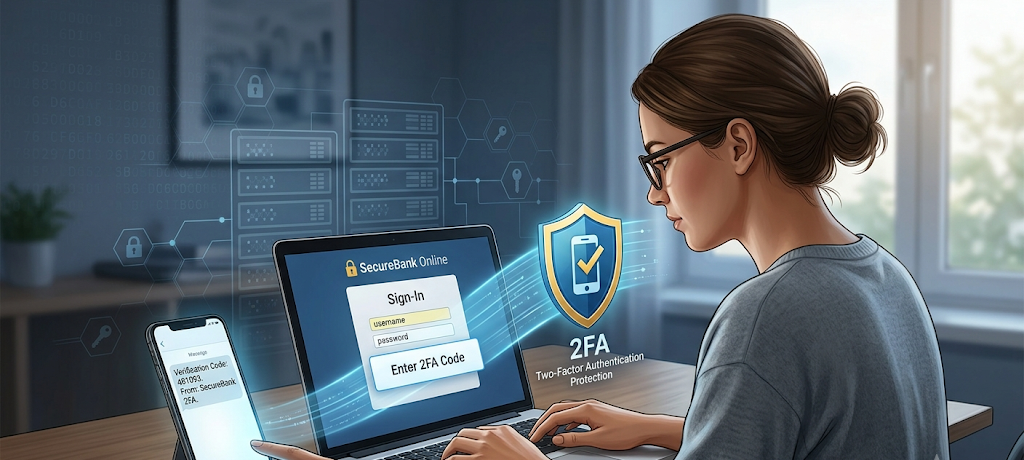
Two-Factor Authentication is a great way to add security to an account.
Even if the password is strong, it can be compromised due to phishing attacks, data breaches, or other security incidents. That is why it’s strongly advised to have two-factor authentication as a layer of protection. Two factor authentication means that an extra-verification process is performed after entering your password. This could be a security code from an authentication application, a confirmation via a trusted device or other means. Even if somebody finds a password, it won’t be easy to gain access to the account without the second verification.
With the improvement of the security of accounts, many online services now offer two factor authentication. It is important to activate this option on email, online banking, social media, cloud storage, etc. accounts. It might take a little longer when logging on, but that’s a worthwhile benefit as it will make it harder for someone to access your computer without permission. Two factor authentication and strong passwords make for a more formidable protection against cybercriminals.
6. Avoid Using Personal Information in Passwords
There are many weak passwords, many of which are based on easily discoverable information. When setting a password, individuals sometimes use their names, birthdays, favorite sports team, name of their pet, phone number, or other personal information. While these options might help you remember your password more easily, they also increase the likelihood that others may be able to guess it. Before trying to break into a target’s account, cybercriminals will typically conduct a thorough search of the target’s social media profile and public information.
A password that is based on personal information can be a significant weakness, then. Users should instead use data unrelated to personal identity that is combined in a random mix of words, characters and numbers. These passwords can be easier to remember using memory techniques, rather than relying on someone else’s knowledge. Having personal information separate from password creation allows for less chance of a targeted attack and makes accounts harder to guess.
7. Check Regularly for Data Breaches and Security Alerts
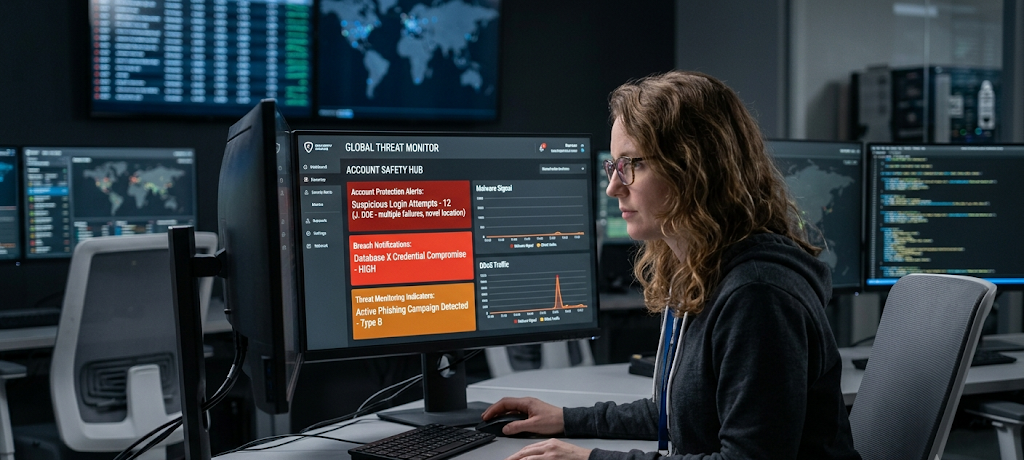
Make sure to regularly check for data breaches and security alerts
It’s just as crucial to keep track of account security as it is to have strong passwords. Despite best efforts by the companies, exposure of customer data due to a data breach can result in an infection. Security alerts and breach monitoring services can alert users if their email, password, or account information is found in leaked databases. With these alerts in place, users can take immediate action by changing impacted passwords, checking account activity, and so on.
Not taking action on breach notifications may cause accounts to remain at risk, as criminals can continue to use the identities of victims for an extended period after the breach. Additionally, users should monitor for any unusual account activity, password reset alerts, and login alerts that may indicate that their accounts are being used by someone else. Information helps people to take action before criminals cause a lot of harm. Implementing good password hygiene and conducting regular security audits will be a proactive step towards safeguarding online accounts.
8. Change Compromised Passwords Immediately
People often ask about how frequently they should change their passwords, but the key time to change a password is when they suspect it may have been stolen. Routine password changes without rationales may sometimes lead users to create more simple patterns, such as slight variations of the same password. If a password is leaked, however, due to a breach, phishing attack or suspicious activity, it should be changed to another entirely new and unique password as soon as possible.
Users should not just add a number or alter a character in any way, as this is very easy to foresee by the attackers. The new password should adhere to robust security standards such as length, complexity and uniqueness. After receiving a security alarm, taking action as soon as possible will avert unauthorized entry and stop critical data from being misappropriated.
9. Be Careful When Entering Passwords Online
Making a strong password is not the only piece of the password puzzle; using it safely also is. When logging in to a site, particularly if an unexpected email, message, or link is requesting login credentials, users should be careful. One of the most common methods for phishing is to produce fake logon pages that appear to be from a legitimate service to trick users into entering their passwords. Users should always check the address of a website before entering their account information, and should never click on suspicious links.
It is also important that passwords are not given out to friends, strangers or anyone who says they need them for support. Any organization that asks for a password via text messages and/or email is not a legitimate organization. By practicing safe online habits, people will not have their strong passwords taken by social engineering. To be effective, a secure password must be complemented by the proper use and storage of the password.
10. Review and Improve Password Security Regularly
Security of passwords should be considered a continuous task, not a one-shot. With the evolution of technology and the emergence of new security methods by the cybercriminals, users must continuously check and strengthen their security practices as needed. This involves looking for any old passwords in use, changing any weak password, purging any unused accounts and making sure that security measures like two factor authentication are enabled.
It’s also a great opportunity for users to understand emerging cyber security threats and change their behavior. While making good passwords is a critical part, maintaining good password management habits is the best security. Users can monitor their account security regularly to see if there are areas of vulnerability that can be exploited by attackers. Digital security is a constant concern and little done over time can make a big impact in safeguarding personal information.
Conclusion: Better Password Habits for Long-Term Security
One of the easiest ways to secure their online accounts is to create and use robust passwords. Often, hackers use poor passwords, stolen identity, and neglect to ensure proper security practices are in place to access personal information. Users can enhance their digital security by employing long passphrases, length and complexity, not using the same passwords, password managers, 2FA, and breach alerts.
Security through a password does not need to be memorizing a large number of tricky combinations or learning all about cyber security. Everyone can better guard themselves with the proper tools and prudent practices. Using strong passwords isn’t just for the purpose of blocking unauthorized access, it’s also for the reason that it helps you control your individual information and build a more secure online journey.