Introduction
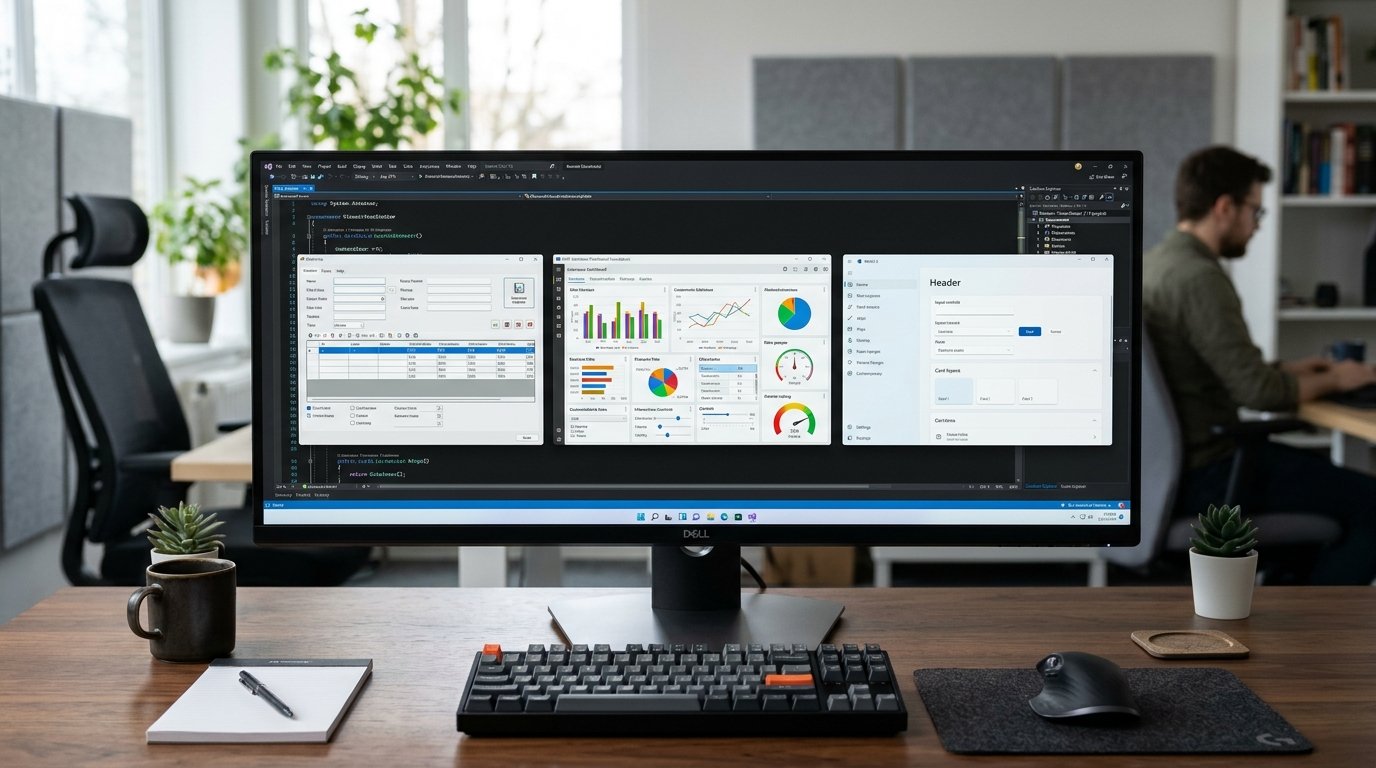
When developing or maintaining Windows desktop applications, it’s crucial to select the right framework. The framework impacts the way that interfaces are designed, code is structured, Windows features are integrated, performance is managed and software is maintained over time. There are a few well-known choices to develop Windows apps, such as Windows Forms, Windows Presentation Foundation (WPF), and WinUI 3; each of these has its own uses.
The Windows Forms approach is simple and fast, WPF provides a lot of customization and powerful data binding, and WinUI 3 is designed for modern Windows experiences and the latest Windows platform features. Recognizing these differences can help development teams to avoid unnecessary complexities and to select technologies appropriate for their projects. The choice depends on how it is going to be used, the skill sets of the team, the length of time it is projected to be in use and the funds it takes to build and maintain the application.
Understanding the Three Windows Desktop Frameworks
- Windows Forms
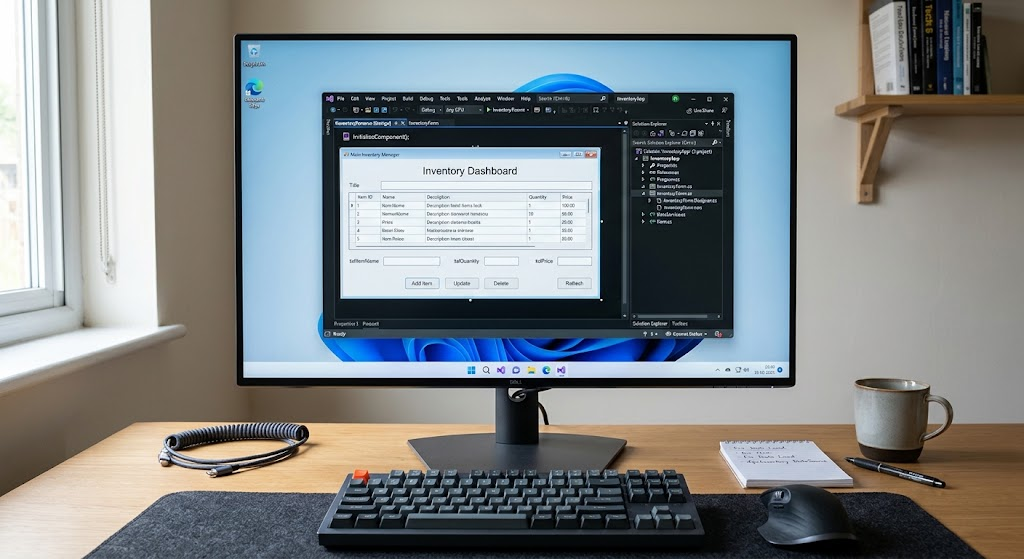
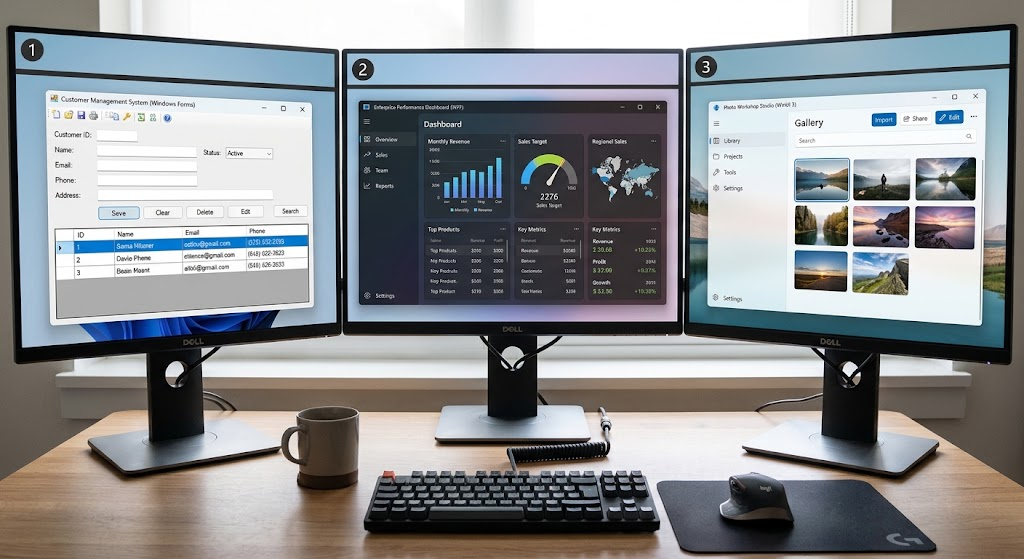
Windows Forms, otherwise called WinForms, is a .NET as a framework to develop Windows desktop apps in a simple, component-based fashion. It offers familiar controls like buttons, text boxes, labels, menus, tables, and dialog boxes, all of which can be organized by using the Visual Studio visual designer to develop. These controls can be bound to C# or Visual Basic code to control the behavior of an application, validate information and communicate with a database or other services.
This is especially relevant in an application such as Windows Forms, where a lot of the application is focused on performing a function without the bells and whistles. The relatively simple development model also allows it to be easily developed by developers who are required to create working desktop software before getting acquainted with a complicated interface architecture.
- Windows Presentation Foundation (WPF)
Windows Presentation Foundation (WPF) is a Windows desktop framework based on .NET that provides developers with more control over the layout, rendering, style, animation and data presentation of the interface. The purpose of WPF is to free itself from the burden of using traditional controls and event-driven programming that has been characteristic of Windows Forms. Its architecture enables advanced data binding, re-usable templates, customizable controls and vector graphics which can be displayed at various sizes and resolutions.
The features of WPF are advantageous for applications that require complex workflows, large amounts of data visualization, various interface designs, or special design needs. Patterns can also be used to structure applications, such as Model-View-ViewModel (MVVM) that separates the roles of the interface from the business logic in the application, which can help to make larger codebases easier to test and maintain. The Windows Presentation Foundation documentation gives an overview of the architecture and features of the Windows Presentation Foundation.
- WinUI 3
WinUI 3 is a new native Windows user interface framework from the Windows App SDK. It is a support for applications written in C# and has .The new .NET or C++ offering enables the development of desktop applications with XAML and modern Windows controls. It’s designed with a similar style to the Windows design system, which is called Fluent design, and consists of updated typography, layout normalities, visual material and controls that will provide a consistent experience on the Windows platform.
For new Windows desktop applications being developed, especially those aiming for a modern and contemporary look, and that need access to modern Windows features, the choice of WinUI 3 is particularly significant. Its newer development model is different to the standard Windows Forms and WPF development workflow, however, and a team would have to consider tooling, deployment and third-party dependencies, and developer experience when considering using it. Microsoft’s guidance for developing Windows recommends WinUI 3 as the platform of choice for new, general purpose native Windows desktop apps.
Analyzing the Approaches to Interface Design and Development
- Design and Customization of User Interfaces
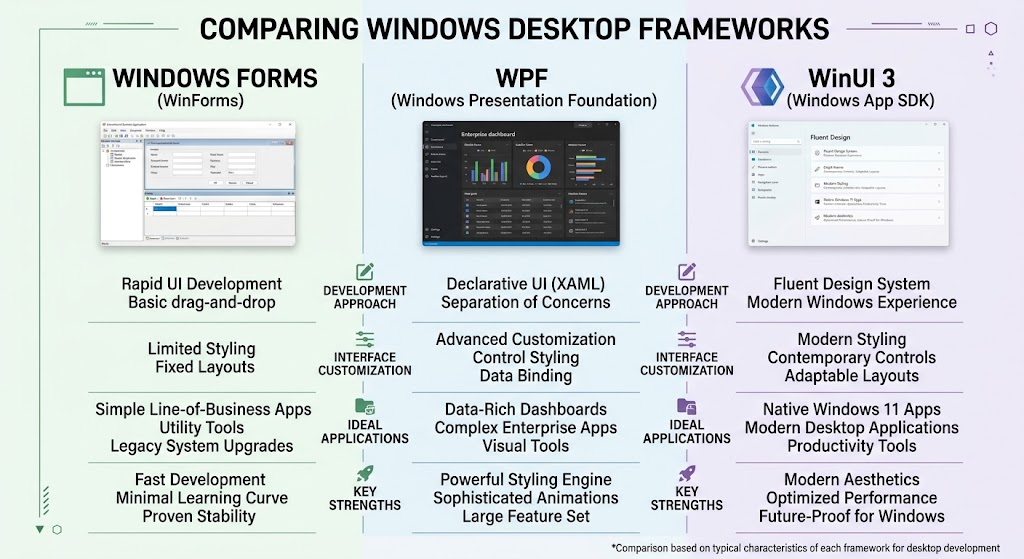
The two most obvious differences between these frameworks is that the first gives you the most control over interface design, while the latter gives you the least. For traditional desktop applications with common form controls, Windows Forms is appropriate to create useful screens in a short time. A good number of properties can be customized, but if you want to make the interface really unique or want to have a highly sophisticated and consistent look and feel of the interface in many screens, then it may take more effort. WPF offers a more sophisticated customization model in the form of XAML, styles, templates, animation and flexible layout containers.
WPF’s ease of control redesign makes it appealing for applications requiring a specialized interface or a huge amount of visual needs, without requiring the developers to change the underlying behavior. Modern controls and Fluent Design styling, provided by WinUI 3, help ensure that applications are consistent with the present Windows experiences. While all three can generate professional interfaces, Windows Forms has a focus on simplicity, WPF places emphasis on flexibility, and WinUI 3 is for a modern design language for Windows.
- The Development Workflow and Architecture
The workflow for small applications is often the closest with Windows Forms. C# methods can be used to implement the business rules, and the controls can be placed visually by the developer, while responding to events. This model is well suited for relatively simple screens and interactions; while this separation of presentation and business logic is less important as applications grow, it is becoming more important. WPF’s new XAML interface definitions, refined binding, new commands, and architectural pattern support, like MVVM (Model View ViewModel). These features need more learning, but can help to establish separation of responsibility and help handle complex applications.
In addition, WinUI 3 supports modern . and uses XAML.In addition, it is based on the NET development patterns and is familiar to developers who already have the knowledge of WPF or other XAML-based development frameworks. But, while knowing XAML doesn’t remove all of the migration hurdles, the frameworks do have different controls, APIs, behaviors, and application infrastructure. Both the speed of the initial screen and the ability to develop, test and extend the whole application consistently should therefore be considered.
- Development Languages and Developer Experience
All three frameworks provide C# development, so that teams can capitalize on existing knowledge of the language and .NET runtimes.Concepts of NET libraries, asynchronous programming and common software engineering practices. Windows Forms is especially user-friendly for those who are used to the visual design features and event-driven programming capabilities. WPF is ideal for teams that like declarative design and are prepared to commit to a structured application design. WinUI 3 is suitable for apps that need to use Microsoft’s newer platform and APIs, Windows.
The version of . that is used also affects development experience.Familiarity, templates, debugging workflows, and the Visual Studio tooling that is supported by NET. Developers should create a small proof of concept that includes representative screens, data access, navigation, and packaging, before picking a framework. This hands-on project shows if the team’s preferred workflow would better suit the framework than just a comparison of features.
Performance, Resource Usage, and Responsiveness
Performance Differences
The assessment should focus on the actual functionality of an application and not on its reputation as a framework. The user interface model of Windows Forms is simple enough to work very well for classic forms, tables and workflows for business. While WPF is capable of highly complex rendering and layout, poorly-designed applications can impact application responsiveness due to complex visual trees, too many bindings, large amounts of data, or too many UI updates. While an execution speed boost is not guaranteed for all workloads, WinUI 3 offers a modern rendering and control framework.
There are other factors that can affect performance more than the interface framework, such as database queries, file operations, network requests, inefficient algorithms, and too many objects created. Developers should test startup time, memory usage, scrolling performance, screen transitions, and performance under realistic conditions. The principles of making the most of data access, not blocking the UI thread, and loading big data sets efficiently are useful concepts, no matter the framework.
App Responsiveness, Hardware, and Display Scaling
The interface layers are used for different purposes. Some staff management tools can be as simple as seeking feedback with a simple form and having a searchable table, while a monitoring dashboard might have several panels of moving content. The vector-based rendering and flexible layout of WPF can be useful to developers to design interfaces that can scale to various screen resolutions, and WinUI 3 provides modern layout and control features for the latest Windows applications. While some of the classic business screens are still viable in Windows Forms, the developer must do a careful test of the display scaling, resizing, font rendering and accessibility capabilities.
Responsiveness is also related to the implementation decisions in all three frameworks, such as the use of asynchronous operations, virtualization as appropriate, reasonable layout complexity and efficient event handling. If the application performs costly operations or queries large amounts of data, avoid using costly operations on the interface thread. Hardware and display configurations that are used by real customers gives more relevant and meaningful evidence than generalised performance claims.
Ecosystem, Libraries, and Windows Integration
Third-Party Libraries and Existing Components
The built-in controls can have as much impact on the framework decision as the surrounding ecosystem. Windows Forms is well established in business software, and has a long history of usage and components for data grids, reporting, charts, printing, and workflows based on databases. Numerous organizations have commercial controls or have internal collections of controls that are for Windows Forms. WPF also has an already well-established ecosystem; there are reusable UI components, data binding tools, charting libraries, and even patterns for building large desktop applications.
While WinUI 3 offers modern Windows controls and it is still being built out, some teams may find a specific third party component or legacy integration more easily available for Windows Forms or WPF. Prior to selection, developers should check to ensure that critical dependencies are compatible with the framework and .NET version. When replacing a critical reporting library, specialized control or authentication component, there is a risk of significant project cost increases, so dependency compatibility should be explored in early stages and not after project start.
Access to Windows Features
All three can be used for desktop Windows software that accesses files, databases, networking services and operating system facilities, but with different implementation specifics. WinUI 3 is compatible with Windows App SDK, which delivers modern application capabilities and APIs that are available and can be serviced separate from the Windows operating system. Other Windows App SDK features can be used by existing applications in traditional desktop development without having to replace their entire interface with Windows Forms and WPF.
This is beneficial for organizations that wish to upgrade their software in a gradual manner. The Windows App SDK and WinUI 3 are not synonymous, though: WinUI 3 is the user interface framework within the Windows App SDK, which offers a wider range of platform components. Before choosing an architecture, developers must find out what specific Windows APIs, notifications, windowing behaviors, packaging needs, and system integrations their applications require.
Construction of Long-Term Repairs and Improvements
Maintaining Existing Applications
When an application is already in production, the most viable structure is often the one that has the most consistent maintenance capability that doesn’t cause any unnecessary disruption. For a mature Windows Forms application years of business rules have been tested, stable integrations, workflows and employees have come to rely on this application’s behavior on a daily basis. Making changes to it just to be able to use a newer interface technology can add defects and training demands, and use resources that could otherwise enhance security or business performance.
The WPF can be a long term investment application too, as long as it continues to be supported and provides a lot of capabilities for complex interfaces. While WinUI 3 is a good choice for new applications, there will be some differences in the controls, APIs, architecture, and deployment when migrating an existing application to WinUI 3. Teams should discuss the cost of keeping the existing system in place versus all the costs associated with migration, including testing, training, replacing parts of the system and the risk of disrupting key workflows.
Maintainability, Testing, and Technical Debt
It’s important that code be of good quality, well documented, tested and automated, the dependencies well managed, and the architecture well disciplined and the use of the framework. While WPF has got more architectural flexibility, a well organized windows forms application can be more easily maintained than a poorly organized WPF application. Of course, there is also the possibility of technical debt building up in a WinUI 3 project, when developers add some superfluous abstractions, or do not implement a consistent design and testing process.
Business rules should be kept separate from the presentation logic where possible; configuration should be centralized; critical functionality should be carefully managed and automated testing performed. They should also keep track of the supported . . .NET versions, framework updates, third party component lifecycles and deployment needs. If an old application is being modernized, a phased approach can minimize risk by modernizing a subsys one at a time. The goal should be to be more reliable and cost less for maintenance in the future, rather than just switching to new technology in the place of old technology.
Which Framework Fits Different Project Types
- Windows Forms for Simple Internal Business Tools
Windows Forms is often the most efficient choice for straightforward internal applications such as stock management tools, employee directories, data-entry systems, administrative utilities, and basic reporting interfaces. These applications commonly prioritize reliability, predictable workflows, quick implementation, and straightforward integration with databases or existing services. The visual designer helps developers create conventional screens without building a complex layout system, while familiar event-driven programming makes the code relatively accessible to teams with basic .NET experience.
Windows Forms is especially attractive when an organization already has developers who understand it or maintains reusable components built around the framework. It may be less suitable when a project requires extensive animation, highly customized visual controls, or a modern interface design that must remain consistent across many complex screens. For ordinary business software, however, its simplicity can be an advantage because it reduces the amount of specialized interface code developers need to maintain.
- WPF for Established Enterprise Applications
WPF is often a strong fit for enterprise applications that require complex interfaces, advanced data presentation, reusable visual components, and well-defined application architecture. Examples include financial dashboards, engineering tools, desktop management systems, operational monitoring software, and applications that display substantial amounts of structured information. Its binding system, templating capabilities, and flexible layouts help developers manage screens with intricate relationships between data and presentation. Organizations with existing WPF applications can also benefit from established libraries, experienced developers, and proven internal development practices.
A new project may favor WPF when its requirements demand advanced customization that the team can implement efficiently with the framework. Nevertheless, developers should consider the learning curve associated with XAML and binding, the complexity of the interface architecture, and the availability of appropriate controls. WPF is most valuable when its capabilities solve concrete design or maintenance problems rather than adding complexity without a clear benefit.
- WinUI 3 for New Native Windows Applications
WinUI 3 is a compelling starting point for new desktop applications that need a contemporary Windows interface and access to current Windows application platform capabilities. It is suitable for productivity software, modern business applications, utilities, and other Windows-focused products where Fluent Design and a current native experience are important project requirements. Developers starting with a clean codebase can establish an appropriate architecture, select compatible libraries, and design the application around the framework’s supported features from the beginning.
Microsoft’s recommendation of WinUI 3 for new general-purpose native Windows desktop applications makes it particularly relevant when long-term alignment with current Windows development investments is a priority. Even so, teams should evaluate control availability, deployment models, compatibility requirements, developer experience, and the maturity of essential dependencies. A modern framework is useful only when the team can deliver the required functionality reliably within the available budget and schedule.
Practical Criteria for Choosing Between the Frameworks
Before committing to a framework, development teams should compare their requirements against a consistent set of criteria. The first consideration is application complexity: conventional data-entry screens may favor Windows Forms, while extensive customization may justify WPF or WinUI 3. The second is the existing codebase. Maintaining an established application can be more economical than rebuilding it, especially when its current framework remains supported and meets business requirements.
Third, teams should evaluate the required Windows versions, distribution methods, operating system integrations, and security constraints. Fourth, they should confirm that third-party controls and libraries support the chosen framework. Fifth, developer experience matters because a familiar technology can reduce training costs and delivery risks. Finally, long-term maintenance, accessibility, automated testing, and expected feature growth should influence the decision. A small proof of concept can help validate these assumptions before significant resources are committed, particularly when a project has demanding performance or integration requirements.
Conclusion: Choose the Framework That Fits the Project
Windows Forms, WPF, and WinUI 3 each provide a legitimate approach to building Windows desktop applications, and none is universally best for every situation. Windows Forms remains a practical choice for simple business tools and established applications whose requirements favor rapid development and conventional interfaces. WPF provides substantial flexibility for sophisticated enterprise software, particularly when advanced data binding, reusable controls, and customized layouts are important. WinUI 3 is an appropriate starting point for new native Windows applications that prioritize a modern interface and alignment with Microsoft’s current Windows development direction.
The strongest decision comes from evaluating application requirements, existing code, team skills, third-party dependencies, performance targets, and long-term maintenance costs together. Developers should choose the framework that delivers the required experience reliably and economically, while leaving room for future improvements. A thoughtful framework decision reduces unnecessary complexity, protects existing investments, and helps teams build desktop software that remains useful and maintainable over time.