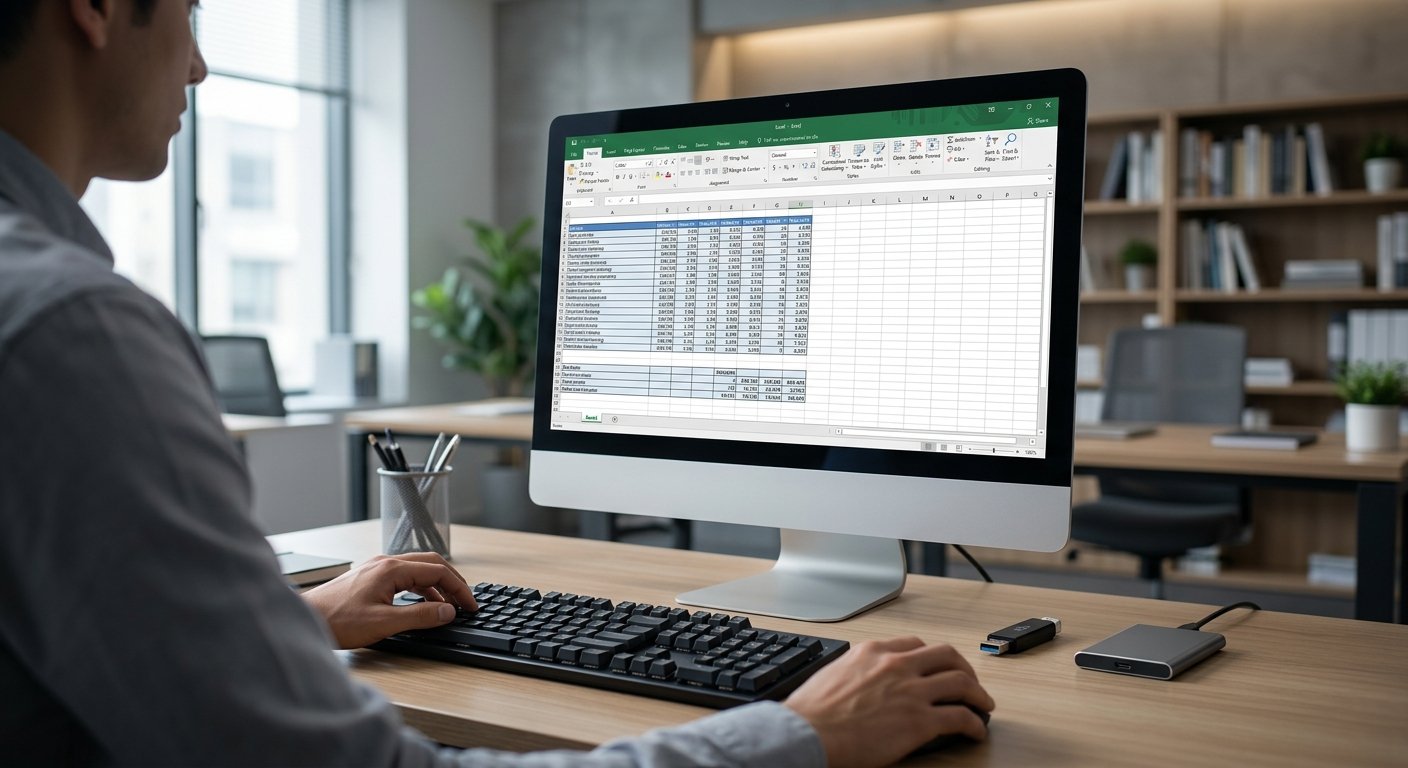
Computers allow people to carry out complex calculations, produce documents, manage information and complete tasks quickly and accurately. To produce useful output, data must be inputted, processed, output and relevant information must be stored. All of these components therefore make up the input, process, output and store cycle (IPOS).
The input, process, output, store cycle (IPOS) describes how data can be converted into useful information within a computer. Data can be inputted into the system; operations can be carried out (process) and once results are formed they can be outputted. The information can then be stored for future use. The IPOS cycle allows computer systems to operate. It can be understood in many common systems, such as calculators, banking systems and word processors.
Data Processing in Computers
Data can be processed in computers to form useful information. Raw data may take many formats, for example, numbers, text, symbols, images and pieces of information. By processing the data, useful information can be formed. For example, a business may collect information about daily sales. This information is processed within a computer to calculate total income, average income and profit. This information can then be used by managers to understand how well the business has done and make decisions. For more information, see How Computers Process Data.
Within computers data processing happens by following sets of instructions given in software. Calculations can be made, comparisons can be made, and organisation of data can be carried out very quickly. Due to computers’ ability to process large amounts of data, they are valuable across many industries. However, in order to produce accurate results correct information must be inputted and accurate instructions followed. Data processing is therefore a key component of computer operation.
Input, Process, Output, Store Cycle
Within computers, data goes through four main processes, which are input, process, output and store. Information is inputted into the computer, it is then processed to give results. The results can then be outputted, and finally the information can be stored for future use. Although each component is separate, together they allow computers to carry out tasks.
This cycle can be seen within many different computers and devices. For example, when writing a document using a computer, data is inputted via the keyboard. Instructions are processed by the processor. The output is seen on the screen, whilst the file can be stored using storage. Within a banking application, data can be inputted (transaction details). The data can then be processed. The results can be outputted, whilst the transaction details can be stored. In both examples, the IPOR cycle can be seen to allow computing tasks to occur.
Input
The input stage of the IPOR cycle sees data and instructions being added to the computer. Data can be inputted using a variety of devices. These include keyboards, mouses, touch screens, microphones, cameras and scanners. Text, numbers, images, sounds and other data can be inputted using these devices. Alternatively, information can be automatically inputted using sensors, networks and devices connected to the computer.
It is important that the input is correct. In a calculator, numbers and mathematical symbols are inputted. If incorrect numbers are inputted, even though the processing within the calculator is correct, the output may be incorrect. Therefore for accurate results to be produced by computers, it is important that correct data is inputted.
Common Input Devices
Keyboards allow users to input numbers/letters and commands. Mouses allow users to select elements and interact within an application. Touchscreens allow users to directly input information by touching options on the screen. Microphones allow sounds to be inputted, cameras allow images/videos to be taken and scanners allow printed information to be converted into digital information.
Barcode readers and fingerprint scanners allow specific data to be inputted. Barcode readers allow data of products to be inputted in retail shops. Fingerprint scanners allow biometric information to be inputted to verify identities. Sensors can measure environmental information, such as temperature and movement, and send this information to a computer. This means that a variety of information can be inputted from people and environments.
Process
During the process stage of the IPOS cycle, operations will be carried out on the input data. Instructions will be followed to allow calculations, comparisons, organisation of data and useful results to be formed. The central processing unit (CPU) is very important in carrying out these processes because it executes instructions and performs calculations that allow the computer to complete tasks. Understanding how the processor works provides a clearer explanation of how computers process information.
The CPU will work in collaboration with memory and other hardware. For example, within spreadsheets, formulas are followed to allow totals, averages and percentages. Within banking systems, account details and requests for transactions are processed to allow financial actions to be determined. Data processing in computers therefore means that useful information can be created from raw data.
Central Processing Unit
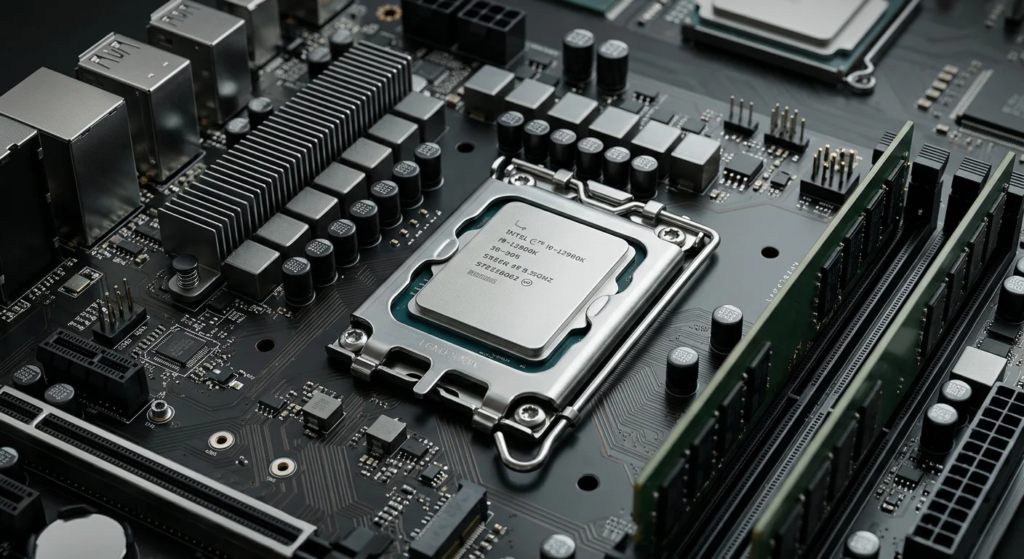
The CPU can be considered the brain of the computer. It carries out instructions, therefore allowing processes to occur. The CPU contains three key components: the control unit, arithmetic logic unit and registers. These components work together to allow instructions to be retrieved, operations to be performed and information to be managed.
The control unit manages the instructions within the computer, and manages data flow within the components. The ALU (arithmetic logic unit) carries out mathematical calculations and logical operations. It can add and subtract numbers, as well as determine if one value is greater than another. These components work in order to allow instructions to be carried out to complete various tasks.
Memory
Information can be temporarily stored in memory. Random Access Memory (RAM) stores data/instructions related to open applications. For example, when opening a document, relevant information will be stored in RAM so that it can be displayed and edited efficiently.
Cache memory and register memory within the CPU allow frequently used information to be quickly accessed by the processor. These therefore increase efficiency in processing. Unlike permanent storage devices, RAM is typically volatile, and information will be lost if the computer loses power.
Example
In banking systems, data is processed. If a customer wishes to make a money transfer, relevant information will be inputted. This includes account details, the recipient of money and amount of money to be transferred. Once the request has been processed, relevant account information will be checked, requirements of the transaction will be checked, and updated balances will be calculated.
For example, if the customer had 100,000 Naira in their account and transferred 20,000 Naira, the new balance will be calculated. Transaction details will also be recorded. In some cases, the banking system may also interact with other banking systems to allow the transfer to occur. These tasks have occurred quickly, therefore customers do not have to perform manual calculations/record keeping for financial transactions.
Output
Once data has been processed, information can be outputted from a computer. This can be in the form of text, numbers, images, audio, video and printed documents. This allows users to understand what has been processed and makes information usable.
Information can be outputted in many ways. Monitors allow text/images/video to be displayed. Printers allow physical copies of documents. Audio can be played through speakers/headphones and projectors allow large groups of people to see information. Information can therefore be outputted in a format depending on the users’ needs.
Example
If a user types 25 x 4 into a calculator, the calculation will be processed and the result will be displayed. In this example, 100 will be displayed on the calculator screen. This is therefore output.
This can be seen in more complex examples. In spreadsheets, calculations are displayed. In banking systems, confirmations of transactions and account balances are displayed. Within these examples, output allows results of processing to be displayed to users in readable formats.
Example
Within a banking system, once a financial transaction has been processed, a confirmation message may be displayed. This message may show if the transaction was successful or unsuccessful. Information about the transaction may also be shown, including the amount, reference, date and updated balance.
This information may be sent to customers through mobile apps, text messages, email and paper receipts. Within these examples, output has allowed users to understand what has happened with their money, and keep a record. Clear and accurate outputs are important as customers depend on this information to manage their accounts effectively.
Store
During the store stage of the IPOS cycle, data and processed information can be saved. It is important to save information so that documents, images, records and other files can be accessed at a later date.
Information can be stored in many ways. Solid state drives (SSD), hard disk drives (HDD), USB sticks, memory cards and cloud storage can be used. Most secondary storage methods mean that data can be stored for longer periods of time, even if the computer has been turned off.
Primary and Secondary Storage
Primary storage means data/instructions can be accessed quickly. An example of primary storage is RAM. When applications are open, information is temporarily stored in RAM. This allows the CPU to efficiently access data.
Secondary storage means data can be stored for longer periods of time. Hard drives, SSDs and USBs are examples of secondary storage. Users can store documents, software and important records within secondary storage. Depending on the size, speed, accessibility and reliability required, a suitable storage device can be chosen.
Storing data digitally
Data within computers is stored in binary form. This means that data is stored in 1s and 0s. This is known as bits. Different information can be represented using groups of bits. Text, numbers, images and sounds can all be represented. 8 bits together make 1 byte, and the size of data storage is commonly measured in bytes.
When saving documents, data is digitally stored within a storage device. When opening the file, the information can be retrieved and read using the operating system and relevant software. The operating system helps manage files, access storage devices and coordinate communication between software and hardware. Understanding the IPOS cycle alongside the functions of an operating system provides a clearer picture of how digital information is managed and retrieved within computers. This means that digital information can be accessed at any point in the future.
Example
If an assignment is written within a word processing application, data is inputted via the keyboard. Instructions for formatting and text will be processed, and the document will be displayed on the screen. However, to ensure this document can be accessed in the future it must be saved.
The document can be saved within the storage device of the computer, external devices or within cloud storage. At a later date, the file can be retrieved from the storage device and displayed within the computer so editing can occur. This demonstrates how data can be stored to allow users to save work so that they can continue tasks at any point.
Working together

All four components of the IPOS cycle work together to allow tasks to be completed within computers. Data is inputted, operations are carried out, results are given as outputs and information can be stored for future use. Although each component is separate, in modern computers many of these operations can occur simultaneously.
For example, if a business report is being created, sales data can be inputted into a spreadsheet. The information is processed using formulas within the spreadsheet. Calculated results can be displayed in tables/ charts on the screen. The completed report can be saved so it can be referred to again in the future. If changes need to be made at a later stage, the document can be retrieved from storage within the computer, and editing can be continued. This demonstrates how all four stages of the IPOS cycle can work together within computing.
Real World Examples
The IPOS cycle is used within nearly all industries that use computers. Within education, data can be inputted into assignments, processed with applications, and results can be viewed. Assignments can then be saved. Within health care administration, patient information can be managed, appointment information can be processed, reports can be created and records can be stored for future access. Within these examples, the four stages of the IPOS cycle allow important information to be managed.
Businesses and financial institutions also use the IPOS cycle within their systems. In retail stores, sales are processed, and stock records are updated. In banking systems, financial transactions and customer accounts are managed. Government organisations manage applications and records using computers, and researchers analyse data from experiments. Regardless of the application, the basic processes in the IPOS cycle allow useful information to be created from raw data.
Why is the IPOS cycle important?
Understanding the IPOS cycle means students and users of computers understand how systems work. It links input devices, processing components, output devices and storage. Understanding this cycle also gives a good basis for learning more advanced computing topics, such as programming, database management, information systems and computer architecture.
Understanding the IPOS cycle shows how important it is to have correct data and efficient computer operations. If incorrect data is inputted, results may be misleading. If there are errors in processing, the quality of information may be affected. Having clear results in output means users can understand results, and storing data properly means important information can be accessed. Understanding this cycle means people can responsibly and efficiently use computer technology.
Conclusion
The input process output store cycle means that raw data can be converted into useful information within computers. Data can be inputted, operations can be carried out by the CPU, results can be outputted and information can be stored for future use. All four components allow computer operations to occur.
The IPOS cycle allows many computing functions to occur, such as within calculators, banking systems and word processing software. Understanding these processes gives a good understanding of computer literacy. As technology develops, understanding these basic input, process, output and storage concepts will be key in understanding how digital systems operate.