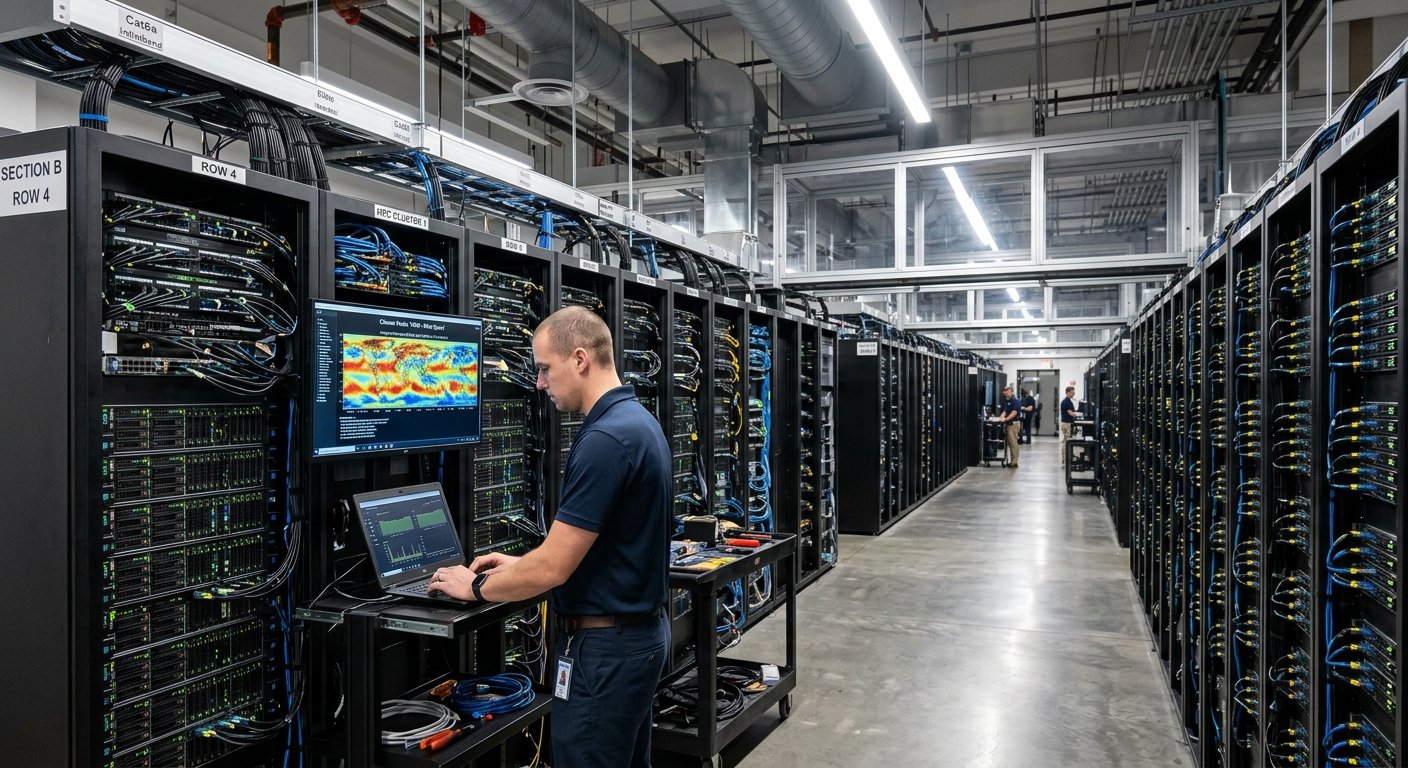
Cloud-based parallel computing has revolutionized the way companies process vast amounts of data, train AI models, engage in scientific research, and tackle difficult computational challenges.Cloud-based parallel computing has transformed the processing of large data sets, training AI models, scientific research, and solving complex computational problems in businesses. Organizations don’t need to buy high-performance servers and maintain specialized computing resources, but can lease computing power from cloud providers and split up expensive tasks among multiple processors or machines.
This approach can facilitate large datasets or activities like big data analytics, which can help organizations identify trends, patterns, and make decisions based on vast amounts of data. Cloud allows businesses to scale up computing resources as demand rises and scale down as it decreases, thanks to the cloud infrastructure and parallel processing. To make sound decisions about the use of cloud resources, it is important to have an understanding of the technologies, benefits and limitations of this model.
What Is Cloud-Based Parallel Computing?
In cloud-based parallel computing, multiple components of a computational task are executed concurrently using computing resources provided via the cloud. A workload can be spread over multiple CPU cores, GPUs, virtual machines and/or multiple interconnected servers to avoid relying on a single machine for each task. The resources are combined to decrease processing time or to solve problems that are too large to be solved by one machine. The tasks can be independent of each other or they can communicate with each other very often and share intermediate results according to the application. Cloud platforms offer the infrastructure to support these arrangements, rather than organizations having to buy and maintain every physical component.
Typical high-performance computing systems have a high component, networking, cooling, power and hardware cost, as well as needing a large number of specialized staff. Cloud-based parallel computing alters this, by providing computing resources when needed. An organisation can begin in a small environment, expand capacity for a heavy project then pull resources back when finished. Cloud services can also offer specialized hardware, managed cluster environments, storage systems, and orchestration tools that help to manage distributed workloads. But not all applications are necessarily faster or cheaper where cloud computing is concerned. To make meaningful improvements, businesses need to pick the right architectures, partition workloads as required, control communication between computing resources, and track usage.
Cloud Platforms and Parallel Processing
Cloud platforms come together with multiple technologies to enable parallel computing at any organization size. Virtual machines offer isolated computing power, GPU instances offer suitable mathematical operations to be accelerated and clusters are used to connect multiple machines to work on related tasks. Containers bundle applications and their requirements, and orchestration systems manage deployment, scheduling and scaling. Data is distributed and the workloads can access it and share results via the network, but network latency and data transfer restrictions may affect workload performance.
These technologies are not intended to be a substitute for one another. A company with thousands of independent image-processing tasks could want several virtual machines, while a company developing a big machine-learning model might require dedicated GPU instances linked together via high-speed networking. If the simulation involves a scientific process that uses frequent communication between processes, then a carefully configured high performance computing cluster may be needed. The best design depends on the computational needs, data size, communication patterns, reliability requirements and budget of the application. These differences should be understood prior to choosing a cloud architecture.
15 Ways Businesses Scale Computing Resources Through the Cloud
1. Making the Most of Virtual Machines to Expand Computing Power
Virtual machines enable businesses to operate applications in isolated virtual machines that are supported with the help of physical machines located in a cloud provider’s data center. Virtual machines are allocated computing resources such as the number of processors, amount of memory, storage and networking. Virtual machines can be used as a good basis for parallel computing because multiple instances can handle various portions of a workload at the same time. For instance, in an online store, product recommendations, customer activity and inventory forecasting can be distributed among different instances rather than requiring a single server to perform all the calculations.
Virtual machines are also flexible, as their configurations can be chosen based on the applications. A small task might only require a little memory and CPU power, while a large analytical task might demand many processor cores. Temporary environments are useful for businesses for very challenging projects to be done and then closed once the project is over. The addition of virtual machines, however, does not imply that the application will be split into parallel tasks. The developer is responsible for designing appropriate processing flows, distributing the processing to instances and handling communication, synchronization and failures as needed.
2. Selecting the Right GPU for the Job
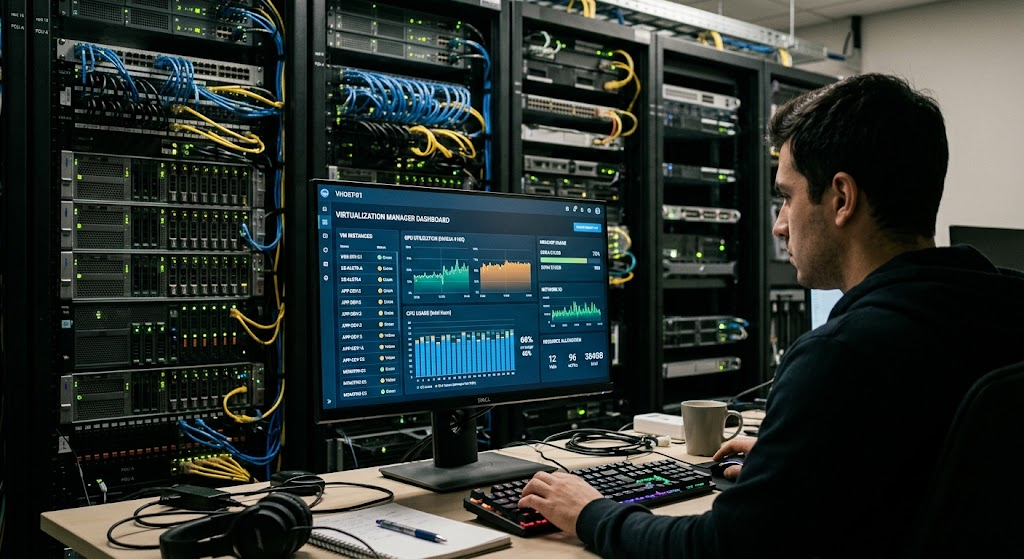
GPUs, also known as the graphics processing unit, are intended to execute a great deal of work in parallel. The architecture of these was designed mainly for graphics processing, but they have other uses like machine learning, scientific calculations, processing of images and other workloads that require a large number of similar mathematical computations. Cloud providers provide GPU instances for organizations to access the GPU hardware without having to buy expensive accelerators and the infrastructure to support them.
One such use case is an AI development team using cloud GPUs to train neural networks on massive amounts of data. A financial research organization can also take advantage of GPUs to run appropriate simulations or mathematical models. GPU resources could be purchased during times when processing needs to be done faster, and then switched to CPU resources for normal business processing. However, GPU instances may be pricier than common machines and not all applications take advantage of them. Before deciding whether it’s worthwhile to utilize GPU acceleration, developers need to understand how compatible it is with their software, how much memory it requires, how data moves between the CPU and the GPU, and the amount of parallelism in their algorithm.
3. Designing Computing Clusters for Complex Workloads
A computing cluster is a group of computers that are connected together and work together to accomplish a larger computation. Cloud platforms enable clustering of machines in various configurations, networking, and storage topologies. Some clusters run independent jobs over many nodes and others break up a single, complicated calculation into communicating processes. It’s especially well suited for scientific simulations, engineering analysis, large data sets, or research workloads that demand more computing power than a single server can offer.
For example, climate scientists could split a simulation into multiple computing nodes, with each node running a portion of the climate model. Depending on the type of simulation, nodes will need to communicate frequently in order to keep the simulation consistent. Communication delays may be reduced by the use of high speed networking and appropriate parallel computing software. Performance isn’t just about how many machines are in the cluster; it’s about how fast the network is, how fast the storage is, the compatibility of processors, and how the workload is distributed. The businesses should, therefore, consider the entire cluster architecture rather than merely counting on more nodes equalling more improvements.

4. Distributing Workloads Across Multiple Machines
Distributed computing is a method of breaking up tasks into segments and distributing them among various machines that are linked together via a network. With this technique, organisations are able to run datasets, transactions, simulations or other workloads in parallel on a cloud. A workload can be broken down into tasks that run concurrently, or it can consist of multiple phases in which output from one set of tasks is combined with the output from another set of tasks. Distributed processing is beneficial when datasets or calculations are too large to fit in a single machine.
Imagine a retail business that needs to process millions of sales data from various districts. Instead of combining all data records at a single server and calculating the total sales data, the company could split all the data records into partitions, then calculate the total sales data for the corresponding regions in parallel, and finally merge the results and generate the final report. Distributed data processing frameworks can be used to facilitate distributing tasks, moving data, and recovering from failures at the task level. But there are problems with distributed systems like network delays, duplicate processing, synchronization and inconsistent data. Partitions and processing frameworks need to be optimized for the type of processing workloads an organization needs to address.

5. Taking Advantage of Containerization for Portable Applications
Containers encapsulate applications and their libraries, dependencies, and settings so they can run the same way across different platforms. They are usually lighter than full virtual machines, as several containers can use the same kernel of the host operating system. This is where containers can be valuable for deploying parallel processing applications to a variety of cloud environments, particularly when teams require many workers of a similar kind running concurrently. A company could package up a data processing app into a container and deploy several to deal with jobs that are coming in.
Containerisation can also enable reproducible development and deployment. Because the same container image can be used for development and deployed to a cloud cluster, differences between development and deployment environments are minimized. Each stage of a data processing pipeline (including data ingestion, transformation, analysis and reporting) may be performed on separate containers. But containers alone don’t add any extra computing power. They’re still tied to the CPUs, memory, storage and networking resources. In addition to enterprise security, the management of software updates, resource constraints and persistent data storage are required to run containerized workloads reliably in the enterprise.
6. Orchestrating Applications with Container Orchestration
Container orchestration platforms manage the deployment, scheduling, monitoring, and recovery of containerized applications on clusters of machines. Organizations can describe the desired state of an application, and let an orchestration system keep it in that state as opposed to starting and managing each container manually. The system can then schedule containers to appropriate nodes, restart failed workloads, replicate application instances, and handle scaling in response to application demand, depending on the platform and configuration.
For instance, an analytics provider could deploy multiple processors in the container to process customer activities. An orchestration platform can deploy these workers across machines, and swap out failed containers as needed. It can also be used to divide workloads by resource needs meaning that if one workload requires more CPU power than another it will not be needlessly competing with the other workload for the memory. But orchestration involves complexity in operation. Requests for resources may be incorrect, scheduling rules may be bad or over-replication can lead to high costs or low performance. It is important to keep track of cluster utilization, set the resource limits, and choose the orchestration features based on the complexity of applications.
7. Automatically Scaling Resources With Demand
The cloud computing environment scales resources up and down automatically based on workloads. Scaling policies can be based on CPU utilization, memory usage, request rates, queue length, or other metrics to decide when to add or remove resources. By doing this, businesses will not have to keep up with the necessary infrastructure during the peak season all year round.
For instance, if a company runs an online shopping business, it may see a significant spike in demand during its promotional periods. As traffic increases, automatic scaling adds application instances or processing workers and vice versa when traffic returns to normal. Likewise, a company with nightly reports may temporarily add employees during the time it reports. Realistic thresholds, adequate capacity limits and sufficient time for new resources to start are necessary for effective scaling. Initialization delays, service quotas, and dependencies that don’t scale fast enough with the main application need to be taken into account as well.
8. Adopting Pay-As-You-Go Computing Resources
Pay-as-you-go pricing offers businesses the option to pay for cloud resources based on their usage, rather than buying the required hardware ahead of time. The charges may be based on instance runtime, processor or accelerator capacity, storage usage, requests made, and so on, depending on the service. The model can enable startups, research teams, and small businesses to access advanced computing resources without having to pay for the construction of a computing facility.
For example, a university research group may require a large computing cluster for just a few weeks to perform a simulation. It’s better to rent the equipment for that time than to purchase equipment that will sit idle after the time is up. However, it is important to carefully monitor for usage-based pricing. Rental costs can be incurred from long-running instances, unused storage, oversized machines and forgotten development environments. Businesses should develop budgets, check their billing reports, set spending alerts (if possible), and turn off resources that are no longer needed. Pay-as-you-go computing offers financial flexibility however, cost savings are dependent on managing resources wisely.
9. Using Cloud Analytics Services for Processing Large Datasets
Cloud analytics services enable enterprises to analyze and analyze massive amounts of data with scalable computing resources. These services can include distributed processing engines, data warehouses, object storage and managed query systems. In a typical business, rather than putting all the data on a single database server to be used for all analytics, multiple workers could be used to handle appropriate operations, and resources could be allocated to the size and complexity of the query or processing job.
For instance, a telephone company can use records from the network to find out how people use the network and detect unusual use of it, as well as predict future network needs. These can be linked together by a retailer to gain insights into customer behaviour from transaction history, website activity and inventory records. These workloads can include filtering, joining, aggregation and transformation of large amounts of data. If the workload is designed and the service is configured properly, then cloud-based processing can speed up such actions. But if the data is not organized in an efficient way, if the query is inefficient, if the data is scanned multiple times, or if there is unneeded data movement, then processing time and cost can be increased. By partitioning datasets, using the right storage format and monitoring query performance, organizations can make more efficient use of their analytics resources.
10. Accelerating AI Data Processing with 1000s of CPU/GPUs and GPUs on a Single Server
The creation of AI models generally requires a lot of computing power, especially when using deep learning models on massive data sets. Cloud infrastructure offers access to CPU instances, GPUs, distributed storage and special networking that can power these workloads. Calculations could be performed on multiple GPUs in a single machine or multiple machines in a network.
For instance, if a company is building a system for image recognition, it could end up with thousands or millions of images that have been labeled. The training data set can be stored in the cloud, and the mathematical operations required to update the parameters of the model can be carried out on computers equipped with GPUs. Having a model that can be effectively parallelized, software that can effectively process parallel data, and hardware capable of parallel processing can shorten processing time. But between accelerators, data loading delays, and synchronisation issues can reduce the scaling efficiency. AI teams need to assess how well they are training, select the appropriate hardware, and end experiments that aren’t useful. They should also take into account the expenses involved with storing datasets, creating training data, testing models, and repeating experiments.
11. Facilitating Scientific Research and Large Simulations
In many scientific studies, computation power is needed to simulate many times, to handle big data and complex mathematical models. Cloud-based parallel computing provides research institutions with the ability to scale up their infrastructure for applications like molecular modeling, astronomy, analysis of the environment, engineering simulations, and climate research. Scientists can set up a suitable computing setup for an experiment, and unload the resources once the experiment is complete.
For instance, environmental research groups can simulate various rainfalls and analyze the potential flooding situations. Many calculations may be required over geographic areas and time periods in each of the simulations. Depending on the model, researchers can execute multiple scenarios in parallel or multiple scenarios across multiple processors of a single simulation. Cloud computing also facilitates access to shared datasets and the reproduction of computational experiments, if necessary, with the appropriate permissions and configurations. However, certain software packages, high-speed networking and data transfer management tools may be necessary for research workloads. The researchers also need to take into account the reproducibility, data protection, software licensing, and the performance of a specific cloud configuration for the scientific problem.
12. Improving Business Forecasting and Financial Analysis
Forecasting is a process used by businesses to predict future sales, customer needs, cash flow, stock levels and market conditions. These tasks tend to be high data volume and/or mathematical tasks that can be parallelized. Cloud platforms can support organizations to run several different forecasting models at the same time, run through different assumptions, and process data gathered from various departments or geographic areas.
For instance, a supermarket can look back at their previous sales, seasonal trends, promotions, and inventory to predict the future quantity of goods needed. Forecasts are made individually for each product and/or site and then aggregated into a company-wide forecast plan. Financial teams can also perform multiple scenarios to review the possible impact of cost, price or demand changes on business performance. These predictions remain to be accurate depending on data quality, model assumption and the analytical method used. The ability offered by cloud computing is that it expands the available processing capacity, but it cannot remove uncertainty and guarantee that a forecast can accurately predict future events.
13. Scheduling Workloads to Optimize Resource Use
Workload scheduling decides when tasks are executed, what resources are used and how they are allocated to the available computing resources. If several applications are trying to use the same processor, memory, disk space, or specialized accelerators, then it’s crucial to get them to run at the right time. If not scheduled properly some machinery may be idle and others overloaded and thus cause unnecessary delays and costs.
Organizations can make independent jobs run concurrently when resources are available, schedule the more critical jobs for high priority and shift the flexible jobs to less costly time periods. An example is a company that has the capacity to run analytics on customer-facing data in real time, and reserve the capacity for analytics involving historical data for a later time. Various scheduling needs can be addressed using batch processing systems, cloud-native schedulers and high-performance computing job managers. These should be identified as interrelationships among tasks, realistic resource demands, and track job completion. They also have to ensure that scheduling decisions take into account deadlines, service commitments and data access restrictions.
14. Optimizing Storage and Data Transfer
In addition to the processor speed, parallel computing relies also on the speed at which applications can access data and share intermediate results. A powerful cluster that can’t provide data quickly enough or if workers spend too much time over the network, it can perform poorly. Cloud platforms provide a variety of options for storage and networking that can be tailored to meet the needs of an organization in terms of capacity, throughput, latency, and durability.
An AI training workload might read through large datasets of images repeatedly, for instance, and a scientific simulation might generate intermediate results and pass them from one computing node to another. In the first, effective data preparation, caching and appropriate storage throughput can help minimize delays. Low latency networking may be particularly significant in the second, i.e. the low latency one. It is important for businesses to be aware that data transfers can incur extra fees when moving between cloud regions, services or external networks, depending on the service provider and path. Having resources in proper places, avoiding unnecessary data movement, selecting the desired file format that is efficient are helpful in enhancing performance and in controlling costs.
15. Resource Monitoring and Optimization Tools
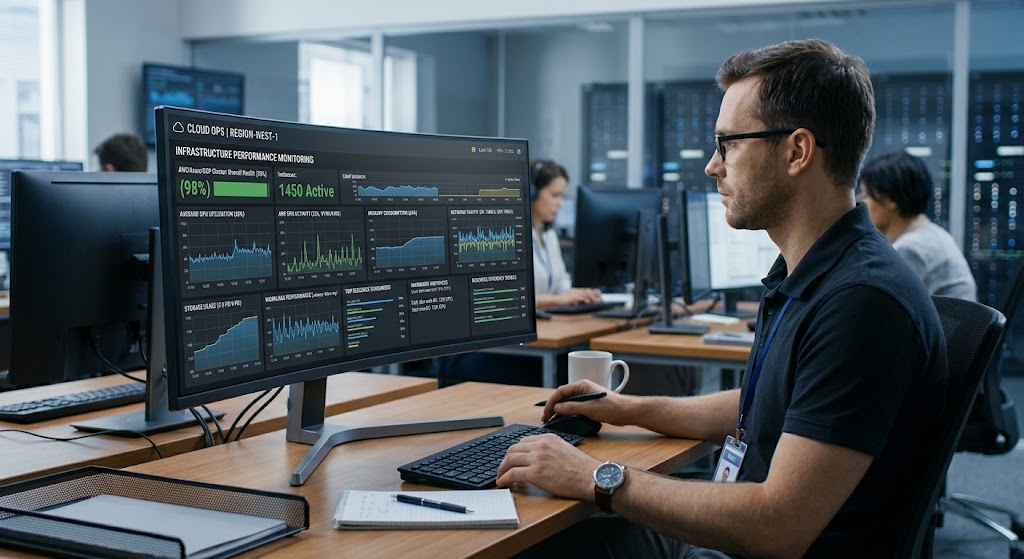
Monitoring and optimization tools enable businesses to learn about the usage of cloud computing resources and where improvement is possible. These tools can monitor processor utilisation, memory usage, storage performance, network activities, job length, error rates and spending. Teams can use these metrics to detect oversized instances, underutilized clusters, inefficient applications, and workloads with different requirements for their hardware.
A company could find, for instance, that only a part of the CPU resources assigned to a data-processing job is actually necessary. The team might try running a smaller instance or experiment with the possibility of the job being queued for storage or network operations, instead of doing calculations. Other workloads might need additional memory, or a GPU, or might be more cost effective to be executed as a scheduled batch job. Optimization should be done on the basis of measurements, not assumptions. Teams should develop performance baselines and where feasible, test in a manner that varies one factor at a time and repeat tests under similar conditions. This helps to manage speed, reliability and cost.
The Advantages of Cloud-Based Parallel Computing
- Improved Flexibility and Scalability
One of the biggest pros of cloud-based parallel computing is the ability to scale computing resources to accommodate varying workloads. Starting with limited resources, businesses can grow as needed without having to invest in hardware that meets the requirements of the worst case scenario. This can be beneficial in seasonal retail, product launches, large analytical projects, and research experiments with more than just a brief need for significant processing power.
Cloud computing can also enable organizations to experiment with new computing strategies without having to commit to a permanent installation. A long-term architecture can be selected after developing the system with various instance types, with various cluster sizes, and with various processing frameworks. But flexibility is no excuse for not planning. The initialization time, application dependencies, cloud resource limits and budget restrictions can all impact workload scaling speed. It is important to test scaling behavior in realistic scenarios; it is not always possible to add more capacity on demand.
- Reduced Infrastructure Management
Cloud services can help decrease the need for organizations to buy, install, cool, and maintain physical computing equipment. Cloud providers take care of the data center hardware and managed services can also take care of portions of software deployment, monitoring and cluster administration. This enables the internal teams to focus more on application development, enhancing analytical models, and addressing business challenges.
The amount of delegated management responsibility varies based on the service used. Managed virtual machines usually give tenants little responsibility for operating or maintaining the applications and operating system, and some managed virtual machines automatically handle other operating tasks. Organizations will still have to set up access restrictions, secure data, track workloads, manage application dependency, and become aware of the limitations of services. Cloud computing alleviates some of the infrastructure pressures, but it does not remove technical responsibility.
- Enabling Access to Specialized Computing Hardware
Organizations that may not be able to afford specialized resources are able to use them via cloud platforms. These can range from GPUs, high memory machines, high speed networking, and setups for intensive numerical computation. The businesses can select hardware that best fits their needs for a given workload, without having to run all applications on a general-purpose server.
This access is particularly valuable for AI development, engineering simulations, large-scale data processing, and scientific research. But dedicated hardware has to be chosen based on actual application needs measured. A high cost accelerator will not be cost effective if the workload is not optimized for it, and the unnecessary high-performance equipment will be costlier to operate. Once common tasks are identified, they can be tested to evaluate if there is an additional cost requirement for specific resources.
Challenges and Risks of Cloud-Based Parallel Computing
- Managing Cloud Computing Costs
Although cloud services reduce upfront infrastructure investment, operating expenses can grow quickly when resources are poorly managed. Charges may include virtual machine runtime, GPU usage, storage capacity, managed service fees, software licensing, monitoring, and data transfer. A cluster that remains active after a project ends can continue generating charges, while repeated processing of large datasets may create expenses that are difficult to anticipate without detailed measurement.
Organizations should estimate expected usage before deployment and compare the cost of different architectural options. Budgets, billing dashboards, usage alerts, automatic shutdown schedules, and regular cost reviews can help identify waste. Teams should also distinguish between total spending and cost per completed task. A faster configuration may cost more per hour but finish a job sooner, potentially reducing overall expense. Conversely, a slower and cheaper configuration may be more economical for workloads that do not have strict deadlines. Decisions should account for both performance and total workload cost.
- Protecting Data and Securing Computing Environments
Cloud-based parallel computing may involve sensitive customer records, business information, research data, or proprietary machine learning models. Distributing these assets across multiple machines increases the importance of controlling access and securing communication between components. Organizations must understand their security responsibilities and ensure that cloud resources are configured according to the sensitivity of the information they process.
Important measures include strong identity and access management, least-privilege permissions, encryption in transit and at rest, secure network configurations, logging, and regular software updates. Teams should avoid exposing management interfaces or storage resources unnecessarily and should monitor for suspicious activity. Sensitive workloads may also require data residency controls, contractual safeguards, or compliance reviews. Security responsibilities differ across cloud services, so organizations must verify which protections the provider supplies and which configurations remain their responsibility. A scalable computing environment is valuable only when its data and applications are adequately protected.
- Handling Network Latency and Communication Overhead
Parallel processing introduces communication costs that do not appear in the same way in every single-machine workload. When tasks run on different machines, they may need to exchange data through a network, wait for results, or synchronize before proceeding. These operations can consume time and reduce the performance benefits of adding more computing resources.
For example, a simulation that requires frequent communication between processors may scale poorly across distant or weakly connected machines. A workload consisting of independent data-processing jobs may scale more efficiently because each worker can complete its task with relatively little communication. Developers should examine the application’s communication patterns before selecting a distributed architecture. Efficient data partitioning, suitable network configurations, reduced synchronization, and keeping related resources close together can help minimize overhead. Performance testing should reveal whether a workload benefits from additional machines or whether communication has become its main limitation.
- Managing Workload Failures and Reliability
Distributed workloads depend on multiple components, and individual machines or tasks may fail while a larger job is running. A reliable architecture must account for these failures instead of assuming every task will complete successfully on the first attempt. Cloud services may provide automatic recovery features, but application developers still need to determine how to handle interrupted work, incomplete results, and repeated task execution.
Businesses can improve reliability by designing tasks that can be retried safely, recording progress, monitoring failures, and storing important intermediate results when appropriate. For long-running jobs, checkpoints can allow processing to resume from a saved state rather than restarting from the beginning. Retry policies should include sensible limits because repeatedly restarting an unsuccessful task can increase costs without solving the underlying problem. Organizations should also test recovery procedures and understand how service interruptions or regional failures could affect critical workloads.
Best Practices for Implementing Cloud-Based Parallel Computing
- Start With a Clear Workload Assessment
Before moving an application to the cloud, organizations should examine the workload’s processing requirements, dataset size, memory consumption, network communication, completion deadlines, and reliability expectations. This assessment helps determine whether the workload is suitable for parallel execution and whether it requires CPUs, GPUs, a distributed cluster, or a simpler managed service. Teams should identify which tasks can run independently and which depend on results from other operations.
It is also important to establish a performance baseline using representative data. Measurements of current execution time, resource utilization, and operational costs provide a reference for evaluating the cloud implementation. Without this baseline, teams may struggle to determine whether a new architecture actually improves performance. A small proof of concept can reveal compatibility issues, scaling limitations, and unexpected charges before the organization commits to a large deployment.
- Choose the Right Cloud Architecture
The best architecture depends on the workload rather than on the popularity of a particular technology. Independent jobs may work well with a pool of virtual machines or containerized workers, while tightly coupled scientific calculations may require a specialized cluster and low-latency networking. Large analytical workloads may benefit from managed data-processing services, whereas AI training may require GPU instances and optimized data pipelines.
Organizations should compare the operational responsibilities, scaling behavior, security features, and pricing of the available options. Managed services can reduce administrative work, but they may impose limitations on customization or portability. Self-managed clusters provide greater control but require more technical expertise. The decision should account for both immediate performance and long-term maintainability, including the team’s ability to monitor, troubleshoot, and optimize the chosen environment.
- Monitor Performance and Spending Continuously
Cloud optimization is an ongoing process rather than a task that ends after deployment. Workloads change as datasets grow, applications evolve, and business demand shifts. Continuous monitoring helps organizations identify new bottlenecks, unexpected spending, failed jobs, and resources that remain underused. Reviewing these measurements regularly allows teams to make evidence-based adjustments to machine sizes, scaling policies, storage choices, and scheduling rules.
Performance and cost should be evaluated together. Increasing the number of machines may reduce execution time but increase communication overhead or infrastructure charges. Reducing capacity may save money while causing deadlines to be missed. Organizations should establish meaningful service and performance targets, measure the cost of completing representative workloads, and repeat tests after important changes. Automated alerts and budget controls can complement technical monitoring by helping teams respond before a small inefficiency becomes a significant expense.
- Plan for Security, Governance, and Data Management
A successful cloud implementation requires clear rules for data access, resource creation, software deployment, and cost responsibility. Organizations should determine who can create expensive computing instances, access sensitive datasets, modify security settings, or deploy new processing applications. Centralized policies and appropriate permissions can reduce the likelihood of accidental exposure and uncontrolled resource consumption.
Data management also deserves careful attention. Teams should define how datasets are classified, where they are stored, how long they are retained, and when temporary files should be deleted. Reproducible deployment configurations and documented workflows can make it easier to investigate failures and recreate successful experiments. For organizations operating under regulatory or contractual requirements, security and governance reviews should occur before sensitive workloads are transferred to a new environment. These practices help ensure that scaling computing capacity does not create avoidable operational or compliance risks.
The Future of Cloud-Based Parallel Computing
Cloud-based parallel computing is likely to remain important as organizations work with larger datasets, more sophisticated AI systems, and increasingly demanding simulations. Improvements in accelerators, networking, storage, distributed processing software, and automated infrastructure management continue to expand the range of workloads that cloud platforms can support. Businesses can also combine different computing approaches, using CPUs for general processing, GPUs for suitable mathematical workloads, and managed services for analytics or orchestration.
Future progress will not depend on hardware alone. Better scheduling, more efficient algorithms, improved workload observability, and stronger cost-management tools can help organizations use available resources more effectively. At the same time, businesses will need to pay attention to energy consumption, data governance, vendor dependency, and the financial effects of increasingly complex cloud environments. The most successful organizations will be those that treat parallel computing as an engineering and management discipline rather than simply adding more servers whenever an application slows down.
Conclusion
Cloud-based parallel computing allows businesses, researchers, and developers to access substantial computing capacity without building and maintaining an entire high-performance computing facility. Virtual machines, GPU instances, computing clusters, distributed processing, container orchestration, automatic scaling, and usage-based pricing provide different ways to adapt computing resources to demanding workloads. These technologies support applications ranging from big data analytics and AI model training to scientific simulations and business forecasting.
However, successful implementation requires more than selecting a cloud provider and increasing the number of machines. Organizations must understand workload characteristics, measure performance, schedule tasks effectively, secure data, control transfer charges, and monitor spending. They should also recognize that not every workload scales efficiently and that specialized hardware is worthwhile only when applications can use it effectively. By choosing an appropriate architecture and continuously optimizing resources, organizations can use cloud-based parallel computing to improve flexibility, accelerate demanding tasks, and make better use of their computing budgets.