
Introduction
Ransomware is one of the most harmful cyber threats that plagues individuals, families, schools and small businesses across the world. Ransomware differs from typical malware, which might just cause disruptions, as it blocks access to valuable files and calls for payment before victims can get them. Personal photographs, business files, financial records, customer data, and crucial work documents are all potential targets. Some of the victims feel like they will lose their data if they don’t pay the hackers but by paying the ransom it doesn’t save their data. The criminals might offer substandard recovery software, ask for additional payment or hit the victim once more. The best protection method is to prevent the occurrence of the problem and have a recovery strategy that will enable users to recover their information without relying on criminals.
The first step in a successful ransomware defense is to grasp how ransomware attacks work and how data goes missing. The fact that users have a better understanding of how hackers work can help them make more informed decisions for their own security, backups and recovery plans. Ransomware protection isn’t a single product — it’s a combination of security practices. They include maintaining up-to-date software, ensuring strong passwords, educating users on recognizing threats, safeguarding backups, and establishing a disaster recovery plan.
What Is Ransomware? How Is It Dangerous?
Ransomware is a form of malware that prevents users from accessing their files or system until they pay a ransom. Typically, attackers exploit phishing emails, stolen login credentials, unsecured downloads, compromised websites or outdated software. Once inside a device or network, ransomware can rapidly multiply, impacting numerous computers and linked storage devices.
Ransomware poses a risk not only for disruption, but also for harm to businesses in the long run. The loss of personal photos, school projects, and other important documents to families can be very stressful. Ransomware can worsen for small businesses to halt operations, disrupt customer service, cause financial losses, and tarnish reputation. Organizations might have other problems after they’ve removed the malware, including investigating the attack, strengthening security systems and making sure that the criminals don’t have access again.
Data theft is also a part of many ransomware attacks. Some attackers make copies of sensitive data before encrypting files. They may also threaten to release stolen information if victims don’t pay. The concept of double extortion puts pressure on victims and emphasizes the need for even greater precautions in order to prevent such attacks from happening.
The Process of Ransomware Encrypting Data and Locking Victims Out
To grasp the encryption process gives an idea of why ransomware is so challenging to recover from. A security technology to make information unreadable if it is not encrypted using a special key. A real scenario could be the case of protecting the data from unauthorized use of a message, which then is encrypted. Ransomware criminals, however, take advantage of this technology and instead encrypt victims’ files and hold the decryption key in their possession.
To learn how ransomware encrypts data, it is important to understand that ransomware is looking for valuable files, like documents, images, databases, spreadsheets, and backups associated with an infected device. The malware then encrypts these files using an advanced encryption algorithm that alters the way they are structured. The files may be present on the storage device but can’t be read without the proper decryption key.
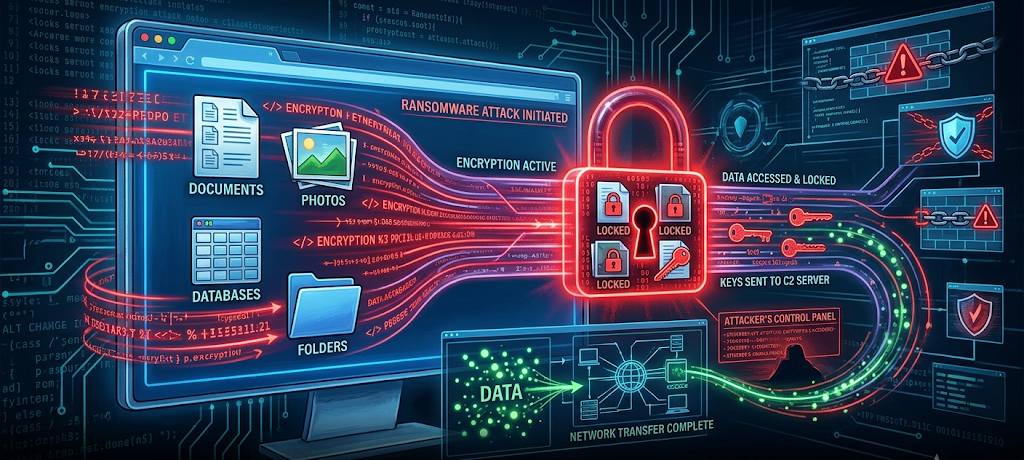
A number of ransomware families employ multiple types of encryptions. Some employ symmetric encryption for the fast locking of large amounts of data, others employ asymmetric encryption in which a public key is used to encrypt files with a private key controlled by the attackers needed for recovery. The encryption methods used are very complex and hard to crack without the key, so most victims are unable to decrypt them themselves.
Once encrypted, ransomware typically shows a ransom note informing of the incident and offering instructions on how to pay. These messages will frequently contain a deadline and/or threats that create panic. But it is not a safe practice to pay attackers as there is no assurance that the attackers will offer a working solution. A sound back-up and recovery plan is always the best way to recover data.
Common Ways Ransomware Infects Devices
Phishing Emails and Malicious Attachments
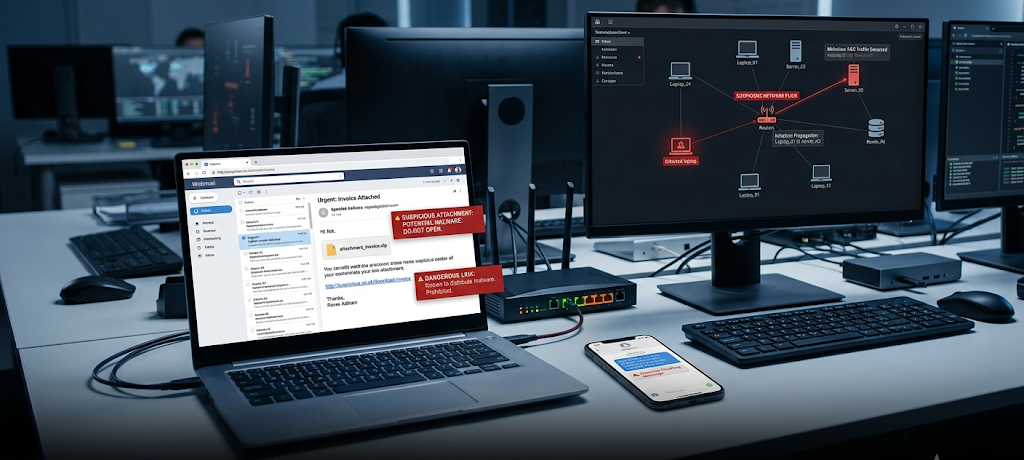
Phishing is one of the most common ways for ransomware to be spread. An attacker sends emails that look like they are from trusted sources like banks, delivery services, employers or services online. The messages may prompt the user to open an attachment or click a link which will secretly install malware.
Attachments can include documents containing infection, compressed files, or programs masquerading as important information. The malicious software can start the ransomware infection process once opened. Therefore users should take a moment to review any e-mail that they receive that is unexpected; should not open attachments that are unknown; and should confirm unusual requests before acting.
Poor Passwords and Logon Information
Theft of passwords by criminals is a common occurrence. If they have login credentials for one network, it is easier to gain access to others if they have weak or reused passwords, or if they don’t have password protection on their accounts.
Poorly-protected remote access systems are particularly harmful for small businesses. Stolen logins can be used to gain access to company systems, ransomware can be installed, and spread through connected devices. With strong unique passwords and enabling multi factor authentication, this risk is greatly minimized.
Inappropriate Software and Security Vulnerabilities
Security problems are routinely addressed with software updates. If the updates are postponed by users, the attackers can take advantage of known vulnerabilities and access the users’ systems without permission.
Software and applications should be regularly updated including operating systems, applications, browsers, and security software. The other thing that businesses should make sure of is to have an inventory of their devices and applications, which will enable them to identify systems that need attention.
Ransomware Prevention Strategies
Develop a Reliable Backup Plan
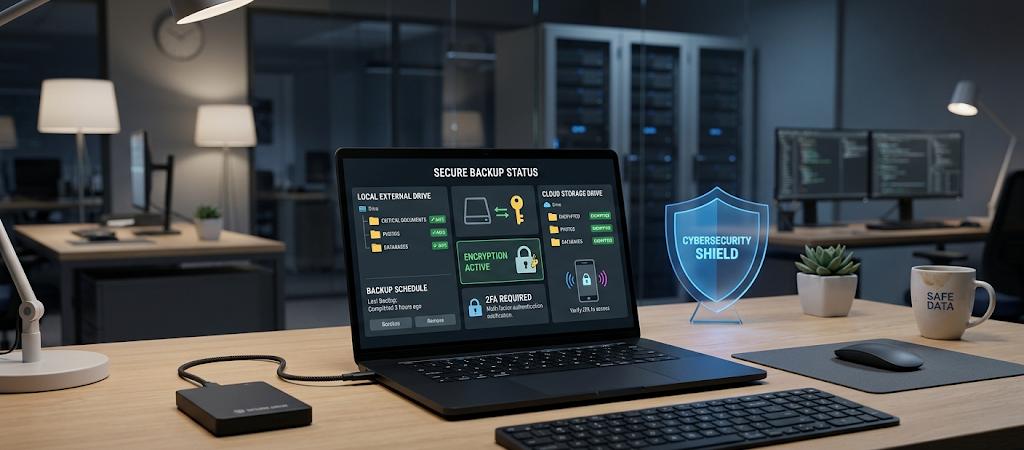
The best protection against ransomware is making sure to keep backups secure. Backups give victims backup and restoration without having to negotiate with criminals. But, backups need to be performed properly, as ransomware can also target poorly protected backup systems.
There’s the 3-2-1 rule for a good backup plan. This translates to having at least three copies of critical data, with two stored on different types of storage and the third kept in a different location from the network or the main data storage. A family could keep files on a computer, an external hard drive and on a cloud-based storage service that is secure. For small businesses, a hybrid approach using a combination of local backups and secure cloud storage can be employed.
Regularly test backups also. A backup you haven’t tried can fail in the event of a crisis. Users should verify that there is a possibility to restore files, and that backups have strong security settings.
Improve Password and Account Security
Many ransomware attacks are thwarted at the outset with strong account protection. For each account, utilize a one-of-a-kind password that is hard to guess. Users can use password managers for creating and securely storing complex passwords.
Multi-factor authentication is another layer that provides an extra level of security over and above a password. If a criminal gets a password, he or she may not be able to log into the account without the second authentication method.
Additionally, user permissions should be restricted in businesses. Employees should be allowed to access only those files and systems that are required for their jobs. By limiting admin privileges, if one account gets hacked, the damage that can be done by ransomware is minimized.
Continue to Maintain and Secure Systems
Regular updates are essential to minimise security threats. Users should ensure that devices are running supported versions of operating systems and applications and should use automatic updates where possible.
Hardware and software solutions will help identify suspicious activity and stop many malware attacks. Other defense mechanisms include firewalls, anti-virus software, email filters and endpoint protection systems. But the tools should reinforce positive habits not supplant them. The human element is still the most crucial aspect of cybersecurity.
Educate and Train Users About Threats
Most ransomware attacks are the result of a basic error, like clicking on a malicious link or opening an email attachment. Users learn to detect warning signs before damage is done through education.
Children and other members of the household should be educated on safe use of the internet by families. Companies need to provide frequent cybersecurity training to educate their employees about phishing, password safety, suspicious downloads, and how to report it.
A secure environment makes it more difficult for the attacker to be successful.
Steps to Take Immediately After a Ransomware Attack
Disconnect Infected Devices
The first step in dealing with ransomware discovery is to isolate affected devices. Isolate the infected computer from the internet and network to minimise the risk of the malware being spread.
Avoid immediately deleting files or making significant changes; valuable evidence may be necessary for investigation. Record the attack, such as when it was found, which systems were impacted and any messages that were shown on the screen by the ransomware.
Determine the Location and Scope of the Attack
Determine which devices and files have been affected. Review if other storage devices, shared folders, or backup devices were infected as well.
This may be a task that needs the help of cyber security experts for businesses. If you know the full extent of the issue, you don’t have to restore the infected systems back into a clean environment.
Remove Threat First, Restore Data Second
The ransomware infection has to be eliminated before files can be recovered. In cases of restoring backed up systems onto infected systems, re-encryption of files might occur.
Use trusted security tools or professional assistance to clean affected devices. Update software, change passwords and enhance security after removal before reconnecting systems.
Restoring Clean Backups After a Ransomware Attack
Verify That Backups Are Safe
Prior to restoring information, check if backups were made prior to the ransomware attack. Don’t use backups that might include encrypted or infected files.
Verify backup dates, perform a scan of the backup area for threats, and ensure the backup system has not been compromised.
Rebuild or Clean the System
If it is a severe attack, it may be best to reinstall the operating system. A clean installation will make sure to remove any hidden malware which might have survived basic removal.
Apply updates & security patches; ensure system is ready for data recovery.
Recover Important Files Safely
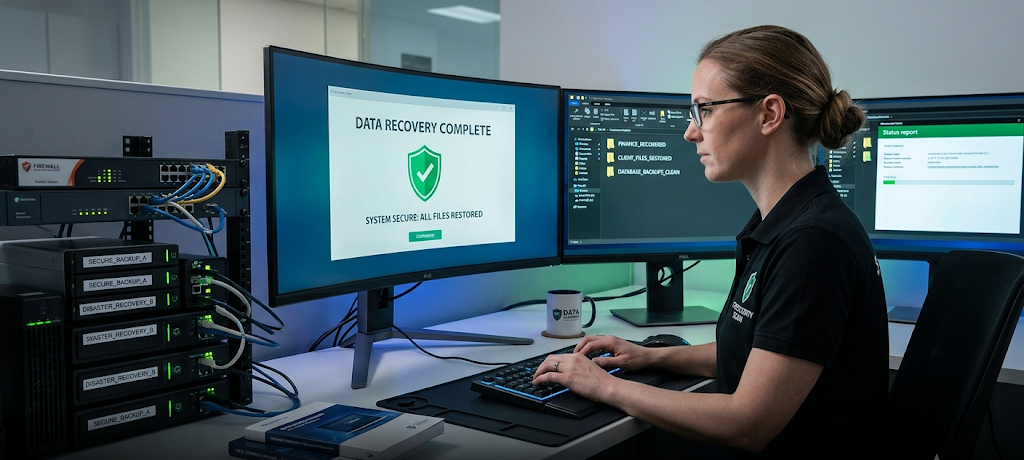
Rehydrate files from the freshest copy possible. Start with basic files and make sure restored files open.
To restore or reconnect all the devices and files, wait. A careful recovery process minimises the risk of reinfection.
Monitor System After Recovery
Recovery is not complete after files are recovered. Keep an eye out for unusual activity. Check on access to an account, change passwords and backup regularly.
Organizations should also look at what caused the attack and make sure that they have better security policies in place to avoid future attacks.
Why Paying Hackers Is Not the Best Recovery Solution
Ransomware attackers may tell victims that they will return the files upon ransom payment, but victims should be aware of the risks. Criminals are not reliable service providers and payments are designed to fuel more attacks.
Attackers may not be able to supply working decryption keys. Some victims pay, and still lose their data. Others can become a target once again as criminals know that they are ready to pay.
Creating a solid cybersecurity strategy is about preparing, not negotiating. Backup, up-to-date systems and effective response plans offer a safer way to recover.
Establishing Long-Term Ransomware Protection
Ongoing effort is needed to protect against ransomware. The cybersecurity landscape is constantly evolving, and cybercriminals are continually finding new ways to overcome the security barriers. Every person or company should periodically assess their security and enhance any vulnerability.
The best defense is a combination of technology, education and preparation. Backups help to prevent loss of data; security software helps identify threats; and knowledgeable users can help avert many attacks.
For families, it is about preserving their special moments and significant records. For small business, it translates to safeguarding customers, operations and financial health. Victim preparation before the attack will enable them to bounce back more quickly and not rely on cybercriminals.
Although ransomware can change, organizations and individuals who have effective prevention strategies and recovery plans can lessen the impact of ransomware. It is not enough to survive an attack; it should be ensured that the attackers don’t have the power to put the important information to ransom in the first place.