When purchasing a new laptop, one of the most crucial choices is what type of screen to get. Many users are attracted to the processor or storage or the memory but the screen is the component they use on a regular basis. A bad display can make daily activities uncomfortable, lower productivity, and impact creative tasks, gaming and entertainment experiences. The right laptop screen should be crisp, comfortable, accurate in its color rendering, appropriate in brightness, and the right size for the user’s lifestyle. From school, professional tasks, graphic design, video editing, gaming, or simply watching movies, display specifications are key to avoiding costly errors.
Even similar-looking laptops can have vastly different displays on the surface. Even a high-resolution screen can have low resolution in other parts of the display, low brightness, and poor color accuracy, and slow response time. Likewise, a big display might provide more working surface space, however cause it to be less portable. Users must keep in mind a number of factors when making the selection, such as screen size, resolution, panel technology, brightness, refresh rate and day-to-day usage. Once buyers understand these factors, they can find a display that offers both performance and comfort while delivering value.
Laptop Display Size: 13-Inch vs 15-Inch vs 17-Inch
When choosing a laptop, it is important to consider the size of the display.One of the most crucial aspects to factor into when looking for a laptop is the screen size.
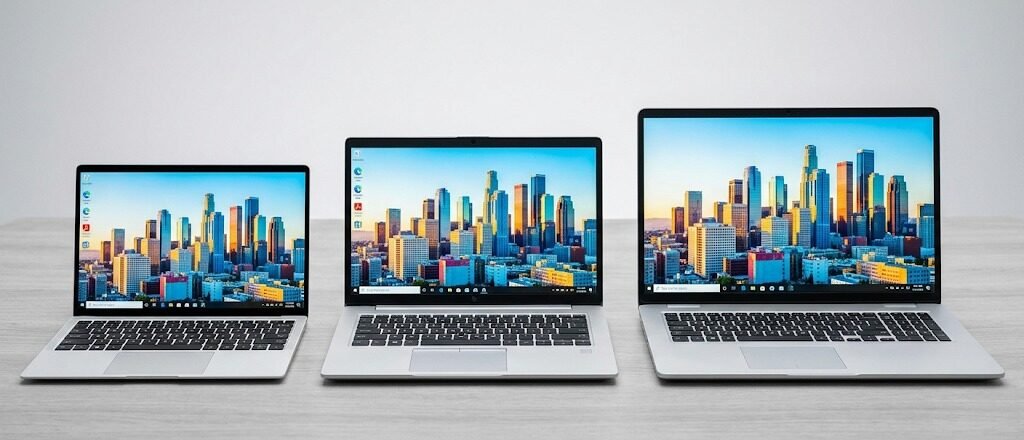
The portability, productivity and comfort of a laptop depend on its screen size. The diagonal measurement of a display is the distance between the diagonally opposite corners. There are a variety of laptop sizes, but the most common are 13-inch, 15-inch and 17-inch. Every size option comes with pros and cons, so it’s crucial to opt for the one that would suit you best, instead of the largest screen that is available.
13-Inch Laptop Displays: Maximum Portability
The size of 13″ is much smaller and is used primarily for mobility. These smaller devices are lightweight, portable and perfect for students, travelers or professionals who are always on the move. For activities like writing documents, browsing the web, attending online classes, emailing and simple programming, a compact display would be sufficient. Many times, even though they appear smaller, 13” laptops have high resolution displays with slim bezels that give a comfortable viewing experience. But people who are working on big spreadsheets, multiple applications, detailed designs or lengthy editing timelines might find that it is an inconvenient size.
15-Inch Laptop Displays: The Balanced Choice
The 15-inch laptop is usually the optimal size for portability and usability. It offers significantly more work space than a 13-inch version, and is portable enough for daily use. It’s a popular size among professionals, creators, and students alike, as it provides a balance between portability and ample space for multitasking. You can easily choose which application to view on the left side of the screen, edit photos and videos from the right side of the screen and enjoy movies with a more immersive experience when viewing on a 15-inch monitor. This size is a sweet spot for many as it is neither too large nor too small.
17-Inch Laptop Displays: Maximum Workspace
A 17-inch laptop has the largest display and is best for those who don’t need to travel much and value screen real estate. These laptops are frequently utilized for games, expert video editing, 3D modeling, engineering uses, or any other aides that call for a bigger workspace. The additional display space allows for more detailed work as it allows the user to see more information at once. But, 17-inch models weigh more, require more space and are harder to transport frequently. They tend to work better as a substitute for a desktop computer and not as a computer that can be carried around.
The ideal screen size is dependent on the laptop’s use. The 13-inch and 15-inch or 17-inch models are suitable for people who travel a lot, whereas a creative person might want a 15-inch or 17-inch. Buyers should think about their usage more than screen size – for example, portability or workspace.
Laptop Displays: Full HD vs 4K
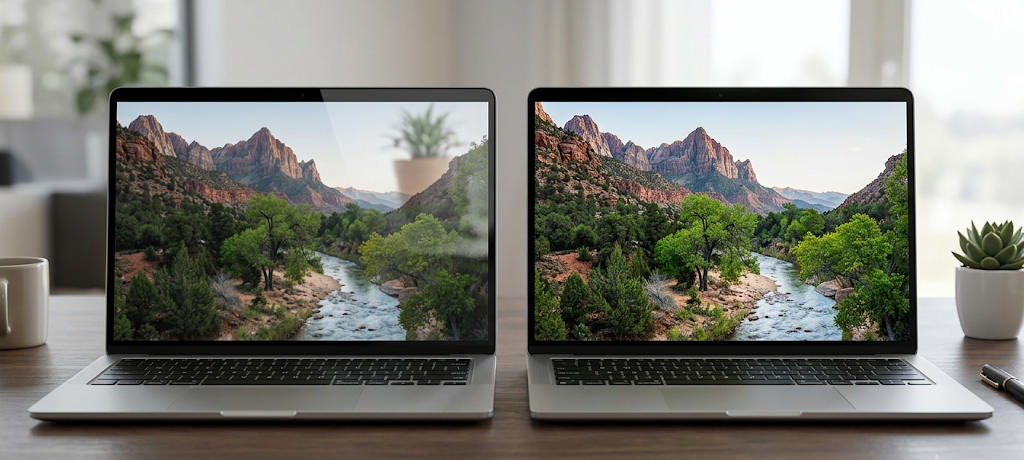
Laptop displays come in two resolutions: Full HD and 4K.Laptop Displays: Full HD vs 4K. Resolution is the number of pixels displayed on the screen and directly impacts on image sharpness and detail. The more pixels, the better the image will be, and the more text will be sharp and the more detail there will be in the visuals. But, high resolution does not always equal quality of display. Other features like brightness, color accuracy and panel quality also play a role in the overall experience.
Full HD Displays: Practical and Efficient
HD or 1080p is one of the most popular screen resolutions for laptops. It offers a resolution of 1920 x 1080 and performs well while offering a balanced image quality, performance and battery life. Full HD screens are perfect for everyday activities like surfing the web, school, office work, watching videos, and playing casual games. As they demand less power than higher-resolution displays, Full HD screens can also offer extended battery life and performance, particularly in lower-priced and mid-priced laptops.
4K Displays: Maximum Detail and Sharpness
4K, or Ultra HD, is a display with 3840 × 2160 pixels, which is four times the number of pixels of Full HD. This higher number of pixels will result in very crisp images and text. For photographers, video editors, graphic designers, and content creators, the valuable applications of 4K screens lie in their ability to deliver accurate visuals and see details up close. They can also be used to watch high-definition movies and enjoy top-tier entertainment quality.
But not all users need a 4K screen. More detailed screens use more battery and might need more power to perform certain applications at a high level. The distinction between Full HD and 4K will not always be obvious for smaller laptop displays, unless the user is working with close up images or very close to the screen. The people who will benefit more from a decent 2K or Full HD display with decent brightness and colour performance will probably prefer it over a substandard 4K panel.
In addition to comparing the various display technologies, knowing the difference between the various types of panels is also important. For instance, when buying an OLED vs IPS screen, you’ll need to know the difference between the two when it comes to contrast, color accuracy and viewing quality. Resolution should always be taken hand-in-hand with panel technology as higher resolution does not equate to better image quality.
Laptop Panel Types: OLED vs IPS and the Rest of the Technologies
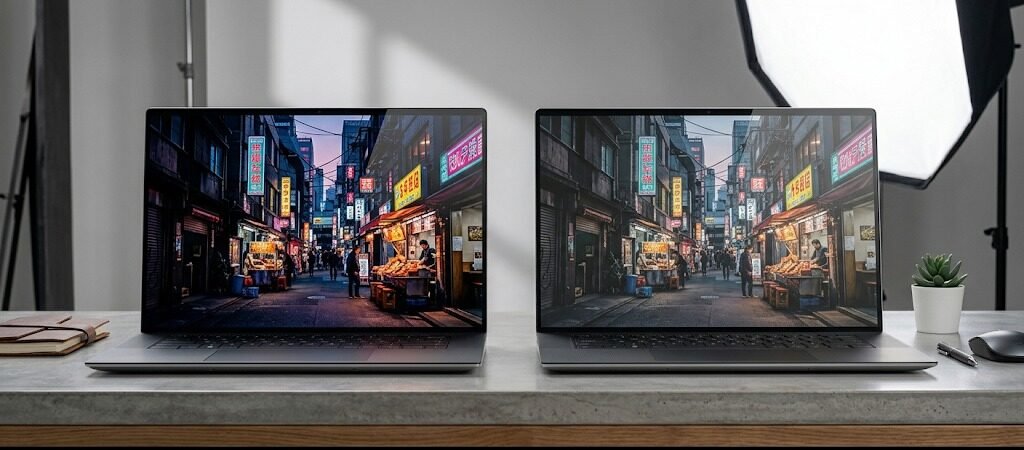
Different panels make different types of screens; they make pictures.There are different panels, and they make different types of laptop screens. Brightness, contrast, color accuracy, viewing angles, response times and power consumption are all impacted by different display technologies. The most popular laptop display panels now in use are IPS and OLED, but there are still some low-cost models employing older displays.
IPS Laptop Displays: Reliable Color and Viewing Angles
The IPS display is very popular for its good viewing angles and color fidelity. Unlike the older display technologies, IPS panels are less affected by viewing angles, allowing for better image clarity even when viewed from different angles. These are well-liked by students, office consumers, photographers, and professionals for their reasonable price and performance. Good IPS screens can showcase colours that are accurate for creative work like photo editing and designing digital products.
OLED Laptop Displays: Premium Contrast and Visual Quality
Unlike LCD displays, OLED displays require each individual pixel to emit light. This allows for full blacks, high contrast and rich colors on OLED screens. In addition, since the pixels are capable of being turned off entirely when displaying black colors, OLED screens can produce higher contrast than LCD screens. The features make OLED laptops great for entertainment, creative work, and those seeking a high-quality viewing experience.
But there are drawbacks to OLED displays. They tend to be more expensive than IPS panels, and some users might have concerns about image retention when using them for extended periods of time. OLED screens consume more power to display brighter content as well, albeit improvements in technology work to diminish these problems.
Both OLED and IPS displays have advantages and disadvantages that depend on the application. For some users, OLED could be the preferred choice for maximum contrast, movie-like images, and high-quality pictures. IPS displays might be more appropriate for those seeking reliability and affordability, as well as robust performance. With a high-quality IPS display and a good brightness and color accuracy, it can still offer you a wonderful experience.
Brightness and Eye Comfort – Notable Features Noticed by Many Buyers
One of the most underutilized laptop computer attributes is brightness. It affects the visibility of the screen under various lighting situations. The brightness measurement is called nits, and the higher the nits, the more visible light the display is able to generate.
Many users might find it acceptable if they have a display that has approximately 250 to 300 nits in it and it is used indoors. But brighter screens are easier to work with for individuals who have windows in their work space, who sit in front of their laptops outside, or who might frequently change their work environment. High-end laptops may have a display that has 400 nits or more, which means it has greater visibility in difficult lighting situations.
Bright is not always comfortable. Other factors that affect eye comfort include screen flickering, color temperature, contrast, and convenient brightness adjustments. Some displays come with options to minimize eye strain, including blue light reduction modes and adaptive brightness.
People who use displays for extended periods of time for studying, working or creating should not select displays by resolution alone. If it’s too difficult to sit in front of after using it for a long time, it’s not worth the purchase. A few of these factors can make for a better long-term viewing experience: balanced display with comfortable brightness; accurate colors; good viewing angles.
Refresh Rate: The Aspect That Determines the Smoothness of the Screen
Refresh rate is the number of times the image is redrawn on the screen per second. It is measured in Hz (hertz). The typical laptop screen refreshes images 60 times a second, which is known as the refresh rate. Frequent refresh rates mean smoother motion and quicker response.
Standard Refresh Rates for Everyday Use
For everyday activities such as writing, browsing, and watching videos, a 60Hz display is usually sufficient. Gamers and users who work with animation and fast moving visuals, however, will enjoy higher refresh rates like 90Hz, 120Hz, 144Hz and more. This increased refresh rate can help provide a smoother scrolling motion, better responsiveness to games, and a more fluid experience overall.
High Refresh Rate Displays for Gaming and Creative Work
Higher refresh rates are also popular features of a gaming laptop due to the need for competitive games to respond quickly to actions and to provide smooth movement. However, users looking to use animation or video editing might benefit from higher refresh rates as they give a more realistic sense of movement.
But, refresh rate must not be treated alone of the other display attributes. A high refresh rate will give no benefit to the image quality when the screen is poorly coloured, low in brightness and low in contrast. It’s important to find a balance between refresh rate, resolution, and panel quality for a user.
Understanding the Different Types of Laptop Displays and Their Applications
Depending on the activities, different users need different aspects of the display. Reliable HD or 2K (high-definition) screens with good brightness and battery usage are typically the best option for students and general users. A 13″ or 15″ screen will work for most of the people.
Those who work in the creative fields like photographers, graphic designers and video editors should look for accurate colors, resolution and panel quality. With a 4K OLED screen you can see truly amazing detail and contrast, and if the IPS screen is calibrated correctly, it can also be a good choice for professional use.
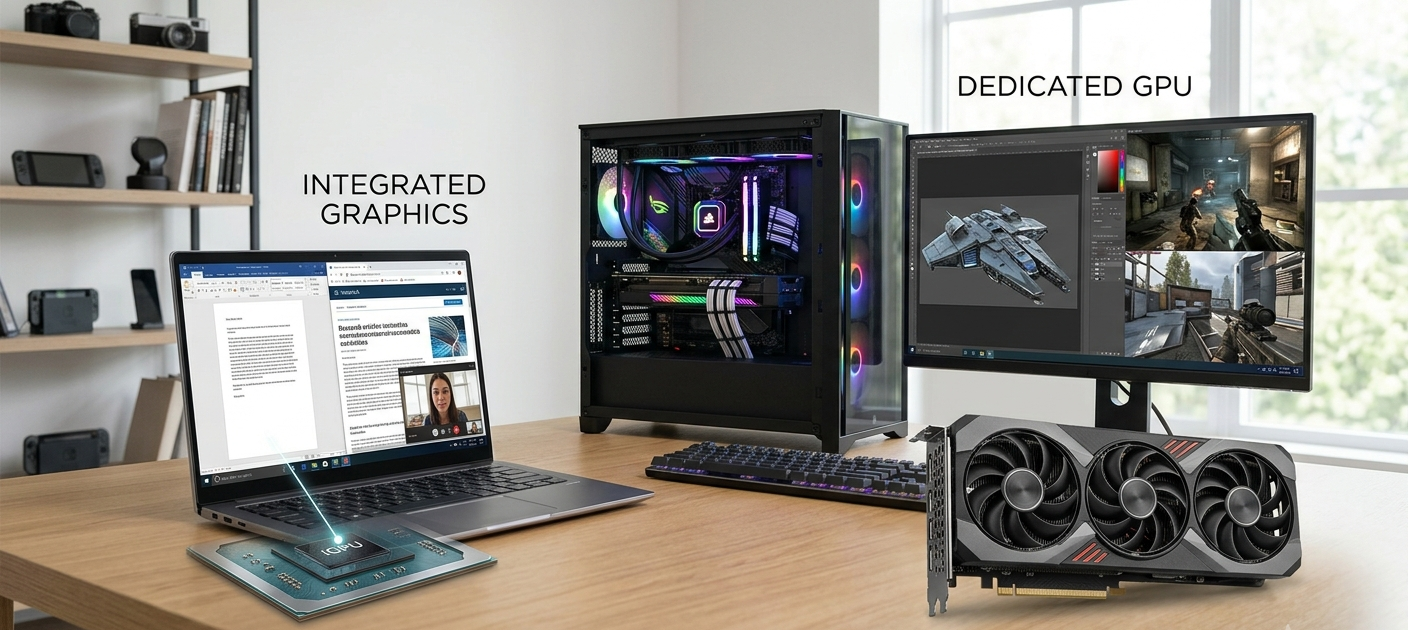
Refresh rate, response time and graphics performance should be taken into account. A full size 15 or 17 inch laptop with high refresh rate display can offer a more immersive experience particularly with a powerful Graphics card!
For users who are into entertainment, they should prefer displays that offer high contrast, rich color and high brightness. The deep blacks and outstanding visual quality make OLED screens particularly attractive for viewing movies.
Don’t Settle for Laptop Displays That Look Good on Paper
It is sometimes a requirement that the display of a laptop is misleading. Some manufacturers promise a high resolution or fast refresh rate with a focus on other factors, such as brightness, color and viewing comfort. But if the 4K screen has low brightness, it can be disappointing if compared to a well-designed Full HD display.
Users should analyze the full display specifications rather than a specific feature before buying a laptop. Resolution, panel type, brightness, color coverage, refresh rate, and real-world reviews are some of the key points to keep in mind. A display should be relevant to the user, not just a demonstration of impressive numbers.
Also, buyers should pay attention to the use of the laptop on a day-to-day basis. If that’s a person who travels a lot, then a powerful screen that sucks the battery juice unnecessarily may not be the best choice for them. A similar situation can arise when a user is often tasked with working with detailed projects: the small display can become frustrating.
Conclusion
Understanding the correlation between a laptop’s size, resolution, panel technology, brightness, and refresh rate is crucial to choosing the ideal laptop display. The 13-inch laptop will be the most portable option, the 15-inch will be ideal for most people, and the 17-inch will be the largest option, giving the viewer maximum workspace for heavy work. Full HD works great for general usage, and 4K is useful for professionals who demand more information. The pros and cons of OLED and IPS panels will depend on the specific needs of the user, whether they value high contrast, color accuracy, cost-effectiveness, or durability.
Not all laptops with the highest specifications are the best option for display. It is the one that suits the lifestyle, work needs, entertainment choices and comfort level of the user. With careful consideration of display features, instead of just marketing numbers, buyers can select a laptop with a screen that will provide a better experience for years to come.