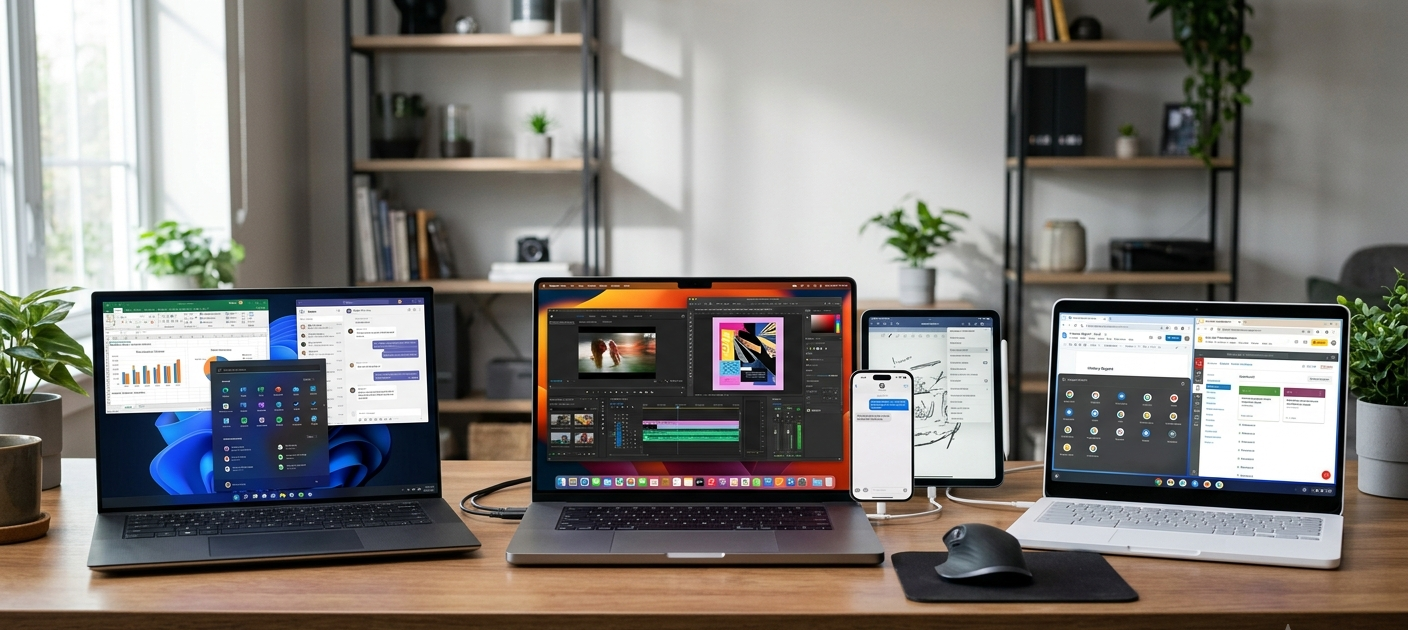
When deciding on what laptop to buy, it isn’t always a matter of powerful processing power or a beautiful design or a popular brand. The OS choice is one of the most crucial choices buyers have to make when it comes to how they will interact with their device. The OS will dictate what Apps can run, file management, laptop security, and how it functions in a user’s lifestyle. Today the top three laptop platforms are Windows, macOS and ChromeOS. Every one has its pros and cons to consider when the laptop is used for academic learning, work, creative tasks, gaming, or just plain browsing.
A lot of people pick an operating system for the reason that it’s popular, and not because it suits their requirements. Someone who primarily writes documents, takes online courses and surfs the web needs something different than a graphic designer who edits videos or a software developer who creates software applications. Finally, users can avoid purchasing a laptop that doesn’t have the necessary hardware to run their critical programs and workflows by understanding the differences between these systems. They are all ways to compute, with different features and strengths, such as the Windows platforms’ flexibility and wide support, the macOS platforms’ sleek ecosystem, and the simplicity and low cost of the ChromeOS platforms.
It is helpful to learn about the operating systems and their importance before comparing these three platforms. The primary software that enables the user to communicate with the computer hardware is called the operating system. It works to run applications, store data, provide security, configure updates and manage connections with devices. The operating system that is used can have an impact on almost every aspect of a laptop, ranging from the software that is installed to the user experience. Read this guide on laptop operating systems to learn more about the various types and uses of these systems.
To Comprehend Windows, macOS, and ChromeOS
Developed by Microsoft, Windows is the world’s leading desktop operating system. It can be found on many brands of laptops, from budget, business, gaming and top quality professional laptops. This widespread availability has culminated in Windows becoming a commonplace option for students, businesses, and personal users. Windows’ emphasis is mostly on flexibility, with users being able to tailor their devices and install a plethora of programs, while also having a choice between thousands of hardware options.
Apple’s macOS is intended only for Macs. MacOS is designed to work exclusively with Apple’s own computers, including Apple’s MacBook line, whereas Windows is developed for computers from a vast range of manufacturers. The controlled approach enables Apple to fine-tune the OS and hardware for a seamless experience. One reason macOS is so popular among creative professionals is its exceptional capabilities in video and audio editing, music production, and photography and design.
Google has a different approach with ChromeOS, which is designed to be simple, fast and cloud-based. It can be used in Chromebook laptops, which are generally inexpensive and light. ChromeOS is a system that emphasizes the Chrome browser and is ideally suited for users who are highly dependent on web apps and online services, and cloud storage. It’s come a long way in its years, but it’s not as software-compatible as Windows or macOS.
Windows: The Flexible Choice for Most Users

Strengths of Windows
The number one thing that Windows has going for it is the flexibility it offers. It can be installed on a laptop from a wide variety of manufacturers, which means that you can get a device on the market just about anywhere. An individual searching for a cheap laptop for simple class work can select a laptop that operates on Windows OS, and professionals or gamers can pick more potent models with superior processors, graphics cards, and specialty features. This is to ensure that this variety of Windows can be used by a wide spectrum of users of varying budgets and requirements.
Windows also has a big edge in terms of software compatibility. It comes with a vast range of apps, including Microsoft Office apps, professional business apps, engineering apps, programming environments, creative apps and thousands of games. Many organizations opt for Windows simply because their office applications are designed to run on the Windows platform. Most of the students also gain from the fact that most of the educational software, online learning resources and preparation programmes for examinations are compatible with Windows.
There is also a lot of customization that can be done with Windows. As per the laptop model, users can make changes to the system settings, change the interfaces, install different programs, connect different accessories, etc., and upgrade certain hardware components of the laptop. Such control is desirable to the more advanced user who requires greater freedom in the operation of his computer. Gamers particularly prefer Windows as it offers the widest range of PC games and hardware associated with them.
Weaknesses of Windows
While there are benefits to using Windows, there are also some drawbacks. It’s run across thousands of hardware configurations and this means that the experience can be vastly different on different devices. When trying to find a high-quality laptop you can use for your computer on a budget, a low-cost Windows laptop might not be as powerful or elegant as a high-end one. Before buying, users should take into account the specifications like processor speed, memory, storage, and build quality.
However, security has been a potential area of trouble for Windows. It is the most popular desktop operating system, and is often used by cybercriminals. Modern-day versions of Windows, however, have more robust security options like the built-in anti-virus protection, regular updates, encryption tools as well as better account protection. With trusted software, regular updates, and safe browsing, users can ensure a secure experience.
Sometimes, it is not convenient to download Windows updates. There are times when updates may be necessary to resolve issues or enhance security; however, certain users do not enjoy unexpected update dates or updates that are implemented after major updates. Also, some manufacturers add some unimportant software for the system that can decline performance on less expensive laptops.
macOS: The Ultimate Apple Operating System

Strengths of macOS
The user experience, user interface and integration with Apple hardware are all strong attributes of macOS. MacOS is built to run on Apple laptops, which means that it can have its performance tuned to deliver optimal results. They have a number of features, including efficient power management, seamless animations, and regular system updates, that help to create a sleek user experience that many can enjoy.
The integrated ecosystem is one of the major advantages of MacOS. There’s an easy way to connect an Apple device like an iPhone or iPad with a Mac. Devices can be swapped out with features such as file sharing, messaging sync, and device continuity. This is one of the reasons why the Mac OS is so appealing to those who already own an Apple product.
macOS can also be seen as a very popular operating system for creative users. Video editing, photography, music creation and graphic design work can often be outstanding on Mac computers. Macs are popular in industries that demand high-quality visuals and media production, such as professional editing suites and creative tools, which are widely available.
Weaknesses of macOS
MacOS’s biggest drawback is its cost. In general, Apple’s laptops cost more than their Windows and ChromeOS counterparts. While Mac computers may offer great product quality and software longevity, the expense may be a hardship for those with restricted budgets, especially students.
Limits also include software compatibility. There are a number of popular applications that run on macOS, but other special applications are only available for Windows. Some applications, engineering software, games, and industry software might not be available for Mac or may need workarounds. Before selecting a Mac, be sure to verify that you have all the necessary programs.
MacOS is another weaker aspect when it comes to gaming. While the performance has increased, Windows is still the platform of choice for most gamers of PCs, as it has a vast library of games and gaming accessories. For gamers, who mainly use their laptop for gaming, Windows is a better choice.
ChromeOS: A Simple and Affordable Choice

Strengths of ChromeOS
The goal of ChromeOS is to be fast, easy, and productive on the web. The Chromebooks typically boot up quickly, are very easy to use and are easier to maintain than a standard laptop. This makes them appealing to students, casual users and those who primarily visit the internet via web-based applications.
One of the big selling points of ChromeOS is that it’s inexpensive. Chromebooks have a much lower price point than high-end Windows laptops and MacBooks, and are affordable for schools, families and people on a budget. They tend to be light, have long battery life and can be used for daily tasks like web surfing, video viewing, document creation, and video conferencing.
Security is also one of the advantages of ChromeOS. Automatic updates, sandboxing technology, and verified boot processes are some of the features employed by the system to help shield users from threats. Some of the risks of software being installed on the desktop are mitigated in ChromeOS since many applications are accessed through the web or via Android apps.
Weaknesses of ChromeOS
Compatibility with software is the biggest drawback of ChromeOS. The platform might be too limiting for users who require more advanced desktop applications. Many Android applications and Web applications can run on ChromeOS, but many of the traditional Windows and Mac applications do not run. Advanced editing software, programming tools and applications used for work in the industry might require an alternative operating system.
The Internet is also a key component of ChromeOS. While there are offline options available, many functions of a Chromebook are best performed when online. Users who travel often, work in places with unreliable internet connection or require very powerful applications that can run offline, could find ChromeOS restrictive.
Another disadvantage is the hardware capability. High-end Chromebooks do exist, but most of the ChromeOS computers are intended for simple tasks like basic computing, not for heavy-duty uses like advanced video editing, 3D modelling or professional software development.
Software Compatibility Comparison
Compatibility of software is one of the most crucial aspects to consider when selecting an operating system. Windows gives you the most variety of applications, so it’s appropriate for businesses, gamers, students or anyone who has to use specialized programs. Nearly all major software classes are well supported on Windows.
macOS offers great support for creative applications, productivity tools, and professional software. The users, however, should test the compatibility of the specific programs in advance before they buy the Mac, particularly if they rely on the Windows only programs.
Cloud based tools like online document editors, communication tools, browser based applications etc., work best on ChromeOS. It is suitable for individuals who use the web as their primary medium for work but don’t need the same features as those who opt-in for powerful desktop apps.
Security Differences Between the Three Operating Systems
With all the personal, financial, school and work files on laptops, security has become more critical. Modern features for security are offered across Windows, macOS and ChromeOS, with different methods in each.
Windows offers solid security features, but must be used with care due to its widespread use by attackers. Regular updates, anti-virus protection and responsible surfing are critical to security.
The controlled hardware and software environment of macOS can help minimize some of the security risks associated with it. System permissions and system protection tools enhance the secure experience.
Security is an integral part of ChromeOS. It is one of the simpler systems to maintain security, thanks to automatic updates and isolated application environments for users who want to avoid technical management.
Price Differences and Value
The price is a significant factor in selection of laptop OS. Windows offers the greatest variety of pricing, from cheap student laptops to the high dollar professional models. This means that it is the most versatile option for various budgets.
Many people find that macOS devices are worth the higher price tag due to their quality, long software support, and other ecosystem elements. Professionals frequently select them for their dependability and innovative features.
For most users, ChromeOS will come out as the least expensive option. For many who use a Chromebook primarily for Internet access, productivity applications and basic computing needs, the Chromebook offers a cost-effective option that doesn’t need to buy the extra power of a laptop.
What Should You Choose to Operate Your Computer?
Popularity and brand reputation are not the main criteria to consider when choosing the best operating system, it’s what you need. The best all-round choice is windows, due to its flexibility, software compatibility, and number of hardware choices. It can be used for most learners, professionals, gamers and other users.
Users who appreciate premium design, creative applications, integration, and user experience will find macOS an excellent option. It’s particularly good for users who already use Apple products or are in creative areas.
Students, casual users, and users who primarily use the internet and who want a low cost, easy-to-use and secure laptop will find ChromeOS to be the perfect solution. But for those who need more sophisticated software, Windows or macOS would be better options.
In the end, it comes down to the operating system that works for you and your particular needs without imposing restrictive limitations. When selecting a laptop platform, you can think about what applications you want, the budget you have, the level of security you need, and the way you like to work, so you can get one that suits you rather than the latest craze for a brand.