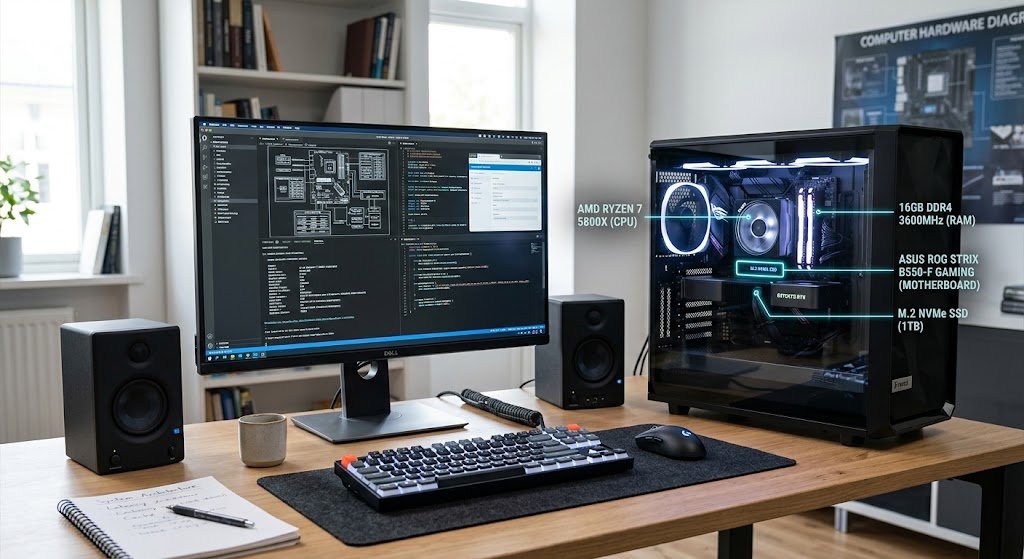
In today’s society, computers are one of the most significant technologies. They facilitate education, business, communication, scientific research, healthcare, entertainment, banking, engineering and many daily activities. While the appearance of computers varies from application to application, most computer systems have a set of basic elements that are used to carry out specific functions and work together to accomplish tasks. Information needs to be fed into a laptop, desktop computer, server, a tablet or other computer device and needs to respond to instructions and store data and give useful results.
Knowing the names of computer parts isn’t enough to understand how these activities occur. A computer science or information technology beginner must learn about the components of a computer system, such as the hardware, software, memory, storage, input device, output device, and the central processing unit. After these relationships are learned, more advanced computer concepts can be mastered with ease.
What is a Computer System?
A computer system is made up of hardware and software that are designed to receive inputs, carry out operations in accordance with programs, store data as needed, and provide useful outputs. The physical components are called hardware and the programs and instructions that tell the hardware what to do are called software. Neither alone can be used for a valuable general purpose computer. Hardware is the physical hardware that serves as the mechanism for performing operations; software is the instructions that instruct the hardware to carry out operations. For instance, the keyboard gives the computer a set of instructions, the software recognizes what the student has typed, the computer’s processor executes the instructions, the computer’s memory temporarily stores the information the student has entered, and the computer’s storage temporarily stores the completed report. The monitor then displays the document for the student to view.
By learning the functions of each component and then how the components work together, you will be better able to grasp the fundamental aspects of a computer system. This is the central processing unit (CPU) that runs programs, memory which stores and temporarily holds data and programs, input devices which are used to enter information and output devices which are used to present results, storage devices which store information and software which controls the activities of the hardware. These components don’t work alone. Rather, they are continually passing information and commands. The usefulness of a computer comes from the ability to link these functions together and make information flow from one to the other and be used by the user as a result of the processing in the machine and its memory.
Introduction to Hardware
Hardware is the physical parts of a computer system which are tangible and visible. This may include the motherboard, processor, memory modules, keyboard, mouse, monitor, speakers, printer, hard drive, solid-state drive, cooling system, power supply and other cables or connection ports. Components vary widely in terms of functions, but they need to interact with one another in order for a computer to function properly. For instance, the motherboard serves as a hub of communication for various internal components, the processor carries out calculations, and memory allows for temporary storage of data. External devices can increase the computer’s power by enabling the user to input data or get results. While the physical design of the hardware may differ greatly from one device to another, the overall functions are similar for a large number of computer systems.
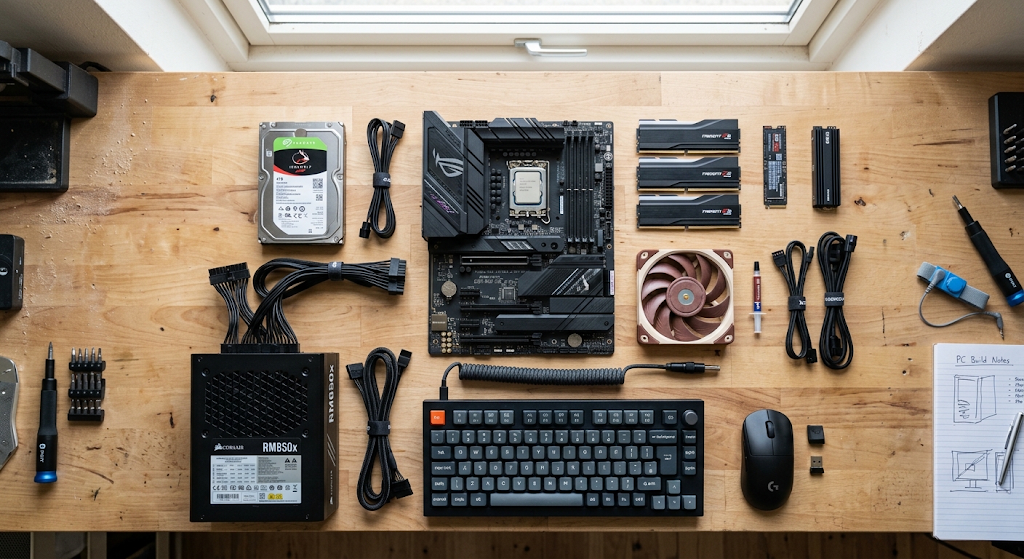
There are two types of hardware: internal and external. Parts of the computer that are housed inside the computer case are called internal hardware, including the computer’s CPU, RAM, motherboard, storage drives, and power-related parts. External hardware are those devices which are connected to the computer from outside for example keyboard, mouse, monitor, printer, webcam, external storage drives etc. Electrical connections, wireless technologies, buses and communication interfaces are the means by which these components communicate with one another. For the benefit of the novice student, the internal and external classification of hardware can help explain the functions on the computer; however, it is just as important to note that these days computers are integrated systems. Opening a photograph may require the storage medium to retrieve the file data, memory to temporarily store data, the CPU to execute instructions, software to interpret the file, and a monitor to display the image.
Software: Instructions That Control Hardware
Software is also a group of programs, applications, operating systems and other instructions that instruct the computer. Software, however, is not physical and therefore cannot be held, but is stored on physical devices and run by physical components. These can be desktop operating systems, word processors, Web browsers, media players, educational software, games, programming environments, and more. Programs are instructions that enable computers to do something useful. A computer’s physical parts would not know what to do for a particular task without software. For example, when the user runs an application, the operating system assists in loading the required program from storage into memory, and the processor runs the instructions in that program.
Software is divided into two types: System software and Application software. System software is used to run the fundamental functioning of the computer and serves as a base platform to run other programs. Operating systems are significant examples, as they are used to coordinate hardware resources, to manage files, to control devices and to give the user the interface for working with the computer. Application software is used to complete specific tasks like: writing documents, creating presentations, editing photographs, communicating with others, or analyzing information. The association between system software and hardware is particularly significant as the operating system sits between the applications and the physical devices. It enables application developers to write helpful programs without needing to directly manage all the electrical operations of the hardware.
Input Devices: Parts of the computer that get information from outside the computer.
Input devices are used to input data and instructions to a computer. One of the most common input devices is a keyboard, which is used to type in letters, numbers, symbols and instructions. Another way of interacting is by the use of a mouse, which lets users point, select, drag, and activate objects appearing on a screen. The other input devices are a microphone, webcam, scanner, touchscreen, game controller, barcode reader, biometric sensors, and special scientific devices. Each device translates some type of information into computer-readable data. The significance of input devices is that they establish a link between the external world and the computing system that enables people and other machines to provide the necessary information for the computer to process.
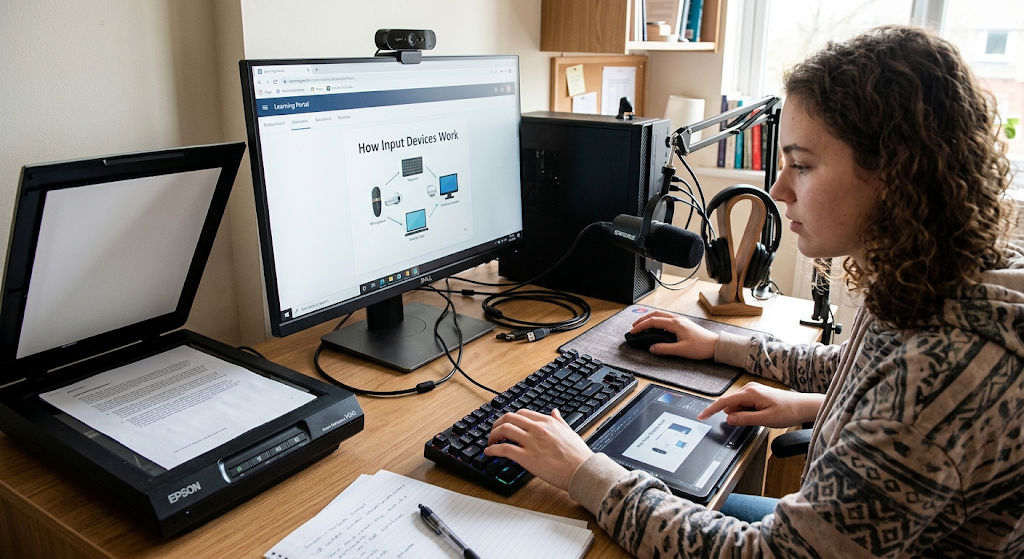
Input may not be sourced from a person. Automatic sensing, networking and automatic data access from databases, cameras and other electronic systems can be fed into the computer. For instance, a computer could send temperature readings from a sensor without man being required to enter anything. Information can be gathered by a smartphone using cameras, microphones, motion sensors and location-related technology. Information is received into the system and software/hardware is used to interpret and process the information. This shows that input isn’t just typing on a keyboard! Input is the larger process of data and instructions being input into the computer system for processing into information or the use in directing further processes.
The Central Processing Unit: The Computer’s Main Processor.
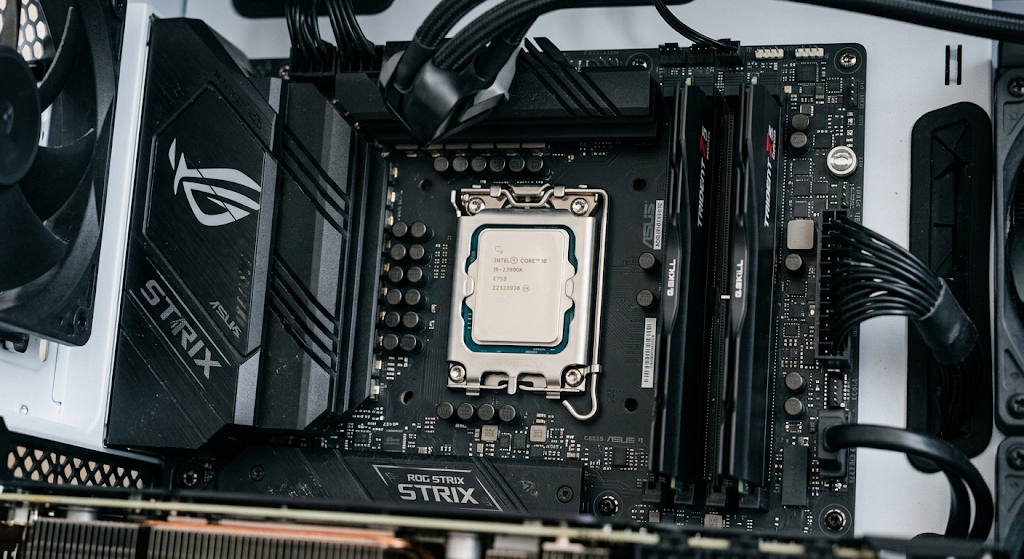
One of the most crucial parts of a computer is known as the CPUPowerful CPU or processor. Performs instructions and calculations that enable software to operate. To execute an instruction, a program passes an instruction to the CPU which executes the instruction through a series of operations. The CPU is sometimes referred to as the ‘brain’ of the computer because it’s so central in its operation, although this is only an analogy.
The CPU is not alone responsible for making decisions about what the computer should do. Rather, it carries out tasks according to instructions that are given to it by software, and it cooperates with other components. A processor’s speed and power can significantly impact a computer’s performance, especially in applications that demand high levels of processing power.
Main Functions of the CPU
The CPU has a number of important roles to play when processing data. It retrieves instructions from memory, decodes the meaning of the instructions, and executes them. These activities are frequently referred to as fetch-decode-execute. The fetch stage is when an instruction is taken from memory. In decoding, the processor will interpret the meaning of the instruction and what operations need to be performed. When the operation is executed, the appropriate operation is carried out.
The CPU can perform calculations, make logical comparisons, move data around, and other functions that are necessary by the software. These days, processors have several cores that are able to process more work streams at the same time. The CPU is tightly coupled to memory and other components since it always has to have instructions and data to perform its operations.
Memory: Temporary Working Space
Memory is a temporary storage area in the computer which holds data and instructions during their use by the computer’s processor. The most common memory type that a beginner will come across when studying computer systems is called Random Access Memory or RAM. The operating system usually fetches information about a program from storage when it is opened and places it in the user’s RAM for efficient access by the processor. The contents of RAM are usually wiped out when the computer is powered down, making it a volatile (transitory) memory. The RAM determines the number of programs that can be running on a computer simultaneously. If a system has limited memory, it may need to use more storage which can cause the system to become less responsive when too many applications or large files are running.
In everyday usage, the words memory and long-term storage may be used interchangeably, but in actual fact they are not the same thing. The function of the RAM is to perform the tasks of the active process, whereas the function of the storage devices is to store the information for a longer period of time. For instance, if a student saves a document, the file can be stored forever on an SSD or a hard drive, and the information that the student needs to edit is temporarily kept in the RAM for that document. This information is then retrieved from the computer’s Memory System by the processor. This relationship enables the computer to run efficiently, and ensures that files will be available even if the computer is restarted. Thus, the difference between memory and storage is a key concept in computer organization.
Storage Devices
Storage devices keep programs, files, documents, photos, videos and other information that can be used later. Popular storage media are hard disk drives, solid-state drives, USB flash drives, memory cards and optical media. Because they can deliver quick access to stored information, they have no moving mechanical parts, they’re becoming more common in modern computers. Compared to RAM, storage is typically non-volatile, which means that data is not lost when the computer shuts down. Typically, storage capacity is expressed in gigabytes, terabytes, etc., enabling users to store vast amounts of documents and media files. Therefore the storage system is crucial to retain information after processing.
Another aspect of software that is important in storage is how it operates. Operating systems, applications, and many other programs are stored on a computer’s storage device. The processor fetches and loads the necessary operating-system files into memory when the user turns on the computer so that they can be used. Likewise, when a user launches an application, the necessary program files are loaded from the storage and delivered to the memory for use. Changes can be written from memory to storage when the user saves the changes. This ongoing storage to memory and memory to storage interaction shows why storage and memory can’t and shouldn’t be considered the same. One gives a long-term storage capacity, the other gives a temporary high speed work space.
Output Devices
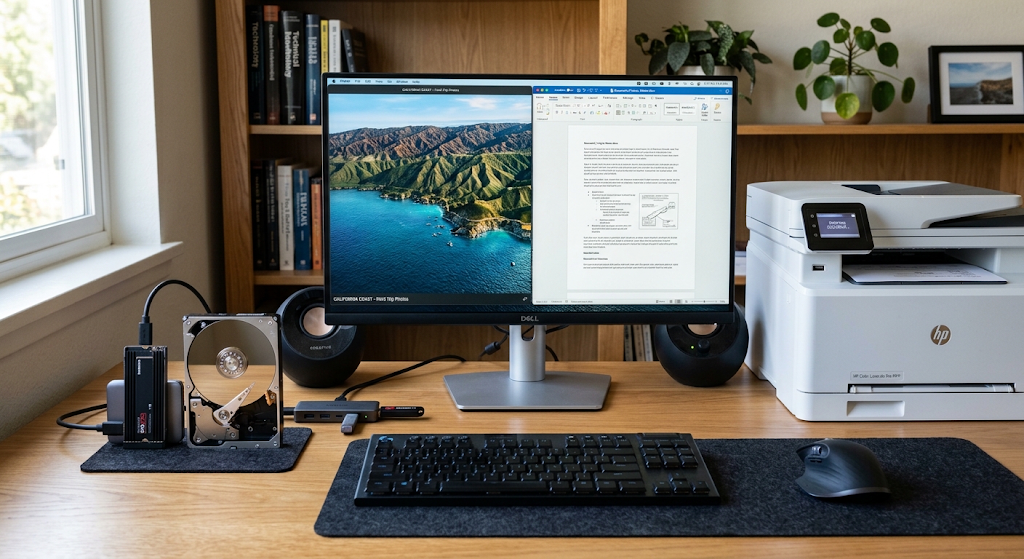
Output devices are used to send the output from the computer to the user or to another computer. One of the most frequently used output devices is the monitor, which outputs text, photographs, videos, graphics, software interfaces, and other visual data. Speakers and headphones are used to output sounds and music, and printers print out digital documents and images. Classrooms, meeting rooms and presentations are possible environments for use of projectors for computer-generated information. They may also send some output to another computer, server or device electronically over a network. The function of output is to convert processed data into a format that can be understood and used by people or other systems.
There are different kinds of output, depending upon the task and the capabilities of the computer system. A word-processing application, for instance, can generate a text that is presented on a monitor and printed using a printer. A music application will play music or sound over speakers or headphones, and a video-editing program can show video and sound at the same time. This means that outputs may be in a variety of forms such as visual, audio, printed or electronic. The output device typically does not produce information per se. Rather, it is fed processed information from the computer and transforms the information into a usable form. This is an example of interdependence of parts of the computer system in order to successfully accomplish a task.
How Components Interact within a Computer
The key principle for new computer users is that computer parts are not independent parts, but rather a coordinated system. Think about what happens when the user is creating a document. The keyboard is used to enter the user’s key presses into the computer. Those inputs are understood by the operating system and word processing application, and then followed by the CPU’s instructions to process them. Temporary memory to store characters and information about the program. The processed information is fed into the monitor and the words will appear on the monitor screen. Once the user saves the document, information is stored on a storage device, which can then be used again later. Each part is responsible for a specific function, but the whole function is dependent upon them all working together.
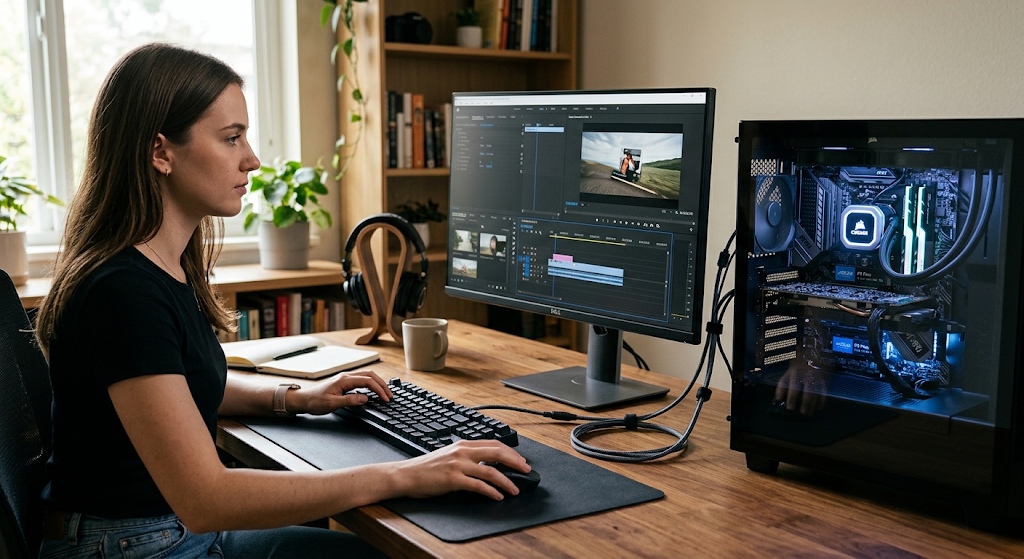
These two can be summarized as a simple information processing cycle: input, process, store, output. Data is entered into the system in the form of input, the data is acted upon according to a set of instructions in the processing block, the data is stored when needed in the storage block, and the output communicates the results of the processing. The stages are not necessarily linear as the modern computer is constantly transferring information from one component to another. The user may input information, the CPU may process the information, memory may temporarily hold the information, the storage may preserve the information, and the output devices may display the results. Further input may then be added to the process and continue. This cycle provides an insight into the need of a computer system to be considered as an integrated set of components and not as a simple machine doing a single task.
How the Motherboard Links all Elements of a Computer and how they Communicate
A motherboard is also a vital hardware element because it is a central platform where you can link a number of the inner elements of a computer. The motherboard and other connections between the components are responsible for transmitting information between the CPU, memory, storage devices, expansion devices, and other hardware. These are the connections through which data and control information flows amongst components. The motherboard also acts as a power distributor and has several interfaces for devices including USB peripherals, storage drives, and expansion cards. Users don’t tend to work directly with the motherboard, but it is a critical part of the computer internals that dictates how they’re connected and how they communicate with each other.
Inter-component communication is necessary as no one major component in a computer system can do everything by itself. The processor needs instructions and data from memory, memory needs information from storage and other sources, input devices need to send information into the system and output devices need to receive processed information. These exchanges take place through communication interfaces and buses. Contemporary systems have elaborate architectures, but the fundamentals are still simple: the components need to communicate information in an orderly manner. Knowing this is how they communicate can help novice students progress beyond memorizing component names to understanding the workings of computer architecture as a whole.
To illustrate how many parts work together during a routine computer operation. Assume that an image is opened from storage on an SSD. An input device (like a mouse or touch screen) passes a user’s request to the operating system. The operating system determines which application to call, and then finds the photograph on the storage device. Appropriate program and image information is moved into RAM memory for easy access during use. The CPU runs the instructions necessary for the operation of the OS and image viewing application and the graphics system can help with displaying the picture. The user is then shown the photograph on the monitor. Processed information is eventually written back to storage, if the user edits the image and saves the changes, so the updated image will be there even after the computer has turned off.
This is an example of why it is not always possible to explain computer performance by considering one component. While a high-powered CPU can offer significant processing power, the other factors such as memory capacity, storage speed, software efficiency, display hardware, and more all contribute to the overall experience. Likewise, a large storage drive doesn’t necessarily mean that all applications will perform faster—storage capacity and processing are two distinct properties. The operation of the computer system is based on cooperation among the elements; performance is directly related to the ability of the elements to perform. With students who are starting out in the computer science or information technology field, it is more beneficial to learn these relationships rather than just memorizing technical terms.
The Need for Knowledge about Computer Parts.
A basic knowledge of the structure of a computer system will help in the understanding of more complex areas of the computer. By grasping the relationships between the components of input, processing, memory, storage, software, and output, students will find it easier to study computer architecture, operating systems, programming, networking, cybersecurity, databases, and information technology. These principles also facilitate user’s selection and upgrading of computers. For instance, a person who is involved with large applications on a frequent basis may take into account memory and processor capabilities, while another person who is keeping large quantities of video may place a higher value on storage. Each component has a specific role and if you understand each component it makes it easier to interpret the technical specifications and less confusing when comparing technical specifications between different systems.
This same knowledge can be useful when solving computer issues. When a keyboard fails to respond, the problem could be related to the keyboard, connecting problem, operating system and/or software. Storage availability or permissions may play a part if a computer won’t save a file. Application problems when running simultaneously can be due to memory restrictions. If the screen doesn’t display anything, then it may be a failure of the monitor, graphics system, connections, or other hardware. Fundamental component knowledge is not a diagnosis for every problem, but rather a sound starting point to consider all possible causes. Users can think of the computer as one machine instead of thinking of each component of the information-processing process and where it may have failed.
Conclusion
A computer system is an integrated assemblage of hardware and software that operates together to convert data into useful information. Input devices allow for the transfer of information from user or other devices into the computer, and the CPU carries out instructions and processing of software. Memory is used for temporary working memory for running programs and data while the storage devices store programs and files for later. Output devices provide processed results by using screens, speakers, printers and other means. These activities are coordinated by software which gives instructions and hardware which gives the physical resources to carry them out. Many of these components are linked by the motherboard and communication pathways, enabling information to flow from one to another.
It’s far more important to learn what these parts do than to memorize a list of definitions. Each part of a computer has a specialized function within a larger system that is effective. As data is entered into the system, it flows through the system, the software, the processor, and the memory temporarily stores the data being used, the storage permanently holds the data when needed, and the output devices present the output. This can happen very fast, sometimes even in a way that doesn’t make the cooperation visible to the user. These basic relationships are essential for understanding how computers work and are fundamental to learning computer science and information technology.