Introduction
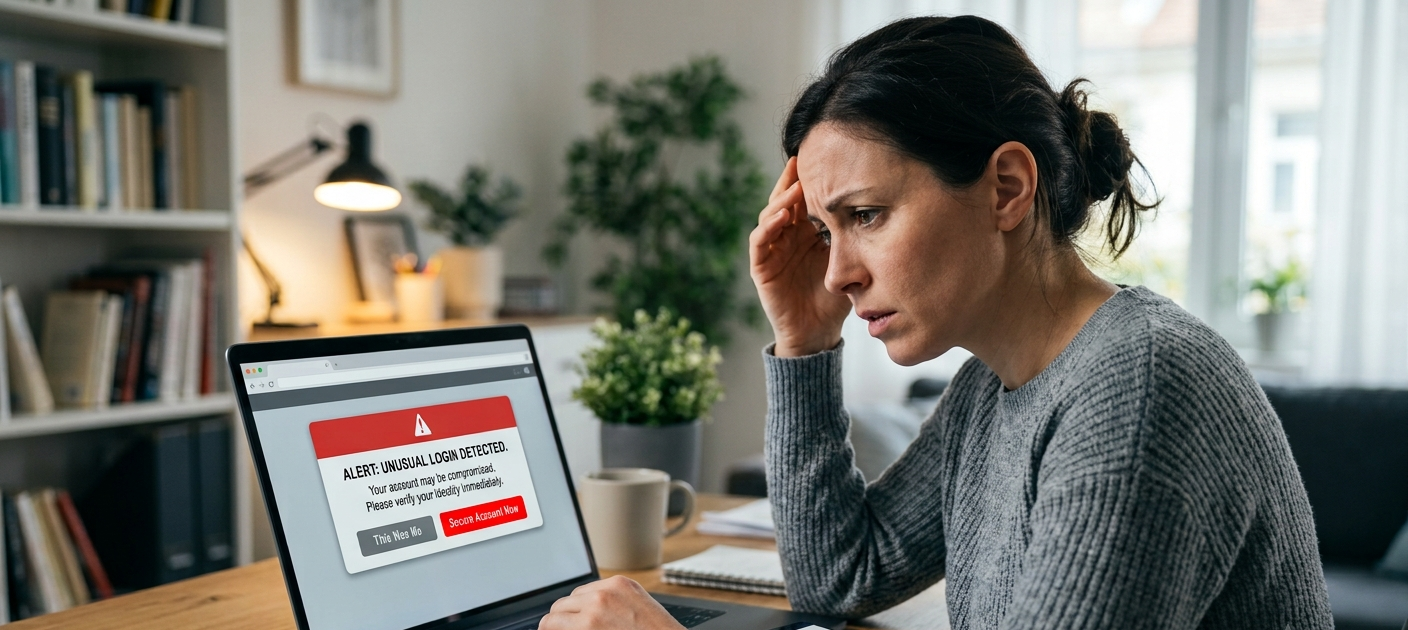
It can be scary and stressful to find out that your email or bank account has been hacked. Once they have access to personal accounts, cybercriminals could try to withdraw funds, scavenge for personal data, impersonate the victim, or exploit the account to target a victim’s friends, relatives and business connections. Immediately after finding out about the breach, however, you can minimize the damage and help regain control. Do not panic or wait to see what happens, follow the emergency response plan. Your actions can help prevent the loss of your digital identity and finances: Disconnecting compromised devices, protecting accounts from a secure device, changing passwords, contacting financial institutions, implementing stronger security measures and reporting identity theft.
It is possible for anyone to be hacked into an account, due to the phishing emails, poor passwords, website malware, lost credentials, fake login pages, or social engineering. The typical first step to recovering from a breach is to change a password, but that’s not enough of a security response. Hackers could make hidden access, change account settings, add recovery options, or switch on auto-forwarding emails to secretly read the messages. This is one of the reasons why it is just as important to monitor what’s happening on your checking account and review security settings as it is to reset login info. Knowing what to do helps victims act fast and avoid additional unauthorized access.
1. Disconnect Your Device From the Internet Immediately
The first step following any suspicious activity is to disconnect the impacted device from the web. Staying connected could leave your computer, smartphone or tablet vulnerable and accessible for further attack by malware or a malicious program. Turning off the WiFi signal or blocking the connection to the network will prevent the device from communicating with the attacker’s systems. This is particularly valuable if you see something unusual like applications launching that you don’t recognize, popups, delayed performance, strange login prompts, or activity on your accounts that you don’t recognize.

Do not disconnect your device just because you think you will be able to switch it off immediately, you might also need important information which can be used for investigation purposes, like unusual messages, login alerts, evidence of unauthorized activity etc. Rather, disconnect the Internet connection but keep the device accessible for inspection. Once you disconnect, do not use passwords or access sensitive accounts until you are sure that it is safe to do so. In the event that possible, use another trusted device that is not affected to get the account recovery process started. Immediate action at this stage minimizes the time attackers have to keep observing your actions and/or to gain further information.
2. Change Your Passwords on a Clean Device
Once you have the compromised device, the next step is to change your passwords on another device that you know is safe. A clean device is another computer, tablet or smart phone that has no signs of malware or suspicious activity. Replacing passwords on an already hacked device can pose a risk of compromising the device with a tool that records keystrokes or captures login information. You have a trusted device and therefore minimize the chances of losing your new password to the attackers.

Change the password of your hacked email account first, since email can be the portal to numerous web-based services. Criminals who have control of your email can change the password for social media accounts, shopping sites, cloud storage websites, and financial websites. Find a good and memorable password that is not easy to crack. Do not include personal information like your name, birthday, favorite sports team, common phrases etc. Use a long passphrase that you will remember, but others will not guess, or a strong password that includes numbers, symbols, capital and lower case letters.
Once you’ve got your primary email address secure, change the password for any accounts linked to that email address. This can encompass banking services, payment apps, social networks, work accounts and internet subscriptions. Using the same password on multiple sites makes it more damaging if someone hacks into one of them, since the hackers will try the password on other sites.
3. Remove Your Bank Card From Your Wallet and Contact Your Financial Institution
If your bank account is hacked or you see any suspicious activity, notify your bank ASAP. Don’t wait to collect all the facts before reporting it as it may cause further financial losses if you do. Every bank is equipped with emergency fraud departments which can halt transactions, freeze accounts, cancel cards, and help you to recover your losses.

If you are sure that your bank card has been stolen, one of the most crucial measures you can take is to freeze your bank card. By using their mobile app, many banking applications enable users to temporarily stop their cards from being used for any purchases they make, which helps to prevent any unauthorized purchases while they look into the issue. If your card has been exposed, your bank may suggest the replacement of the card and the provision of a new card number or security information.
Inspect recent transactions and look for anything you don’t recognize. Hackers can engage in small trial withdrawals or transfers before making a big withdrawal. Log any unusual activity such as the date of the transaction, the amount, your bank’s messages to you, and conversations with customer support. This documentation may prove useful in fraud investigations, and could be necessary when recovering accounts or requesting refunds.
4. Enable Two-Factor Authentication and Security Codes
While changing your password is a good step, it’s not always sufficient to prevent security breaches. Two factor authentication provides another level of security by providing another method for verification before access can be given. This may be a security code from an authentication application, a text message security code, a fingerprint scan or another recognised authentication technique.
Set up 2FA on your email account first as your email account may have password recovery links and private data. Once you’ve got your email secured, enable two factor authentication on banking sites, payment systems, social media and on whatever other services are important to you. Even if hackers discover your password, they will have a much harder time accessing your account without the second verification step.
If possible, use authentication apps rather than text messages only as app-based authentication is typically more secure. Also, store backup recovery codes in a safe location. Use these codes to regain the use of your phone or if you are not able to use your normal authentication method.

5. Review the Changes in Your Account Settings
When attacked, hackers frequently modify or change the account to stay in it even if the original password has been changed. Just changing a password may not eliminate all unauthorized access items. Be sure to check your account settings to see if you recognize any changes, such as unknown recovery email addresses, new phone numbers, devices connected, applications you are using, unusual security settings, etc.
One of the security measures for email is to look for forwarding rules. Your emails can be automatically forwarded to another address and attackers are then able to see your private conversations, financial details and password reset emails. Check email rules and forwarding; delete all unrecognized or unwanted items. Microsoft offers instructions to check if forwarding rules are being automatically forwarded in its official documentation.
Look at the login history and connected devices of your email account as well. A number of email providers provide info on the latest sign-ins, such as devices, time of sign-in, and location. If you notice something suspicious, log out of those sessions and delete devices from your account. Such measures may stop the pen tester from getting back in as soon as you log back in.
6. Use a Security Application to Scan Your Devices for Malware
If the account is hacked, it is a possible indication of malware on your device. Malware can have access to your device, steal from you, or allow criminals to have access from a distance. Once you’ve disconnected from the internet and secured your accounts, conduct a full security scan with trusted anti-virus or security software.
Before scanning, keep your operating system, applications and security tools up-to-date as there may be vulnerabilities in outdated programs that attackers can exploit. Eliminate programs, add-on applications for the browser or other applications that you do not remember installing or suspecting. Be alert for recently installed software, as hackers tend to hide malicious programs in legitimate software.
If you are not sure if your device is safe, please try professional technical assistance. Even if the device is changed and the password is updated, continued use may lead to re-compromises of accounts.
7. Check Your Bank Statements and Credit Cards
Thoroughly check your email account, sent mail, deleted items, and account activity logs. Impersonating your account can allow hackers to send out phishing messages to try to deceive your contacts into disclosing information or downloading malware. If you receive messages that are not from you, let contacts know your account has been hacked, and tell them to be careful of suspicious links.
Check out vital messages about banking, online shopping, password resets, and personal details. Old emails could be explored for helpful information which could allow an attack to be repeated. Remove any sensitive information you don’t need from your email and think about using more secure methods in the future.
8. Recover Details and Delete Unauthorized Access
Hackers frequently exploit account recovery options to gain access again, after changing a password. Check your recovery email addresses, phone numbers, security questions, and connected applications. Get rid of anything new that is unfamiliar and update old recovery information with new and secure information.
Check third party applications linked to these accounts. Some services ask permission to access e-mail, contacts, files, or other information. Remove access privileges if you don’t know what application it is or if you are no longer using the application. Restricting connected services minimizes attackers’ entry points.
9. Report Identity Theft and Fraud
If hackers gain access to information that is about you, like name or ID, financial information, or private documents, you may want to report potential identity theft. Identity theft is the crime of using someone’s personal information without their permission for a crime.
If you see any suspicious transactions, report them to your bank and follow their procedure for reporting fraud. Depending on your location and the information you are seeking, you might need to contact a relevant government agency, credit reporting agency, or an online site.
The quickest way to report helps to establish an official record of what happened and can reduce the risk of other misuse of your identity. Maintain copies of all reports, emails and conversations pertaining to the recovery process.
10. Enhance Security and Prevent Future Attacks
Once your account has been recovered, do some more to enhance your overall cyber security. Create distinct passwords for critical accounts and consider using a trustworthy password manager to securely keep track of them. Keep software up to date, do not click on suspicious links and know how to spot a phishing attack.
When you’re online, be careful with sharing personal information as attackers are able to make believable scams based on information that is readily available. Take a look at your social networking settings and only share information when it is necessary.
Frequent security checks may help to detect issues before they go too far. Check account activity, change passwords regularly and make sure to have copies of important documents. Cybersecurity is a continuous habit to safeguard your digital life.
Conclusion
Being hacked is a very stressful occurrence, but you can minimize the impact if you act quickly and orderly. The most critical measures include unplugging infected devices, logging off of bank accounts on a clean computer, freezing bank account cards, setting up two-step verification, inspecting account settings, scanning for malware, monitoring activity, canceling unauthorized access, notifying the authorities about ID theft, and taking steps to improve security in the future.
The quicker you act, the less financial damage and the better your personal information is likely to be preserved. The trick to cybercriminals is confusion, delays, and making it seem like you have no control of your situation, but a recovery plan puts you in control. These are the steps that can be taken in an emergency, and a few good tips to make your online accounts safer.