Introduction
Vehicle drivers have access to vehicle diagnostic information with ease via Bluetooth OBD2 adapters and their smartphones. The gadgets are inserted into the OBD2 port of the vehicle and connected with a compatible Android mobile device or iPhone via a wireless connection. A diagnostic application then asks the car for data and has it presented in a comprehensible manner. Depending on the adapter, vehicle, and app, users have the potential to view diagnostic trouble codes, live sensor data, readiness monitors, and certain vehicle parameters.
This is one of the most useful features, as it will allow you to read OBD2 diagnostic trouble codes. These codes are a warning to drivers that something is amiss in the vehicle’s computer system and action needs to be taken. But trouble codes don’t necessarily indicate an actual failure in a specific component. It should be regarded as a guide and usually is the first step toward diagnosis. The knowledge of the codes’ construction enables the driver to make a better decision about replacing parts rather than replacing them just because an app describes it. More background information on OBD2 diagnostic codes is available here.
What Is a Bluetooth OBD2 Adapter?
A Bluetooth OBD2 adapter is a tiny electronic gadget that links to the vehicle’s OBD2 diagnostics port, typically under the dashboard. It’s a communication link that connects the vehicle with a smartphone. The adapter responds to signals from the vehicle’s electronic control units and then wirelessly transmits them to the diagnostic program. This information is then interpreted by the app and displayed to the user in terms of codes, measurements, or available data.
Not all of the adapters are the same. There are some low-cost adapters that will only accept code reading, while higher-level adapters will accept live data, data logging, and more diagnostic features. Compatibility is also essential since the adapter ought to be compatible with the car’s interaction protocols and mobile app. However, users should make sure that the adapter is compatible before buying one, as not all Bluetooth OBD2 devices will be compatible with all vehicles and phones.
How Bluetooth OBD2 Works With Android
Android devices are mainly compatible with a multitude of Bluetooth OBD2 adapters. When the user plugs the adapter into the vehicle, he or she usually pairs the device with the Android phone and launches suitable diagnostic software. Requests are made to the application through the adapter, and the vehicle responds with the available information. This can consist of trouble codes, real-time engine data, vehicle speed, coolant temperature, and more, depending on the software.
Not all applications will be compatible with every adapter, however. Android compatibility does not mean that they will be supported by every adapter. Different apps are likely to have different methods of communication or may need different features of an adapter. A basic adapter might also only be able to access basic OBD2 data, but not advanced data like airbags, ABS, or manufacturer-specific modules. It is thus crucial to verify the compatibility of the adapter and application.
How Bluetooth OBD2 Works With iPhone
Another option is to use Bluetooth OBD2 adapters for iPhone users, but wireless compatibility needs to be worked out. Many inexpensive or older adapters employ classic Bluetooth technology that could not currently operate in the same manner as it would on Android devices. As such, the iPhone user should seek adapters that support the iOS operating system and connect using either Bluetooth Low Energy or a compatible device.
After connecting an appropriate adapter and application, the process is similar to Android. The adapter interfaces with the vehicle via the OBD2 port, and the iPhone interfaces with the adapter. The responses from the vehicle are then converted into meaningful information in the application. iPhone users should check to see if the adapter and diagnostic app in particular support their device before purchasing an adapter.
Basic OBD2 Diagnostic Trouble Codes
There are diagnostic trouble codes (DTCs) in OBD2 that are a combination of letters and numbers that are used to classify detected problems. The first character is a letter that represents a general vehicle system involved. The Powertrain (P), the Body (B), the Chassis (C), and the Communication/Network Related Systems (U) are identified. The following numbers give more details on the type and location of the condition detected.
The structure makes it easy to quickly determine the approximate type of fault from the diagnostic equipment. A powertrain-related code that starts with a P means that there is a problem in the powertrain, but doesn’t necessarily show that there’s a problem with the engine itself. This issue might be with the sensor, wiring, fuel system, emissions system, ignition system, transmission system, or any other related area. The full code only gives direction to investigate, not a diagnosis.
What the Letters and Numbers Mean
The first letter indicates the most general classification. The powertrain system is related to P-codes, the body system to B-codes, the chassis system to C-codes, and the vehicle communication network to U-codes. The second character can be used to help determine if the code is standardized or manufacturer-specific. The other character(s) define the specific problem that the vehicle diagnostic system has identified.
For instance, the code P0301 is related to the powertrain. This code can be identified by a diagnostic app, which will then show the description of the code. The description is not necessarily the exact description of the failed component. The vehicle could have sensed a problem resulting from a sensor, wiring problem, electrical issue, mechanical problem, or other problem. Further testing is necessary to make a proper diagnosis.
Diagnostic Apps and Their Interpretation of Codes

Diagnostic applications involve databases and software logic that are used to help translate numerical trouble codes into descriptions for normal drivers. Users can also view either freeze-frame data or real-time sensor data, readiness data, graphs, and potential causes, depending on the application. This is where smartphone diagnostics comes in handy to get information and learn what the vehicle’s computer has detected before heading to a repair shop.
The description of an app’s code should not be considered a repair manual, though. A code is a description of a condition being monitored, and there may be multiple problems that can cause that condition. Professional technicians can employ their service manuals, wiring diagrams, test equipment, live data, and physical inspections to arrive at an actual cause. The application should hence be perceived as a place to start the process of information and diagnosis.
How to Read OBD2 Codes
A diagnostic application can identify the code received from the vehicle and display its description to the user. The letters and numbers help the application determine the general category and specific condition represented by the code. This makes it easier for drivers to understand what area of the vehicle requires further investigation.
However, reading the code is only the beginning of the process. The code should be considered together with vehicle symptoms, additional codes, live data, wiring, connectors, and mechanical conditions. This information can be of great value when determining the actual cause of the problem.
Why a Trouble Code Doesn’t Always Indicate a Failedd Part
One of the most frequent errors made is thinking that the part for a trouble code needs to be replaced. For instance, if there is a sensor-related code, it does not necessarily mean that the sensor has failed. Sometimes, the same symptoms or readings can be caused by damaged wiring, loose connectors, electrical issues, vacuum leaks, contamination, or another faulty component. If the cause of the issue isn’t identified, the sensor may be replaced without fixing the issue.
The key is to use the code as a hint to then dig deeper. There are other codes, vehicle symptoms, live data, wiring, connectors, and mechanical conditions that can be of great value. That’s why the only way to fix it is to completely remove the check-engine light. These parts should only be replaced after determining the underlying cause of the problem and resolving the issue.
Buying a Bluetooth OBD2 Adapter
Compatibility is a key factor to evaluate when selecting an adapter; first, ensure it is compatible with the smartphone and vehicle you are using. The number of choices for Bluetooth devices on Android devices is fairly extensive, while for iPhone users, the focus will be on iOS compatibility and the type of Bluetooth technology. One should also be aware of whether or not the adapter is compatible with the diagnostic software used.
Think about what functions are needed. Basic adapters might be sufficient for most engine-related codes, but advanced users may prefer to have live data, data logging, graphs, and more comprehensive vehicle-system coverage. The best adapter that you can afford is typically the one that is compatible with software and has a good reputation.
Conclusion
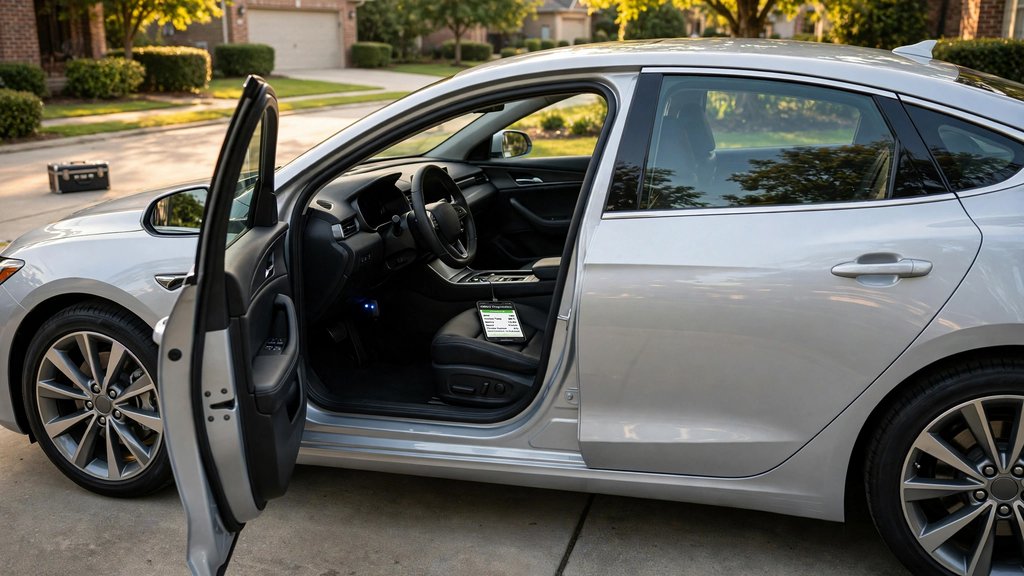
Bluetooth OBD2 adapters allow for an easy link between a car and an Android phone or other compatible iPhone. They can pull diagnostic information and present trouble codes via a smartphone application, creating basic car diagnostics that are a lot more accessible for drivers. But it’s important that the vehicle, adapter, smartphone, and app are compatible, especially for iPhone owners.
It’s also crucial to know how the OBD2 codes are formatted. The letters represent the general category of the condition, such as powertrain, body, chassis, and communication systems, and the numbers represent more specific information about the condition. Perhaps most important, a code is not necessarily a sign of failure and is typically a diagnostic point of departure, not a definitive diagnosis of failure. When used in combination with real data, symptoms, inspections, and good testing, it leads to a much more accurate diagnosis of the actual problem.