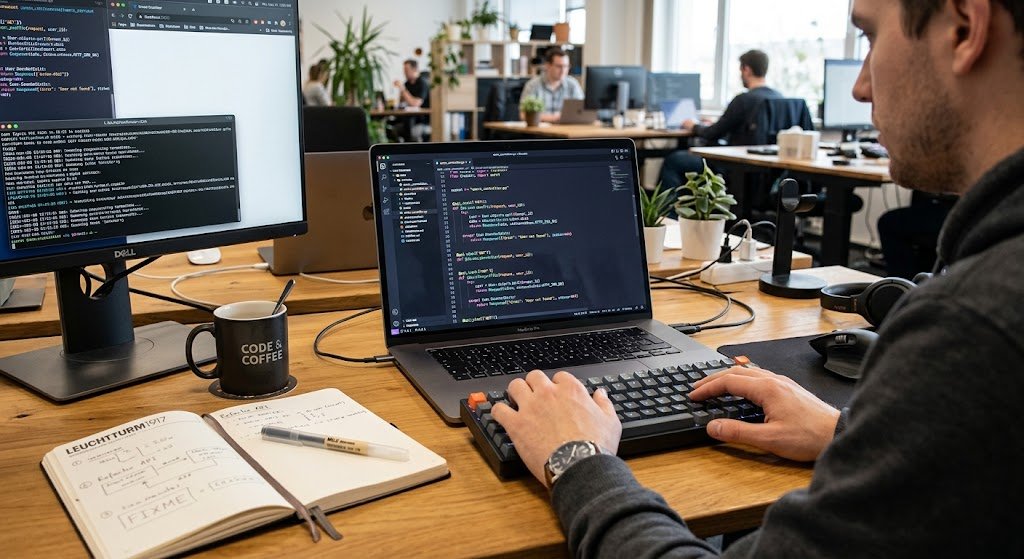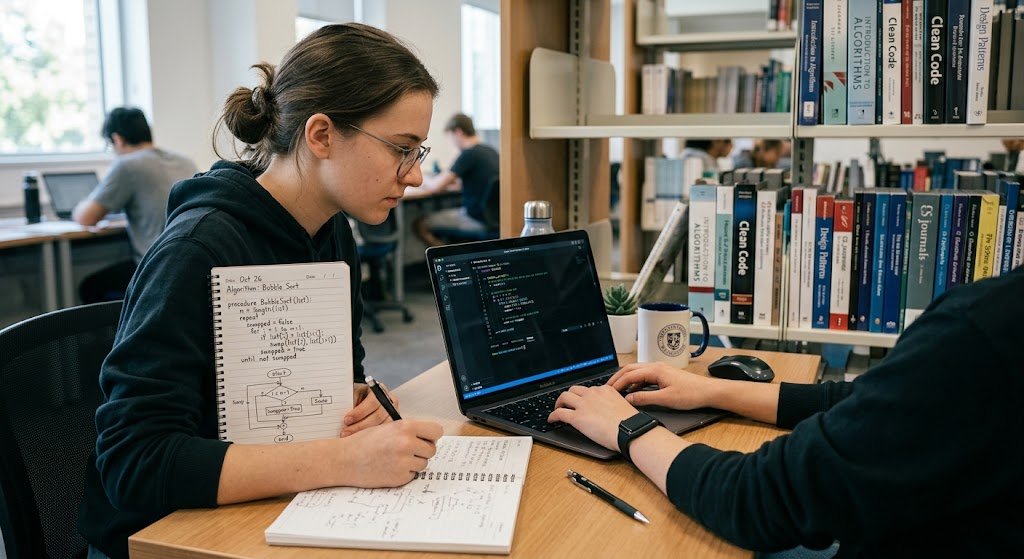
Often programming is introduced as the art of writing instructions that tell a computer what to do, but successful programming requires more than just syntax knowledge of a programming language. Before a computer program is written, the programmer must be able to describe the problem, determine the information that must be manipulated, determine what is to be done with the information, and define the steps involved in the solution. This process is particularly significant for the novice since a computer will execute instructions exactly as given.
If instructions are not clear, not complete or not presented in the correct sequence the program may produce an incorrect result. Algorithms and programming logic are used as a foundation to solve problems in a systematic way before converting solutions into programming languages like Python, Java, JavaScript, C++ or any other programming language. Breaking a big problem down into smaller ones helps the beginning programmer build confidence and realize that programming is a way of thinking clearly about and solving problems, not only memorizing commands and syntax.
What Is an Algorithm?
An algorithm is a step-by-step procedure that is well-defined and unambiguous. Algorithms are used in programming, and the basic concept can be explained using everyday activities. For instance, preparing a meal can include searching out ingredients, preparing ingredients, cooking food, checking cooked food, and serving the food. All steps serve a purpose and assist in building a bigger picture. Algorithms also behave in much the same fashion, except that in programming the instructions need to be very specific so the computer will know what to do. An algorithm should start with a starting point, have a logical sequence of operations, and end with a desired result. For instance, the largest number in a list algorithm could start by assuming that the first number is the largest, compare the other numbers in the list with the first number, change the largest number if needed, and print the largest number. Algorithms play a major role in the thinking of a programmer, allowing him to decide how to solve the problem without being concerned about programming syntax.
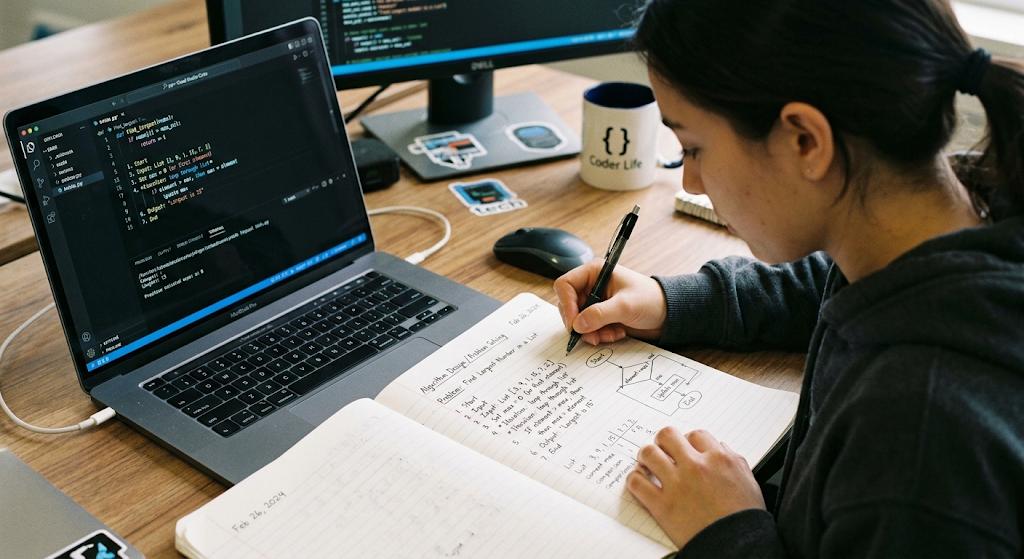
Algorithms are significant because many computer programming problems may seem quite a bit more complex than they actually are. Difficult problems can be made easy by breaking it up into smaller operations, which can be treated independently by a programmer. Suppose a programmer is required to write a system for grading students. The programmer doesn’t need to write hundreds of lines of code, but instead can isolate the smaller tasks, like getting a student’s scores, adding them up, finding the average, figuring out a grade, and printing the grade. These tasks can then be represented by a series of instructions. This allows the problem to be more easily understood, tested and corrected. It also minimises the risk of missing a crucial step. When the algorithm is clear, coding it becomes easier, since the programmer has only to write programming syntax, and not the algorithm itself.
Programming Logic and Logical Thinking
Programming logic involves organizing instructions and decisions in order to obtain the desired result from the computer. Programmers must consider relationships between information and what should occur when information is submitted in different ways in order to develop logical thinking skills. For instance, suppose you have a program that checks to see if a student has passed an exam. The programmer needs to set up a criterion, e.g., 50 or more is a pass grade. The program must then take the score and compare it to the desired value and return the correct result. What matters is not what language you use to write these instructions, but, what you’re saying with these instructions. A programmer who is familiar with the logic is able to implement the solution in other languages of programming since the logic of the problem solving process is the same. One of the benefits of programming is developing this ability to help improve structured thinking and analytical skills.
Developing Logical Thinking Skills
A good method to build the logic of a program is to ask questions before you write code. What information is available? What information is needed? What are the steps or processes that have to happen between the input and the final output? Are there times the process needs to be modified? How will the program react if the user types in some unexpected data? These questions make the programmers think about a problem from various angles.
This type of thinking is closely linked to computational thinking: methods to solving and understanding problems that can be effectively solved by a human or a computer. There are many simple tasks a beginner can work on to practice this type of thinking, such as arranging numbers, deciding if a number is odd or even, finding the total cost of shopping or the largest number in a set of numbers, etc. These basic exercises can be practiced by students and develop skills which can be transferred to larger software projects.
Divide a Complex Problem Into Smaller Pieces
Decomposition is one of the most useful programming skills, which is achieved by dividing large problems into smaller and more manageable ones. Think of an application that can be used to track student records. There could be a number of different aspects of the project, such as student registration, student search, grades, attendance, reports, users, etc. and it could look like one big problem at first glance. But a programmer can break the project down into different parts. One part can manage student registration, another can manage examination results, another can calculate average and another can generate reports.
The individual components can then be designed separately and linked to each other. Decomposition breaks down complex projects into smaller ones and allows programmers to focus on a single problem in each iteration. It also facilitates testing, as each of its various parts can be tested before putting the whole application together. Beginners should therefore be careful not to think of a large programming job as a single instruction, but instead to find smaller ones that can be solved, step by step.
Example of Breaking Down a Problem
A programmer is asked to write a small program that calculates the total price of a shopping cart. The overall requirement can be defined as “work out the customer’s bill”. The former one is too general to be immediately useful code. The programmer can break it down into smaller tasks: ask for the price of the products, sum the prices, check if there is a discount, calculate the discounted price if there is, add any additional charges (if there are any) and print out the total price.
Tasks can be broken down into single instructions. The programmer can then review each instruction and decide if it is complete and in a logical sequence. If the customer is entitled to a discount on the order only if the total amount spent is above a certain threshold, then this will be another decision in the algorithm. This helps to partition the problem in such a way that it becomes easy to convert the solution into real programming code.
PseudoCode: An Aid to Planning Before Writing Code
Pseudocode is a simple representation of an algorithm that looks like ordinary language and programming language, but does not use the syntax of a specific programming language. It lets the program writer focus on the logic of the program, and not on the punctuation, keywords, or rules of the language. The general structure of pseudocode includes the words START, INPUT, IF, ELSE, WHILE, FOR, OUTPUT and END. For instance, an algorithm for determining whether a number is positive, negative or equal to zero might be described as follows: START, read a number, If the number is greater than zero then print out “Positive”, Else If the number is less than zero then print out “Negative”, Else print out “Zero”, then END.

The benefit of this is that the programmer can use this to determine if the reasoning is correct before getting into the specifics of a language’s syntax.
Why Pseudocode Helps Beginners
Pseudocode is beneficial for beginners as it helps to connect the thinking process with computer programming. A learner might know what they have to do to solve a problem, but have trouble articulating those steps in the syntax of a programming language. That is one of the reasons why pseudocode will eliminate a lot of that difficulty in the planning process. A beginner might write the following program to average the numbers of three numbers before writing a program to calculate the average.
START, input the first number, input the second number, input the third number, add the three numbers, divide the total by three, display the average, and END. After having verified this sequence, the programmer can translate the instructions into a selected programming language. The pseudocode can also be checked if the final program gives an output which is not correct; if the problem has occurred in the original logic or in the program implementation may be determined.
Using Flowcharts and Visual Problem Solving
A flowchart is a diagram that depicts an algorithm. A flowchart uses symbols and arrows to indicate how the operations are performed from one to another; rather than just describing these operations with words. Flowchart symbols are used to represent different components of a flowchart. These symbols include rectangles for processes, parallelograms for input/output, diamonds for decisions, and arrows for the flow of the process.
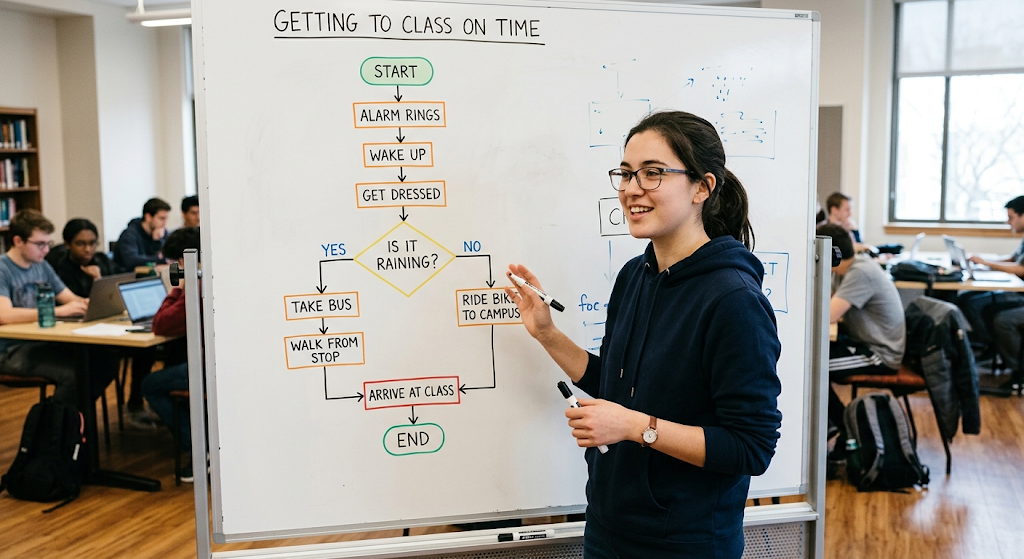
Sometimes it’s helpful to use a flowchart since certain people find it easier to see the relationships between steps. For instance, a program that determines if a person is eligible for a certain requirement could start with a box for the input, have a diamond for the decision as to whether they are eligible, and then have two branches—one for eligible and one for not eligible. The visual structure makes it easier to identify the possible paths through the algorithm.
Flowcharts for Identifying Logical Problems
Flowcharts can also be used to help find logical problems prior to writing code. What if a programmer designs a flowchart for a logon program? It may start with the user entering a username and password and a decision that determines if the credentials are valid. If they are right, the user goes to the application. If they’re wrong, the program will show an error message and give them another chance.
The programmer can inspect the flowchart and ask questions about the process, such as: Does the process have a definite ending? Have all possible situations been covered? If a path is unreachable or if a decision has an ambiguous result, the problem can be fixed prior to writing the program. Flowcharts are useful planning tools, particularly in the design of algorithms that require multiple decisions or multiple repetitions of an operation.
Conditional Statements and Decision Making
Conditional structures which programs use to make decisions out of which they base their action in a given situation are at the core of what we call programming. We see this as a very fundamental aspect of programming which is put in play when we take real world issues which require different responses in different scenarios. We see the IF statement as a basic element which programs use to perform a task when a certain condition is met.
The ELSE statement is used for what the program does when the defined condition is not met. In some languages also we have the ELSE IF structure to handle more complex sets of conditions. For example a program which monitors temperature may check if a given value is over a certain point and present a proper response. Also a grade book program may look at a set of score ranges and apply the appropriate grade. What is key is that the programmer first sets out what the decision points will be and then puts these into the language’s structure.
Combining Multiple Conditions
Conditional logic improves when you combine multiple conditions. For instance in an online store which gives out a discount to a customer that spends over a certain amount and also has valid membership status. The programmer has to take into account both of these at the same time instead of separately. Also in a school setting a student may be allowed to register for a course if they meet the academic requirement and the course still has space.
These examples put forth the importance of careful planning. A programmer has to identify what exactly the conditions are and how the program should react in all situations. When conditions are not planned out well, programs may produce unanticipated results. Testing out different scenarios helps programmers to see that each part of the decision process is working as it should.
Loops and Repetition
Understanding that loops is a skill which requires programmers to think through start points, repeat actions, and stop points. Take for instance a program which has a user input a password until the right one is entered. The programmer has to set the start of the loop, what action takes place each time round and what makes the loop break. Also the program may run forever if the stop condition is left out or is wrong.
We see a related issue in the processing of a list of items if the programmer doesn’t transition properly from one item to the next. Also before writing a loop beginners should put in words the process which is to be repeated. They should identify what is to be repeated, how many times it should run or what the control condition is, and the exact point at which repetition should cease.
A Step-by-Step Problem-Solving Process
A structured approach to problem solving is one which can boost beginners in their programming. The first thing is to see the issue at hand very well instead of jumping straight to the coding. Identify what you want the program to do and what info is present. The second step is to put together what data is going in, what the program will do to it, and what will come out.
Also which also input what is the program to take in, processes which are the actions the program will perform on that info, and output what the program will produce. The third step is to break the issue into smaller, more manageable parts. Fourth is to make an algorithm in plain language, pseudocode or a flowchart. Fifth is to go over the algorithm and in your head test it out with different examples. Only after that should the programmer put the solution into actual code.
Example of a Step-by-Step Solution
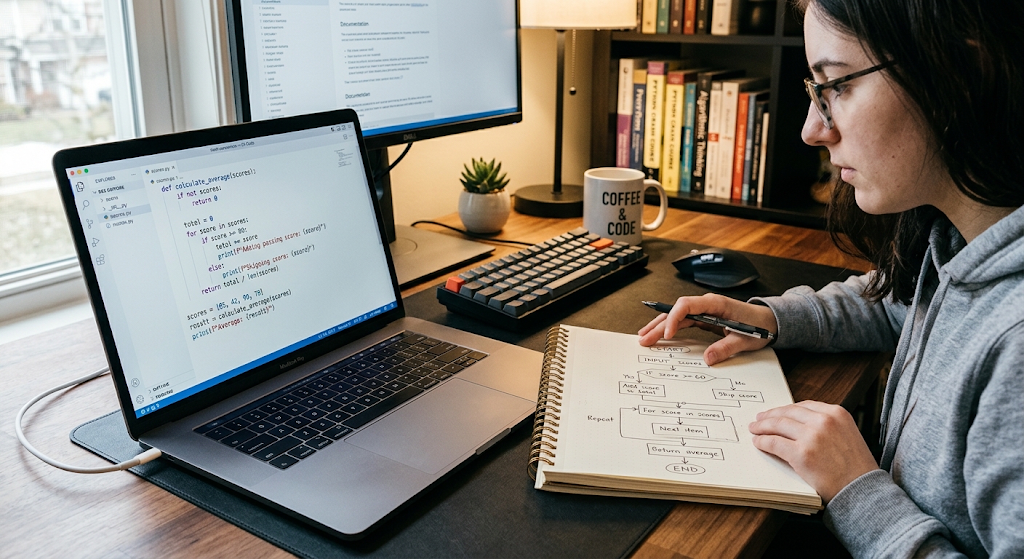
Calculate out the mean, compare each score to the pass threshold, and present the results. The programmer in turn may put together pseudocode which details out these processes and use a flow chart to present the decisions and repetition. After putting together the algorithm the programmer puts forward the pseudocode which is then used to create the program which in turn is put through different inputs which are normal scores, edge cases and out of the ordinary values.
At issue if things do not go as planned the programmer goes over the logic and code to debug. This process is to show that programming is a structured way of solving problems as opposed to just throwing out code which may by chance work.
Testing and Improving Algorithms
Creating an algorithm in itself does not mean that the solution is right. Programmers have to test their algorithms and programs to determine which results are produced. Testing may include use of normal inputs, atypical inputs, boundary values and invalid inputs. For example if a program is put in place which is to accept scores between zero and one hundred the programmer should use 0, 50, 100 as well as values outside the expected range in the testing.
This may bring to light errors in calculation, conditions, loops or what was assumed during the planning stage. Also programmers may use debug tools which will help to find and correct issues in the code. It is important to note that testing does not have a set time of when it is to be done post programming. At the algorithm design stage also the programmer should think through what the test cases will be which in turn will help to identify weak areas before they grow into large scale problems.
Improving Algorithm Efficiency
Algorithms also see improvement post-deployment. A solution may present the right answer but at the same time be very complex, inefficient, or hard for another developer to digest. Thus programmers look at which algorithms can be made simpler or which have room for greater efficiency. For example, if a task is to be performed with fewer unnecessary operations the improved algorithm may in turn take less processing time.
Also of great importance is that code be well organized which is a requirement for maintenance and modification of the program some time down the road. As a result, we see that it is a good practice for beginners to ask if their solutions are correct, are easy to understand, and are practical. To improve an algorithm is to go beyond getting a program to work at all costs and instead to foster in the developer a reason which better solution is better thus improving algorithmic design which in turn develops greater programming skills.
Importance of Logic in Learning Syntax
Programming languages present different sets of rules, keywords, symbols and structures which at times overwhelm beginners. While syntax is important what we see is that memorizing programming commands in itself does not make one a great programmer. A person may recall the structure of an IF statement but at the same time may have trouble which conditions to use in a given problem. Also a person may know the syntax for a loop but may not put forth which repetition is appropriate or at what point the loop should terminate.
What we see in strong programmers is that they have a mix of syntactical knowledge with problem solving skills. Once the algorithm is out once the problem is understood — learning how to put it into a particular language is easier. The language in this case is a tool for putting the solution into practice rather than the solution itself.
Practicing Problem Solving Before Coding
This is that beginners put in enough practice with problems before they put pen to code as it were. They may put forward solutions in everyday terms, make pseudocode, draw out flowcharts, and determine what the inputs, processes, decisions, and outputs are. Only after that do they put those plans into code and go back to see how the final program measures up to the original algorithm.
Also they are able to see that at times the algorithm is the issue, at other times the algorithm is sound but the code has a syntax or implementation issue. By separating out which is which from the get go it makes the debug器过程 easier and also gets beginners to think of programming as a cycle of reason, plan, implement, test, improve.
Conclusion
Algorithms and structures of logic form the base for good problem solving in computer programming. An algorithm puts out the steps required to solve a problem and it is up to logical thinking which in turn is what programmers use to determine how those steps are to be put together. We break down large problems into smaller tasks with the help of decomposition which in turn makes the issues at hand more manageable. Also we have pseudocode and flowcharts that are great tools to use in planning solutions before we go ahead to write out actual code. We have conditional statements which enable programs to make decisions and loops that allow for the efficient performance of repetitive operations. As a whole these topics give the beginner programmer the tools they need to approach problems in a systematic way as opposed to a hit or miss approach. The key to it all is that programming isn’t really about memorizing the syntax. It is about identifying the problem at hand, coming up with a clean solution, putting that solution into very precise terms, checking the results and going back to the drawing board when what you have doesn’t work.
For starters the best way to improve these skills is by regular practice of increasing difficult problems. Begin with easy tasks like which number is even or odd, what is the average of a set, what is the greatest number, does this person meet that requirement. Write out the process in words, translate it to pseudo code, use a flow chart when it helps, then put it into a programming language. As these tasks become routine, take on more complex issues at hand using the similar base process of understanding the issue, breaking it down, form a plan, execute it, test and then improve it. In doing so as you grow in your computational thinking and logical problem solving skills you better prepare yourself for working with programming languages and large scale software projects. Syntax may change from language to language but the skill of being able to reason through a problem and design a workable solution is very much the same in all areas of computing.