Computer software is what we call the sets of instructions, also known as programs, which in turn include data related to those instructions that tell computers or digital devices what functions to perform. While hardware provides the physical elements that do the processing of info, software is what is in charge of making that hardware do useful work. From the boot up process that starts your computer right down to applications that you use daily like word processing, web browsing, photo editing, and communication tools, software is a part of almost every action you do with a digital device.
We have a role in teaching our students, in introducing tech newbies, in business, in fact for all who use computers and digital equipment on a regular basis to know the various types of software out there. Also software may be put into many groups based on their use. We have system software, application software, utility software, programming software and also very specialized forms that are designed for certain environments or tasks.
What Is Computer Software?
Computer software is the non physical element that runs a computer’s systems and which also enables the interaction of the user with computer hardware. As opposed to hardware elements like processors, keyboards, memory, storage devices, and displays which are tangible, software does not have a physical form. Instead what we see are programs and files that exist within a computer, smartphone, server or any digital device. Software provides the set of instructions which the processor uses to do math, store and manipulate info, connect to networks, present content out to the user and a host of other functions. Some software runs in the background without the end user’s input but some is made for specific tasks by the end user. The key relationship between hardware and software is that which they work together with hardware by itself has very little use without the right software.
There are a variety of ways in which software is classified and while some text books and tech organizations may present different categories, the most common is by the types of System software, Application software, Utility software, and Programming software. System software is what runs at the very base of a computer which in turn allows other programs to run. Application software is which you use to perform specific tasks which may include things like writing up a report, sending an email, doing a presentation, studying, or running a business. Utility software does the behind the scenes work of maintenance, protection, tuning, and overall management. Programming software is which developers use to write, test, debug, and maintain other software applications. While these categories do have some overlap in certain instances they do serve as a useful structure in which to see the different roles software plays.
For those that are looking for a more in depth overview of the subject the various major categories of computer software present a clear picture in terms of what individual programs’ roles are within the whole computer system. What is put forth by the developers in each of these types of software is also what mainly distinguish to what large extent is the core function of one category of software as opposed to the other we see that an OS is very much a different animal from a word processor, an anti virus package does not at all the same thing as a programming language, that which we term an anti virus program has a different aim to a programming language, and some like a device driver have very background roles as compared to a very visible application. This difference is better so that you can see how a computer as a whole system works instead of thinking of every piece of software just as a different kind of application.
System Software
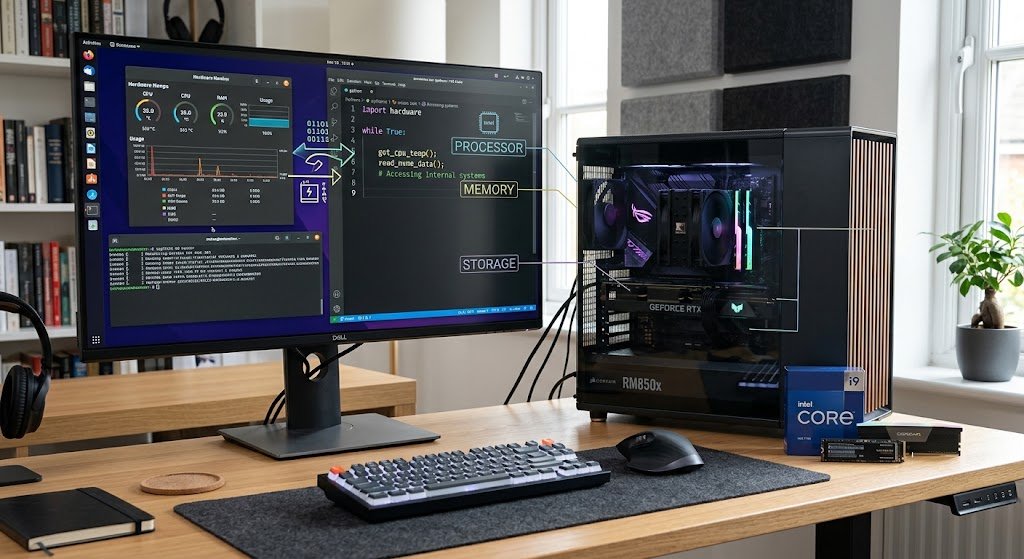
System software which is the term used for the group of programs that run a computer’s basic functions. It serves as the base which applications software sits on top of. Without system software application programs would have trouble talking to the computer’s hardware to the processor, memory, storage devices, display, keyboard, network equipment and so on. System software runs at a very fundamental level and may be constantly in use even when the end user is not aware of it.
It is charged with the task of managing hardware resources, controlling files, working with memory, facilitating communication between computer elements, in charge of security issues and in general to present to the application software a clean and efficient work environment. Examples of system software are operating systems, device drivers, firmware and some system management tools.

Operating Systems
An operating system is a very important type of system software which is in charge of the resources of a computer or digital device and which also presents an interface for users and applications to interact with the system. We see OS’s like Windows, macOS, Linux distributions, Android, and iOS. An operating system also takes care of memory allocation, file storage, process scheduling, hardware communication, user accounts, security settings, and network connections. When a user opens an app for instance the OS’, will do what it takes in terms of resource allocation and will enable that app to get along with the hardware. Also it gives out features to make computers easy to work with. We have the graphical interfaces, settings menus, file managers, notifications systems, and accessibility options.
They manage hardware resources and are the base for which other software functions.
Device Drivers
Device drivers also play a very important role in system software. A driver’s job is to allow the OS to talk to a specific hardware component which it does via turning general OS instructions into ones the device will understand. Printers, graphics cards, sound devices, network adapters, storage controllers, keyboards and other peripherals may have drivers which are required for proper function.
For example when a user sends a document to a printer the OS doesn’t use the same protocol to talk to all devices, instead a suitable driver which may be installed separately does the translation for the printer. Also though users may not see or think about drivers as much as applications they are very much a requirement for getting hardware to work well with the OS.
Firmware
Firmware is programmed into the hardware at the time of manufacture or installed very near to it and works very closely with hardware components. It is responsible for very basic device functions which often take place before an OS or application software even loads. You will find firmware in computers, routers, printers, cameras, smart home appliances, storage devices and many more electronic products. For example the firmware in a device may run what that device does at start up, how it communicates with other parts, or what basic functions it performs.
At times manufacturers issue firmware updates to fix issues, improve compatibility, strengthen security, or to add features. Although firmware has aspects of both software and hardware due to its integral role with physical devices it is in fact classified as a type of software which runs on electronic hardware.
Application Software
Application software is put in to perform specific tasks for the user. As opposed to system software which is directed at the computer’s base operation, application software gives the user what they require. We see this in word processors, spreadsheets, web browsers, presentation software, media players, graphic design programs, educational software, communication platforms, and database apps.
Also it is available for installation on local computers, access via a network, or through the cloud. Today we have a great range of applications which reflect the many uses people put digital devices to. Whether it is to write an assignment, analyze business data, take an online class, edit an image, or communicate with colleagues, an application is there to provide the tools for that task.

Productivity Software
Productivity software is a large segment of the application software world and we see it used in education, business, government, and personal settings. We have word processors which enable the creation and editing of documents, spreadsheets which put out and analyze numbers, and presentation programs that put together visual slides for a class or professional setting. Also in the productivity suite of tools we find note taking, scheduling, project management, collaboration, and document organization.
What these do is take the general purpose computing resources we have and turn them into tools for very specific types of work. A student may use a word processor for a term paper, a spreadsheet to present research info, and presentation software for a class project. Companies in turn use productivity apps for reports, budgets, schedules, record keeping, meetings, and communication.
Internet and Communication Software
Internet and communication applications allow users to access online resources and interact with each other or systems. We see web browsers as the leaders in that group which they do so by offering access to sites and web based services. Also in this group we have email apps, messengers, video conferencing programs and other communication tools also.
They play roles in education, remote collaboration, customer care, social communication and professional fields. Internet software is a mix of application level features and network functions. For example a browser gives the platform on which you access the web but the operating system and network drivers at base level do the heavy lifting for the network connection. Also we see here how different types of software work together to present a full to the end user.
Multimedia and Creative Software
Multimedia and creative apps are for working with images, audio, video, animation, illustrations and other digital media. In the field of graphic design we see tools which help users to put together their own illustrations and visual layouts. Also we have photo editing apps which in turn give out resources for improving and organizing images. In the area of video we have video editing software which is used to put together video clips, audio, transitions, text and visual effects into complete projects.
Also we have audio production apps for recording, editing, arranging and processing sound. This software can at times require great processing power, memory and storage because of the size and complexity of multimedia files. Creative software is very much a part of what students, content creators, designers, educators, businesses and media professionals use which in turn shows that this type of application software supports both practical work based tasks and creative projects.
Utility Software
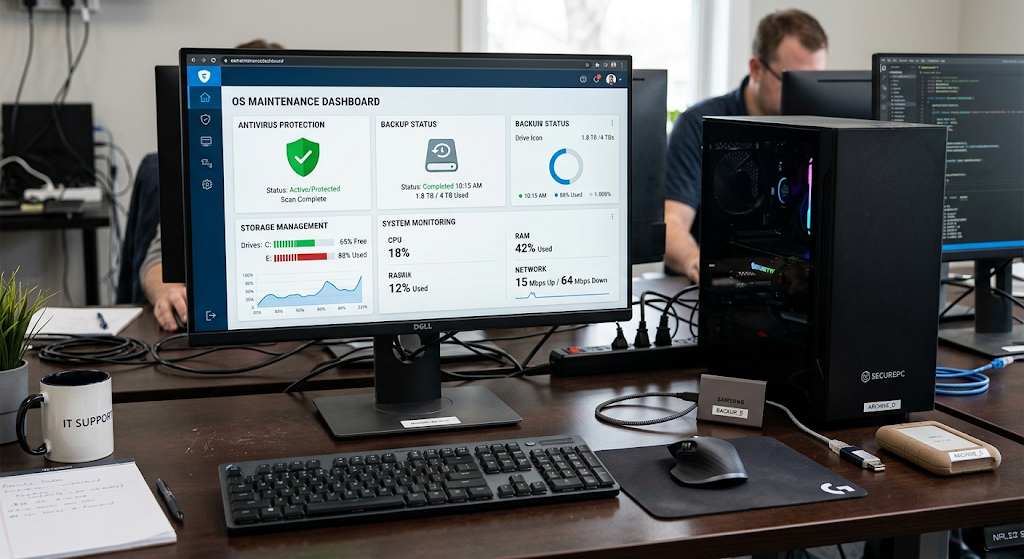
Utility software is a term for that which maintains, protects, manages, monitors or optimizes a computer system. While users may not put these at the top of their list of which programs they run into, utility software plays a key role in the reliability and security of devices. This group includes anti virus and security programs, backup tools, file compressors, disk management utilities, system monitoring tools, and file management applications.
Also some utilities are included in an operating system and some are installed by the user. What they do is help users to identify issues, manage storage, protect info, recover files, or improve system organization. Utility software is very important as computers over time collect files, temp data, software installs, config changes, and security issues which in turn create a need for ongoing maintenance and management.
Antivirus and Security Utilities
Security tools are put in place to protect computers and information against malware and other digital threats. Antivirus programs may scan files, applications, and system actions for known or out of the ordinary threats and will inform users of possibly dangerous activity. Also included in security tools are features which manage firewalls, secure data removal, system monitoring, and other protective features.
While security software is a key element of a full scale cyber security plan it is only a piece of the puzzle. Also important are what may be called sensible practices like installing from verified sources, updating security patches, using strong auth, avoiding suspicious downloads, and protecting critical accounts. In this way security software is a component of a larger security structure which also includes user level care.
Backup and Recovery Utilities
Backup programs which do create copies of key files for you which in turn may be used to restore info after accident deletion of files, hardware failure, software issues or other unexpected incidents. We put our backups on external devices, network storage or in the cloud. Also we have recovery tools which help to get back certain files or system info when we run into issues.
It is in times of need that you see the value of backup software which is in the digital age so great. School work, photos, business docs, project files, and personal records can be very hard or even impossible to replace if they go missing without a backup. What we see then is that a good backup plan is one which has appropriate copies of what is important to you instead of counting on your main storage to always be there.
File Compression and Management Utilities
File compression tools which include certain files or groups of files into smaller sizes and also present a way to transfer multiple files at once. File management tools which help users with organization, copy, move, rename, search, or delete files and folders.
Compression is a particular help when it comes to the transfer of sets of documents or other data as it packages many files into one archive. Based on the type of the file and what data it is, compression may greatly reduce file size, that said some files which are already compressed may not see much change. These tools present how software improves in the management of digital info without in fact producing the info itself.
Programming Software
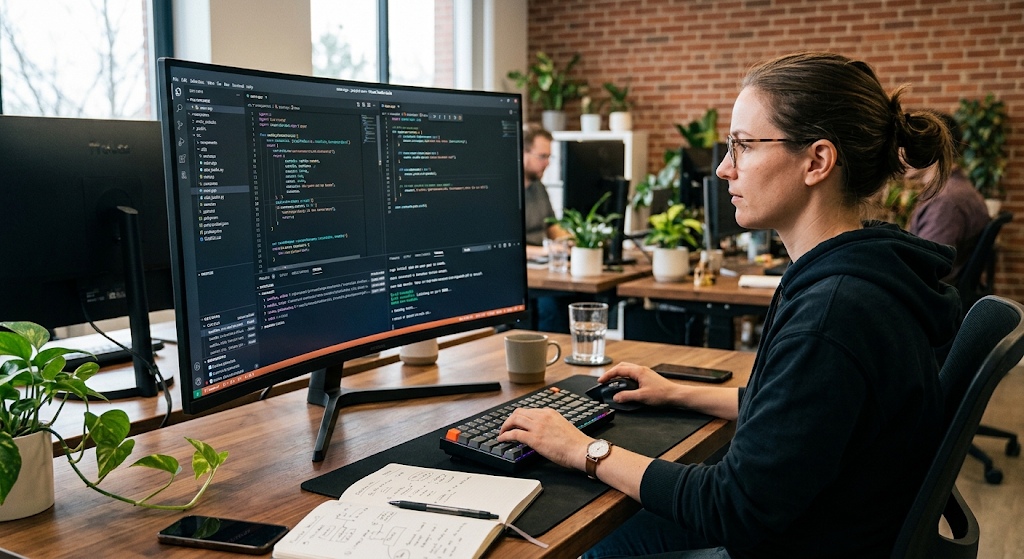
Programming software is a set of tools which developers use to create other programs. While application software is for the end user to perform tasks, programming software is for developers to design the instructions which applications, operating systems, websites and other digital systems require. Examples include text editors, integrated development environments, compilers, interpreters, debuggers, and software development kits.
An Integrated Development Environment also known as an IDE may put together many development features into one work space which allows programmers to write code, organize files, test programs, find errors, and manage development projects. Thus programming software is very much a base element in the development and maintenance of the great deal of digital technology which we use every day.
Compilers and Interpreters
Compilers and interpreters play a role in the transformation of programming instructions into a form that computers are able to execute or process. A compiler mostly will translate source code into a different form before a program is run, but an interpreter will work on the programming instructions at the time of execution. The exact behavior does of course depend on the programming language and which implementation is used and today’s development environments may in fact use a combination of both approaches.
Also of note is the fact that programmers write code in languages which are meant to be human readable and manageable, while at the same time processors run on lower level machine instructions. Thus compilers and interpreters serve to close that gap. Also they present chances to catch certain errors which in turn produce useful info that goes towards the betterment of the program.
Debuggers and Development Environments
Debugging tools which programmers use to find out and research issues in software. A debugger also may provide a way to break into a running program, look at variables, step through the code, and trace out what is going wrong. In a development environment coding, debugging, testing, project organization, and other features are included.
For large scale software projects which can have many components a debugger is very useful in that it is hard to track everything by hand. Thus programming software does more than just allow for writing of the code. It gives a structured setting in which to take an idea all the way to a finished piece of software and also to see that software grow and change as requirements, technologies, and user wants do.
Other Important Categories of Software
In addition to main categories, software also falls into different groups based on how it is distributed, licensed or used. Open source software puts its source code at your disposal which in turn is made available to you under licenses that include terms for certain levels of inspection, modification and redistribution. Proprietary software is put out by an individual, an organization or a company which in turn controls distribution and usually does not make source code or modification available to the public. Freeware is software which you may use without having to pay a purchase price but which may have other licensing terms. Shareware may give you a trial or limited version to try out before you are asked to pay or register for full or more extensive use. These labels are for the most part which software is distributed and licensed and do not in any way replace categories like system or application software.
In terms of delivery what is different between various software types. With desktop software you install it directly onto the computer, as for web apps you use a browser to access them which in many cases use remote servers. Also we see that mobile apps are made for smart phones and tablets that also interface with the phone’s OS and its features. Also we have cloud based software that uses the internet for access to applications and data rather than from local computers’ resources. Thus we have different models for how software is installed, updated, accessed, maintained, and which model also determines the payment structure. As we continue to see evolution in computing, which used to be a black and white division between what is local and what is remote, is becoming a gray area.
What different software do in a team.
In many cases the software categories do not stand alone as they do in theory; in practice a modern computer system requires many types of software to work together. For instance when a person opens a word processing application what they are using is a product of application software which provides the tools for document creation and editing. The operating system in the background is what manages memory, files, input devices and display which the application software requires. Also it is the device drivers which enable the operating system to talk to the hardware like the keyboard, screen, printer, or storage device. In the same way utility software may be running in the background to protect the system or manage files and at the same time we have programming software which may have been used to develop the application in the first place. This is to say that what we experience as useful computing is a result of that which goes on between different levels of software as opposed to a single program standing alone.
A basic way to see this relationship is to think of a computer as a multi level structure. At the base we have hardware that does the physical work. System software which is on top of the hardware creates the environment for other programs to run. Application software which is at the top provides the features the user sees and interacts with, and utility software which supports the background maintenance, protection, and management. Also we have what may be called programming software which is the toolset for creating and maintaining the other software levels. While this model is very simplified, it is a great introduction for beginners to see that when they install an application it is not a standalone entity. The app in fact depends on the operating system, the hardware, the support structures and often other services to do what it is designed to do.
Why Understanding Software Categories Matters
Comprehending various types of computer software is a valuable asset as it does in choice, installation, troubleshooting, and use of digital tools. A student who has a grasp of the difference between system and application software knows that an operating system plays a very different role from a document editor. A business owner is able to better determine if a given application meets a business need or if additional security and backup tools are required. Also a tech newbie is able to do a better job at troubleshooting by which he recognizes that a printer driver issue for example may be a different type of problem than that of a word processing application. Basic software knowledge also serves as a base which in turn does in more advanced topics like cyber security, cloud computing, programming, networking and information technology management.
Software also has a greater role today as digital devices are integrated into education, employment, communication, entertainment, finance and everyday life. We see many types of software which we use without really knowing what each does. An operating system which runs the device, applications which perform certain tasks, utilities which maintain and protect the system, and programming tools which developers use to create the software we use we interact with them all. By which we become aware of their different roles we in turn make tech less of a mystery and also better able to see the value in certain apps. Also this awareness may prompt more responsible software use which includes keeping systems up to date, getting apps from reliable sources, securing our info, and familiarizing ourselves with what we are installing on our devices and what it does.
Conclusion
Computer software is a base element in today’s computing which we see as what makes hardware and digital devices do useful work. We have main groups which are system software, application software, utility software, and programming software. We also see others in which we fit software based on license, distribution and delivery methods. System software which includes operating systems, device drivers, and firmware run the base computing environment, at the same time application software which is used by the end user for things like writing, communication, study, design, research, which also includes browsing and info management. Utility software which is for maintenance, security, storage, backup, and system organization and finally programming software which is put to use by developers to create and maintain digital applications and services.
Learning which categories are different is the root of understanding how every day digital activity plays out. While a computer may be present with a processor, memory, storage, and other physical components it is not yet useful; it is software that gives the parts function and which the end user relies on. From the OS which runs a device to the applications used in the academic and professional setting and the tools that protect valuable info, many forms of software play a role in the total computing experience. Out of this knowledge beginners can grow into more computer literate individuals and also which in turn allows students and professionals to use it as a base to study programming, cybersecurity, networking, cloud computing and also other tech fields.