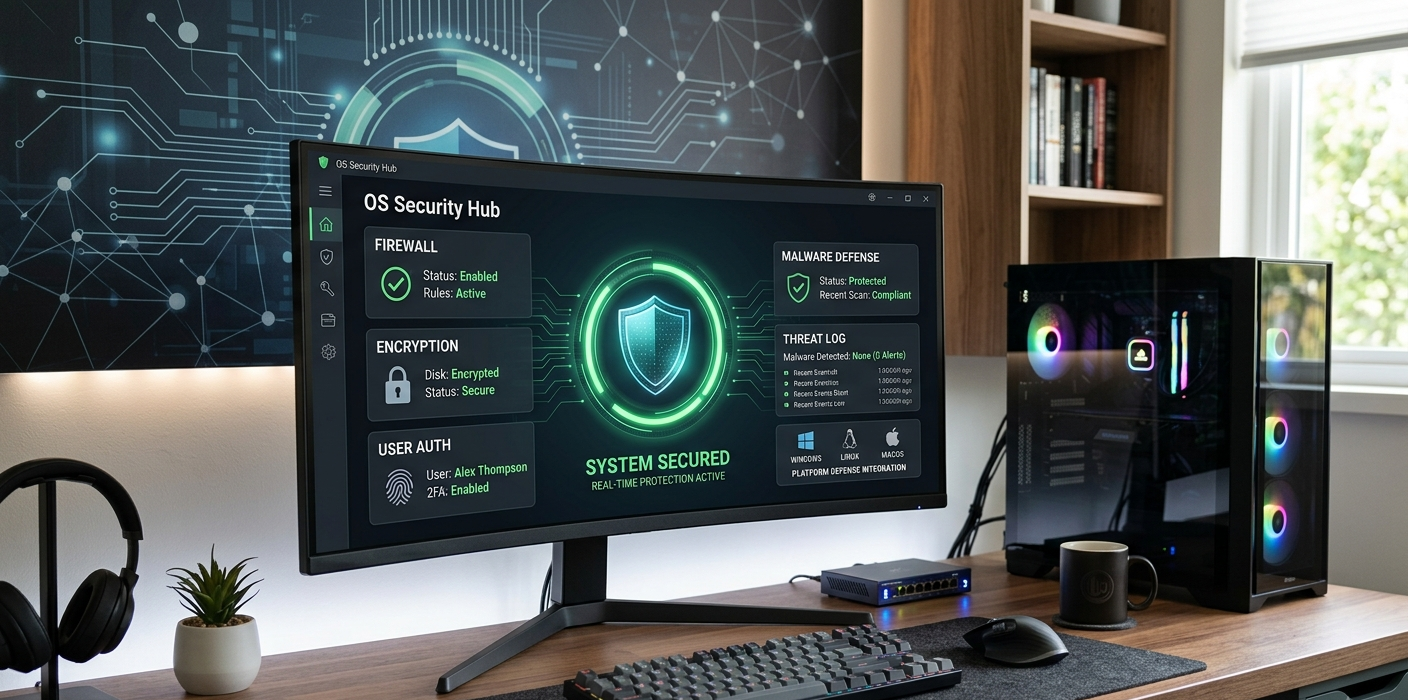
Operating systems (OS) are vital to every computer, as they take care of the hardware, applications, and of course, give the user a safe environment to store and manipulate information. While many people believe that antivirus software is the primary line of defense against cyber threats, the operating system itself has several layers of security to help prevent unauthorized access, block malicious activity and secure sensitive data. Operating systems like Windows, macOS, and Linux include features that actively protect their security. These features offer protection against viruses, malware, hackers, and other digital threats, which include regulating the ways programs execute, users access files, and information is safeguarded.
Computers are now used for banking, communicating, learning, work and personal information and their operating system security has become more important. Operating system developers have implemented advanced protection systems directly in their platforms because cybercriminals continually come up with new ways to exploit vulnerabilities. Students learning about the integrated security features of modern operating systems will be able to make informed choices about how to secure their devices and what their system is doing to keep them safe from threats.
Inbuilt Security Mechanisms of an Operating system
Security of an operating system is not dependent on a single feature. Rather, it is generated by various protection mechanisms that act in concert. These security mechanisms govern user access, watch for suspicious activity, safeguard crucial system files, encrypt sensitive data and ensure that unauthorized software does not take over the computer. The aim is to ensure confidentiality, integrity and availability of data while letting users carry out their daily activities securely.
Modern operating systems are equipped with various security features such as user account management, file permissions, firewalls, encryption systems, authentication mechanisms, secure boot procedures, and kernel protection. They are available on widely-used operating systems such as Microsoft Windows, Linux (including distributions), and Apple macOS. While they differ in the technologies and designs that they implement, they all work on the principle of keeping risks to a minimum by controlling what users and programs can do.
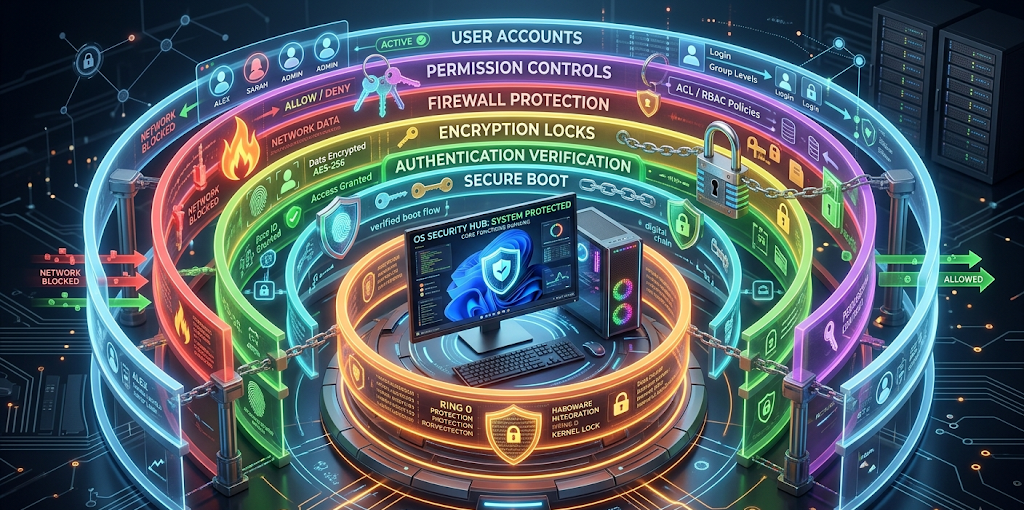
User Accounts and Permissions
The ability to manage user accounts and permissions is one of the most critical security aspects of an OS. Multiple users can share a computer and maintain separate files and settings using user accounts. Most significantly, they regulate what can be done by a certain program or individual. With no limitations on who has access to their accounts, any application could make modifications to vital system files, which might lead to malware infections and unauthorized changes.
Most operating systems have several distinct levels of access to the data. For instance, there are different user accounts and administrator accounts that come with Windows. Standard users are able to use the Internet, create documents, and run applications, but have no authority to make critical changes to the system. Administrator accounts are more powerful since they have the ability to install software, adjust security settings, and configure system settings. Windows also has a mechanism for user authentication called User Account Control (UAC) that also prompts for user consent to make sensitive operations.
The user and root account system are similar in Linux. Root users have full access to the operating system and normal users have limited access. “sudo” is a command line utility that will let a user temporarily operate as the root user without having to stay logged as the root. This means that there is less chance of accidental damage or malware gaining complete access to the system.
There are also limited privileges in macOS. The majority of users will use regular accounts, and for large changes, administrator permission is needed. Operating systems isolate normal activities from administrative ones and minimize the harm that can be done by a malicious program or attacker if they gain access to a user account.
Firewalls: Denying Unwanted Network Access
Another essential security feature of modern OSes is a firewall. A firewall is a device that prevents individuals from connecting to a computer system from another network. A rules-based analysis of network traffic to determine what connections are permitted or denied. This will help keep attackers from gaining access to a computer via the unsecured network service.
Windows comes with Microsoft Defender Firewall, which has been built to keep devices safe from unauthorized network connections. Automatically enforces security policies based on the network the computer is on. For instance, some public networks (e.g. airport networks, café networks) may need to have more restrictive firewalls as they present more risk for devices.
Firewall tools like Netfilter and the easy to use management programs are common on Linux systems. Firewall configuration involves some critical aspects of network protection and unauthorized access prevention, as Linux is in wide use in servers and enterprise settings. Admins can set up detailed rules to manage connections.
MacOS also has an inbuilt firewall to block unwanted connections from reaching applications and services. Firewalls do not eliminate existing viruses from a computer, but rather, they help to keep fewer opportunities open for attacks to communicate with or exploit a computer.
Encryption of sensitive information.
Encryption is a security procedure which transforms readable information into an unreadable format that is only able to be accessed with the proper key. Encryption keeps personal files, passwords and important data secure and out of reach of anyone who isn’t meant to have access to them. If a computer is broken into or a hard drive is stolen, encryption can prevent the information from being read.
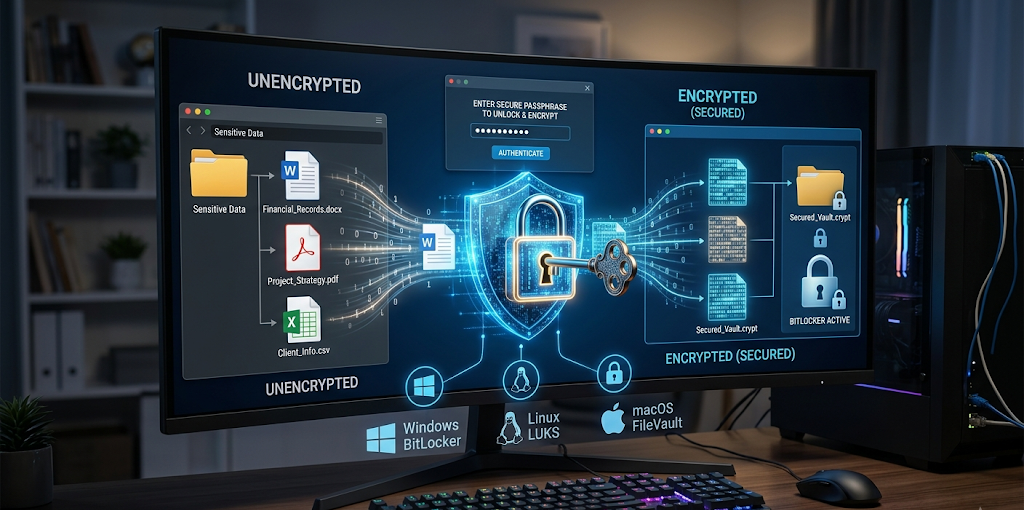
BitLocker is full disk encryption technology available in many versions of Windows. BitLocker works by encrypting the entire disk to provide protection for data on hard drives. If the computer is lost or stolen, then unauthorized users are unable to gain access to files without the appropriate authentication.
There are several encryption solutions available on Linux such as full-disk encryption with Linux Unified Key Setup (LUKS). In many situations, especially for professional or server activity, encryption is used for the protection of sensitive information by many Linux users and organizations.
For Mac computers, full-disk encryption is provided by macOS’ FileVault feature. FileVault is used to encrypt the storage drive and to force authentication before access to the information is possible. The following encryption systems illustrate how operating systems safeguard information even in the absence of physical security.
Process of verifying the identity of the user
Authentication is the process of ensuring that individuals are permitted to log on to a computer or account. Different authentication systems are employed in operating systems to make sure that the access of any resources which are protected is limited to authorized users. While traditional passwords are still in use, there are more sophisticated techniques available, including fingerprint recognition, facial recognition, security keys, and multi-factor authentication.
Microsoft Windows includes biometric authentication called Windows Hello, which lets users log in by means of facial recognition or fingerprint on eligible Windows devices. These techniques offer extra security, as they are grounded on special physical attributes, not just a password.
On supported models, macOS devices have Touch ID, which lets you log on with a fingerprint. Additionally, Apple’s devices feature secure hardware elements to aid authentication security. There are different ways of authenticating or securing a Linux system based on which distribution and configuration it is. These include password protection, smart cards, and security keys.
Strong authentication minimises the chances of unauthorised access due to stolen or weak passwords. While there is a risk that the attackers may gain access to logon data, other security measures can stop the attackers from gaining access to the device.
The Core of the Operating System: Kernel-Level Protection.
The kernel is the core of the operating system that controls the hardware, memory, process, and communication between software and computer components. The kernel is a key component of an OS, and securing it is one of the most critical aspects of OS security.
To prevent unauthorized programs from getting deep access to system resources, kernel-level protection is provided. Modern operating systems have security tools to track kernel activity and to prevent suspicious activity. Once malware manages to compromise the kernel, it may be able to control many aspects of the computer, making kernel protection vital.
Windows’ security features include KerneMode Code Signing, which helps make sure that trusted software only runs with kernel-level privileges. Virtualization-based security technologies also provide isolation of critical security operations from other processes running on Windows.
Because Linux is an open source system, it gives its advantage to the fact that security researchers and developers are constantly looking for vulnerabilities in the Linux kernel. There are also security frameworks that are built into Linux: SELinux and AppArmor.Linux also provides additional restrictions on what programs can access using SELinux and AppArmor.
Even administrators cannot make unauthorized changes to important system files because of the security technologies used by macOS, including System Integrity Protection (SIP). This will keep the system stable and ensure that malicious software can’t alter vital parts of the operating system.
How Windows, Linux, and macOS Defend Against Malware
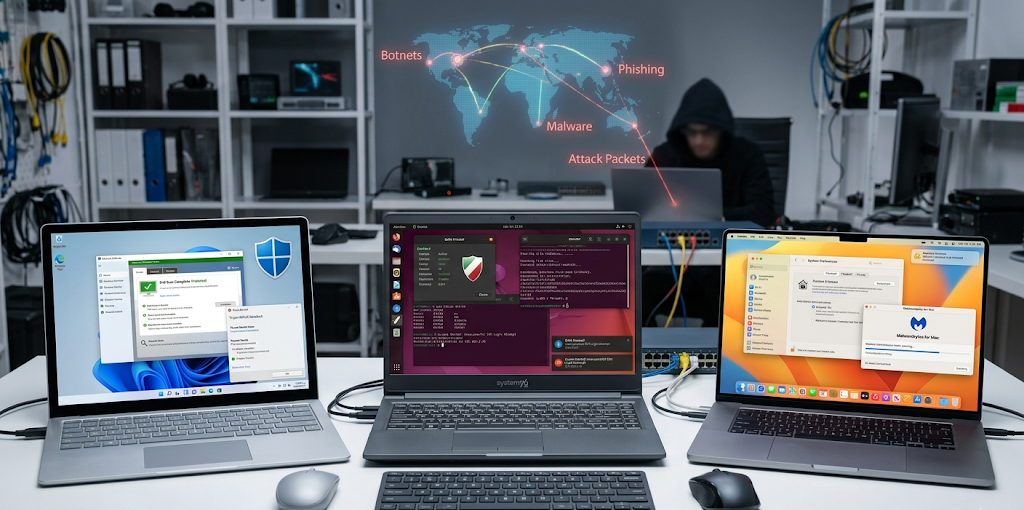
There are several technologies in place to prevent risks with an OS and viruses and malware are continuously changing. Windows comes with Microsoft Defender Antivirus, which includes real-time protection and detection against malware. It monitors files, applications, downloads for any suspicious activities.
Permission system, smaller malware target base, strong community support are all factors that make Linux seem to be quite safe. But even poorly configured and/or vulnerable Linux systems can be susceptible to malicious attacks. Security patches, permissions and safe software installation practices are still relevant.
macOS has security features like Gatekeeper that allows it to scrutinize applications downloaded from the web before executing them. Notarization processes are also employed in Apple’s software to detect software that poses a threat. These safeguards minimize the risk of users unintentionally installing malicious software.
Users are a key component in security; while operating systems are very well equipped to defend themselves, users are also a significant component. To be fully protected it is important to install updates, use strong passwords, not download files from suspicious sources and not follow links from suspect sites.
Operating system updates
Security updates are an important component to the protection of computers by operating systems. Vulnerabilities are discovered by the developers and patches are released regularly to fix weaknesses before being exploited by attackers. A computer that is not updated may have vulnerabilities from known security issues.
Windows Update automatically updates security patches and enhancements to users. Every Linux distribution offers mechanisms to update it to make sure important fixes are applied to it. Apple’s software update feature provides regular security updates for macOS, too.
An updated operating system is the best way to ensure that security measures are effective against current threats. A computer with a “good” computer security system but with out-dated software, may have a good security system, but if the software is out of date, the computer has room for attackers to exploit its weaknesses.
Conclusion
Computers are not secured by one defense system, they are secured by several layers of security. Access is controlled by user accounts and permissions, network connections are protected by firewalls, private information is encrypted, identities are authenticated, and the kernel-level protection ensures the security of the system’s core components.
Each of these operating systems, Windows, Linux and macOS, offer sophisticated security features to keep users safe from viruses, malware and even unauthorized access. Technology however, does not guarantee complete safety. The user is responsible for using the built in protection of the operating system and for following good practices when using digital devices, as well as keeping up to date and being aware of the risks on the Internet.
Once they know how security works in their OS, they can better understand the significance of their OS in their daily operations. Security systems are always running to defend data, ensure privacy and improve the computing experience from the first time a computer is turned on until it is turned off.