Introduction
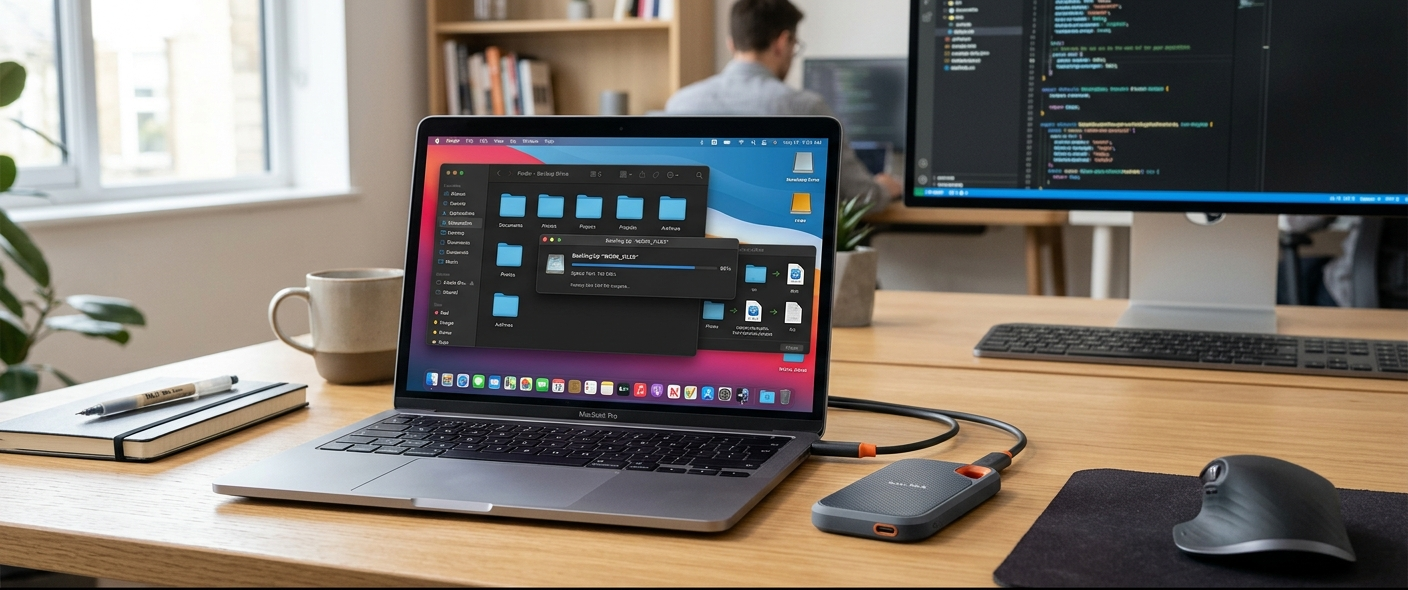
It is in this digital and modern era that the way individuals and organisations create, access and store valuable information has changed. Our personal and professional lives are dependent on thousands of gigabytes of important information, including high-resolution personal photo libraries and raw 4K video archives, sensitive tax records, legal documentation and proprietary project files. Cloud storage solutions may be convenient and available from a distance, but using them, only on distant servers, comes with its own set of risks including recurring fees, unexpected outages, account lockouts and privacy concerns. The best option for absolute sovereignty over sensitive files is to have an offline cold storage repository. But when it comes to choosing the best external hard drive for backup in the modern storage market, the understanding of the hardware architectures, drive retention physics, structural durability and encryption protocols become essential. By investing in an external drive, you ensure your data is protected from the risks of cloud downtime and can be accessed at your own pace and convenience.
Data archiving with an external drive is very different from using an external drive for transferring files or adding to the storage space of a playstation or xBox. Having blazing transfer speeds and a very thin design is important in consumer marketing, but in long term cold storage, the emphasis needs to be on data retention longevity, mechanical component stability, thermal dissipation and hardware reliability. The drive that is good for constant daily writes may not always be the best drive to store unpowered in a safe for years on end. This extensive tutorial explains things behind the scenes of today’s storage devices, comparing traditional mechanical hard drives to solid-state drives, evaluating storage capacity planning, examining hardware security options, and looking at brand track records and more, to provide you with an impenetrable long-term offline backup strategy.
Comparing HDD Storage vs. SSD Storage in the Context of Long-Term Archiving
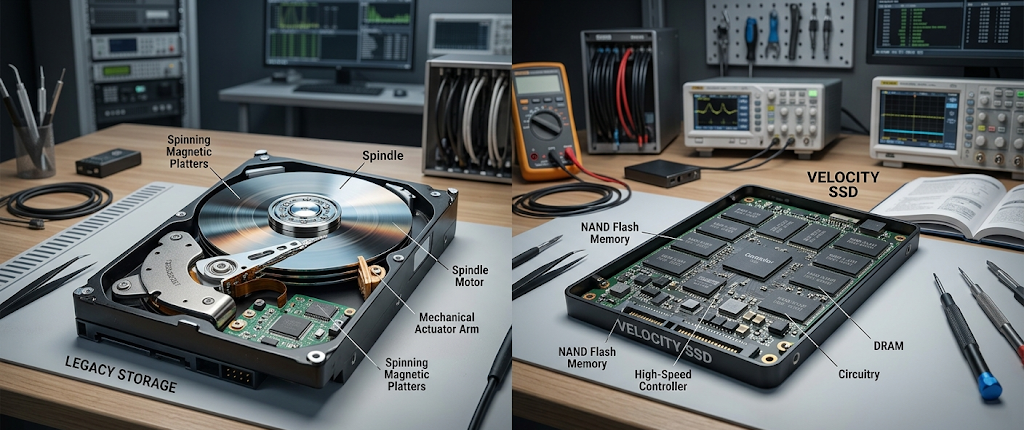
Traditional Hard Disk Drives (HDDs) are the base of large-scale cold archival storage because of their mechanical design and the ability to retain data magnetically. The external HDD functions by first spinning ferromagnetic platters at high speed with precision spindle motors, then moving electromagnetic read/write heads micro inches over the surface of the platter to change magnetic polarities to record data bits. The magnetic charges that are stored on high quality metallic platters are very stable over time and an HDD stored in a temperature controlled environment could retain data integrity even in the absence of electrical power for many years. In addition, professional data recovery labs can often retrieve unharmed physical platters and retrieve the files being held on them directly in the event of catastrophic damage, such as when the mechanical spindle or motor fails.Moreover, HDDs are remarkably resilient in the worst-case scenario data recovery situations, as they can be retrieved with unharmed physical platters and the stored files can be recovered directly at the professional data recovery lab.
Solid State Drives (SSDs) on the other hand, do not have any moving mechanical parts and use the NAND flash memory cells consisting of floating-gate and charge-trap transistors to store electrical charges. SSDs offer a phenomenal read and write speed, beyond protection from physical damage when in use and operate with a quieter noise profile than a magnetic disk, but are constrained by electrical physics, not magnetic stability, for their retention of data offline. The microscopic electric charges stored within NAND flash cells can escape slowly over time due to quantum tunneling, which can lead to bit rot and/or significant file corruption if NAND is not powered during the cold storage period, and remains there for several years. As such, SSDs work best as faster working drives or long-haul travel drives, but will need to be plugged into the electric outlet from time to time for them to refresh their cell states if they are to be used for off-line archiving.
However, for static, long-term offline storage, traditional HDDs also offer important practical benefits when compared directly to SSDs. In an economic sense, HDDs offer a much better value for the gigabyte at larger sizes, making them a much better value for storing archiving multi-terabyte photo catalogs, system images, or video vaults. On the other hand, SSDs are physically superior, and they will not experience permanent damage if dropped while powered on and on hard surfaces, while a spinning HDD can lead to “head crashes” or “platter scratching” if dropped during use. High-capacity external HDDs are the most tried and tested and cost-effective medium to preserve data for longer periods in an offline backup system where the main drive is stored safely inside a desk drawer or fireproof safe.
Evaluating Storage Capacity and Scalability Needs
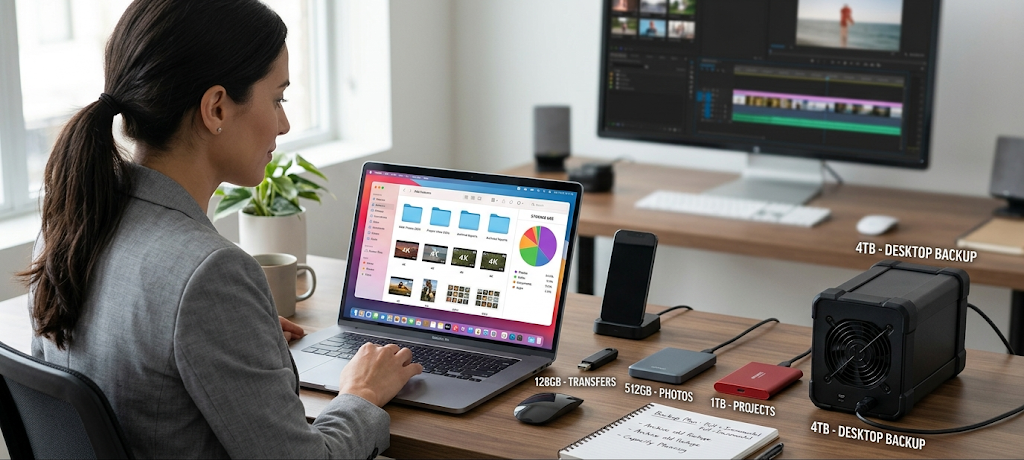
One of the most important considerations for designing a multi-year archival design is accurately determining the storage capacity requirements. One of the most frequent issues with buying an external drive is that the consumers only take the one that fits their existing datasets, not recognising that personal and business data grows exponentially.
The standard methods of taking photos with your smartphone or with a digital camera or taking 4K or 8K videos at home, and making backups of all your system images, quickly fill up hundreds of GB per year. In such cases, people will have to migrate data to another capacity for the next couple of years or deal with multiple drives that are fragmented.
Choosing the Right Capacity for Long-Term Backup Solutions
If you’re looking for an outside storage solution that you can use for five to 10 years without having to do any complicated upgrades, you need to estimate your data volume and multiply that by two or three. A 2TB to 4TB drive is sufficient for most home users who need to store basic document archives, compressed family photos, and general administrative information. But if you’re a creative professional working with raw audio and video files, a desktop publisher, or a user making multiple backups of the system image for multiple computers, then 8TB to 20TB ensures long-term scalability. It is better to buy large amounts of space at the start rather than over time little-by-little.
In addition to being able to pick pure gigabyte or terabyte totals, buyers have to decide between 2.5-inch bus-powered portable hard drives and 3.5-inch desktop external hard drives. The 2.5” portable drives take all their operating power from the host computer’s USB port, and are extremely compact, lightweight and can be stored in a fireproof document pouch or safety deposit box away from the home. 3.5-inch desktop drives on the other hand, need separate AC power brick and take up more space on your desk. But desktop drives include higher-quality 3.5” enterprise or NAS internal drive mechanisms, boast much higher maximum capacities, have better internal cooling capabilities and operate with lower failure rates and under continuous long-term operation.
Hardware Encryption, Security, and Controller Integrity
If you are backing up sensitive personal data, medical records, tax information or proprietary business documents on an offline backed up drive, then physical security and data encryption are the most important factors to consider. When traveling with an unencrypted external drive that is lost, stolen or misplaced, anyone with a standard USB cable can access your personal files at once. Encryption software such as FileVault or BitLocker provides good protection, but are platform-dependent and need to be manually configured and often have platform compatibility issues when jumped from Windows, macOS, and Linux workstations.
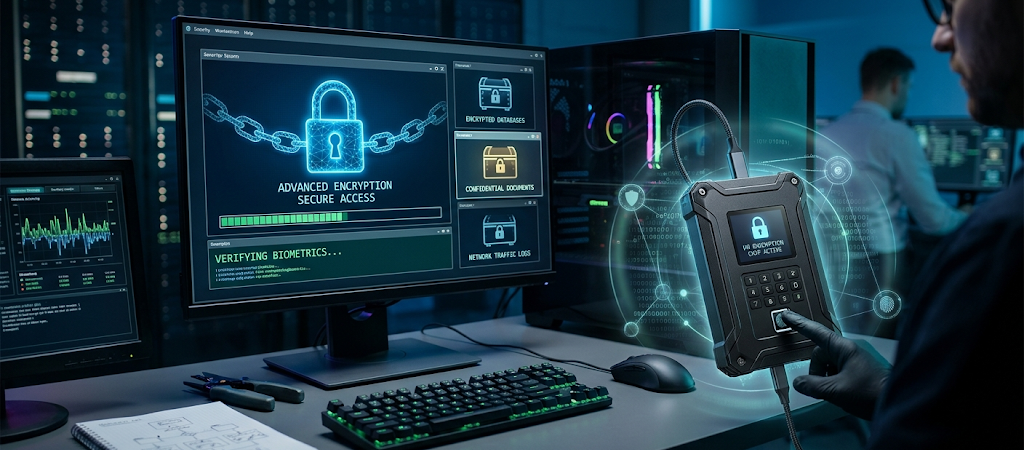
Problems with operations are resolved by the use of hardware-based encryption, which involves embedding a dedicated cryptographic processor in the external drive’s internal bridge controller. Drives with hardware AES 256-bit encryption do the encrypting and decrypting right on the drive itself, so any file written to the drive is automatically encrypted; any file read from the drive is decrypted on the fly. Hardware encrypted drives are also immune to software keyloggers, host malware or OS updates that would otherwise compromise on software volume headers.
Advanced security drives can be equipped with a physical on-board keypad or biometric fingerprint reader built into the drive enclosure, for users with high levels of security requirements. With these self-encrypting drives, you will need to enter a PIN code or scan an authorized fingerprint directly on the hardware drive before the host OS can even detect or mount the volume. Also, high-security archival drives may have hardened internal componentry that contains the drive controller and flash chips in an invulnerable epoxy resin, ensuring that the hard disk drive is hard to physically probe or attacked by side-channel hardware. Purchasing hardware security ensures that your archived cold storage files are virtually impossible to read by anyone other than you.
Durability, Build Quality, and Environmental Protection
Physical resilience is an important means of protecting and maintaining archive files from damage to the physical material, damage from environmental hazards, and damage from physical accidents over long periods. Portable external drives are often accidentally bumped, tumbled on a desk and shaken from side to side, resulting in damage to sensitive mechanical drive heads or breakage of printed circuit boards. Rugged drives have multi-layered shock protection, including an internal layer of silicone suspensions, a thick rubber bumper and a robust aluminum or polycarbonate sub-frame that absorbs kinetic energy from drops before it reaches the sensitive storage medium.
For optimum environmental protection, external drives with Ingress Protection (IP) guarantees protection against fine dust particles, water immersion and moisture. An IP67 or IP68 rated external drive has gasket enclosures and waterproof port caps that will withstand accidental liquid spills, heavy rain and complete submergence in liquid to a certain depth. This type of environmental sealing is necessary to protect against unforeseen home plumbing failures, natural flooding catastrophes, or high humidity conditions in areas where the drive is stored that would quickly short out exposed circuit boards or bridge connectors found on typical desktop drives.
Thermal management is another big contributor to keeping electronic components safe during large-scale data backup operations, as well as physical impact resistance. Drives with high capacity that perform long writes will produce significant heat, thereby contributing to aging of electrical components, thermal throttling, or controller instability if not managed. Heavy aluminum chassis designs are used in premium external drive enclosures and these work as passive heat sinks, effectively removing heat from the internal components while reducing the temperature of the air around the drive without having to utilize noisy internal cooling fans. Delicate internal bridge boards are further safeguarded from electrical spikes when the power is out by clean power delivery circuitry which includes overvoltage and electrical surge protection.
Brand Reliability, Warranties, and Drive Ecosystems
There are primary drive manufacturers and third-party enclosure vendors in the external storage device market. The main manufacturers of physical mechanisms for hard drives are Western Digital (Western Digital and SanDisk brands and Western Digital Professional (WDP), which is part of the Western Digital division of SanDisk and G-Technology/SanDisk Professional), Seagate (Seagate and LaCie) and Toshiba; meanwhile, Samsung and Crucial are the leaders in NAND flash manufacturing. Buying from the main manufacturers or top-tier sub-brands, such as LaCie and SanDisk Professional, will provide greater control over the drive’s quality, its firmware management, and integration between the internal storage medium and the external controller interface.
When assessing the reliability of an external drive model, it’s helpful to consider published reliability data and manufacturer warranties. The standard consumer-grade external hard drive will come with a 2-3 year limited warranty, while ruggedized or enterprise-grade external drives will have a 5-year factory warranty. The longer the warranty, the more the manufacturer has designed its internal components, power regulating circuits and physical body to withstand greater workloads and extended use. Although a warranty is limited to replacement of the hardware, vendor confidence is a good indicator of the longevity of the hardware.
Smart purchasers will want to look at enterprise cloud storage providers’ large-scale drive failure statistics for a deeper understanding of failure rates by drive model. These are real world figures of annualized failure rates (AFR), based on tens of thousands of consumer and Enterprise drive models under continuous workloads. Drives that utilize internal drives that have a low failure rate statistically reduce the chances of mechanical or controller failures and provide a stable, reliable archive for years to come.
The 3-2-1 Backup Strategy for Total Peace of Mind
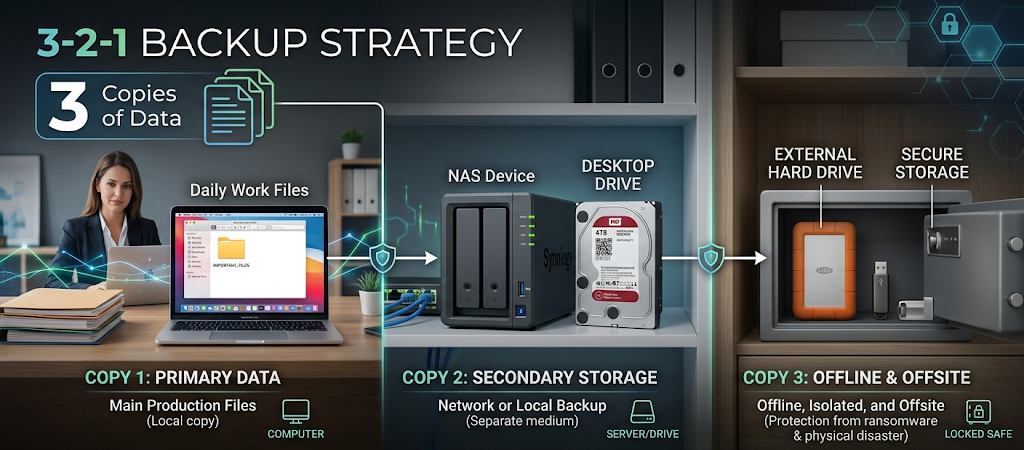
It doesn’t matter how tough, pricy, or highly regarded an external drive is, using only one means having one major point of failure in your data storage plan. Hard drives may fail suddenly due to mechanical failure, electronic controller failure, or from some other catastrophic event such as a fire or flood within the home. Users need to incorporate their external hard-drive into a structured backup approach that is universally known as the 3-2-1 backup strategy, to obtain a true state of peace of mind and safeguard irreplaceable files from all possible failures.
The 3-2-1 backup principle means that you have three copies of all important data stored on two or more types of storage media with one copy being stored offsite or entirely offline. In the real world, this means keeping important files on your computer’s internal hard drive, setting up an automated daily local backup onto a network-attached storage (NAS) drive or secondary desktop hard drive, and then periodically cloning the most important data to an external hard drive that is stored offsite or left disconnected in a safe. The external drive disconnects your cold storage archive from network attacks such as ransomware, electrical power surges, and user-created file deletions.
Maintaining Long-Term Data Accessibility and Drive Health
Finally, having long-term data accessibility is the result of an action plan to promote health monitoring and media refresh cycles. An external drive should not be stored indefinitely without periodic maintenance checkups — connect the external drive every 6 to 12 months for S.M.A.R.T. health status checks, file integrity and power to refresh the internal drive components.
Further, because hardware interfaces change over the years (from USB to USB3, for example), there is a cycle of hardware migration that should be planned approximately every five to seven years, so that the archived data is moved to new hardware that will ensure that the integrity of your valuable files is not jeopardized by physical deterioration or port obsolescence.
Conclusion
Selecting the right external hard drive for long-term data backup requires more than simply choosing the largest storage capacity or the cheapest available option. A successful offline backup strategy depends on understanding the differences between HDD and SSD technology, evaluating storage requirements, considering physical durability, prioritizing encryption features, and selecting manufacturers with proven reliability records. Each storage technology has unique advantages, and the best choice depends on how the drive will be used, where it will be stored, and how frequently it will be accessed.
For users who need affordable, high-capacity archival storage, traditional HDDs remain a practical solution because they provide excellent cost efficiency and reliable long-term storage capabilities when properly maintained. SSDs offer advantages in speed, portability, and resistance to physical shock, making them suitable for users who frequently move their data or require faster access. However, for a one-time offline backup repository designed to store large amounts of information for many years, carefully selected HDD solutions often provide the best balance between capacity, cost, and reliability.
A dependable external backup drive is an investment in protecting valuable digital information, including personal memories, important documents, creative projects, and professional files. By choosing a drive with sufficient capacity, strong security protection, durable construction, and a reliable brand reputation, users can significantly reduce the risks associated with data loss. Regular maintenance, periodic health checks, and following a structured backup approach such as the 3-2-1 strategy can further extend the usefulness of an external drive and ensure that important files remain accessible for years to come.
In an age where digital information continues to grow rapidly, protecting data should be treated as a long-term responsibility rather than a temporary task. The right external hard drive provides more than additional storage space; it creates a secure offline foundation for preserving valuable information against hardware failures, cybersecurity threats, and unexpected events. With careful planning and informed purchasing decisions, an external backup solution can deliver reliable protection and peace of mind throughout the lifespan of your digital files.