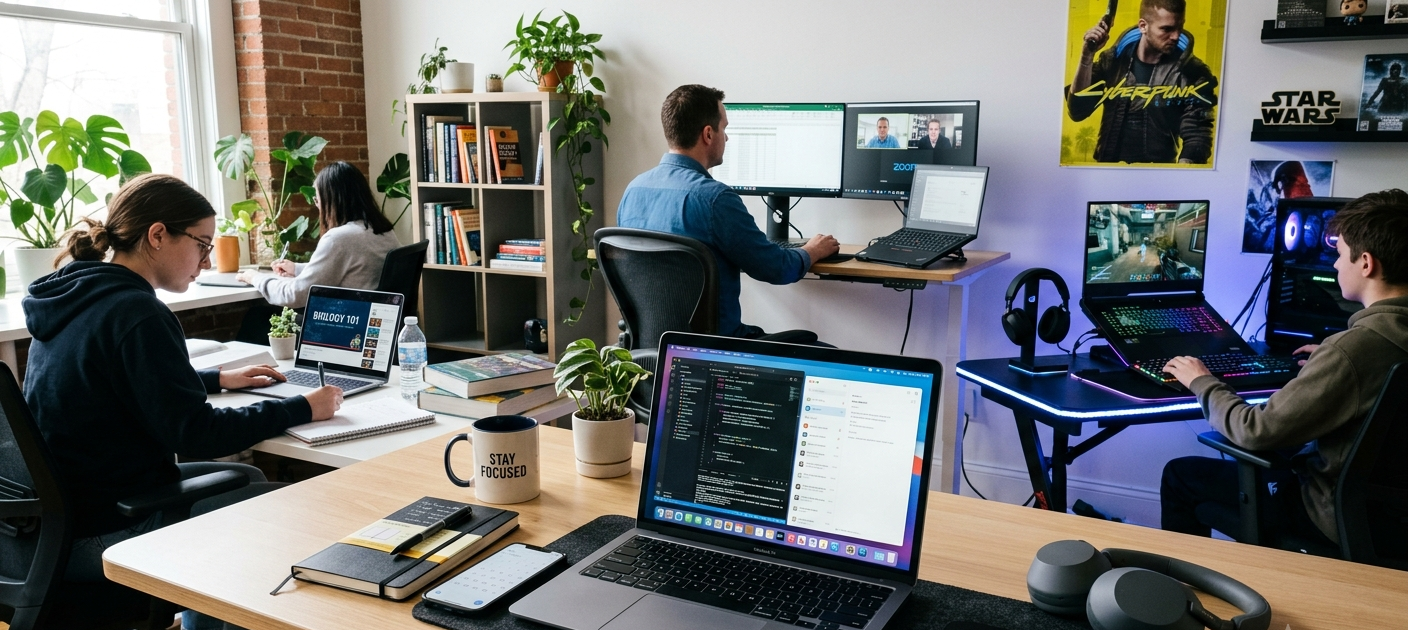
With so many options on the market and such a variety of laptops, specifications and features, it can be difficult to make the right decision. Buying a laptop is a big investment and choosing the wrong one could result in performance issues, storage space problems, battery life issues or wasting money. For anyone who needs to use a laptop for business-related tasks, studying courses on the Internet, creative endeavors, or gaming, it is crucial to know about the features that can influence performance.
The most expensive laptop isn’t necessarily the best, as it is the one that best fits your requirements, habits and budget. Considering vital specifications like processor, memory, storage, graphics performance, screen resolution, OS, and battery life; buyers can make better decisions to prevent common pitfalls.
Before Purchasing a Laptop, You Need to Know What You Require
Identifying Laptop Requirements Before Making a Purchase
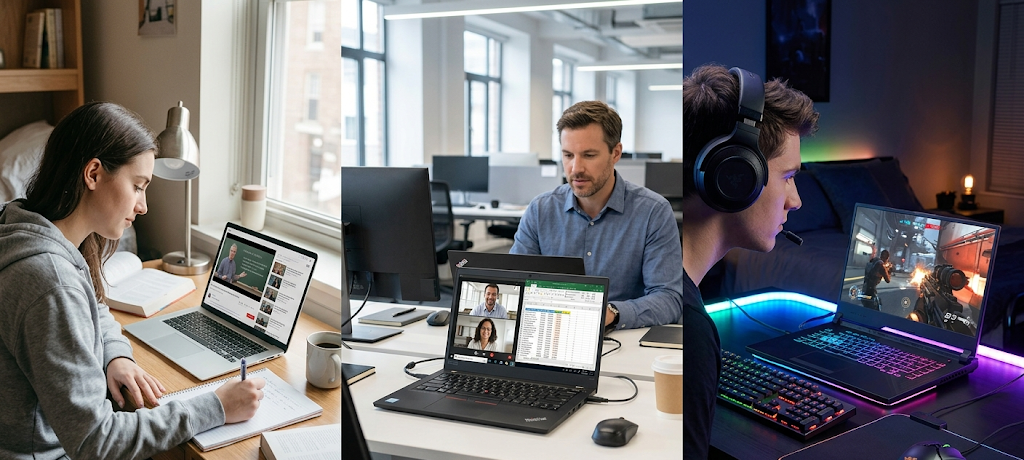
The initial step in deciding on a laptop brand and specification is to decide how you will use the laptop. People require different things from their laptops, and a laptop that is optimized for the office environment might not be capable of handling the rigors of gaming or heavy-duty creative work. Students’ requirements for a reliable computer often extend beyond just research and writing assignments to include online classes, presentations, and general Internet browsing. For business applications, video conferences, programming, and graphic design as well as data analysis, professionals may need more performance. Gamers, however, require high-performance processors, graphics cards, displays, and cooling systems to ensure smooth gameplay with demanding games.
It is important to know what you need the main purpose for so that you don’t buy more than you can use or spend more than you need. If a student’s primary use of a computer is word processing, educational software and web browsing, then they may not require a costly gaming laptop with high-end graphics capabilities. Somebody studying animation, engineering, or video production, however, might need a more powerful machine with more advanced hardware. When buying a laptop, think about the programs you will use the most, its lifespan, and if you may need it more in the future.
When Buying a Laptop, It Is Crucial to Consider the Following Factors
Some of the main features of the hardware and software of various laptops are to be considered when choosing different models, to see how the overall user experience will be. A lot of people judged the product by the brand or looks or price, but these don’t ensure good performance. Even the most stylish design laptop can be slow, have less memory, and low battery life. Knowing about the important factors to consider when purchasing a laptop can enable the purchaser to know which features are of major importance and how these features are applied during everyday use of the laptop.
A decent laptop ought to have a mix of speed, reliability, mobility and cost effectiveness. Some high-end laptops will have a lot of bells and whistles, but many budget laptops can offer great performance as long as they can meet the needs of the user. While marketers may make grand claims, the processor, amount of RAM, storage, graphics, screen, and operating system are all worth considering. It is an excellent idea to take the time to check these things out to make sure that the laptop will serve its purpose and be efficient for several years.
The Brain of Your Laptop: Processor Performance
One of the most crucial parts of the laptop to select is the processor also called the central processing unit (CPU). It regulates the speed of the computer to execute tasks and manage instructions from applications and operating systems. The faster the processor, the more applications can run at once, the quicker things can be done, and the more challenging applications can be handled. A mid-range processor tends to be adequate for everyday use, like browsing, creating documents, viewing videos, and joining online meetings. But those working with massive amounts of data, programming environments, video editing software or other heavy-duty applications might need a more powerful CPU.
For the most part, modern laptops come equipped with processors from Intel (i3, i5, i7) and AMD (AMD Athlon and AMD Ryzen) with one type being catered to a different level of performance. There are entry-level processors, mid-range processors and high-end processors which have better speed and multitasking capabilities. Buyers should take into account processors like the number of cores, the processing speed, and the generation of the CPU when they are choosing one. Generally, newer processors will be more efficient and perform better than older processors of the same type.
For gamers and workstation users, the importance of processor performance increases even more, as heavier applications demand more processor power. A high-performance computing power can minimize lags, responsiveness, and enable more advanced capabilities. A higher processor speed, however, generally means a higher laptop cost, so don’t be tempted to pay for more than you need. The choice of the processor should be based on your specific requirements, as it allows you to balance performance and cost.
The RAM Is Responsible for Smooth Multitasking
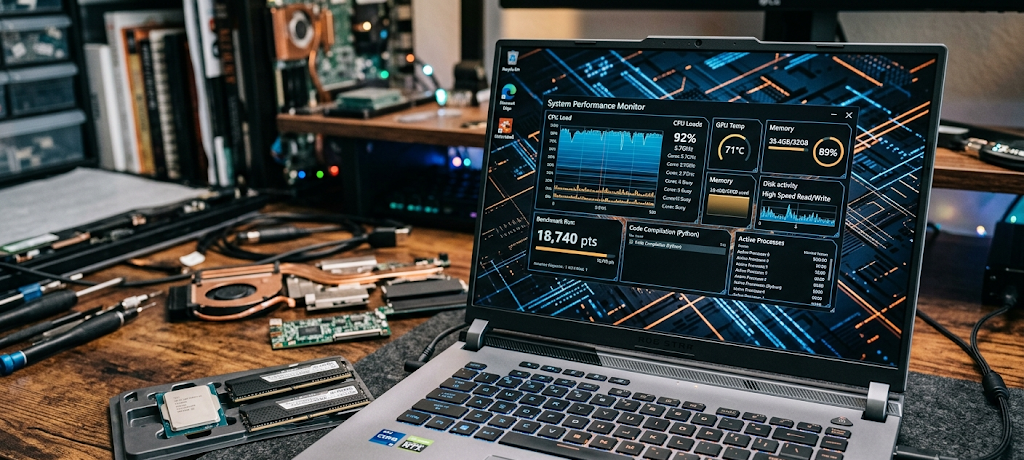
Random Access Memory (RAM) is one of the key factors affecting the performance of a laptop when it is running several programs concurrently. RAM is the temporary memory that holds data that is currently being used by the computer, unlike storage which keeps data and programs permanently. Lack of RAM memory can cause a laptop to lag and freeze while switching between programs. As such, the amount of RAM that a person has in a laptop is an important factor when buying a new laptop.
Moderate RAM capacity will suffice for simple tasks like browsing online, making documents and attending online classes. Most users and students will appreciate having room to launch several browser windows, productivity applications, and communications at the same time and not have the machine slow to a crawl. Advanced users or those utilizing software with high RAM requirements, such as business applications, programming tools, or design software, might need more RAM for optimal performance.
Gamer and creative devices require more RAM than regular devices as many games and professional applications use more memory than a regular gaming device. The more RAM, the more information the laptop can handle and the better multitasking it will be able to do. But it’s not always a must to have more RAM for every one. Rather than go for the maximum available, buyers should consider the appropriate size for their tasks, budget and future requirements.
Storage: Selecting the Appropriate Storage Space and Speed
Storage is also important, as it can impact the efficiency of the laptop. It will help you know about the number of files, apps, documents, photos, videos, and games you can save on the device. As a buyer, you need to consider the type of storage available on a laptop and how much space it has – this will affect its convenience and speed. Users with many multimedia files, applications, and those who work with large files are likely to find a laptop with limited storage to be frustrating. Choosing the right storage capacity can make the laptop a very useful and practical device for its entire lifespan.
Most of the modern-day laptops do not make use of the conventional Hard Disk Drives (HDDs) but opt for Solid State Drives (SSDs) in lieu of that. Unlike mechanical hard drives, SSDs are much faster, more reliable and use less power due to the modern Flash technology used. Your laptop will boot up faster, launch apps faster and otherwise run smoother with an SSD. While the HDDs tend to be cheaper and have more storage, they are also slower and not as efficient as SSDs. This makes it a great long-term investment for most users, who are looking for speed and responsiveness to make using their computer easier.
The storage capacity must be in line with the user’s requirements. Those who primarily store documents, presentations, and educational materials might be okay with a smaller SSD, but others, such as photographers, video editors, architects, and large database users, may require more storage space. Storage is also a factor to take into account, as many modern games can take up hundreds of GB of space. While external storage options and cloud services can help increase storage, having a laptop with sufficient internal storage can minimize the hassle and enhance accessibility.
Graphics Performance: Crucial for Gaming and Creative Tasks
The graphics processing unit (GPU) of a laptop renders images, videos, animations and visual effects on the laptop screen. For consumers who are not using the processor for graphics-intensive tasks like gaming, video editing, 3D design, animation and more, they can use the integrated graphics that come with the processor, but for people involved in these types of tasks, a dedicated graphics card may be required. A high-end GPU boosts graphics capabilities, makes applications smoother and better supported with heavy workloads.
Integrated graphics are generally sufficient for schoolwork, office work and general browsing. They are able to use activities like watching videos, making presentations, taking online courses and using productivity applications. A laptop equipped with built-in graphics may also be less expensive, have longer battery life and be more compact and portable. Those who are not using advanced visual applications may not need to invest in graphics upgrades, which can save them money.
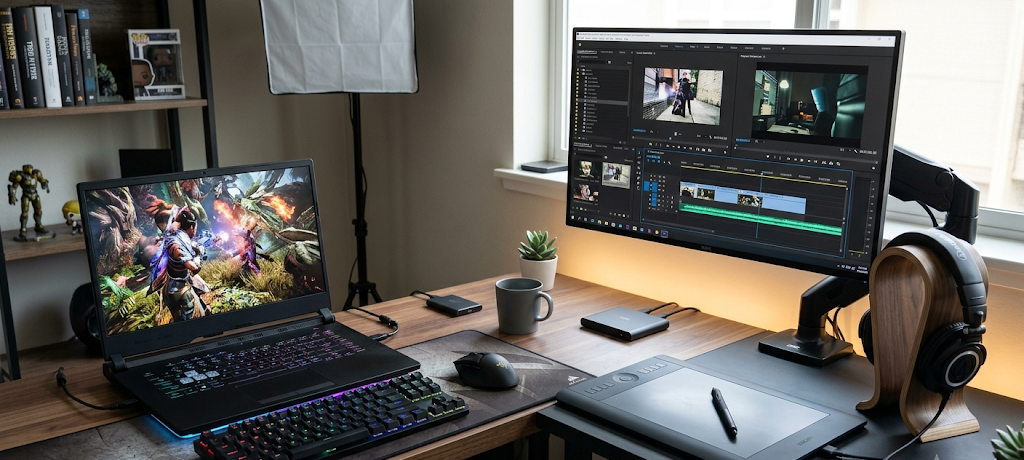
Gaming laptops need to have more powerful graphics capabilities as today’s games rely heavily on graphics processing power. A dedicated graphics card enables you to play games in higher resolution, at better frame rate, with better graphics settings. Besides the model of the graphics card, gamers should also take into account the video memory, cooling capability, and refresh rates of the graphic cards. Even if the GPU is powerful, if the CPU is not, this can be a problem and if the cooling system is poor, then this can also be a problem, as all parts of a computer must work together.
It is important to have a critical look at the graphics performance too for creative professionals. Graphic processing is a vital component in the software that video editors, photographers, architects and designers frequently use. A powerful graphics processor can help to minimize rendering times, streamline editing processes, and handle intricate projects. The user should only buy a heavy-duty graphics card if the job they have or passion they pursue demands it, however, as it could increase weight and power consumption of a laptop, the expense of the latter is not worth it unless the user really needs it.
Battery Life: Balancing Performance and Portability
When deciding on a laptop, battery life is one of the most important factors to take into account. A high-performance laptop that has a limited battery life can be a hindrance for students going to class, business people going from meeting to meeting, or for employees who work in various places. The performance of the battery will influence the battery life, which is also a factor in portability and convenience.
The processor’s efficiency, screen brightness, software application consumption, battery capacity, and hardware components are all factors that can impact battery life. For students and professionals, lightweight laptops are often built for energy efficiency, and boast long battery life, which can last for several hours on a single charge. Gaming laptops and high-performance workstations generally use more power as they need to provide greater energy for the powerful processors and graphics cards. Some gaming laptops have good battery life, but the performance-oriented hardware erodes its battery life.
However, when comparing laptops, consumers should not necessarily rely on manufacturer claims about the battery since usage patterns can differ. While reading documents or websites may last longer than expected on most batteries, multiplayer games, video editing, streaming, and running multiple apps are likely to consume batteries more quickly. The user can consider his/her daily activities and select a laptop that offers sufficient battery life. Investing in a device that has a good battery life can enhance productivity and minimize the need for chargers.
Display Quality: More Than Just Screen Size
It’s one of the most used parts of the display, and screen quality is a vital factor to consider when choosing a laptop. The benefits of a good display include comfort, productivity, enjoyment and usability. Things such as screen size, screen resolution, brightness, color accuracy, refresh rate, and the type of panel should all be taken into account when purchasing. The laptop screen should display clear images and be easy to look at, particularly for people who spend a lot of time working or studying on their laptop.
Personal preference and lifestyle are important factors in determining screen size. Smaller laptops tend to be easier to carry and lighter, which is ideal for students and travelers. If you are a professional who uses spreadsheets, design software, programming tools, or several applications, larger screens may be helpful as they help provide more room. However, larger displays typically make the laptop heavier and less mobile.
Resolution impacts the clarity and sharpness of an image. Users who need high-quality visuals for their entertainment or creative needs, as well as gamers, might find higher-resolution displays beneficial. For photographers, graphic designers, and video editors, accurate colors are particularly crucial as it can impact their work. A higher refresh rate could also be preferable for gamers, as it allows for smoother motion when the games are fast-paced.
Another important factor to take into account when choosing a display is comfort. Brightness, anti-glare surfaces, and technologies that reduce eye strain can enhance the usability of the device. While a showy screen is great, consumers should make sure that the screen is actually going to be used for what they need it to do and not for ones that they don’t.
Operating Systems: Choosing the Appropriate Software Environment
The operating system (OS) determines how the laptop will work and what programs and applications will be available to the user. The most widely used laptop operating systems are Windows, macOS and ChromeOS. The benefits of each system vary and the option selected is dependent upon the user’s preference, software needed and familiarity with the platform.
Windows is popular due to its support for a wide range of applications, hardware, and gaming platforms. It is widely used by students, businesses, and gamers, as a number of software programs are developed for Windows devices. With numerous laptop brands and price ranges available, Windows laptops can be tailored to accommodate various budgets and requirements.
The macOS operating system is known for its seamless performance, security, and integration with other Apple devices, and is used on the Apple laptop. The design, video editing, music production, and photography software applications are popular on macOS because they’re supported well. However, Apple laptop computers tend to be more costly, and users ought to determine if the system operates the programs they must utilize.
ChromeOS is a system tailored toward an online lifestyle. Chromebooks are inexpensive, lightweight, and suitable for tasks like web browsing, online learning, document editing and cloud-based applications. Not everyone requiring sophisticated software, high-end gaming systems, or professional programs would be able to use them.
The correct OS will ensure it’s compatible with key applications and makes it a better overall experience. Prior to purchasing a laptop, buyers must also check the software package that is supported before they buy and find out whether or not they will be able to utilize the programs on their laptop.
Selecting a Laptop for Your Task
It is essential to consider how the laptop will be used to determine the best laptop choice. The features of a laptop for school work might differ from those intended for professional use or gaming. If you know what you are looking for, then you can concentrate on the important specifications needed, and you will not waste money on what you don’t require.
There’s no one-size-fits-all solution and no one laptop that’s ideal for every user. Rather, the buyer should consider their everyday needs and choose a device with the necessary performance, mobility and value.
Choosing an Appropriate Laptop for School and Students
Students should be able to use a laptop that is reliable, inexpensive, and able to function with basic school work. A suitable student laptop will be able to carry out activities such as writing assignments, undertake online research, make presentations, participate in virtual lessons, manage educational software and store study materials. Because students frequently move their laptops from one classroom to another, to the library and home, portability and battery life are particularly significant.
A lightweight laptop with an ergonomic keyboard, good battery life, and ample storage does a lot to enhance the learning experience of a student. Students generally will not need super-high-end processors or graphics cards for any course unless they are using applications like video editing or programming environments, or digital design, that require them. Students don’t typically need super powerful processors or graphics cards for courses, unless they are taking courses that use software like engineering software or video editing. Instead, it is best if they concentrate on balanced specifications that will offer smooth performance without going over budget.
Another key consideration for students is durability, as laptops are often moved from one place to another and used in various settings. A sturdy construction can ensure the proper function of the device for several years and for all the time of its use. It is also important for students to take into account warranty options, repair availability and customer support prior to buying a product. While it’s tempting to buy the lower price laptop, you will end up getting a better deal with a better laptop that will last longer.
Choosing a Laptop for Work and Professional Purposes
For professionals, laptops must be capable of supporting productivity, communication, and specialized functions. The best work laptop will differ depending on the industry and the kind of work you’re doing. You might just need a good mid-range laptop to use for emailing, office applications and video conferencing, or a more powerful laptop if you are a programmer, engineer, content creator, financial analyst or a designer.
For business users, the most important features include processor speed, ample RAM, quick storage, security options, and ergonomic keyboards. For those who spend hours on their laptops, the quality and ergonomic design can greatly differ in comfort and productivity. Long working sessions can be easier with the right laptop, which has a good screen, cooling system and battery life.
Portability is also a must for remote employees and business travelers. With a lightweight laptop and a great battery life, businesses can stay productive on the go. The quality of the webcam, microphone and connectivity have also emerged as important features, as online meetings and digital collaboration are now part and parcel of the work life.
Selecting a Laptop for Gaming
Gaming laptops need a special set of hardware due to the high requirements of today’s games. We see that in contrast to average laptops, game-oriented devices are built to handle intense workloads which include high-resolution graphics, complex game environments, and quick action. What you should look for in a good gaming laptop is a strong processor, dedicated graphics card, enough RAM, fast storage, and also a good cooling system.
The graphics card is a key component in terms of gaming performance as it does which in turn affects visual quality and frame rate. Also, gamers should look at other features like display refresh rate, keyboard response time, thermal management, and upgrade options. A laptop which does well for a little while but has issues with heat during long gaming sessions may not be the best choice.
Gaming laptops tend to break the bank and also are larger which is because they have better quality hardware and more advanced cooling systems. As a buyer you should think which type of laptop you require, if at all. For people that only play casual games every now and then a top-of-the-line gaming laptop is over the top. Also, a regular laptop which has mid-level graphics may serve them just fine.
Before You Buy, Think Through Your Budget
Budget is a key element in the purchase of a laptop which is very much true since the price point is different based on what you get in terms of specs, brand, and features. Setting a reasonable budget also helps in the search process and also keeps the buyer away from getting into to buy that which is more than what is needed. At the same time though it is also not always the case that going for the cheapest option is the best bet out there. Some low-priced laptops may in fact have poor performance, less durability or outdated hardware.
Instead of looking at just the initial price, buyers should look at the full value over time of the laptop. A higher-priced system which performs better and is built stronger may in the end save money because it may last longer and require less frequent replacement. Also to think about is how many years the laptop should be a part of the family, what applications will be run on it, and if in the future improved performance will be needed.
Buyers may also see that sometimes two laptops which go for the same price tag can actually perform quite differently. In one you may get better storage, in the other perhaps more RAM or a different, superior processor. What you use the laptop for will determine which feature is important to you which in turn determines how best to spend that money.
Common Laptop Buying Mistakes to Avoid
Many consumers fall into the same pit when they buy laptops, which is that they pay too much attention to appealing features as opposed to performance. We see a great deal of people buying into the look and the brand of a laptop, which is not always the best approach. While design and brand may play a role, what you get inside the laptop is what truly determines its performance. A beautiful-looking laptop with underpowered hardware will, in the end, prove to be a frustrating purchase if it doesn’t do the basic tasks you need it to do.
Also, a common issue is overbuying power. We see that some users buy very high-end laptops with top-of-the-line processors and graphics when in fact they only use basic features. This is a form of overspending which also brings in issues like increased weight and shorter battery life. By basing your purchase on what you actually use rather than buying beyond your needs, you make a better decision.
Ignoring upgrade issues is a practice that also impacts laptop longevity. Some laptops do allow for RAM or storage to be added at a later date, but others do not. At the time of purchase, it is also wise to think if you will need more power down the road. Also, see to it that you look into the repair options, what the warranty covers, and what kind of support is available, which may also prove to be very important after purchase.
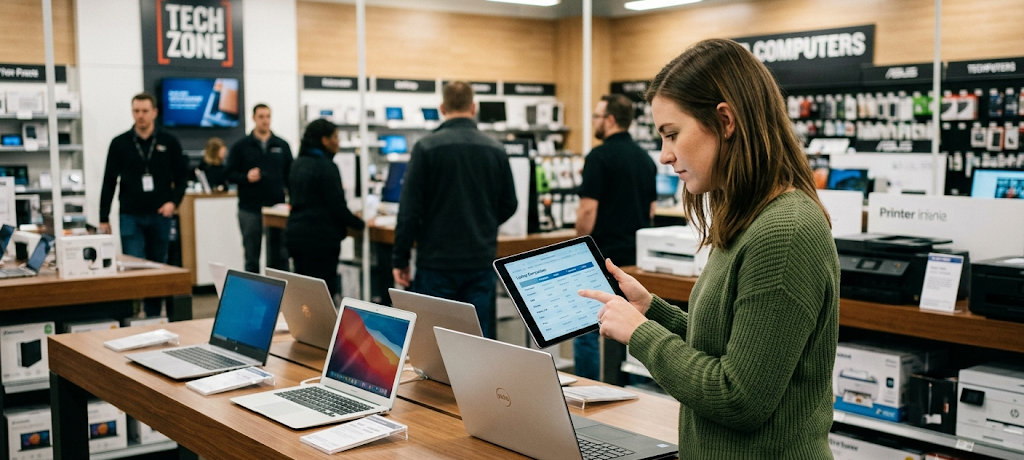
Many also ignore the issue of laptop comfort and usability, which is a great mistake. Issues like keyboard feel, trackpad response, screen quality and overall device weight play a large role in daily use. A laptop may look great on paper but in practice may not be what you are looking for. Practical experience and doing your research is key before you buy.
Conclusion: Making a Smart Choice in Laptops
Choosing the best laptop is a process which requires an in-depth look at performance, features, your budget and personal needs. What you may consider the perfect machine isn’t always the top-of-the-line but rather the one that has the right mix of what it takes to get the job done and what it will cost you. By looking at key components like the processor, RAM, storage, graphics, battery life, display quality, and operating system, you as a buyer can make a decision that is based on what you need.
Students’ focus should be on reliability, portability and affordability, while for professionals the priority should be performance, productivity features and long-term durability. Also, gamers require better hardware, in particular powerful graphics and efficient cooling for smooth play. Whatever the use is for the purchase, each buyer should do research on specifications, check options out and avoid common purchase errors.
A laptop is a great investment which will support your work, learning, creativity, and entertainment for many years. Before you buy, take the time to think through what you need, which in turn will get you a computer that performs great, fits within your budget, and will still be relevant as your needs and technology requirements change. By thinking through your decision instead of going with impulse, you can find a laptop that will provide great value and a better all-around computing experience.