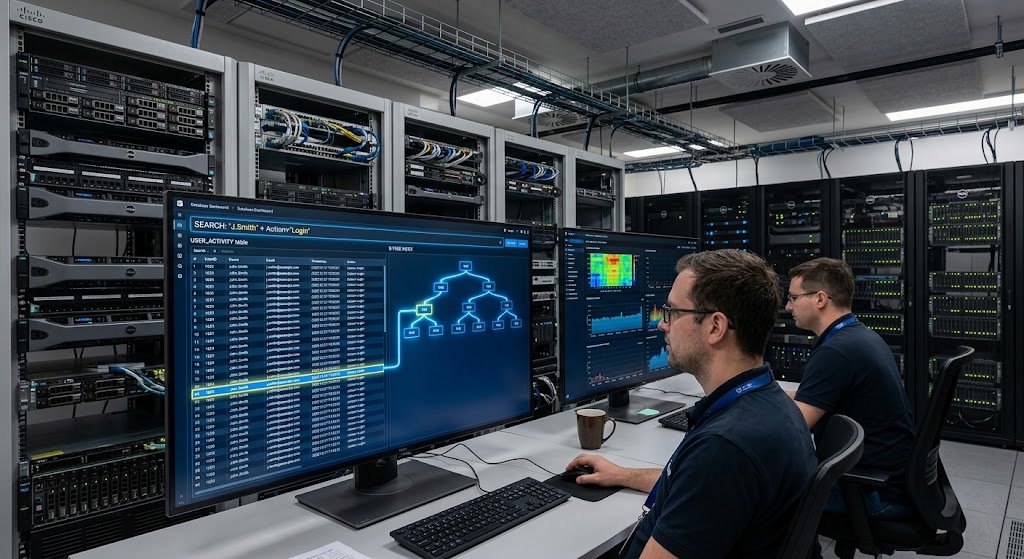
Introduction: Understanding How Wi-Fi Connects the Modern World
The Internet has evolved into one of the most significant technologies in daily life. It enables a range of devices, including smartphones, laptops, tablets, smart TVs, gaming consoles, and more, to access the internet wirelessly. Wi-Fi secretly carries information between devices and networks as people watch online videos, participate in virtual classrooms, send messages, and operate their smart homes. There are many people who use Wi-Fi on a daily basis, but few of them are aware of what is going on behind the scenes. Not every “wireless internet,” Wi-Fi is – it is a system of radio waves, networking hardware and security protocols which allow the transfer of data from one connected device to another quickly and securely.
Knowing the ins and outs of Wi-Fi usage can help users make informed decisions about routers, boost network performance and safeguard their online activities. In recent years, the technology behind Wi-Fi has improved greatly, with faster speeds, increased reliability, more secure connections and compatibility with an increasing number of connected devices. Every wireless standard from the dawn of the first to the most recent Wi-Fi 7 has been developed to address issues that arise from the growth of Internet usage. Learn how Wi-Fi works, the differences between the various frequencies, what is meant by the “generations” of wireless and how security systems help protect wireless connections.
How Does Wi-Fi Work? and What Is WiFi?
Wireless networking technology with radio signals that enable electronic devices to share data without a physical medium is called Wi-Fi. Wi-Fi is often used as a term for all the wireless networks that use the IEEE 802.11 series of networking standards. Typically, a Wi-Fi network will have a router or wireless access point that conveys signals to the devices that are connected to it. The router is connected to the internet via the modem or ISP and translates the internet information into radio waves that are understood by the nearby devices.
If a wireless device (like a laptop or mobile phone) joins a Wi-Fi network, it transmits and receives signals from the router using radio waves. The device is communicating with the router, for example, to open up a website or stream a video. Then those requests are relayed over the internet by the router and the information requested is returned to the device. This process occurs very rapidly – in a fraction of a millisecond, which means that online services can be interacted with almost instantaneously.
Wi-Fi is just like two-way communication. Small packets of information are constantly exchanged between the router and associated devices. These packets include sections of data, including text, images, audio or video. These devices arrange these packets and recreate the information displayed on users’ screens. This communication varies based on the strength of the signal, distance of the computer from the router, network congestion, and the type of Wi-Fi standard that is being implemented.
If you’re a beginner interested in how the technology works when it comes to wireless communication, knowledge of how Wi-Fi transmits data may give you some insight into how radio signals can convey digital information from one device to another. Wi-Fi is a system that translates digital information into radio waves, broadcasts them, and translates them back to digital information when they are received.

Process of Data Transmission in Wi-Fi?
The Role of Radio Waves in Wi-Fi Communication
Radio waves are the medium of communication used for wireless communication.
Radio waves are used for the transfer of data through Wi-Fi. Radio waves are a type of electromagnetic energy that can travel through the air. Radio waves travel in the same way as visible light, but can pass through objects and through rooms, so they are used for wireless communication. The frequency band, or bands, in which Wi-Fi networks work are primarily 2.4GHz, 5GHz and 6GHz, and control signal behavior.
Digital data from a device are transformed into radio signals before the data is sent. These signals have patterns that encode the same information as the original signals. These signals are transmitted with the help of antennas by the router and received and translated by the receiving device to digital data. This phenomenon is known as modulation and can be used to allow computers and other devices to communicate wirelessly.
Wi-Fi systems have to handle traffic judiciously as numerous devices can be using the wireless network at the same time. Modern Wi-Fi standards include various features that facilitate efficient communications among multiple devices. If these improvements are not done, networks will start to become slower with multiple smart devices, computers and smartphones connected at the same time.
The Importance of Wi-Fi Channels
It is essential to add importance to the Wi-Fi channels. The frequencies of Wi-Fi signals are split into smaller sections called channels. A channel is like a pipe through which devices communicate. When too many networks are close together on the same channel, there’s a risk of interference which slows down and weakens internet connection. This occurs when there is a high concentration of wireless networks, such as in an office, school or apartment complex.
In this day and age, routers will automatically tune to better channels to minimize conflicts, however, sometimes our performance can be enhanced by adjusting our routers. Selecting the appropriate frequency band and channel can help to establish a more robust and stable link.
Understanding Wi-Fi Frequencies: 2.4GHz vs 5GHz vs 6GHz
Typically, Wi-Fi networks are based on the following frequency bands: 2.4 GHz, 5 GHz, and 6 GHz.
Every frequency has its pros and cons for speed, range and interference. The user’s environment and need determine the choice of the frequency.
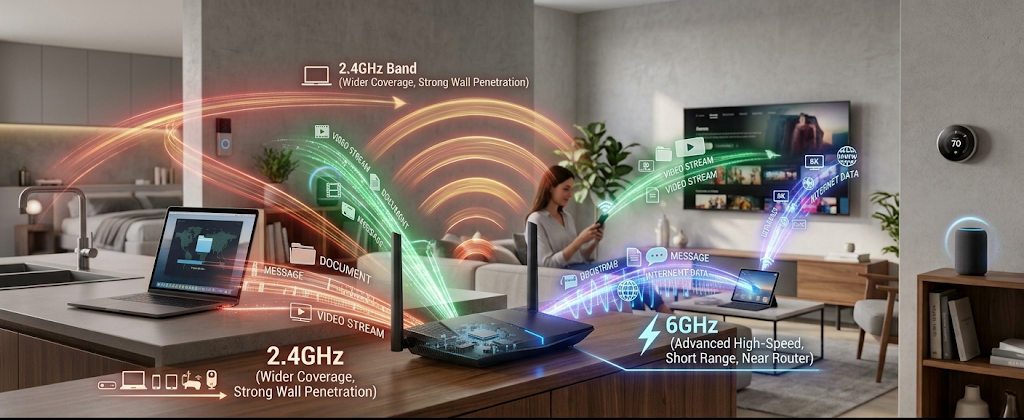
2.4GHz Wi-Fi Signals
The 2.4GHz frequency band is one of the oldest ones used by Wi-Fi and its use is widespread. Its chief benefit is the extent of its reach. Radio waves of this frequency can penetrate walls better and reach greater distances than are possible at higher frequencies. This means that 2.4GHz is good for larger homes and/or devices that are far from the router.
But 2.4GHz networks typically offer lower bandwidths than newer frequency bands. They are also more prone to interference as there are numerous household appliances or even some wireless gadgets and older devices that use this range. If there are a lot of devices fighting for space, performance can suffer.
2.4GHz can be adequate for simple tasks like surfing the web, texting, and operating smart home devices. Users who require high-speed connections for 4K streaming and video editing, or gaming, may find newer frequency options beneficial, however.
5GHz Wi-Fi Signals
The 5GHz frequency band was added because it offers higher wireless speeds and less congestion. The devices running on 2.4GHz will experience less interference with it, and 2.4GHz has a higher data transfer rate, typically.
The drawbacks of 5GHz is that it has a shorter range. Its signals do not penetrate walls as well as a 2.4GHz signal. Weaker performance may be experienced when using a 5GHz network on a device that is some distance from the router.
Nonetheless, 5 GHz is mostly the favored band for the latest functions like on-line gaming, video conferencing, streaming excessive-definition content material, and transferring large amounts of information. Many of these routers which are of modern types switch between 2.4GHz and 5GHz, depending on the signal conditions.
6GHz Wifi Signals
Wi-Fi 6E and later brought the 6GHz band and wi-fi 7 further extended this band. It gives you extra wireless area, and keeps more devices from interfering with each other. Since fewer older devices are using this band of frequencies, networks based on 6GHz can reach higher speeds and better reliability.
The downside is that signals at 6GHz are not as far as lower frequencies. They are best suited to use when devices are relatively close to the router. But for smart homes, where connectivity and wireless devices abound, 6GHz offers much-needed capacity.
What Are Wi-Fi Standards?
Wi-Fi standards are technical rules that allow wireless devices to communicate. The IEEE develops these standards to enhance such aspects as speed, efficiency, security, and reliability. Every new generation brings advancement and can cater to demand for internet connectivity.
People typically only see the simpler names, like Wi-Fi 5, Wi-Fi 6, Wi-Fi 6E, and Wi-Fi 7.
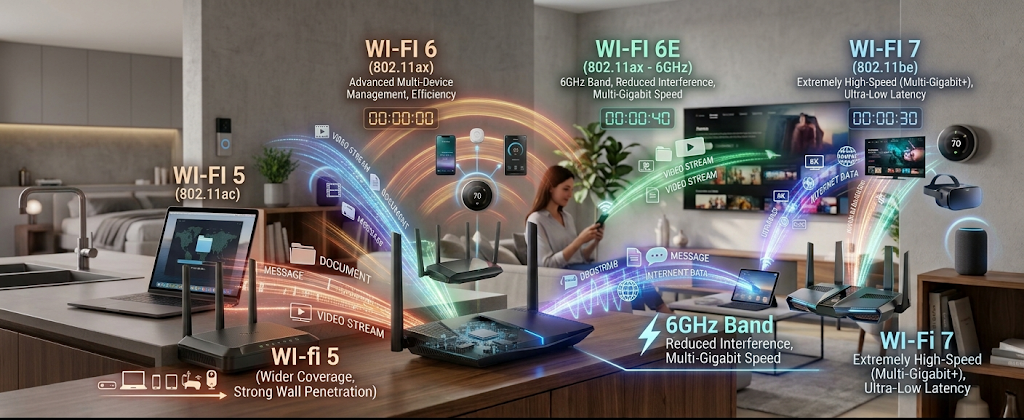
Wi-Fi 5
The reason Wi-Fi 5 or 802.11ac was so popular is that it offered significant enhancements over previous Wi-Fi standards. It was aimed primarily at boosting speeds and performance on the 5GHz band.
Wi-Fi 5 added new features like better Multiple Input Multiple Output (MIMO) that enable the routers to communicate with more devices more efficiently. It was widely adopted for residences and businesses due to its ability to accommodate functions such as HD streaming, on-line gaming, and video calls.
While WiFi 5 is still in use today, newer standards offer improved performance when lots of devices are simultaneously connected.
Wi-Fi 6
Wi-Fi 6 – or 802.11ax – was designed to be more efficient, not just faster. There are lots of devices in modern homes that are all connected to one another, such as phones, laptops, cameras, speakers and smart appliances. Wi-Fi 6 can better manage these devices.
A key enhancement with Wi-Fi 6 is a technology known as Orthogonal Frequency Division Multiple Access (OFDMA). This enables a router to handle several devices simultaneously, rather than one at a time. This translates to a faster and more responsive network in the case of numerous devices being connected in use.
Wi-Fi 6 also enhances battery life for connected devices and offers better security with the support of WPA3.
Wi-Fi 6E
Wi-Fi 6E combines the enhancements of Wi-Fi 6, with the addition of the ability to access the 6GHz frequency band. This added spectrum brings in more channels and less congestion.
Wi-Fi 6E can offer a smoother experience for users in congested wireless environments, particularly for heavy usage like virtual reality, high-quality video streaming and professional applications.
But devices will need to be specifically designed to work on the 6GHz band. While a WiFi 6E router will support older devices, such as those with 5G and 4G capabilities, these devices will not automatically benefit from the faster standard.
Wi-Fi 7
The latest generation of Wi-Fi technology is called Wi-Fi 7 or 802.11be. It’s about very high speeds, lower latency and higher reliability. A key advantage of Wi-Fi 7 is that it enables Multi-Link Operation (MLO), which lets devices transmit at multiple frequencies at once. For instance for better performance, a device may include links that will help blend the 5GHz and 6GHz bands. Wi-Fi 7 will be aimed at future technologies like high-end gaming, AR/MR, smart factories, and homes filled with lots of connected devices.
Wi-Fi Security Helps Protect Wireless Networks
As information is transmitted over the air, security is a must with Wi-Fi. If a network is left unsecured, it may be possible for an unauthorized user to access the network, or observe the activity on the network.
Wi-Fi security protocols offer encryption and authentication techniques that help to ensure a safer connection.
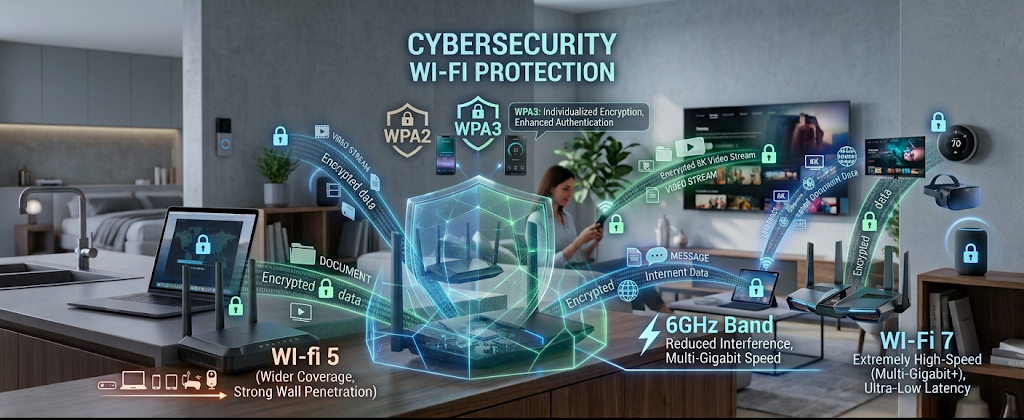
WPA2: A Popular Security Protocol
WPA2 (Wi-Fi Protected Access 2) is one of the most widely used Wi-Fi security protocols over the years. It encrypts data in between devices and routers with AES encryption.
Compared to previous wireless security systems like WEP, which was vulnerable, WPA2 had a lot of improvements. WPA2 is still widely used in many home networks, as it is secure if a secure password is used.
WPA3: Enhanced Security for Today’s Networks
The newer standard of security is WPA3, which is set to replace WPA2. It adds more robust encryption techniques and improved security from password attacks.
A new feature in WPA3 is a more robust authentication mechanism that compromises less easily to be guessed by attackers. Additionally, WPA3 offers enhanced security on public Wi-Fi, where users can connect in various locations like airports, hotels, or cafes.
To ensure maximum security, users should opt for routers that are WPA3 certified and maintain their firmware updates.
Tips for Improving Wi-Fi Performance and Security
Locate Your Router in a Good Place
The range of a router has an impact. Routers should be placed in a central area of the room, as this will minimize interference from surrounding materials such as thick walls, large pieces of metal, or electronic devices.
Use Strong Passwords
Use a robust Wi-Fi password to prevent unauthorised access. Users should not use easily guessable passwords and should always change their passwords when they think someone other than them may have gotten a hold of them.
Keep Devices Updated
Routers come with updates regularly that address security issues and enhance performance.
Ensuring the proper maintenance of routers and other connected devices helps to keep the network safer.
Use an Appropriate Wi-Fi Standard
Users need to think about their needs when they are buying the networking equipment.
Homes with numerous devices will benefit most from a Wi-Fi 6 or 7 router, whereas older versions can suffice for simple web browsing and web sessions.
Conclusion
The evolution of Wi-Fi has revolutionized the way information is shared and communication is made from a physical connection to a wireless connection. For every wireless connection, there’s a complex system of radio waves, networking standards, and security technologies working together to provide fast and reliable wireless communication.
It is important for users to be aware of the differences between these frequencies (2.4 GHz, 5 GHz and 6 GHz) to make sure they are better connected, and knowing what is meant by Wi-Fi Standards (Wi-Fi 5, 6, 6E and 7) helps explain how wireless technology is continuously evolving. As more devices are connected, security systems such as WPA2 and WPA3 ensure information is protected.
Internet usage is only increasing, and Wi-Fi will continue to evolve with increasingly high speeds, less delay and increased security. With a knowledge of the fundamentals of wireless networking, users can make informed decisions and optimize their Internet experience.