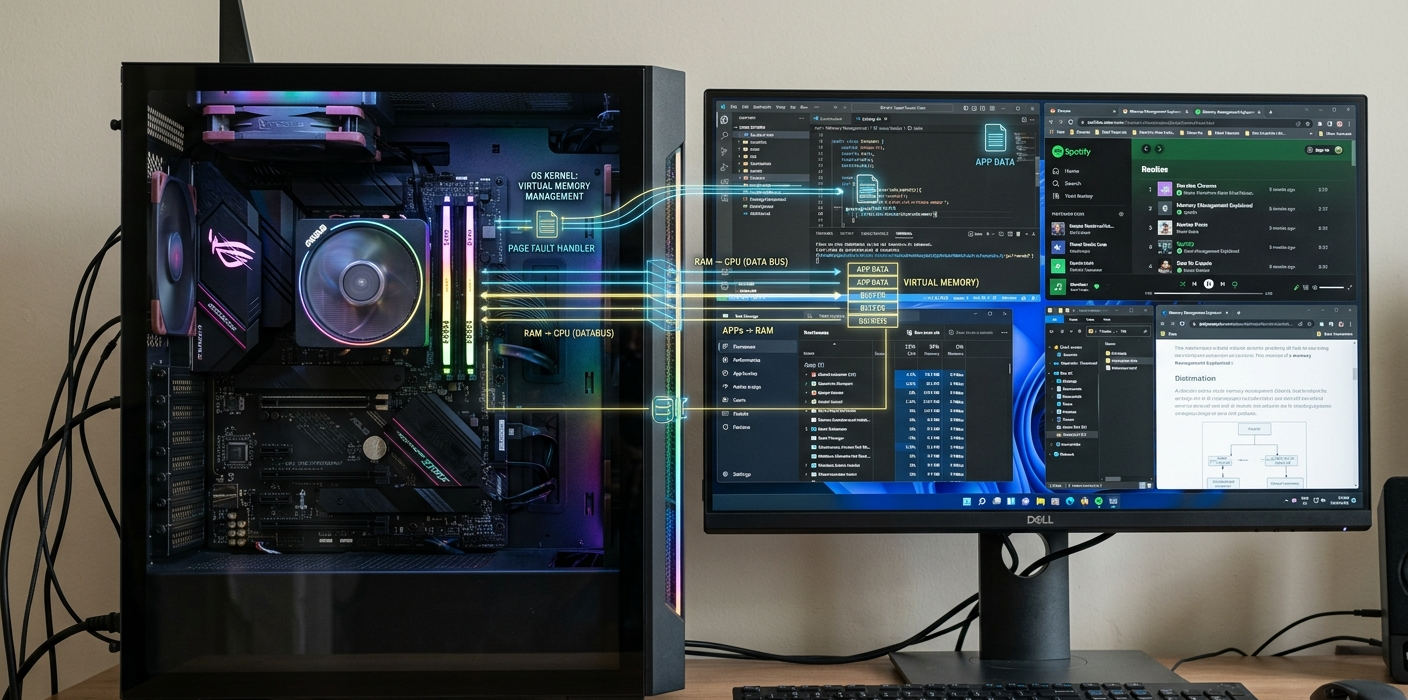
Whether you are using an app, surfing the web, editing a document, playing a game or watching a video, your computer requires a temporary storage point and access to information. This temporary workspace is known as memory, and is a primary factor in a computer’s operation. Many users know that having more RAM generally makes their PC faster, but not many know what actually happens in the background when the operating system assigns memory, allocates resources to various programs and keeps programs from interfering with each other.
Memory management is among the most critical tasks of the OS. It manages the allocation, usage, monitoring and deallocation of memory during execution of a program that no longer requires it. If there is no efficient memory management, then the computer will become unstable very fast since various applications will use the same resources. Modern operating systems employ such methods as RAM allocation, virtual memory, paging, and swapping to allow a computer to execute multiple programs simultaneously. These processes will help explain why computers slow down and what occurs when the computer runs out of memory.
Memory Management in an Operating System
Memory Management is the process carried out by an Operating System (OS) to manage and organize the resources of the computer’s memory. The operating system monitors the usage of memory, its availability, and which programs are in need of more memory. When a user launches a program, the operating system allocates some memory to the program. The program will be removed from that memory when the program is closed, and the memory will be available for other programs to use.
Typical computers have several processes executing concurrently. For instance, a user can have a web browser, music application, anti-virus software and background system services all active simultaneously. Memory is also needed to store instructions and data during the running of each program. The operating system serves as a manager, allocating memory to programs fairly and preventing incorrect access by other programs to its data.
Memory management also enhances system security and stability. The OS does not allow each application to directly access physical memory but instead allocates a controlled memory space for each application. This ensures that any one bad application does not damage another application or impact the computer system. Virtual memory systems contribute to this separation by allowing each program to “see” its own memory.
How RAM Allocation Works
What Is RAM?
The main short-term storage memory in a computer is called Random Access Memory (RAM). RAM is used for quick storage when the program is running, but does not keep the information stored when the computer is turned off, unlike permanent storage devices like SSDs and hard drives. A program is opened, but the vital parts of the program are transferred from storage to RAM to make them available to the processor in a timely fashion.
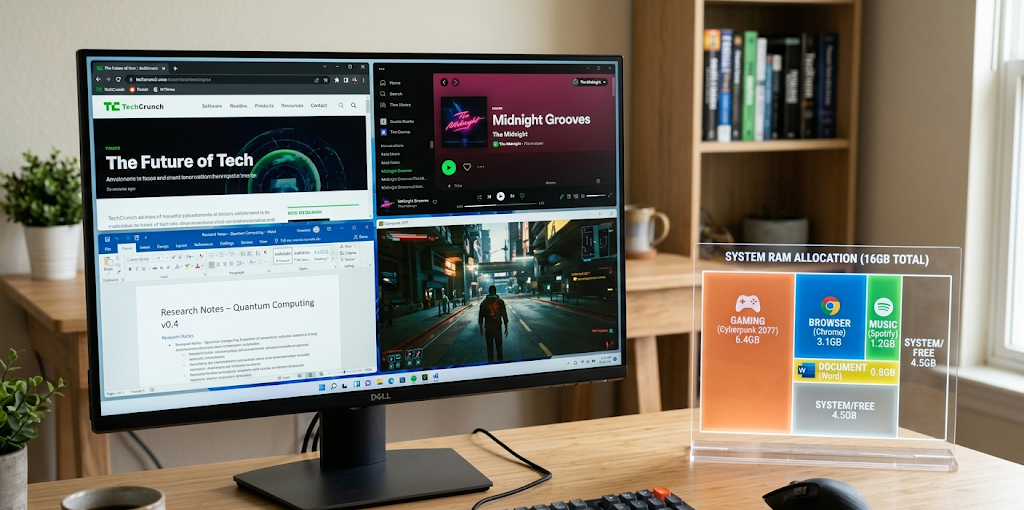
How much RAM a computer has will determine how many programs it can open simultaneously. When a computer has limited memory, such as RAM, it may lack enough memory for multiple applications to be running simultaneously. A computer with more RAM will have more programs and information ready to be used at the same time, which will help with the smooth running of multiple programs.
But RAM is not enough for good performance. They need to know how to allocate RAM to various programs in a careful manner. This is called RAM allocation.
How OS Allocates RAM to Applications
A program requests memory when it is initiated. The program tells the operating system how much memory it requires and the operating system allocates RAM memory. Also it maintains a log of these assignments to be able to remember which ones are associated with which applications.
For instance, let’s say RAM is a large office building containing numerous rooms. Each programme has its own room in which it can hold information. The operating system is the building manager and determines which program will use which room, and that programs will not enter a room assigned to someone else.
Memory allocation is dynamic since programs are continually allocating and freeing memory. Opening new tabs on a web browser may consume more RAM, and a closed application can free up its unused RAM back to the operating system.
What Happens If the RAM Runs Out of Space?
When RAM fills up, the computer does not immediately go into shutdown mode. Rather, additional memory management methods are used in the operating system to keep running programs. The most significant solution is virtual memory.
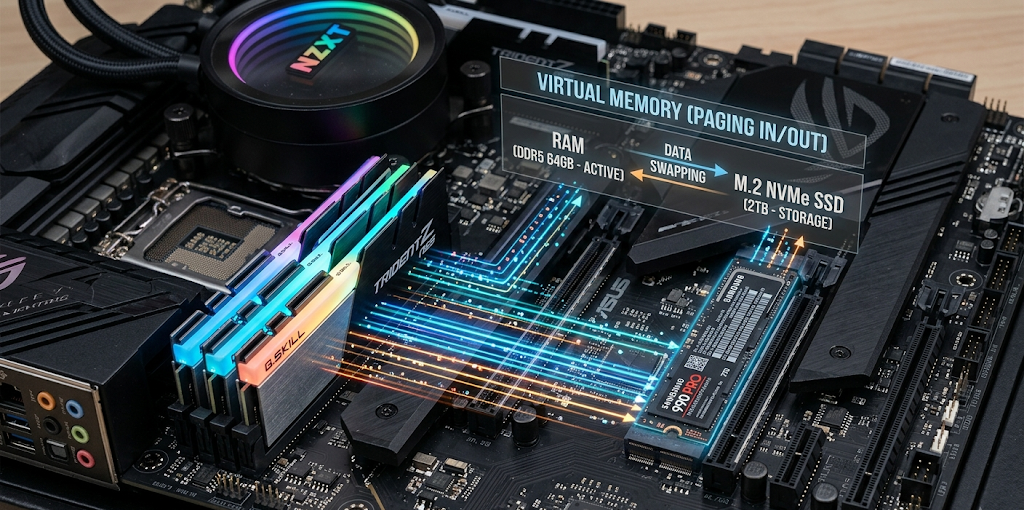
If RAM is full, the operating system will detect data that isn’t actively being used and temporarily store it on the storage device. This provides more room for critical activities which require quick access.
This will keep the computer running, but will take a long time for storage devices to work, when compared to RAM. Data transfers between RAM and storage are slower, which may lead to some lag time. This can be one of the reasons why users might have issues with freezing, delayed response or application performance when they have multiple programs running.
What Is Virtual Memory?
Virtual Memory: Method of memory management that uses storage as an extension of RAM. It is not a physical ram but it only provides extra space if there’s not enough physical ram to go around. Combined RAM and storage-based memory appears to give the computer more memory than it actually does.
Computers may have 8GB of physical RAM for example. The operating system can use part of the SSD or hard drive as virtual memory if the applications need more memory than that. This means that programs can continue to run even if physical RAM is used up.
Virtual memory also enhances security since each application has its own virtual address space. The programs do not read from or write to physical memory locations, but the OS uses the virtual address range and translates it to physical addresses in the background.
How Paging Works
Understanding Pages and Memory Blocks
Paging is one of the main techniques used to implement virtual memory. The operating system treats memory as a series of smaller, fixed-size blocks (pages). There are blocks of physical RAM, called page frames, that correspond to the blocks of virtual RAM.
Virtual memory is divided into pages for each program. A page table keeps track of the location of each virtual page in physical memory. If a program asks for information, the system looks in the page table, and sees where the data is located.
The efficiency of paging is that the programs need not be stored in one contiguous area of RAM. They can be stored at various places and yet look organized for the application.

Page Faults
A page fault” is when the program tries to access a page that is not in RAM. In this case, the operating system temporarily suspends the program, finds the needed data, and brings it into the memory.
For instance, if you were to open up a large application. Only those portions that are required at the moment may be in RAM. When using a feature that isn’t loaded, the OS fetches the data from storage and loads it into RAM.
It’s normal, it happens all the time, they are called “page faults”. Once the number of page faults exceeds a reasonable limit, however, the computer may spend too much time swapping data, and thus may not perform as well.
What Is Swapping?
Swapping – temporarily transferring data from storage to RAM to free up some space. If the RAM runs low, unused memory pages can be shifted to the paging file, or to the special storage area known as swap space.
For instance, if you are using one of many programs, while having the other programs open, the operating system may transfer the memory data of the unused program to storage. This leaves more RAM free for running programs.
Once the program is back in the inactive program, the operating system will replace the needed data in RAM. This enables computers to manage workloads that are greater than the available RAM.
But, since the speed of the SSDs and hard drives are not as high as RAM, it takes time to swap when compared with RAM. If too much data is being swapped, a condition arises which affects a computer in that it spends too much time moving data rather than doing useful work called “thrashing.”
Why Computers Slowness Due to Memory Problems
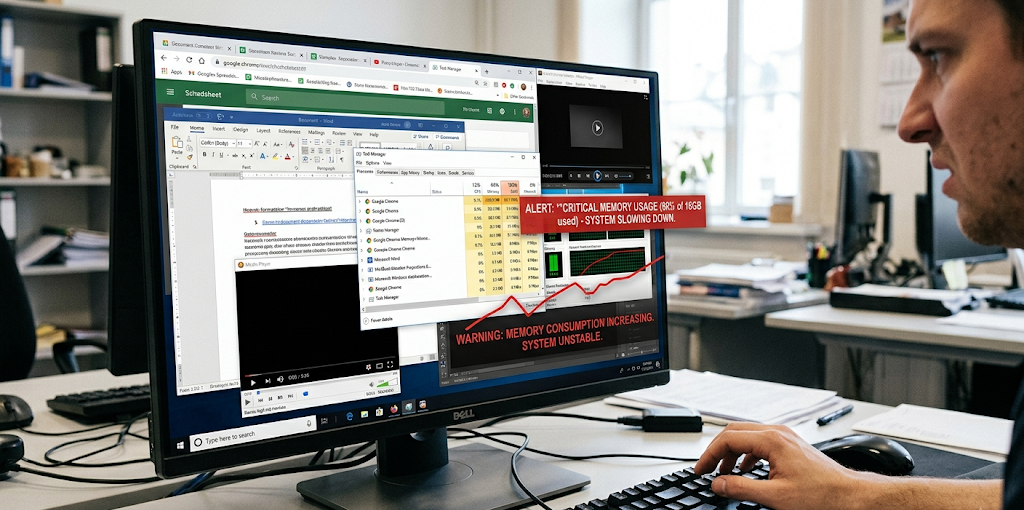
There are several reasons that can lead to a computer slowing down, such as a lack of RAM, multiple applications running in the background, program inefficacies, and memory leaks. If the memory is running low, the operating system will have to work harder to allocate resources.
If the RAM is not adequate, the computer may often use “virtual memory” which will result in slower performance because data will keep switching between storage and RAM. Users might experience slower application startup times, interruptions between programs and temporary freezing. These causes help to illustrate why computers slow down and how memory management influences day to day computer usage. Intel Computer Running Slow Guide. Intel Computer Running Slow Guide.
Why do Memory Leaks Occurs?
Memory leak occurs when a program consumes memory and doesn’t return it back to the system when it is no longer required. As time goes on, the program will take up more memory and less will be available for other programs.
For instance, if you fill a storage room with boxes but never remove any boxes that aren’t needed. At some point, the room is filled even though a lot of boxes are not needed. The process of a memory leak inside a computer is analogous.
Typically, memory leaks result from programming errors. If an application is not well designed, it can reserve memory even after it has finished. The program can occupy a considerable amount of RAM if it is a long running program and cause the computer to slow down.
Memory leaks may be noticed by program slowing over time, memory usage rising, frequent freezing or forced restarting of a program to get it working again.
How Operating Systems Prevent Memory Problems
To avoid memory problems, OSes typically employ virtual memory. There are a number of ways in which operating systems manage memory usage. They track running processes, free up unused memory, give priority to important applications and handle virtual memory when there is not enough RAM.
Modern Operating Systems also make use of memory compression and caching, as well as intelligent scheduling techniques to enhance performance. These systems enable computers to carry out complex tasks while effectively utilizing the available resources.
Other tips for users to manage memory include closing unused applications, limiting too many Internet browser tabs, rebooting computers periodically, and updating software. These are simple things which help to conserve unnecessary usage of memory and also lead to better responsiveness of the system.
Conclusion
One of the behind-the-scenes features that makes modern computers run is memory management. The operating system is essential for the efficient allocation of memory for every application, file, and process. Operating systems coordinate the execution of multiple programs without conflicts by allocating RAM, using virtual memory, paging and swapping.
While virtual memory and swapping are useful in cases of insufficient RAM, they are not a substitution for it. Storage is still much slower than RAM, so if a computer has a low amount of RAM, it can become slow when it is put under a lot of strain.
A knowledge of memory management assists users to make informed decisions regarding computer performance and provides an understanding of why slower applications and freeze-ups occur, as well as other problems. The operating system is always allocating and freeing memory to maintain an efficient computer.

This article gave me a simple explanation of a complex idea this morning and I look forward to reading more from you