
EV battery health apps can help drivers understand more about their electric cars. Electric cars present drivers with useful battery info, but what the display shows may not tell the full picture. Drivers may also notice what is the car’s actual range, how much energy is it using, how charging routines play into the health of the battery, and if the battery capacity is in fact reducing over time. Also, EV monitoring apps can report on state of charge, expected range, energy use, charge sessions, and, for some models, they will include battery health.
These tools are also very useful, as real-world EV performance is seen to change with driving speed, weather, traffic, road conditions, heating, air conditioning, and vehicle load. We have apps which, over time, log this info, which in turn helps owners to better understand their vehicle’s behavior, which in turn is a far more useful resource than a single range estimate. Also, for example, drivers can use what the EV’s battery performance reports to better understand the relationship between available energy, consumption, and long-term battery health.
What EV Battery Monitoring Apps Track
EV tracking apps report multiple types of data. electric vehicle apps can also provide useful information for understanding how an EV is used and monitored. State of charge, which is also known as SoC, is the amount of battery power which is reported to be available. Range, which is an estimate based on available energy, puts forth a predicted distance you can travel. Energy use, which reports how the vehicle’s energy consumption is over a trip, and health of the battery, which reports the long-term condition and available capacity.
These measurements must not be confused. An EV which shows 70% charge does not have to be at 70% of its original range. Also, a drop in the estimated range does not always mean the battery has failed. Weather, speed, traffic, elevation, climate control, tires, and driving style may all play a role in consumption.
Best EV Battery Health Apps for Range and Monitoring
Different applications which are in the field of EV monitoring have different focuses. Some are very much into route planning and range prediction, at the same time others put more attention to the charging history, fuel economy reports, or in-depth battery info. Also, what is put forward by which manufacturer and what models they are for also varies.
Three to choose from are A Better Routeplanner, TRONITY, and EV Watchdog. A Better Routeplanner does very well in range and energy-aware routing, TRONITY reports on a wide range of vehicle and charging data, and EV Watchdog gives in-depth OBD-based info for certain Hyundai and Kia electric cars.
A Better Routeplanner
A more improved version of Routeplanner, what we also know as ABRP, has been put together for EV route planning and energy management. You input your car into the system, put in your destination, and go on a trip which also includes charging stations. Also, the app uses car data to improve results based on real-world driving performance. A Better Routeplanner.
This is a handy feature for long trips, as the driver is able to see what the battery is supposed to last at each stage of the trip. If what you are getting is greater than what is expected, you are able to change the route as you go. Also, over time, this will allow drivers to see how their EV does at various speed levels, temperature, and road conditions.
TRONITY
TRONITY offers in-depth EV data which includes that of consumption, range, battery health, charging, and driving performance. We have put together a long-term picture of vehicle use, which in turn is very useful for drivers that wish to analyze their charging and energy use. TRONITY.
The benefit of recording this info over time is that individual trips can be looked at. One trip which has very high consumption may just have had bad weather or been in heavy traffic. But repeat changes in performance under the same conditions is a better reason to look into the car’s performance.
EV Watchdog
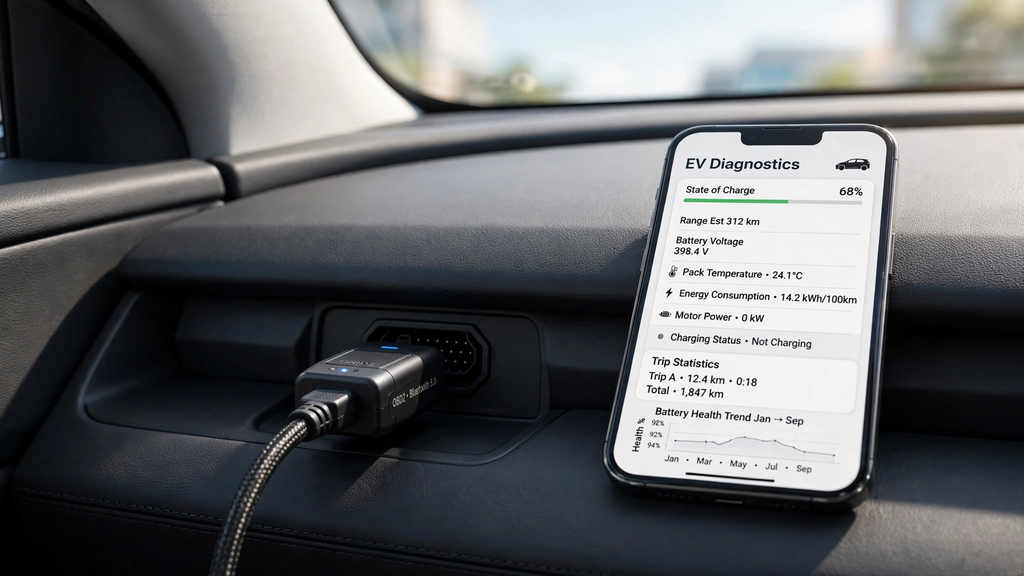
EV Watchdog is a more in-depth monitoring system which we have for Hyundai and Kia EVs. We use an OBD2 adapter to get info from the car and we present what we can do with that. We show, out of the box, the battery, motor, energy use, and trip info. Also, we put together graphs and do in-depth analysis of the battery for those that want that level of detail. EV Watchdog.
Because at present we see it is the issue of compatible hardware and also that it is designed for specific vehicles, which in turn makes it less universal than a typical smartphone app. But for owners of supported EVs which are looking for in-depth technical info, we do see value in OBD-based monitoring which they use to better understand their vehicle’s battery and energy performance.
Battery Level vs Predicted Range vs Battery Health
Battery capacity is the easiest measure to go by. If an EV reports 60%, it means the car has, at present, about 60% of the total charge which is usable. Also, it doesn’t mean that the vehicle will always put out that same 60% of the range it is rated for. Energy use is a variable which is based on how you drive.
Estimated range is a forecast of how far the vehicle will go with what energy is available. This range may go up or down as the battery percentage changes, which is a normal thing because the vehicle is always looking at recent use. What we do with the battery health is different, as that is related to the battery’s long-term performance in terms of capacity.
How Apps Can Identify Unusual Consumption
Monitoring apps grow in utility as you use them over time. If an EV which usually uses a similar amount of energy for a given commute instead sees an increase in that usage by a large degree, the driver may look into what is causing it. Speed, weather, traffic, tire pressure, added weight, heating, and air conditioning can all play a role in higher consumption.
Long-term data is what makes these comparisons easy. Instead of paying attention to a single out-of-the-blue low range estimate, drivers can look at a series of similar trips. If high consumption is seen to occur only in cold weather or while at high speeds, that is to be expected. If it persists under the same conditions, the owner has usable info which they can take to the next level.
How to Monitor Long-Term Battery Health
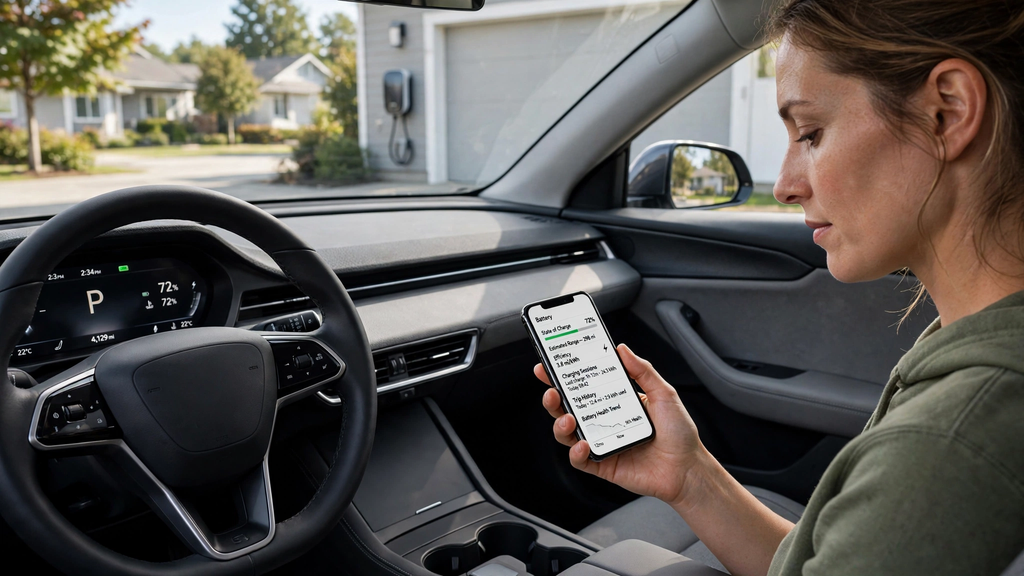
Battery health is a concern over the very long term, which is beyond the scope of a single trip. EV batteries do see natural changes as they age, in addition to going through charge and discharge cycles. We have monitoring tools which help owners to develop a report of their battery’s performance, which in turn makes it easier to notice those changes.
However, in many cases, an app’s battery health report should not be taken as a definitive diagnosis. What we see is that different vehicles report varying degrees of battery info, and also some apps do their best to determine health with what they have. If an app reports a consistent and atypical change, the recorded data may be useful to bring up with a qualified tech.
Choosing the Right EV Monitoring App
Compatibility is the primary issue. As drivers research which applications to use, they should determine what manufacturers and models are supported by the application. Some apps which run in this environment are supported by the vehicle manufacturers’ online services, and some require an OBD2 adapter.
Drivers also have to determine what info is most useful to them. For frequent long-distance drivers, range and energy use may be of most interest. Those into the 1500-mile trips may go for a more in-depth report. And the tech-savvy owner of a supported car may do well with very detailed OBD info.
Tips on How to Use Battery Monitoring Apps
Use of the application should be consistent instead of which is at the point of something going wrong. For familiar routes, record normal use and note the environment in which the data was collected. Comparing like trips to like is more productive than reporting on very different journeys.
Also, do not pay attention to every variation in the range report. Range will go up and down as driving conditions change. What you should do is identify consistent trends. As state of charge, energy use, charge history, and longer-term battery data are put into the picture together, the info becomes very useful.
Conclusion
EV monitoring tools better inform drivers in between charge sessions. We see battery percent, which reports the charge left, estimated range, which reports how far the car will go on present charge, and battery health, which reports long-term capacity changes. These are different measures which should be looked at separately from each other.
ABRP is useful for range and energy-aware route planning, TRONITY does a great job at organizing charging and vehicle info, and EV Watchdog reports in detail on OBD for supported Hyundai and Kia EVs. Which one you choose depends on the car and what info the owner is after. By tracking consumption and charging over time, we see that drivers are able to better know what is normal for their vehicle and to also identify out-of-the-ordinary changes which may require attention.



Great breakdown of EV battery monitoring apps. I especially liked the explanation of the difference between battery level, predicted range, and battery health.