Picture a meeting room where half the participants squint at a fuzzy screen while others crane their necks to catch a glimpse of your carefully prepared slides. This scenario plays out in offices across Kenya every day, costing businesses more than just strained eyes. When presentation tools fail to deliver, your message gets lost and opportunities slip away.
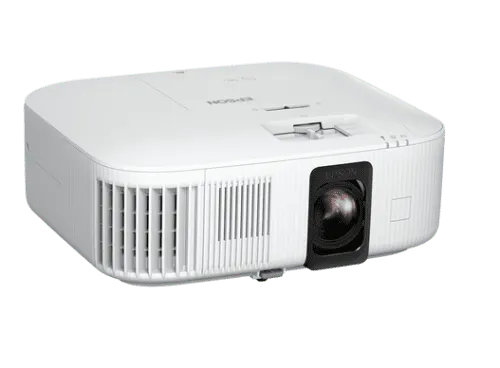
Choosing the right projection equipment requires balancing performance against budget constraints, which explains why many businesses research options like Epson projector price Kenya before making decisions. The market offers everything from basic models suitable for small boardrooms to high-specification units designed for large conference halls. Getting this choice right affects not just initial spending but also long-term operational costs and whether your presentations actually achieve their intended purpose.
Why Visual Clarity Drives Business Results
Engagement Through Professional Display: When your audience can see every detail of your presentation without straining, they focus on your message rather than struggling to read blurry text. Studies repeatedly show that people retain information better when visual aids are crisp and properly sized. That retention translates directly into faster decision-making and stronger consensus among stakeholders.
Meeting Efficiency and Time Savings: Poor projection quality extends meetings as presenters repeat information, zoom in on unreadable sections, or resort to emailing documents that should have been visible on screen. A quality projector with adequate brightness and resolution cuts through these delays. Teams can move through agendas at the intended pace, and everyone leaves with a shared understanding.
Matching Features to Your Actual Needs
Resolution Considerations That Matter: The difference between standard and high definition becomes obvious when displaying detailed spreadsheets, architectural drawings, or product photographs. Text appears sharper at higher resolutions, making it readable from greater distances. For training sessions or technical reviews where precision matters, this clarity prevents misunderstandings that could prove costly later.
Brightness Levels for Different Environments: A projector that works beautifully in a darkened room might disappoint in spaces with natural light or where dimming isn’t practical. Brightness, measured in lumens, determines whether your image remains visible in various lighting conditions. Small meeting rooms with controllable lighting need less brightness than multipurpose spaces with large windows.
Connectivity Options for Modern Workflows: Today’s offices use diverse devices for presentations. Some team members prefer laptops while others work from tablets or smartphones. Wireless connectivity eliminates fumbling with cables and adapter dongles at the start of meetings. Video conferencing integration still matters for reliability, particularly when presenting to external clients where you cannot afford technical hiccups.
Installation and Setup Strategies
Placement and Mounting Decisions: Ceiling-mounted projectors keep tables clear and prevent accidental cable disconnections, but they require professional installation and limit flexibility. Portable units offer versatility for organisations that need projection capability in multiple locations, though they demand secure storage when not in use. The right choice depends on your space and usage patterns.
Screen Selection and Positioning: Pairing your projector with an appropriate screen surface maximises image quality. White walls might seem like a cost-saving measure until you notice how much brightness and colour accuracy you lose compared to a proper projection surface. Screen size should match your room dimensions and typical audience size for optimal viewing experiences.
Maintaining Performance Over Time
Regular Cleaning and Care Practices: Dust accumulation on lenses and air filters gradually degrades image quality and can shorten equipment lifespan. Establishing a cleaning schedule prevents these issues from becoming noticeable. Filter checks every few weeks take minutes but avoid the frustration of discovering a problem moments before an important presentation starts.
Optimising Settings for Best Results: Many organisations never explore their projector’s full capabilities beyond basic power and input selection. Adjusting colour temperature, contrast, and brightness settings for your specific environment improves image quality dramatically. Lamp replacement represents the most significant maintenance cost, so tracking usage hours helps you anticipate when replacement will be necessary.
Cost Considerations Beyond Purchase Price
Energy Consumption Over Time: Older projection technology consumed substantial electricity and generated significant heat, requiring air-conditioned rooms and driving up power bills. Modern units, particularly LED-based models, run cooler and use less energy. These savings accumulate over years of regular use, benefiting both operational budgets and meeting room comfort levels.
Support and Warranty Value: When projection equipment fails during critical presentations or training sessions, rapid support becomes essential. Warranty terms vary widely between suppliers, with some offering next-day replacement while others provide only repair services that might take weeks. Extended warranty options add to upfront costs but potentially save much more in lost productivity.
Features That Enhance Hybrid Work
- Built-in speakers that eliminate the need for external audio systems, reducing setup complexity and potential points of failure during presentations.
- Wireless screen mirroring that allows seamless switching between presenters without physical cable swapping, keeping meetings flowing naturally.
- Keystone correction for flexible placement options without image distortion, useful when room configurations change or when using portable units in various spaces.
- Multiple input options that accommodate different device types, ensuring every team member can present regardless of their preferred hardware.
Conclusion
Effective presentations shape how clients perceive your professionalism, how quickly teams reach decisions, and whether training investments actually transfer knowledge to staff. The projection equipment you choose affects all these outcomes more than most organisations realise until they experience the difference quality makes. Rather than viewing projectors as commodity purchases where the cheapest option suffices, smart buyers weigh capabilities against actual usage scenarios and consider total ownership costs. Take time to evaluate your specific needs, compare options properly, and invest in equipment that will serve your organisation well beyond the initial purchase decision.