Introduction
Computer programming consists of writing out sets of instructions which tell a computer what to do, from performing tasks to solving problems, processing info, or interacting with users. Programmers usually put out these instructions in high level languages like Python, Java, C+, JavaScript, or C#. But the computer’s processor doesn’t really understand these in the same way we do. Before a program does what it is meant to do, the code written by the programmer goes through many stages of translation.
By going through this process beginners see what happens between the time they type in the code in an editor and a program comes to life on the screen. The journey includes source code, compilers or interpreters, machine code, libraries, APIs, runtime environments, and the operating system which all play a role in the end execution of the software.
What Is a Source Code?
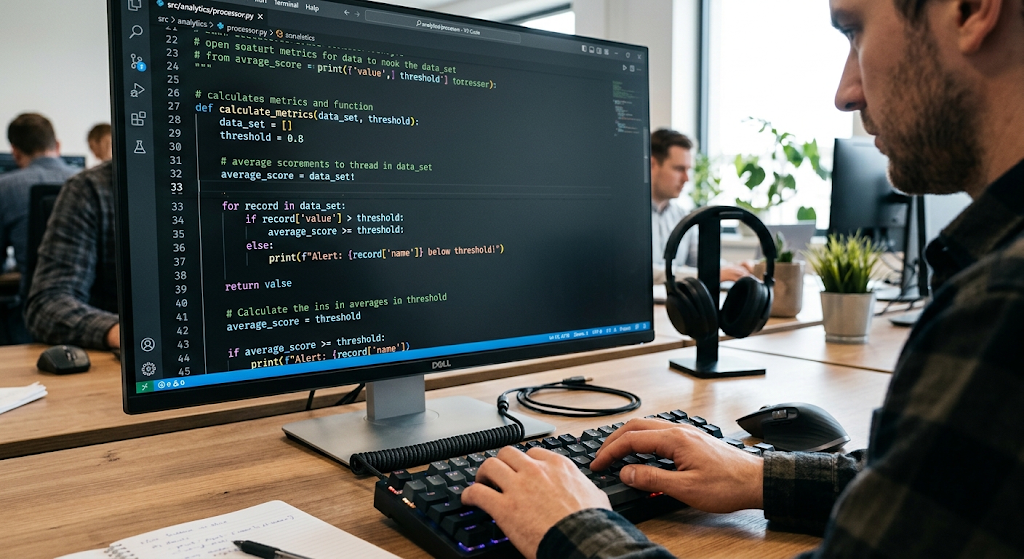
Source code is what a programmer writes out which in turn is in a programming language. It is made to be human readable while at the same time follows language rules and syntax. For example a programmer may put in a Python command which has the computer display a certain message, or may use C ++ to do calculations and put results in memory. Source code includes variables, functions, conditions, loops, classes and other programming structures which in total tell the developer how the program should function.
Although source code is much more human friendly than raw machine instructions it is still the computer which cannot in the raw form execute it. Per the language used and the development approach source code may have to be compiled, interpreted or converted into some other usable form the processor will recognize.
From Codebase to an Executable Program
Once software is written the next stage of the game is to great extent dependent on the programming language used and the software’s design. In a traditional compiled language we see a compiler which takes the source code and transforms it into a lower level computer readable code. Languages like C and C+ which are mainstay in the industry use this model as a key part of their development. Also we have languages like Python which use an interpretive model which has a separate program to do the processing of instructions.
Today’s programming languages also have a mix of compilation, interpretation, intermediate code use and just in time compilation which means the black and white idea that all languages are either compiled or interpreted is a simplification. What is important for the beginner to know is that the source code has to be converted or processed into a form the computer’s execution system will run.
What Does a Compiler Do?
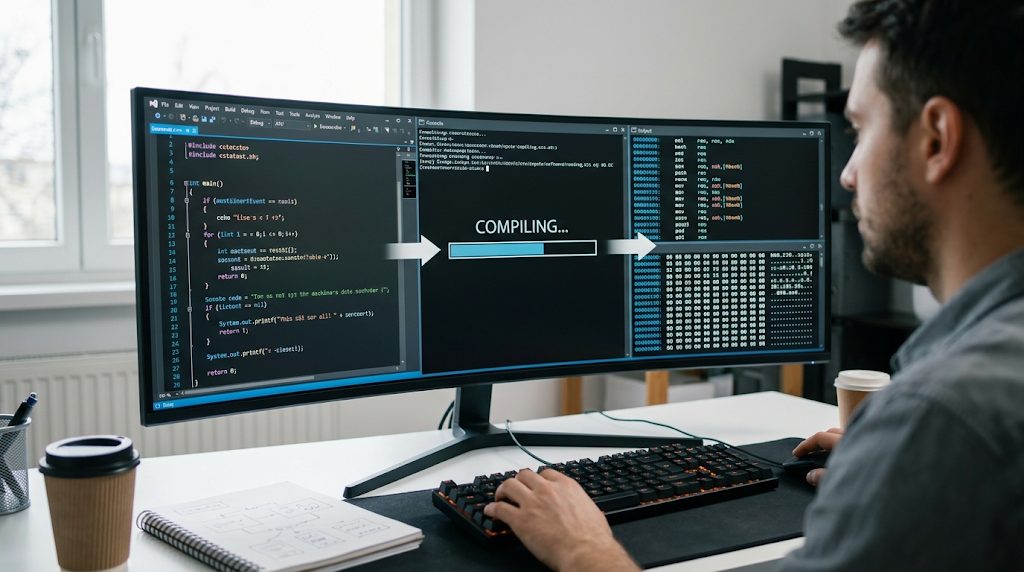
A compiler is a software which takes in source code written in one programming language and produces another form of code, often machine code or an intermediate representation. As the code goes through the compile process the compiler looks at what the programmer has written and determines if it follows the set rules of the language’s syntax and other parameters. Should the compiler find issues like missing elements, wrong expressions, or in compatible actions it reports them to the programmer for correction.
Once the code passes all the required checks the compiler will do more work to get the code into a usable form for run time. In languages like C and C+ the compiled code is put into object files which then are put together with other files and libraries by a linker to produce the executable. Thus compilation plays a key role in the transformation of what we as humans write into a software which in the end runs on a computer.
What Does an Interpreter Do?
An interpreter is a program that runs programming language instructions which it processes as it goes. As an alternative to the program which is native and stand alone, an interpreter may not produce a fully compiled program before the actual running of the application. Also instead of pre-compiled code, an interpreter may look at and process the code as the program runs. Python is very useful for new programmers because Python code is usually run via the Python interpreter.
What the interpreter does is to manage language features and also it interfaces with the base system in order for the asked for actions to take place. Today’s modern language implementations also go beyond the basic approach of reading a line of source code at a time. Some interpreters use the intermediate code approach while others may use just in time compilation for better performance during run time. At its core the interpreter is what translates high level programming language into machine level actions.
Understanding Machine Code
At base level what a computer does is work with machine instructions which are in binary data. Machine code has instructions that are specific to a processor’s architecture which may include instructions to move data, do calculations, compare values, or control program flow. This is very different from source code which is for human readability. A compiler or some other element of a language implementation generates machine level instructions which correlate to what the programmer has put forward.
The processor in turn gets these instructions out of memory and executes them. Also different processor architectures use different instruction sets which is why at times software has to be recompiled for different types of hardware. While for beginners it isn’t required to memorize the binary instructions, what is important is to see that machine code is a much lower level set of instructions which the processor is able to carry out directly.
The Role of Libraries in Programming
Programmers don’t usually write all the functions of an app from scratch. Instead they use libraries which are collections of reusable code that perform specific tasks. A library may have functions for working with dates, files, images, databases, math, or network communication. Use of libraries saves time in development as programmers can use proven solutions instead of reworking the same issues out. Some libraries are included with the programming language, some are put out by companies, some by open source groups or individuals.
At the time of compilation or run time the application has to have access to the library code in the right way. This may be through static or dynamic linking, package management, or run time loading which depends on the language and operating system. In this way libraries play a key role between a programmer’s code and the many features which today’s software requires.
How APIs Connect Different Software Components
API also known as Application Programming Interface is a structure which software uses to connect with another application. APIs let programmers put in a request for a service without knowing all the internal details of which the service is provided by. For example a program may use the OS API to create a file, access a camera, display a window, or to go out on the network. Also a web app may use an API to get info from a remote service.
When a programmer calls out to an API function the request goes out on a prearranged set of rules which include what data will be given out and how it is asked for. In that sense APIs are like a communication protocol between software elements. They also make complex systems to build which otherwise would require control of every base level action to be left to the side as developers may use a present which is proven to work.
Runtime Environments

Runtime environment is a key element which is true because we see that many applications use services which would be hard to put in place alone. A runtime can include memory management, error handling, standard libraries, security features, and also methods of interaction with the OS. Also for instance a managed runtime may do the auto handle of memory use by a program which in turn reduces what the developer has to put in for memory management.
Also runtime systems may present the same execution environment across many machines which in turn makes software easy to deploy. But the runtime also has to be present or in some way available on the target system when an app requires it. This puts forward an important relationship between the app, its runtime environment, the OS, and the base hardware. When all of these pieces play well together the app runs as it is meant to.
The Operating System’s Role
The operating system is a key element in the path from source code to a running software. We see in Windows, Linux, macOS, Android and other platforms examples of operating systems which manage computer hardware and at the same time present services that applications use. Usually an application does not go to each hardware component directly. Instead it asks for services via operating system mechanisms and APIs.
For example when we see software which is saving info to a storage device, displaying content on a screen, communicating over a network, or using a connected device what we are seeing is the operating system which is performing that action. Also the OS is in charge of processes, memory, files, permissions, and other system resources. That which the OS does is create a layer between application code and hardware which also includes libraries and run time components which in turn interface with the operating system and at the same time the OS is managing the hardware.
What Happens During Program Execution?
When a program starts up the OS prepares what is needed and puts in motion the application’s process. By using the technology which the program is based on the system may load the code into memory, start the run time environment, in and out load required libraries and in and out prepare other resources. The processor at which point begins to carry out the program’s instructions. As the software goes it may do calculations, create and modify data, communicate with other systems, react to user input, and ask the OS for more resources.
A simple app may go in a loop of getting input, processing it, and output results, while a large app may have thousands of interacting elements. At various points errors may happen from source code issues, compile time errors, missing parts, run time errors, and OS permission issues. Program run is thus an ongoing interaction between what the program tells the computer to do and what the software and hardware does in response.
Compilation, Linking, Loading, and Execution
In a compiled program it is put into a number of stages. First the developer writes out the source code. The compiler looks at that code and translates it into a lower level output. In many cases the result is put into what is known as object files which is an intermediate form and not yet ready to run. A linker at this point takes in the required object files and libraries and puts together an executable or some other proper program format.
At the time the user goes to use the application the OS’ loader puts the program elements into memory and gets the process ready to go. The processor at this point begins to run the instructions. Also some apps may require dynamic link libraries which may be brought in at program start up or when that specific function is called. This process we see is that creation of software is not just the translation of source code into an executable file; many support systems play a role before and during the execution.
How Interpreted Programs Run
Interpretive programs in some cases follow a different approach even if today that can be far more complex then what we present as interpretation. When a Python program is run for instance the Python environment takes on the task of going over the program and at the same time runs it. Python may at first turn the source code into a mid level form of code called byte code and then the Python virtual machine takes over that. Also other interpretive or managed languages have their own methods of operation which may include just in time compilation to turn very used sections into native machine language while the program is running.
These examples show that the lines between what is a compiler and what is an interpreter may not be as defined as we think. In both cases what we are trying to achieve is to get the computer to perform as the programmer has asked. The main difference is the when and where in which the major transformations take place.
Example of the Full Process
Think of a scenario where a programmer develops a small app which requests from the user to input two numbers and which in turn presents their sum. The programmer will first write out the source code in a language like Python, Java, or C ++. The code will have variables, input commands, an additional operation, and an output command. By the language choice the source may be compiled into machine code, transformed into intermediate code, put through an interpreter or a mix of these. Also the program may use standard libraries for input and output.
At run time the OS and the runtime environment give the application the support it requires. As the user inputs two numbers the program takes in the values and carries out the required output action. The processor does the heavy lifting of the required calculations and instructions which in the background the OS is managing access to system resources for the application. What the user sees as a single action is in fact the result of many layers of technical support.
Why Understanding the Process Matters
Learning what source code does to become running software gives beginners a better picture of what programming is really about. We write code which is true but also at the same time developers must look at how programs are put together, packaged, run and connected to other elements. That knowledge in turn makes debugging easier as different issues present themselves at each stage. A syntax error may stop a program before it even begins or interpretation may fail it out at that stage, a missing library may cause the program not to start at all, and a runtime error may only present itself once the application is in full swing.
Also we see that operating systems and runtime environments play a role in which the same program may perform different actions on different machines. As programmers grow in their field concepts like dependencies, build systems, package managers, application programming interfaces, virtual machines, containers and deployment environments come to the fore. The base source code to the execution process is what we build out our knowledge of all of these technologies on.
Conclusion
Programmers present solutions in higher level languages which in turn processors translate into machine instructions that hardware finally carry out. By going through these steps we remove some of the mystery from the programming and give new learners a great basis for understanding the development and the execution of modern software systems.