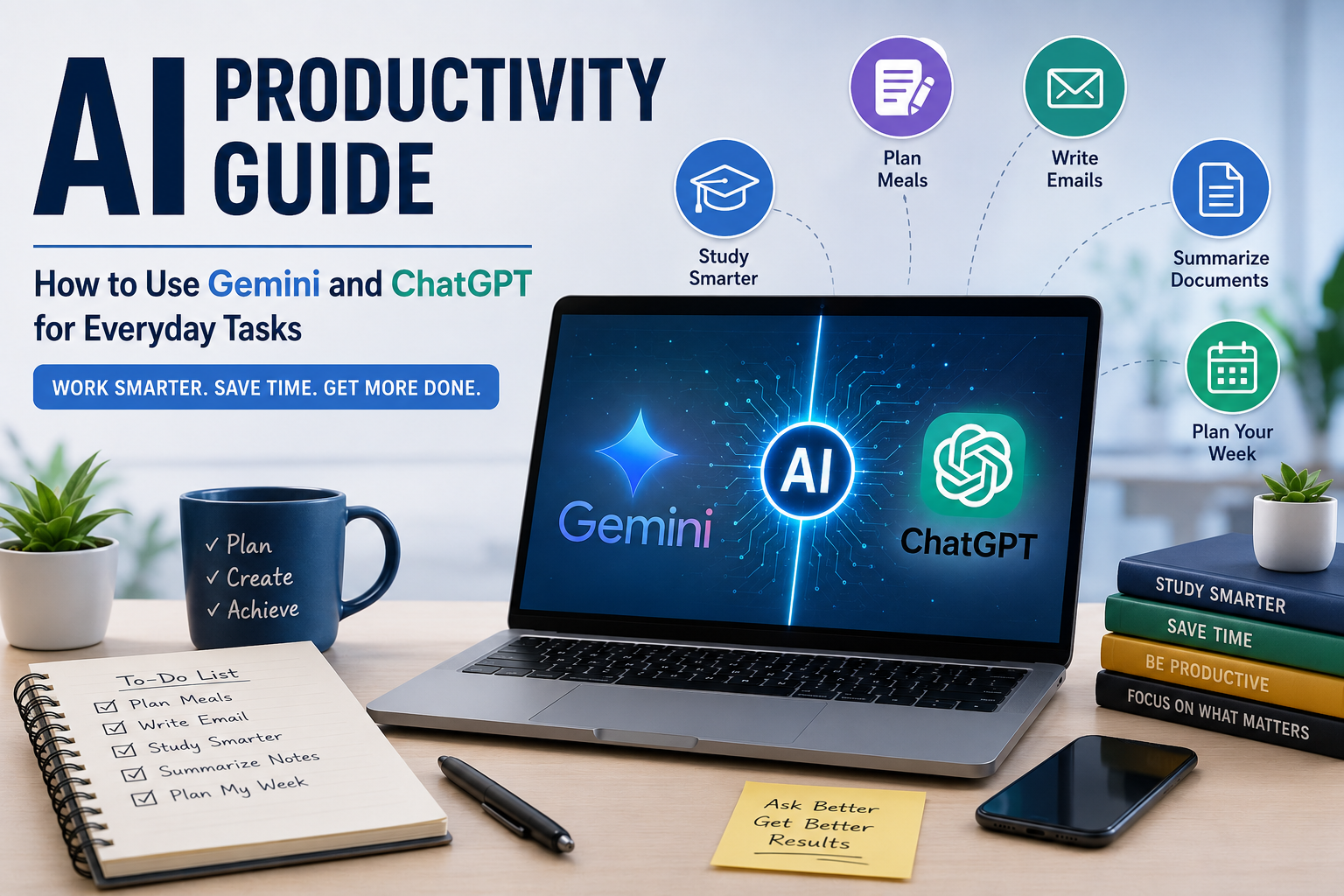
When it comes to the initial use of an AI tool, many people have high expectations of something magical happening. They type in a short question, and an answer will pop up in seconds. They then react with one of two extremes: “Wow, that’s incredible!” or “There’s no way that’s right.” Quite often, it’s the expectations, not the technology, that make the difference. AI doesn’t need to take the place of human thinking. It’s ideal for tasks that can be repeated, information management, and troubleshooting little everyday issues so individuals can concentrate on what matters most: decisions.
For instance, Sarah.
Sarah was able to work full-time as a project coordinator and attend evening classes to complete a professional certification. Each Monday, she had vowed to keep up with everything that week. Her email was clogged, the refrigerator was nearly empty, homework was piling up, and laundry was still in the basket by Wednesday.
So, one Thursday evening, she was sitting at her dining table looking at her computer. There were 15 browser windows open. One had a healthy dinner recipe, another compared grocery prices, some contained research for an assignment, and somewhere in the middle was the email she had been trying to write for almost forty minutes.
She sat back in her chair and sighed. “There must be a simpler way,” she sniffled. Rather than going to another site, Sarah opted for an AI assistant. Her first request was quite normal: “Make 5 meals without eggplant, broccoli, potatoes, or beans for 1 person that will cost under $40 and include chicken, rice, and vegetables.” In just a few seconds, she had a recipe, a shopping list, and a meal plan. Thereupon, she requested assistance with arranging her weekly work. After that, she asked for a professional copy of her email, which she had rewritten four times. By the end of the evening, her duties were no less, but something else was gone. The sense of being lost for ideas was eliminated.
This was the true advantage. The technology was not dominating her life; it was giving her mental room to think. Sarah’s story is a recurring one. Stories like Sarah’s are becoming more commonplace as more and more people master the use of tools like Gemini, ChatGPT, and other AI assistants. Not expecting enough from AI is not the biggest mistake. It’s asking for too much. These tools are helpers, not replacements. They brainstorm, organize, summarize, and draft, while people are responsible for reviewing and deciding.
Practical Everyday Activities That Are Made Easier
Artificial intelligence is not needed to write a novel or build software for the majority of people. They just want to complete common things quicker with less stress. These tools play their biggest role in that regard. A good prompt can save hours of work by helping the person who is preparing meals for the week, organizing travel plans, writing professional emails, or summarizing lengthy documents.
Picture coming home after work only to have very little stamina for cooking. A simple query such as, “Make 5 healthy dinners with chicken, rice, spinach, and tomato on a budget of $40,” yields a well-structured meal plan in a matter of seconds. Instead of taking the place of cooking skills, it eliminates the stress of what to cook. It can be used for shopping lists, vacation plans, exercise plans, and even birthday plans.
An additional common application is in written communication management. For many professionals, it takes more time to reword emails than it does to do the actual work. Often, a first draft is a good starting point with a prompt like, “Write a professional email asking for a meeting next Tuesday, keeping the tone professional and concise.” The writer does not need to look at a blank screen anymore but can simply edit the information and add a personal touch before sending it.
Studying Smarter Instead of Longer
Students tend to think that if they read more pages, they will learn more information. Unfortunately, hours of textbook work do not necessarily lead to understanding. The key that usually makes a difference is structuring information into smaller components.
This was something that one learner learned by chance while preparing for an important exam. They began reading the same chapter over and over again with little recall of what it contained and then decided to ask a digital assistant to explain each topic as though to a novice. Definitions became commonplace, confusing concepts were divided into small chunks, and practice questions were identified as needing more focus. Rather than memorizing paragraphs verbatim, studying became a conversation that fostered understanding. Because the information now made sense, there was an improvement in confidence.
This is an effective technique for reading lengthy articles, research papers, or lecture notes. Don’t seek full answers; seek a summary, explanation, quiz, or example. Useful prompts include:
- Simply describe this subject.
- Write down the five most important points of this chapter.
- Prepare 10 practice questions, including all answers.
- Make a simple table comparing these two ideas.
- Use the simplest analogy to aid my recall.
These prompts help students learn rather than waste time studying and allow for active learning. But it’s crucial to check important facts against textbooks, reliable educational resources, or a teacher’s advice, as automated systems sometimes miss context or provide outdated information.
Keeping Up With Information Without Information Overload
More articles, newsletters, reports, updates, etc., are published each day than most people can read. It can be easy to get overwhelmed by the amount of information you’re forced to consume, particularly when multiple sources report on the same topic from different angles.
One busy parent once talked about all the tabs he opened in the morning and checked later in the day. In the evening, nothing was done, and the ever-growing list added to the stress. Over time, they started taking notes on lengthy articles with instructions to break them down into key points, pinpoint the most significant events, and clarify jargon. Reading was no longer a mindless click-through. They didn’t feel overwhelmed with information; rather, they spent their time getting to know what was most important before considering the article in detail.
Summaries are especially effective for business reports, long articles, meeting minutes, studies, study reports, and teaching materials. However, a summary should never be the sole source of information in situations where accuracy is critical. It is still important to read original documentation where important context may be omitted, such as in legal, financial, academic, or medical matters.
Common Mistakes to Avoid
The most frequent error is that people think every answer that sounds correct is correct when they don’t really know. These systems are meant to give useful results, not get rid of errors. That difference is significant, and it’s something that not everyone is aware of. Even a well-written explanation may not be based on current information, facts, or details. This is not a big issue for day-to-day planning, brainstorming, or drafting thoughts. But when it comes to major issues regarding finances, health, law, or education, all major claims must be backed up by credible sources.
This is something a small business owner learned when creating a pitch for prospective clients. They wanted to save time, so they accepted statistics produced by a digital assistant without verifying the sources until one of their colleagues spotted that some of the figures were out of date by a few years. Luckily, the mistake was identified prior to the presentation, but it was an eye-opener about how fast you can go if you don’t review. The owner has been using technology every day since then, but only as a starting point. Any drafts are revised, all facts are triple-checked, and important numbers are double-checked before anything is shared. This one habit can make your quick assistant a reliable productivity buddy instead of a blind follower.
A helpful solution to minimize errors is to have the assistant give reasons for its decisions, indicate when there is doubt, or suggest where to check the information. Often, a better response is gained through follow-up questions than from the initial response.
Keeping Your Personal Information Safe
It must never be convenient at the expense of privacy. These tools can be used to keep track of schedules, write documents, and answer questions, but they should not be used as a secure place to store sensitive information. People should not share their passwords, financial information, government identification numbers, confidential work documents, private customer records, or medical information, which could bring unnecessary risks. Depending on the type of service you use, you might lose control over information once it has been transmitted from your device.
It’s safer to delete names, account numbers, addresses, and other identifying information prior to requesting assistance. Avoid providing a genuine employment agreement; use placeholders or ask questions about the structure or wording of the agreement. Similarly, when seeking help to improve an email, exclude any sensitive business information from the email before asking for suggestions. These small safety measures make it possible to use the technology without putting information that should be kept private at risk.
Thinking before sharing someone else’s files is also part of privacy. If there are any company secrets, client information, or other personal details in the document, ensure that you have permission to use the information with any online service. Productivity skills include safeguarding your own and others’ information.
AI Productivity Guide: Writing Better Prompts for Better Results
The quality of the answer may depend on the quality of the question. Many failures occur due to the lack of proper and detailed instructions. Ask for help by saying, “Help me study. I am learning the subject of (insert subject), it is (insert level of difficulty), and the format is (insert format).” Instead of saying, “Write an email,” tell the assistant who the email will be sent to, the reason the email exists, and the tone you want.
For instance, rather than writing:
“Plan my meals.”
Try:
“Design a 5-day meal plan for 2 people on a $60.00 budget, with easy dinners that require less than 30 minutes to prepare and include a shopping list.”
Instead of asking:
“Summarize this.”
Try:
“Provide a summary of this article in 5 bullet points, and provide a plain-language explanation of any technical terms.”
Goals, context, and preferred formatting typically yield responses that need much less editing. Consider the assistant as a novice doing a job for the first time. The more precise your instructions, the better the results will be.
Today’s Society Is Embracing Artificial Intelligence
Today’s society is embracing artificial intelligence, and it is becoming a part of everyone’s daily life.
Often, the best results come from many good conversations. Rather, they come in the form of countless little tasks that take up time throughout the day. Those few minutes spent planning meals become hours over a week, those ten minutes arranging study notes become hours over a week, and those few minutes spent writing lengthy emails add up to hours over a week. The hours can be spent with family, hobbies, rest, or work that truly calls for human creativity and judgment.
The person who always felt overworked at the end of the day finally noticed something unusual. “There were no fewer things to do; life was just harder. It was easier to cope because the decisions that needed to be made regularly were not as mentally draining. There was plenty of work to do, plenty of deadlines, and plenty of responsibilities to manage, but enough time in between to think clearly rather than rushing from one unfinished task to another.” It wasn’t a huge breakthrough, but the change was quite subtle and the most valuable result of using these tools wisely.
Conclusion
The key to getting good at using today’s digital assistants isn’t mastering advanced technology but cultivating skills you can use in your day-to-day life. From organizing meals, preparing for an exam, drafting work emails, summarizing lengthy documents, to planning your week, thoughtful prompts can turn repetitive tasks into manageable ones. Meanwhile, there should be healthy skepticism about responsible use. Always check important information, secure sensitive personal information, and remember that these systems are meant to support, not replace human judgment.
Scale up your digital assistant knowledge today and be like Sarah. So many professionals today who refused to scale up their digital assistant knowledge are gradually fading into oblivion. Don’t be one of them.