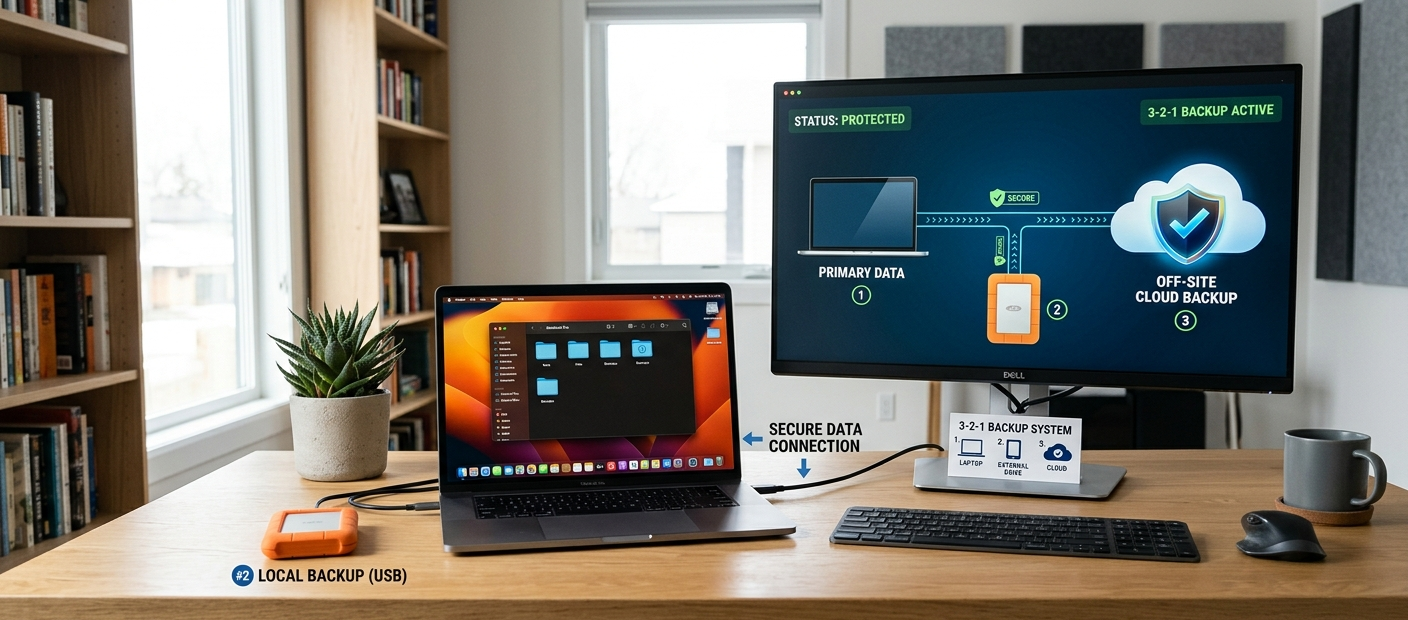
Today the digital world is one of the biggest assets for people or organizations is the data. Photos, videos, documents, financial details, business files, customer information and key projects are often stored digitally, so data protection is more critical now than ever. Many people think just saving files on the computer, external drive or cloud storage service is enough to ensure their information is safe. The truth is that data may vanish abruptly for a variety of reasons, including ransomware attacks, software issues, but also natural disasters, theft, and accidental deletion, along with hardware failure. A safe backup plan means that there will be a way to retrieve valuable information if a problem arises. The 3-2-1 backup rule is one of the most popular backup rules since it provides multiple layers of data protection.
The 3-2-1 backup strategy is based on a simple one: Do not rely on a single copy of valuable data. Rather, users should keep three copies of their data, two of which on two different types of storage media and at least one copy off-site. This policy provides several layers of protection, so if one backup fails, another backup will be available to recover. The idea gained popularity among tech workers and companies but can be just as useful for those at home who need to safeguard family photos, school assignments, creative endeavors, and vital papers. Anybody can use this technique to create a more robust backup system without having to know much about the tech.
Familiarity with the 3-2-1 Backup Rule
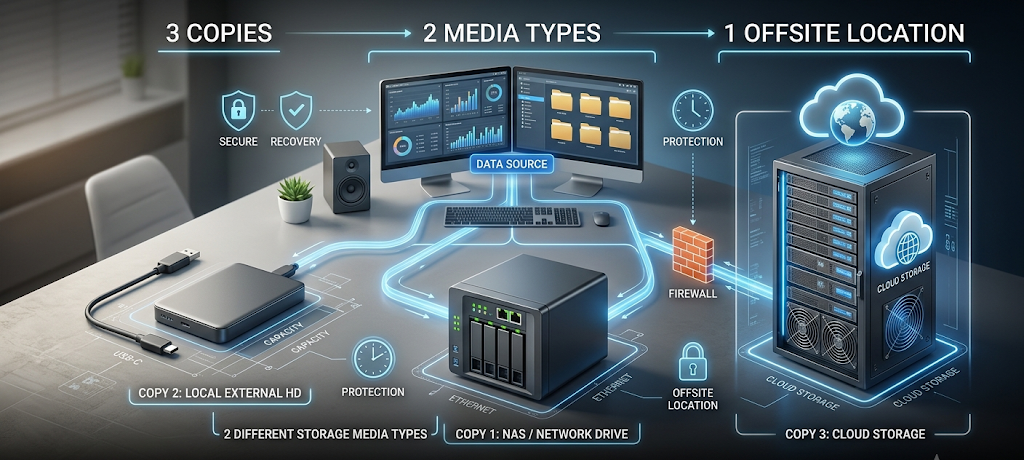
The 3-2-1 backup rule has three parts: three copies of your data, two types of storage media and one backup location offsite. Each of the components of the rule deals with a distinct risk that can impact digital information. The aim is not just to make copies, but to have a backup system where various failures are unlikely to make all copies unavailable. For instance, having three files on the same computer is not a true backup as a loss of power can touch all of them at once. The power of the 3-2-1 approach is that it ensures that you have multiple methods of storage and locations for your data, making it less likely that any one issue will render all copies of your data useless.
The strategy is effective due to the fact that modern data loss typically occurs in a predictable manner. The hard drive could fail, the laptop could be stolen, an office could have a computer failure, or computer files could be lost due to ransomware. A backup copy which is kept in parallel with the original files could also be impacted by the same event. The 3-2-1 backup rule establishes a security net by distributing copies in various locations and on different devices. It’s a useful strategy for ensuring that a person doesn’t lose the important data that is necessary for the company or the family, no matter whether it is photographed at home or filed with the company.
What Do The Three Copies of Data Mean
The Original Data Copy
The 3-2-1 backup system’s first copy is the original copy of your data. This is typically the data on your main system, desktop computer, laptop, smart phone, or business server. This copy is the one that you use daily and should never be viewed as the only copy of important files. Primary storage devices are not meant for long-term protection, but for everyday use. Hard drives can crash, operating systems can get corrupted, files can be accidentally deleted or corrupted.
The most common mistake many users make is that they accept their primary device because it has been working fine for years. But even the best hardware can have issues. Sometimes, a computer won’t even boot up, a storage drive could become unreadable, or some files on the drive could be impacted by malware. For daily use, the original copy is required, but it must be backed up with more copies to ensure adequate defence. The first step in improving data security is to realize that all devices are potentially failing.
Two Extra Backup Copies
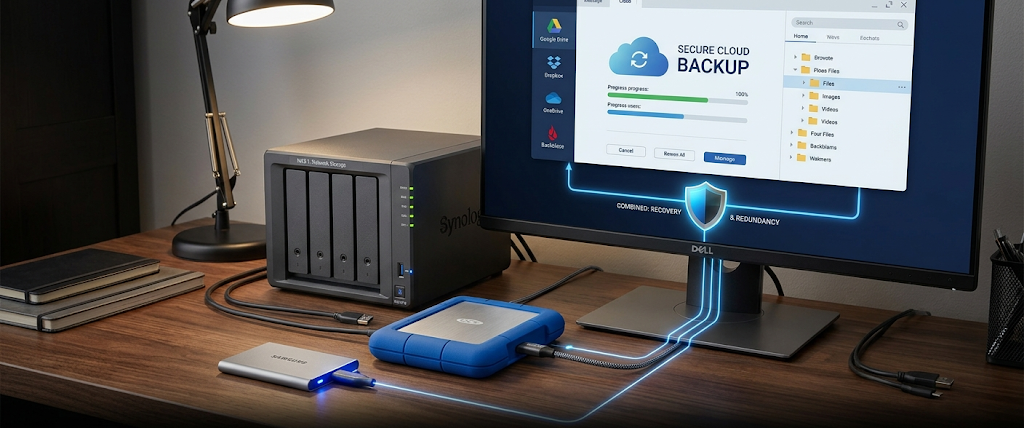
The second and third copies are other versions of the significant data that are different from the first copy, but also contain the significant data. These backups offer restoration choices if the main copy turns into inaccessible. In the home user’s case, these extra copies can be an external hard drive and an account on the cloud. They could be local backup servers, network storage systems or business cloud backup services. The objective is to provide a system that always has other forms of the data, should the original data be lost.
Multiple copies also ensure against errors in the process. Sometimes, files become corrupted, edited incorrectly, or deleted because the user doesn’t realize that the file is important. A backup system enables users to recover earlier copies of information rather than permanently lose it. Multiple copies are particularly beneficial to business as it can cause disruptions if the files are lost, impact customers and cause financial issues. Having multiple copies of information gives users flexibility and peace of mind that they can retrieve information promptly following an unexpected incident.
Why Two Different Storage Media Are Important
The 3-2-1 rule’s second part is that backups need to be kept on two media. There are many different types of storage devices with their own pros and cons—so don’t place all your eggs in one basket. This could be as simple as having both original files and backups on the same hard-drives, as if one of the two had an issue, both could be at risk. Different storage technologies decrease the likelihood of the loss of all versions.
These backup media range from internal drives to external, solid state drives, network-attached storage devices to cloud-based storage solutions. Each choice offers a variety of advantages. The external drives are inexpensive, easy to use, and cloud storage provides remote access and safeguards against physical damage at your location. Companies can have dedicated systems to take and maintain backups of valuable data without having to think about it. The concept is not that one storage method is flawless, but that using more than one will provide greater protection.
The recovery becomes better as well when different media is used. Should one device become unavailable or fail, users will be able to recover their files via another format. This method is based on a fundamental security rule: don’t store all of your important information in a single location. Wherever people diversify investments to mitigate financial risk, backup systems should diversify storage methods to mitigate data loss risk as well.
The Importance of One Offsite Backup
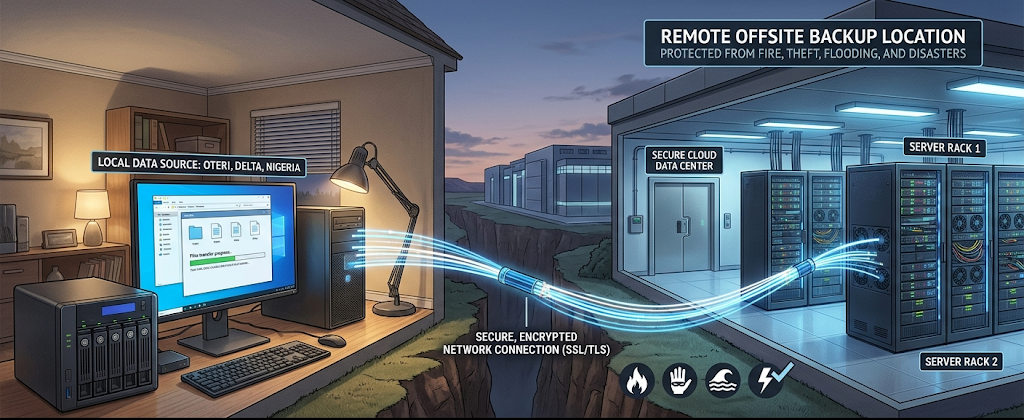
The last component of the 3-2-1 backup policy is to keep at least one copy of your data away from your work environment. An offsite backup consists of a backup in a different physical location than the original data and local backups. This helps to prevent disaster which could impact a whole building or area, such as fire, flooding, theft or another large event. If there is no offsite copy, it is possible for a person to lose both their original and backup files during the same event.
One of the most popular methods of creating an offsite backup is via cloud-based solutions that automatically store data in remote data centers. The other is to keep a physical hard drive in a different secure place, like a different office, a family member’s house or a professional storage facility. The important factor is distance. Having a copy of the computer beside the original one is not sufficient to protect against disaster that occurs on both computers.
Offsite backups are particularly critical for businesses as they can face devastating consequences when downtime and data loss occur. Businesses rely on digital information for their operations, customer interactions, financial transactions, and other critical activities. Offsite back-up means that if the workplace becomes unavailable, employees can recover information that is vital to their operations. For people, it safeguards important recollections and private documents which are hard to get and can’t be replicated.
How the 3-2-1 Backup Rule Helps Prevent Hardware Failure
Those who experience data loss often do so because of hardware failures. Storage devices are not for eternity, and no matter how reliable, they can fail at any time. Both hard drives and SSDs can fail after using them for long periods of time. If the storage fails and there is no back up, it may be hard, costly, or impossible to recover the lost information.
A 3-2-1 backup scheme helps to prevent hardware failure by maintaining a backup copy of the data somewhere else. Even in case of computer hardware failure, the files can be recovered from an external drive or cloud backup. Recovering systems with backup servers or remote storage solutions allows businesses to recover systems. Users won’t have to endure the loss of all their data, but can easily replace damaged equipment and restore their information.
This is particularly beneficial as hardware issues can occur unexpectedly. A device can operate normally at one time and not the next. These mishaps can be reduced by ensuring that important information is not linked to one piece of equipment by regularly backing up your files.
How the 3-2-1 Backup Rule Protects Against Theft
Stealing information online is a serious risk as well. It is possible that laptops, external drives, smartphones, and other devices can be lost while traveling or at home or in the office. If files are only located on the illicit device, it might be impossible to recover them. Passcodes and encryption are not enough to prevent the loss of data.
An offsite backup is also a safeguard as the loss of equipment doesn’t mean the loss of all data. A user can buy another device and backup to another location. Businesses can keep on operating without loss of information as it can be retrieved from backups.
The 3-2-1 method also promotes better security practices. Regular backups give users the flexibility they need for unpredictable events and less reliance on single devices. Data security is not possible after valuable information is lost; it must be planned around problems before they occur.
How the 3-2-1 Backup Rule Protects Against Ransomware Attacks
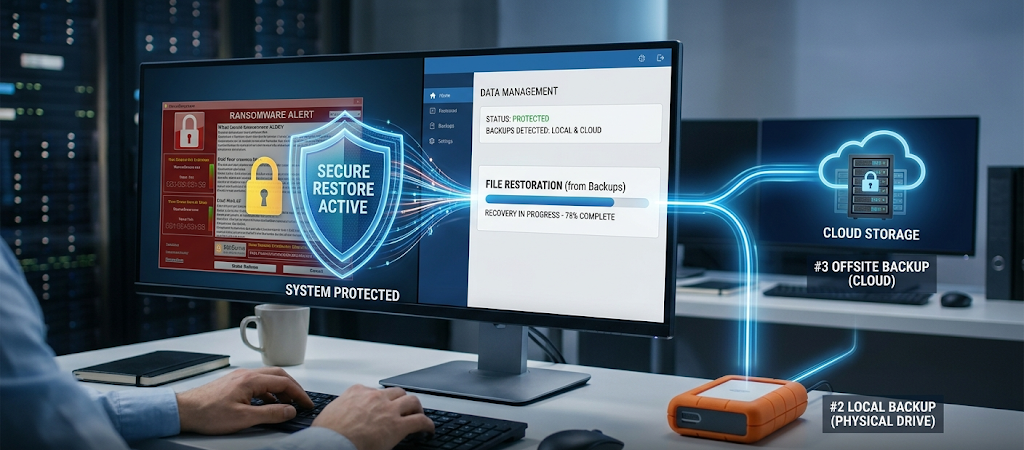
Ransomware is currently one of the most dangerous cyber threats that are targeting individuals and organizations. This kind of malware can block users’ right to access their files and can impact connected storage systems. However, it’s not sufficient to have a backup, as ransomware may be able to spread to attached backups if they are left connected.
The 3-2-1 approach to ransomware protection involves having several copies of your data in different locations. If a backup drive is disconnected after the backup has been finished, for instance, it might not be affected by an attack. A cloud-based backup system that offers robust security and versions can also assist users in restoring previous versions of their files that were created prior to the ransomware attack.
In addition to the 3-2-1 security strategy, businesses may implement other security measures like employee training, antivirus software, access control, and network updates. Backups are crucial to ransomware protection as they enable organizations to recover data without relying on the attackers. In the event that an attack does occur, a strong backup plan can make it a manageable recovery process.
Best Practices For Creating A Reliable 3-2-1 Backup System
A good backup strategy isn’t just about making a backup of files now and then. Backups should be done regularly and checked to make sure that they are successful. A tested back-up means it has been tried and is unlikely to fail when required, whereas an untested back-up can fail when most needed. If possible users should set up automatic backups as this decreases the likelihood of forgetting to back up important updates.
Another consideration is the importance of the most significant information. Personal users can concentrate on pictures, videos, documents, and school and creative projects. Identify critical files, databases, customer information, operational records. Not all files are equally sensitive, and any vital data should always be part of the backup plan.
Testing backups is also a crucial consideration. Users need to periodically restore files to make sure that the backup function is correct. This allows issues to be identified prior to the crisis. A backup system that can recover information when necessary is a good backup system, not just a system that makes copies.
Why The 3-2-1 Backup Rule Is Still Relevant
When it comes to safeguarding digital information, it’s hard to beat the 3-2-1 strategy, which tackles the most frequent data loss types. Three copies of data, two storage media types, and keeping one copy offsite provide a number of layers of protection against hardware failure, theft, disasters and ransomware attacks.
The need for reliable backups will never go away despite the evolution of technology. A strong backup plan will allow for the recovery of critical data in the event of failure of computers, storage devices, and online services. The 3-2-1 backup rule is easy to follow and offers a basic framework for enhancing digital security, whether you are a family archiving personal memories or a business safeguarding critical data. Establishing a backup system in today’s society can spare you from significant issues in the future and give you peace of mind in a digital-focused world.