The right laptop isn’t just about having a strong processor, plenty of RAM or a nice design. There are a few important decisions that impact the daily experience: one of them is the type of storage that’s present within the laptop. Storage influences the speed of booting up your computer, how quickly applications load, how smoothly files load, and how responsive the computer will feel during common tasks. Many laptop shoppers think about just storage space, be it 256GB, 512GB or 1TB of storage, yet there is another part to it as well that is equally important.
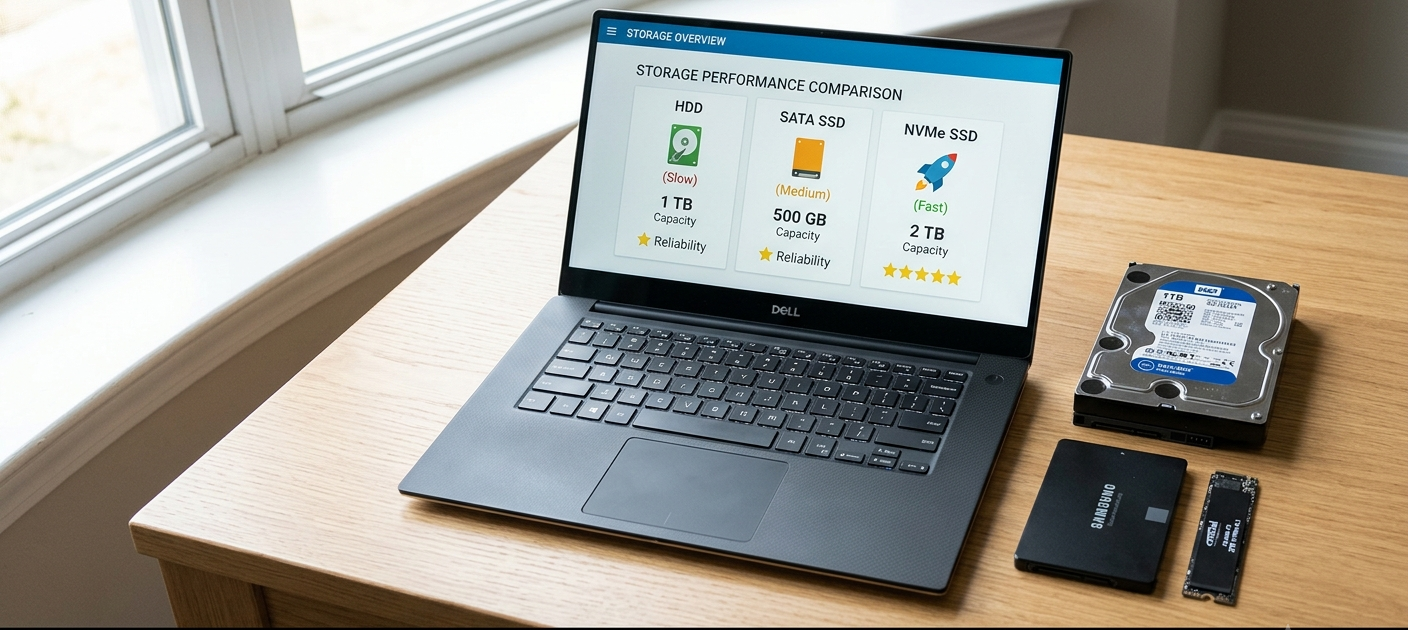
In the modern day, there are three main storage technologies available on laptops: Hard Disk Drives (HDDs), Solid State Drives (SSDs), and NVMe SSDs. The pros and cons of each option vary in accordance with need, budget and usage patterns. HDDs are the most affordable type of storage with the biggest capacity, traditional SSDs are the fastest and most reliable, and NVMe drives are the fastest type of storage used by most consumer laptops.
Knowing these differences helps you to not only avoid choosing your laptop based on the numbers alone but also understand the various types of storage. A laptop that has a smaller, faster storage drive can sometimes be much more powerful than one with a larger, slower storage drive. Understanding storage technology is essential whether you are a student, professional, a gamer, a content creator or a casual consumer, so you can make a smarter investment.
Laptop Storage: It’s Not Just About the Space
Laptop storage keeps your data such as Operating System, applications, documents, photos, videos, games and other files available even when your laptop is turned off. As opposed to RAM which is used to keep information temporarily in use while programs are being used, storage offers the long-term retention of information. When it comes to comparing storage options, there are two key things to consider: capacity and speed.
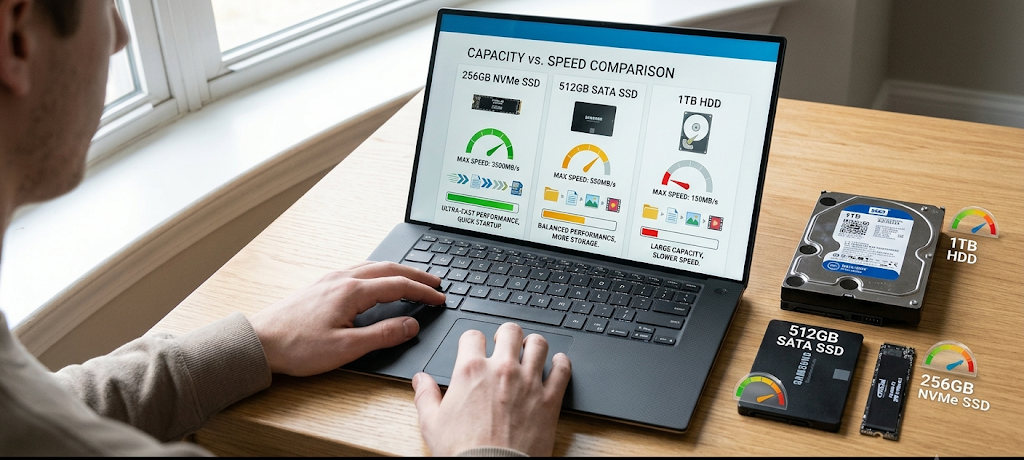
Storage Capacity – is the amount of data that a drive holds. A 256Gb storage laptop will be able to store less files than a 1TB storage laptop but it doesn’t mean that one is slower than the other. Laptop speed is not determined by its storage size. For instance, a 1TB hard disk drive could help you save more space than a 512GB SSD, but the SSD will typically offer significantly faster boot times, faster application loading and overall responsiveness.
The main factors to take into account when estimating space requirements are the number of files you store, the kinds of files you store, and your own use of the space. Storage usage includes factors like operating system files, software installations, games, videos and personal documents. If you know how much storage you need, you can then consider the amount of space available and the level of performance required when you’re buying a laptop.
Understanding your required storage capacity can help you balance the amount of space available with the speed and performance you need when choosing a laptop.
Speed is also a significant factor as it affects the time it takes to read the data or write it to the drive. Faster storage means your laptop can retrieve information more quickly, which means opening files, launching programs and booting the operating system won’t require as much waiting time. That is why two laptops with the same processor and RAM can come across as very different in terms of performance depending on what drives they have – an HDD vs an NVMe SSD.
What Is an HDD? The Principles of Traditional Hard Drive Storage
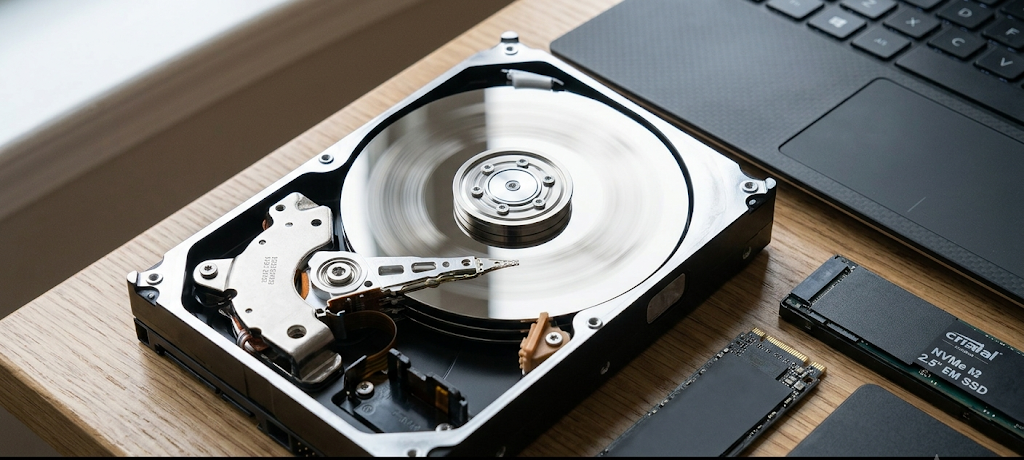
Hard Disk Drive (HDD) is the oldest storage media available in most of the laptops. It uses spinning magnetic disks called platters to store data, and a mechanical arm that moves to read and write data. HDD’s are still limited when it comes to performance as they are mechanical devices with moving parts, which is not the case for newer storage technologies.
The most significant benefit of HDDs is their cost-effectiveness. For those who require a lot of storage on their laptop but don’t want to spend a lot of money, the HDD laptop will work great as it offers a lot of storage space at an affordable price. If you store a lot of videos, photos or documents, for instance, you might want to pay less for a 1TB drive or a 2TB one.
But, there are some drawbacks to HDDs. They have less durability, slow speed and are more susceptible to mechanical damage. Opening applications, booting Windows, and navigating to data are slower because the drive physically moves components to retrieve the data. This can cause an HDD laptop to seem appreciably a lot slower than the other hardware could handle.
HDDs also use more power as they have moving parts which need extra energy. This can decrease the battery life on laptop computers from that of those with SSD technology. Moreover, HDDs generate more heat and sounds while working, as a result of the spinning disks and mechanical motions happening within the drive.
HDDs might still be beneficial for individuals whose primary applications are simple functions like browsing the web, creating documents, or storing files, but they are not as costly as SSDs. They’re becoming rare in today’s laptops though, as there are much faster options that offer a better user experience.
What Is an SSD? The Modern Storage Standard
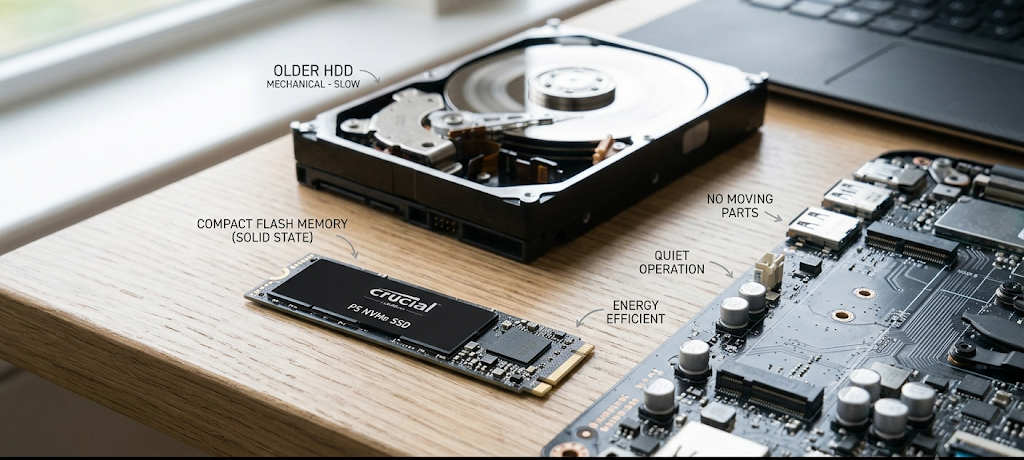
Solid State Drive (SSD) is a type of storage device that does not have mechanical moving parts. SSDs do not use moving parts like HDDs, giving them the ability to access data faster and more quietly. Today, most modern laptops are equipped with SSD technology due to its positive effect on system performance.
The primary advantage of SSDs over traditional hard drives is that they are significantly faster. Laptop computers with solid state drives typically boot their operating system much faster than laptop computers with HDD drives. Applications open sooner, files load faster and multitasking is smoother since the computer can get the information earlier.
SSD also enhances the reliability. They are not damaged by movement or dropping as they have no moving mechanical components. They are particularly well suited to use with laptops which are moved from place to place, e.g. school or work place or travelling.
Energy efficiency is another positive aspect of SSD. SSDs also consume less power than HDDs, and this allows laptops to perform better on battery power. They do not also operate noiselessly as there are no moving read/write heads or spinning disks.
The biggest drawback to SSDs is the price. When it comes to storage space for the same amount of data, SSDs tend to be more expensive than HDDs. Generally, a 1TB SSD will be more expensive than a 1TB HDD. Many users, however, believe the increase in speed and responsiveness are worth it to them.
It is virtually the standard for every laptop user today that gets SSD storage. SSD storage is the minimum requirement for most laptop buyers today. While a large HDD may seem like the best choice, a smaller SSD can offer a more enjoyable experience, especially during routine use.
What Is an NVMe SSD? The Fastest Storage Technology for Laptops
Non-Volatile Memory Express (NVMe) is a newer SSD technology aimed specifically at using the technology to communicate with the computer’s processor at high speeds. The typical SSD is connected to the system with SATA, but NVMe drives can transfer data at a much higher speed through the PCI Express interface.
NVMe SSDs are the best type of consumer laptop storage devices. They can provide much faster read and write speeds than SATA SSDs, which makes them perfect for demanding applications like video editing, gaming, software development, 3D design and large file handling.
The main difference is observed with heavy workloads between a standard SSD and an NVMe SSD. There will be little difference between the two types of storage in everyday use scenarios such as searching the internet or creating a document. For tasks that involve large file transfers, professional applications, or heavy data processing, NVMe performance can be a significant advantage.
The NVMe-drives are also more responsive. The programs start up faster, large projects begin faster and the system can perform multiple operations more efficiently. Users seeking a laptop that will last for years without any slowdowns might prefer NVMe storage.
The primary drawback of NVMe SSDs is the cost. These are generally at a higher price than conventional SSD, particularly at higher capacities. But as the technology becomes more prevalent, prices are dropping and NVMe laptops are becoming more affordable.
SSD vs HDD vs NVMe: Speed Comparison
The speed of storage has a direct impact on the processing speed of the laptop for day to day operations. There are a number of important differences between HDDs, SSDs, and NVMe drives.
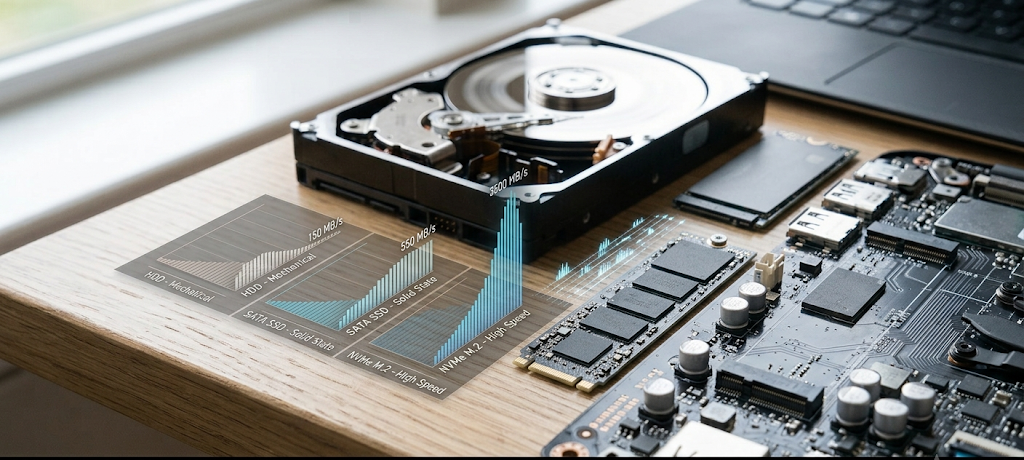
Boot Time
The time that it takes for a laptop to boot up and be ready to work. HDD-based laptops may take much longer as they have to physically locate and load up operating system files. Electronically accessible data makes SSD-based laptops much quicker to boot.
NVMe SSDs offer the fastest boot time, but NVMe boot time will be a little faster than standard SSD boots, and may be less noticeable than the difference between NVMe and HDD boot times.
Application Loading
The computer had to download numerous files in order to open software. Quicker storage translates to quicker loading of files for programs including Web browsers, office applications, games, and creative software.
While an HDD can lead to programs loading slowly, SSDs and NVMe drives can give a significantly smoother experience.
File Transfers
Another aspect in which storage tech really impacts transfer speed is that of handling data across various storage types. Copying large video files, backups or project files will take significantly longer time on an HDD than on an SSD. NVMe drives are particularly helpful for professionals who need to move data on and off the system very quickly, as they can move files at very high speeds.
Which Is More Important: Storage Capacity or Storage Speed?
When it comes to laptops, there are many decisions to make, and one of them is whether to buy a laptop with more storage or faster storage technology. That’s a personal choice, but speed shouldn’t be overlooked.
Having a large HDD might seem appealing when it comes to price/space trade-off, but it can be counterproductive. But if a computer runs slowly, it can impact all computer interactions. Applications that take longer to open, files to load, and updates to finish can get frustrating.
Alternatively, opting for a smaller SSD or NVMe storage drive will offer faster speeds, but might need improved storage management. Important files can be stored outside of the user system by means of cloud storage, external drives or network storage.
A balanced approach is the best for most users. For many students and professionals, 512GB SSD or NVMe SSD will be sufficient in terms of both space and performance. For those who require more space to store large media libraries or professional projects, fast internal storage can be paired with external storage solutions.
Which Storage Type Should You Use?
The choice of storage varies according to one’s use of the laptop. For students who are using their laptops for research, online classes, documents, presentations, and daily use, they should consider getting SSD or NVMe storage. Easier learning and multitasking because of faster start-up times and smoother performance.
For business applications, programming tools, or productivity software, SDDs or NVMe drives can enhance efficiency and minimize waiting times, making them valuable for professionals.
For gamers and content creators, NVMe SSDs are worth considering due to the demand of many modern games and creative applications for swift storage performance. Much of the experience can be enhanced with faster loading times and faster access to large files.
For those users who primarily require cost-effective storage for documents, backups, or extensive libraries of media items, HDDs can still be a beneficial option. But many opt to use a smaller SSD storage for the OS and apps, while having a larger external drive for big files.
The Bottom Line
Most people using their laptops today will want to use the SSD or NVMe storage over an HDD. While the HDD is still viable for large capacity storage, it’s much slower than SSDs, so it’s not ideal as the main storage on a laptop device.
For the majority of consumers, traditional SSDs offer a superior speed, reliability and cost performance balance. For those who demand the maximum performance, NVMe SSDs are the most suited type of storage.
The basic rule of laptop storage is the larger the number, the better it is not necessarily. While a large storage space is helpful, the speed and reliability of storage will make the difference in your laptop’s performance throughout its usage. Taking factor capacity and speed into account, you can select the right laptop for your performance, price and value needs.