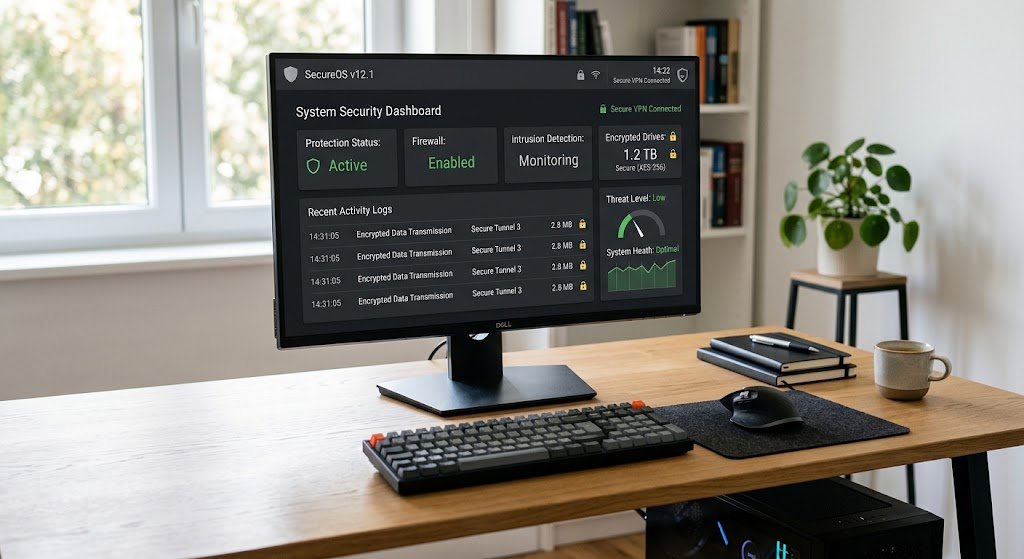
Today’s computers process vast quantities of valuable data every day. The operating system is essential for keeping personal documents, passwords, financial information, photos, business records, applications, and system files secure and safe from harmful programs and unauthorized access. Operating system security is the set of technologies, rules and mechanisms that determine who may access computer resources, and what activities they are permitted to engage in. Modern operating systems do not depend on one security mechanism; they have multiple layers of security mechanisms that are working in concert.
User authentication verifies identities, access control decides on access permissions, privilege levels limit access to sensitive processes, and process isolation ensures that processes don’t interfere with each other. Other features, such as encryption, secure boot, sandboxing, security updates and malware protection, provide additional defenses against attacks. These mechanisms, combined, create security boundaries between users, applications, system resources and the underlying hardware.
What is OS Security?
Operating system security is the practice of safeguarding an operating system and the resources of the computer and the information managed by the operating system from unauthorized access, modification, disruption, or destruction. The operating system is an important component in enforcing security rules because it lies between the applications and the hardware. The operating system may review the request and decide to allow or deny access to a file, memory area, device or network resource.
This will allow for a controlled environment where all applications are not given free rein to the computer. The security of operating systems is thus dependent on well-defined boundaries. It should not be possible for an ordinary application to directly alter another application’s private memory and a normal user shouldn’t be able to edit critical system files. The OS controls these interactions to minimize opportunities for attackers and the damage that can be done if a security problem is found.
User Authentication and Identity

One of the early security checks that you’ll come across when logging onto a computer is user authentication. Authentication is how a person who tries to use a system is established as being linked to a specific account. Typically, passwords or PINs are used for authentication, and in newer systems, fingerprints and facial recognition, hardware security keys, authentication apps, and more are also available. There is not just a role of blocking access to the computer, authentication also provides the operating system with information about who’s making a request for access to resources.
After authentication, the operating system can apply permissions and security policies of the authenticated user. Strong authentication is especially critical when computers have sensitive data or access to Web services. While an attacker might be able to gain access to an account’s password and access privileges, if they do, other security features might restrict their access to the account, but without having access to the account, the rest of the operating system’s security is not as effective.
Access Control and File Permissions
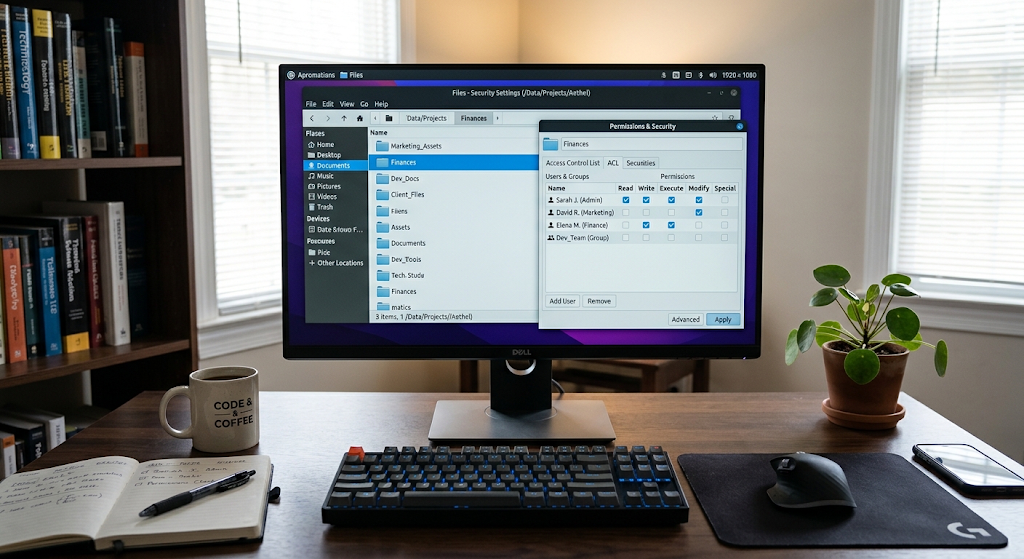
Once the identity has been determined, the operating system must be able to determine what that user can access. Access control gives the rules to make these decisions. Access to various files, directories, applications, devices, and resources can vary from user to user. For instance, one account might be able to view a file, while another account could edit or delete the file. Usually, the permissions that are associated with a file will determine whether it can be read, written, or executed.
Groups and other lesser-known access-control mechanisms can also be used to control access for multiple users on an operating system. It’s based on the idea that granting access should be based on a user’s legitimate needs, and not granting all accounts access. A poorly designed or misconfigured account will have limited access to resources that don’t belong to it, or even to the operating system.
Importance of File Permissions
One important issue is the permissions that each file has; usually, there are files that contain information that should not be available to every application or user on a computer. An executable program can be allowed to run, but not to change unrelated system files, whereas a document with private information may only be readable by its owner. These rules are implemented in an operating system when applications request file operations.
If a process is trying to open a protected file, the operating system can check the process’s identity and capabilities against the access rules of the file before granting the process permission to open it. This avoids the applications from just bypassing the restrictions by directly accessing the storage hardware. Proper file permissions also help limit the consequences of malware. Malicious software running under a regular account might not be able to change the protected system parts or file access to other user’s files.
The Concept of Privilege Levels and Least Privilege.
Most modern processors and operating systems distinguish between different levels of privilege. Typically, applications run under lower privileges than the operating system kernel, at the lowest level possible. The kernel operates with more privileges since it is in charge of resources like memory, processors, storage, devices, and hardware interfaces. Restriction on the access of these resources is usually not required for applications.
There are controlled interfaces, like system calls, for an application to request a service it requires from the operating system. The operating system will then decide whether or not the operation is allowed. This separation will minimize the chances of a normal application influencing essential parts of a system. This is expanded by the principle of ‘least permission’: users and programs only receive the permissions required for their tasks. Limiting unnecessary privileges – if an application is compromised, it will have fewer ways to impact the rest of the computer.
Process Isolation
Typically, on a modern operating system, there are several processes running simultaneously. They can run concurrently in the same process, but typically won’t be able to freely use each other’s memory. This boundary is somewhat affected by process isolation, which provides each process with its own virtual address space and regulates its access to system resources. When one application crashes, it should only crash itself, and not cause other applications to crash or damage the memory of other applications or the operating system kernel.
Isolation of processes also guarantees security; that is, malicious code within one process cannot automatically access arbitrary data stored by another process at will. These boundaries are enforced by memory-management hardware and operating-system mechanisms. Isolating processes is a basic defense, even if it is possible for a process to be compromised, it’s not one of these advanced exploits that allows an attacker to get past isolation.
Sandboxing
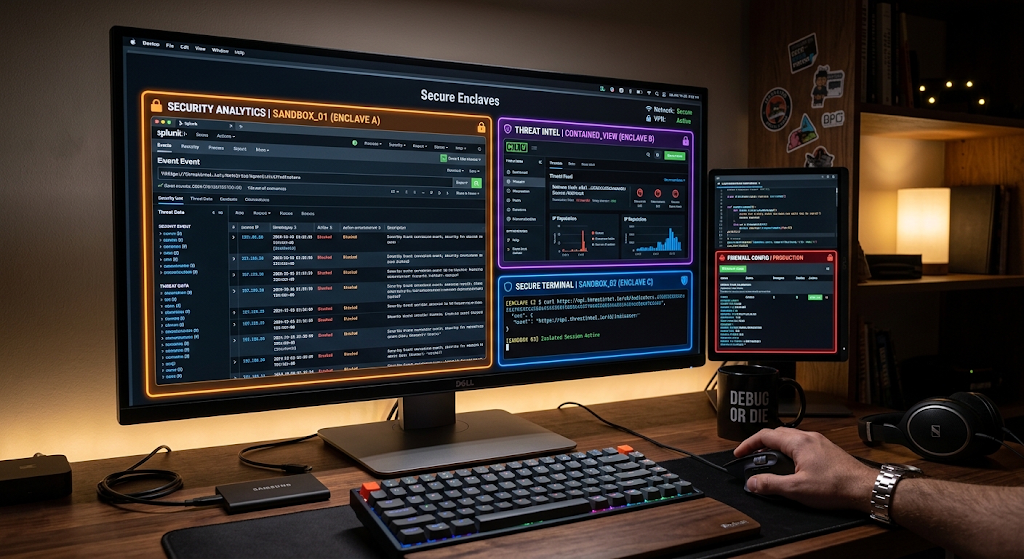
Another way of limiting the actions of an application is sandboxing. A sandbox is a program that is contained in a secure area where its ability to access files, devices, networks, or system settings or resources is restricted. This can be helpful if there is an application that receives information from an untrusted source, where a flaw in the application may not give unchecked access to the rest of the computer. For technical details, read the computer security term sandboxing.
There are several ways to sandbox an application, such as with limited permissions, virtualized environments, application containers, and processes. The exact way varies by platform, but in the general sense, it means making it harder for damage to be done if an application should act in some unexpected way or if it gets hacked. Sandboxing is thus used in conjunction with authentication and file permissions to establish extra layers of security around programs.
How to Use Sandbox in Everyday Computing
Users may encounter sandboxing without realizing that it is being used. Web browser software, for instance, analyzes potentially harmful Web content and may isolate parts of the browser that might be vulnerable from other parts of the browser, thereby providing fewer chances for a vulnerability in one section of the browser to impact the rest of the system. The mobile operating systems also usually limit applications in such a way that an application cannot access the private data of another application freely.
The restrictions could also make it necessary to give permission to access resources like files, camera, microphone, contacts, or location. The intent is to be more explicit about permissions, and minimize access where possible. Sandboxing is not a foolproof method, there might be vulnerabilities in the sandbox or ways to break the sandbox. It adds another layer of security to be broken, though, rather than give every application free reign of the system.
Data Encryption and Protection
Encryption is used to encrypt information, which is information that can be encrypted and, without the necessary key, it is not easily understood. Encryption can be used to secure the information at rest within the operating system as well as information in transit via supported services. If a computer or storage device is lost, stolen or taken, then full-disk or full-volume encryption could result in the protection of data, as someone physically in possession of the device may not be able to read the data unless they have the appropriate authentication or cryptographic keys.
Application data and files and folders also can be encrypted on a per file, per folder, and per application basis, depending on the software and operating system used. Encryption does not override access control: Access control sets which authenticated users or processes can access resources, and encryption will help protect the contents of the resources from unauthorized reading. Therefore, a key management system is of paramount importance as encryption only works if cryptographic keys are managed properly.
Secure Boot and Trusted Startup

Secure boot mechanisms provide protection to the computer prior to the start of the operating system. A computer has to load firmware, boot components and finally the operating system kernel during start up. A hacker who is able to substitute one of these parts for malicious code could then have a chance to run undetected by non-malicious security codes. Secure Boot technologies mitigate this danger by providing cryptographic signatures and trusted keys that can be used to ensure software being loaded by the boot process is trusted software.
If a component does not meet the requirements for verification, the system may not put that component into execution or may notify the user based on the configuration. This provides a chain of trust starting from trusted firmware and further on in the startup procedure. Secure boot is not an end-all solution to system security, but it is designed to help secure the early boot process of a system, before other application security mechanisms are in place.
Security Updates and Patch Management
Operating systems are very complex pieces of software, and even well-designed operating systems can be vulnerable. As both developers and security researchers find more vulnerabilities, they can be exploited by attackers. Security updates are thus a vital component of OS security. A security patch might fix a kernel security problem, networking security problem, authentication security problem, driver security problem, system library security problem, or other security problem in the operating system. By keeping software up to date, the amount of time that known vulnerabilities can be exploited is reduced.
Modern operating systems would generally offer automatic updates to ensure that vital patches are installed without the user having to look for all of these security patches. But it’s also important to update carefully as there may be compatibility issues or configuration requirements that could impact the system. Patch management for organizations can involve testing patches, prioritizing security-related patches, tracking affected devices, and ensuring that the patches have been installed.
Malware Protection
Another key aspect to OS security is malware protection. Malware is an umbrella term that encompasses any type of malicious software that can steal information, disrupt functions, cause file damage, break access rights or other negative things. Operating systems can contain in-built security applications to scan files, keep track of programs, alert for suspicious activity and block the execution of known malicious software. Most contemporary malware defense systems employ more than just lists of known malicious files.
Security systems can, for instance, check application actions, file reputation, unusual system activity, and more that might indicate malicious activity. Malware protection complements other operating-system security measures. Malicious software can get into the computer and be limited by its ability to access through authentication, access control, process isolation, sandboxing, and privilege restrictions. Layered protection is crucial as no single solution is capable of removing all threats.
How Security Mechanisms of Operating Systems Work Together.
The most significant aspect of the operating systems’ security is that these mechanisms work together. Think about a user opening an app downloaded from the web. Authentication is used to identify what user’s account is being used, and access control rules are used to determine what resources that account should have access to. Typically runs as a process with limited privileges and its own address space. Sandboxing can further limit the applications access to resources, files, or devices. The operating system may ask for more permission or block the operation altogether if an application tries to carry out a sensitive action.
Application encryption is possible in order to secure information on the device, and it is possible to have malware protection to check if the application acts suspiciously. Trusted startup components are loaded before the operating system starts up normally using secure boot and security updates cover any newly found vulnerabilities. All mechanisms focus on solving a different aspect of the security problem, thus forming multiple boundaries which an attacker is required to breach.
Security Boundaries Between Users, Application, and Hardware
Security of the operating system can be seen as a set of boundaries. Users and resources are separated by authentication and access control. Privilege levels and system calls delineate between a regular application and a privileged operating-system function. Memory isolation and process management mechanisms bolster the boundary between processes. Restrictions of permissions and sandboxing can be used to fortify the boundary around individual applications.
An added layer is provided by encryption, which protects the data even if the medium on which it is stored is compromised. On the lowest level, secure boot will aid in building trust prior to the startup of the operating system. In particular, these boundaries are significant because modern computers have numerous components which may not all behave ideally. No application should allow unrestricted access to any other application, any other user’s file, or the operating system kernel.
Challenges and Limitations of Security in an Operating System.
Security is formidable in operating systems, but it’s not always safe. These weaknesses can be used by attackers to obtain authentication information, to trick users into approving unauthorized actions, to exploit poorly configured access permissions, to use outdated software. Security measures can also be compromised due to improper configuration. For instance, if a normal account is granted unnecessary administrative privileges, it will be harder to benefit from privilege separation. Likewise, failing to install security patches or take heed of warnings can create vulnerabilities that are not mitigated.
There can also be risks which affect the hardware itself, vulnerable third party applications, insecure drivers, and compromised software supply chains, which are independent of individual security mechanisms. That is why it’s important to think of operating system security as a series of security layers, not a single wall. A combination of strong authentication, tight controls over permissions, up-to-date software, secure configurations, encryption, application isolation or prevention of unauthorized activities, and malware protection can render unauthorized activity more difficult and less impactful.
Conclusion
Security of computers and the information they store is based on operating system security. Authentication defines who can use the resources, while access control defines what resources the user can use and file permissions define detailed restrictions on information stored. The privilege levels can stop normal applications from being able to control important OS functions without authorization, and process isolation can partition applications and memory. Sandboxing can place extra limits on a program, limiting the resources at the disposal of potentially infected applications. Encryption keeps information stored safely; secure boot builds trust when the system is starting up; and security updates cover vulnerabilities found after software comes out.
The addition of malware protection provides an extra line of defense against malicious programs and suspicious activity. Each of these mechanisms can be linked to the others. Their purpose is to facilitate collaboration and create several layers of security between users, applications, system resources and hardware. Knowing these mechanisms helps the user to understand why some actions are not possible in the operating system and how the computer today safeguards the resources on which applications and people rely on a daily basis.