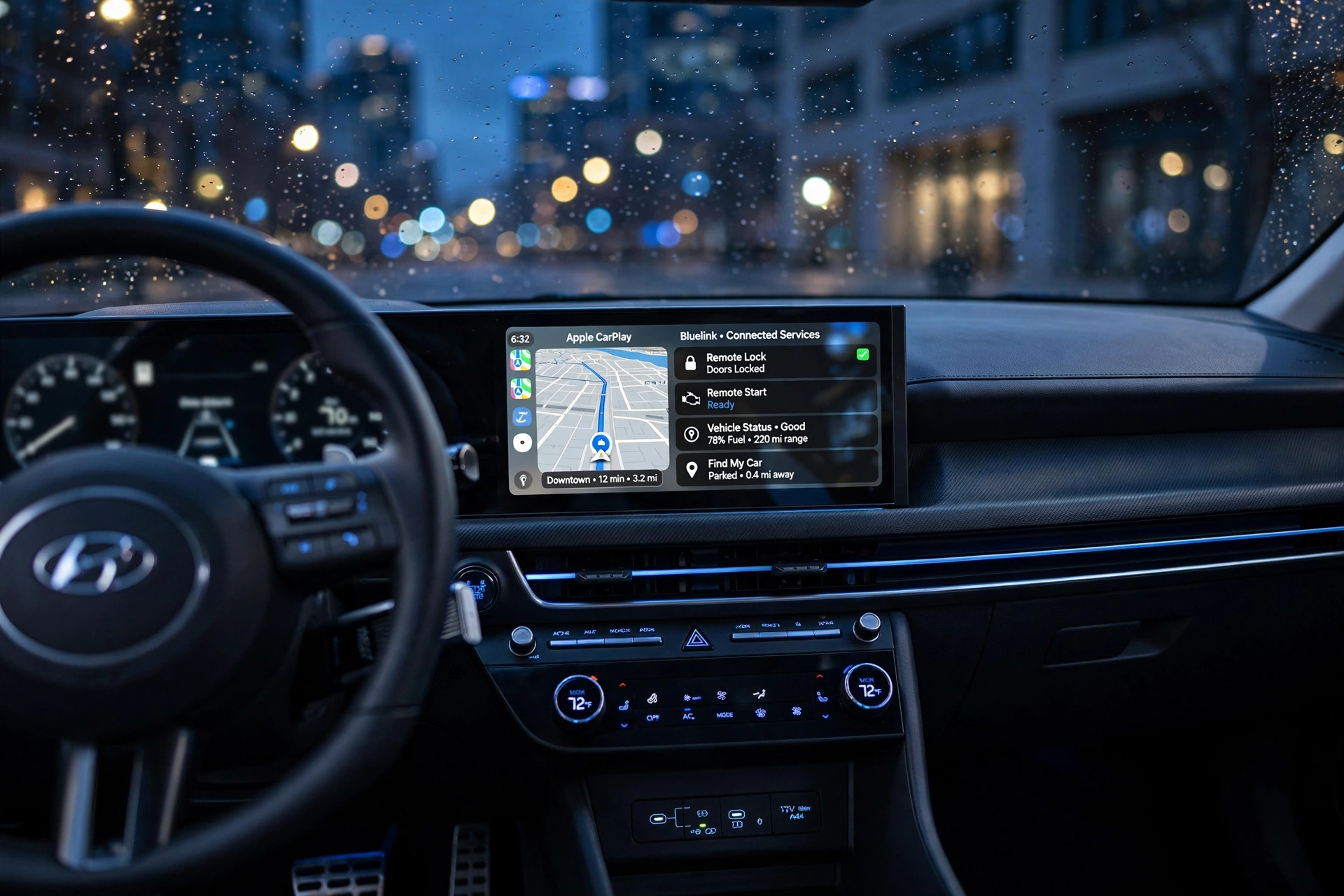
Hyundai Bluelink Features have become more competitive, and are now equipped with tech that links the vehicle to the smartphone, making it more convenient and enhancing driver assistance. Hyundai Bluelink Features include Bluelink connected services, Apple CarPlay / Android Auto, Digital Key, wireless charging, advanced infotainment and safety features in modern Hyundai models. But not all Hyundai Bluelink Features are worth paying extra for. Technology varies according to your driving habits, your cell phone usage and how you use your car.
The company is also ongoing its work in connected cars, software, electrification and future mobility. One of its technology strategies will involve several points that will bring vehicles to be smarter and more connected. For the buyer, the question is: What new technology will make your day-to-day driving more enjoyable and what new technology is just a big price tag?
Hyundai’s Standout Tech Innovations
Hyundai’s special technologies are – Connected services, Smartphone integration, Digital Key, Advanced driver assistance, Software oriented vehicle technology. The features may help make drivers’ daily driving more convenient by minimizing the manual work required. For instance, a smartphone integration can help to deliver familiar navigation and entertainment options, and connected services can enable a driver to interact with their vehicle remotely.
Many of Hyundai’s features are directed at convenience rather than just providing more equipment, and that’s the largest benefit of the technology. Useful remote control capability or reliable smartphone connectivity may be more practical and commonplace than a larger screen or eye-catching technology. Purchasers should make their attention, then, on the features they ought to use regularly.
Does Hyundai Bluelink Worth It?
The connected-car system, Bluelink, enables for example the remote activation of a Hyundai car’s functions via the smartphone. Depending upon the model and market, drivers can use the connected vehicle to review vehicle details, lock or unlock doors, connect to services and more remote vehicle functions. This can be particularly useful if you need to verify your vehicle’s condition without going to it.
The availability and subscription terms of Bluelink are however dependent on vehicle/-market. Buyers will want to ensure they know exactly what they are getting with their Hyundai purchase, and if connected services still run after paying. If you drive a vehicle that has a variety of remote functions, Bluelink may be beneficial. It might not be as significant for people who don’t use a smartphone to operate their car very often.
The Bluelink that matters most.
The most important Bluelink functions are those that can help you with your everyday problems. Smartphone functions such as remote vehicle controls, vehicle-status information, connected navigation, and more save time and make life easier. These functions are particularly helpful when these are part of your routine.
But Bluelink shouldn’t be the deciding factor when choosing your Hyundai trims. When the cost of a trim is significantly more expensive, make sure to evaluate the whole package, not just the extra features. The best rationale would be when Bluelink is paired with other technology features you really desire.
How smartphones are integrated into the Infotainment system.
Hyundai’s infotainment systems are a hub for navigation, music, phone and vehicle controls and connected services. Screen size is one thing to consider when comparing trims, but it’s not the only thing; larger screens can make things easier to see. While the rest of the time, a responsive interface and intuitive controls might mean more.
The two of the most significant are Apple CarPlay and Android Auto, which enable the driver to use familiar apps in the car’s display. For some customers, having a good smartphone connection is more important than some of the features of the premium infotainment system they may not use.
Wireless Apple CarPlay & Android Auto
Wireless Apple CarPlay and Android Auto can make smartphone integration much more convenient, as they can connect without a cable to the compatible car phones. This helps avoid clutter and helps with short trips, particularly for drivers with a habit of using navigable phones and/or music.
Don’t order a trim level with additional connectivity features, just because you’re paying more, unless you’re sure that your smartphone will support it. Wireless might not be something that you really need if you are accustomed to having your phone connected to the internet via cable.
Hyundai Digital Key
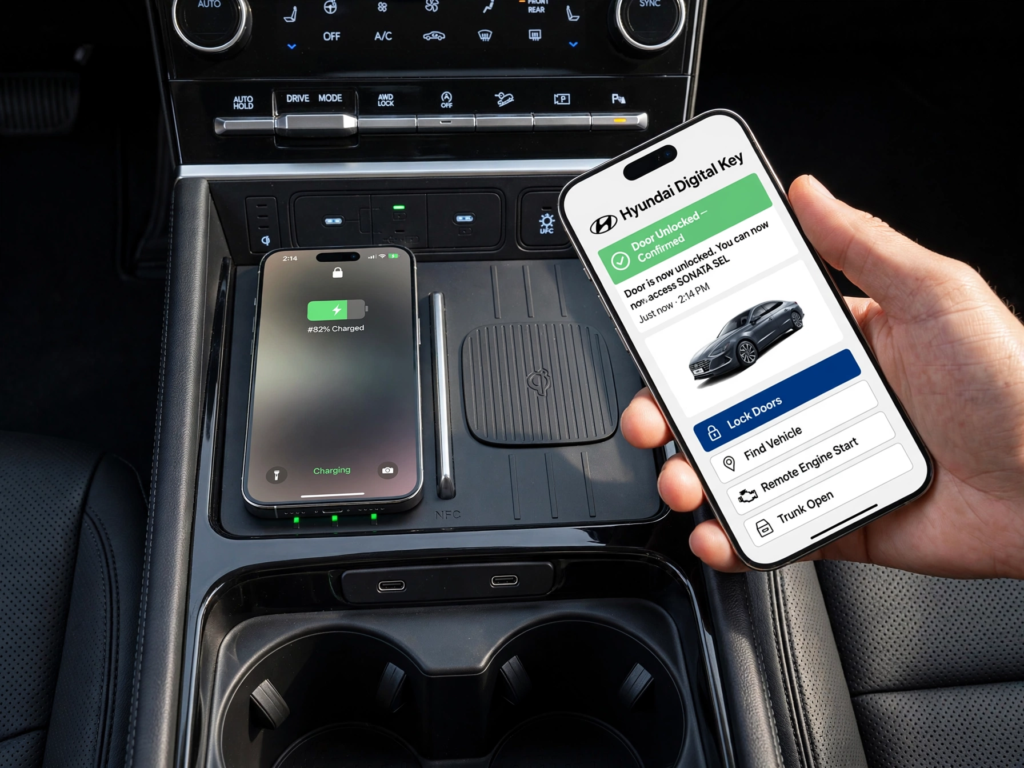
Hyundai Digital Key enables all compatible smart phones and devices to operate as a vehicle key on the supported models. Depending on the system, the driver can use his/her device for various purposes, including unlocking and starting the vehicle. This can be very useful to individuals who are already utilizing their telephone a great deal.
While Digital Key can be helpful, it’s important to consider compatibility. Not all Digital Keys are available for all smartphones and Hyundai models. So, it’s important for buyers to check compatibility before opting for any trim for this very reason.
Hyundai Driver-Assistance Technology
Hyundai has several driver assistance systems to help the driver in normal driving. They can range, depending on the model and trim, from forward collision assistance, blind-spot monitoring, rear cross-traffic assistance, adaptive cruise control and lane-related assistance.
Such features can be more useful than cosmetic technology as they can help drivers in everyday scenarios. They are not, however, driving assistants, but helpers. Consult the exact specifications of what’s included in each model’s range with the buyer, as the technology may not be the same.
Which Safety Technologies to Pay for?
Blind-spot monitoring, adaptive cruise control, forward collision assistance and rear cross-traffic assistance offer good real-world benefits to many drivers. Adaptive cruise control can be beneficial for drivers who spend a lot of time on highways, and blind-spot and rear cross-traffic detection can be helpful for drivers who frequently park in crowded locations.
The best way to do this is to match the technology with the way you drive. If you’re paying a lot more for extras that you’re unlikely to utilize, there’s not much you have to lose by going for the cheaper option. Rather, focus on systems which handle the most frequent situations.
Wireless Charging and Other Convenience Features
Another handy Hyundai feature is wireless smartphone charging which complements the wireless Apple CarPlay and Android Auto. It enables compatible phones to charge without even the need of the traditional cable and may have compatibility and charging speed differences.
Other features, such as voice control, can enhance the driving experience. These features alone don’t warrant upgrading to a more expensive trim option but can be useful when bundled with other technology that you are looking for.
Which Hyundai Trims have the Most Technology?
The Hyundai highest tech trim is not necessarily the most costly. Rather, check for the trims that have the features that you will actually use – smartphone connectivity, helpful driver assistance features, connected services, and charging options, to name a few.
When upgrading, ask someone to compare the amenities and prices of the various trims, and determine what you’re getting for your extra dollars. The lower trim might be more cost effective if it’s primarily an add-on to the styling. If it’s adding in some safety and connectivity elements, then maybe you ought to go for the more expensive trim.
Final Verdict
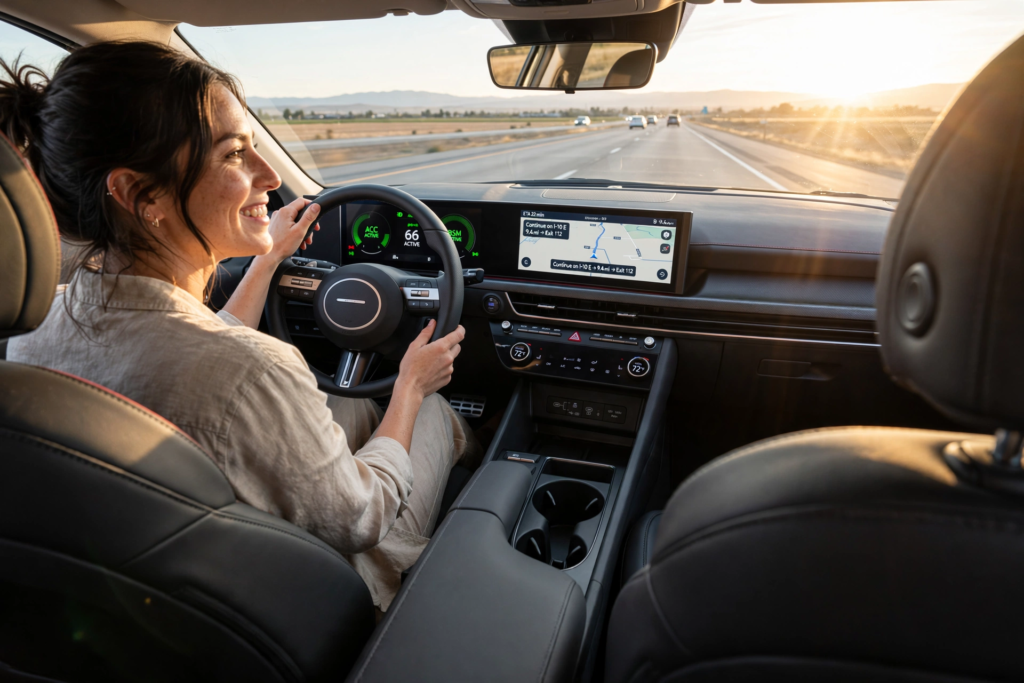
There’s a good range of modern technology in Hyundai, but it’s important not to turn a blind eye to the equipment that is offered and ensure it’s actually useful. Especially for smart services, Bluelink can offer great connected options, and wireless Apple CarPlay and Android Auto ensure that a smartphone can be integrated more easily. Digital Key is useful for those that can use it, and driver-assistance can help in normal driving.
When it comes to technology, most buyers will be looking for the top features that can help with smart phones, helpful safety features, connected services, and convenience features. These technologies can make a difference while you’re in possession. The features that just provide an extra bit of screen real estate or some extra, seldom-used item should be secondary. The right Hyundai is not always the most expensive, it’s the one that will have the technology that you’ll actually use.