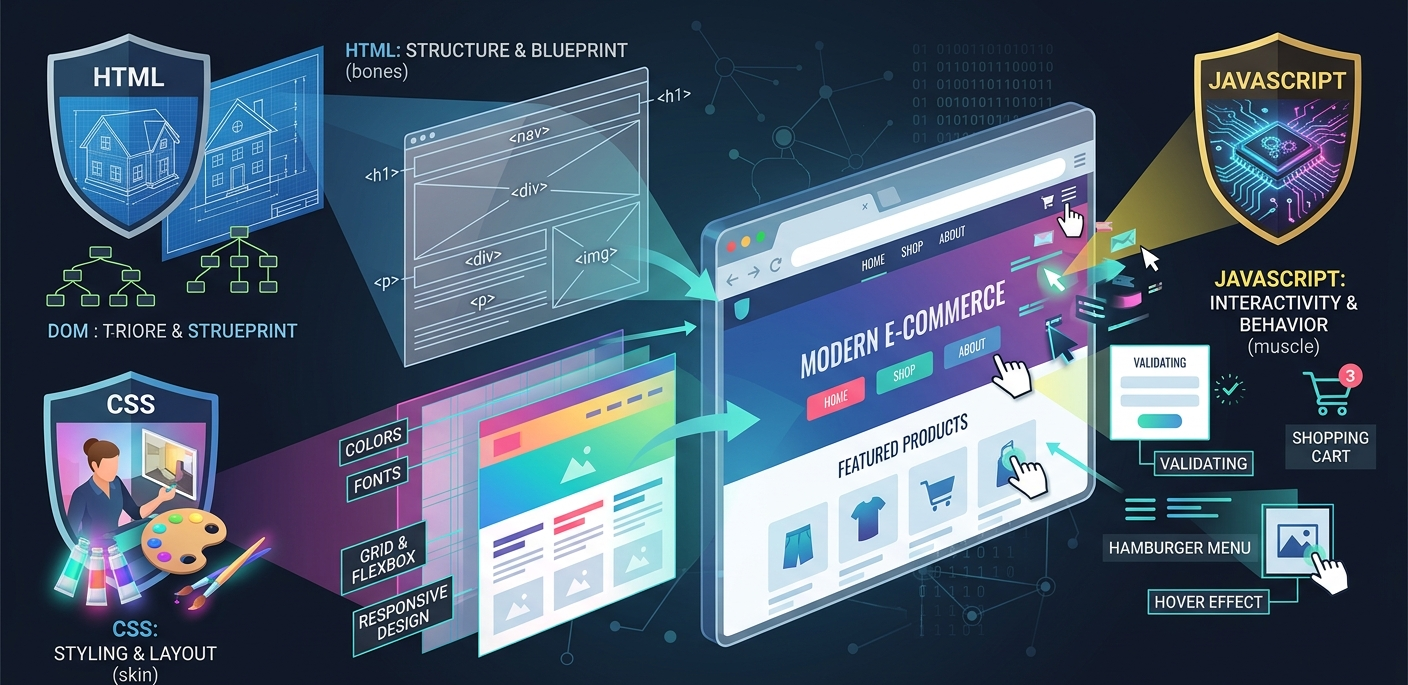
The web is constantly evolving and is based on three languages: HTML, CSS, and JavaScript. These three technologies are the foundation of web development. It’s important for web developers to know how the three technologies work together to create a website or web application. Let’s explore the purpose of each language, their interaction, and why they are used to create dynamic and interactive web pages.
Creating Content: HTML
Web pages are made up of HTML (HyperText Markup Language). It’s the “skeleton” of a web page. Web pages are written in HTML. Your computer’s browser reads the HTML and renders it on the screen.
What Does HTML Do?
So, HTML provides the skeleton of the webpage and uses tags to mark up the text. These tags instruct the web browser on how to render text, images, video, forms, and more. So, <h1> is a heading, <p> is a paragraph, and <img> is an image. We can organize text into headings, paragraphs, and lists. We can also use anchor tags (<a>) to link to other pages and resources. However, HTML doesn’t affect the look or feel of a web page that much. This is where you use CSS and JavaScript.
Example of HTML Code
<!DOCTYPE html>
<html lang=”en”>
<head>
<meta charset=”UTF-8″>
<meta name=”viewport” content=”width=device-width, initial-scale=1.0″>
<title>Sample Webpage</title>
</head>
<body>
<header>
<h1>Welcome to My Website</h1>
</header>
<section>
<p>This is a basic HTML page.
Click <a href=”https://www.example.com”>here</a> to go to a link.
</section>
</body>
</html>
In the example, we have used some of the HTML tags such as <header>, <h1>, <p>, <a>, and so on.
Making It Look Good: CSS
But while the content is provided by HTML, the style of the content is provided by Cascading Style Sheets (CSS). The layout, fonts, margins, and other styles are defined by CSS. So, the content is supplied by HTML, and the style is supplied by CSS.
What Does CSS Do?
CSS is used by web designers to style HTML elements. It allows content to be separated from its presentation, so the look of a website can be altered without affecting the content. It can be used to style individual elements, groups of elements, or an entire document. CSS can be used to design a web page. With the advent of new technologies such as Flexbox and Grid, elements can be positioned, and responsive layouts can be created for different devices.
Example of CSS Code
/* Header styles */
header {
background-color: #333;
color: white;
text-align: center;
padding: 20px;
}
h1 {
font-size: 2.5rem;
margin: 0;
}
section {
padding: 20px;
font-size: 1.2rem;
line-height: 1.5;
}
In the above example, the CSS is applied to the <header>, <h1>, and `<section> elements. The color, alignment, sizes, and margin are all set in the CSS.
Adding Interactivity: JavaScript
The interactivity of our website comes from JavaScript. But it’s not static like the structure (HTML) and style (CSS) of the page, it’s dynamic because it makes the page interactive – allowing the user to interact with the page and for the page to move around. JavaScript can be triggered by the user, for example when the user clicks on a button, enters a value in a form, or even when they scroll down the page.
What Does JavaScript Do?
JavaScript enhances websites. It can change the content of HTML and CSS, check form information, load information from the server, and animate objects. If there was no JavaScript, a website would not interact with the user, it would not be dynamic.
For instance, JavaScript is used to validate forms, create an image slideshow, display pop-up boxes, and other interactive features that add to its interactivity. It is used to design attractive and interactive websites.
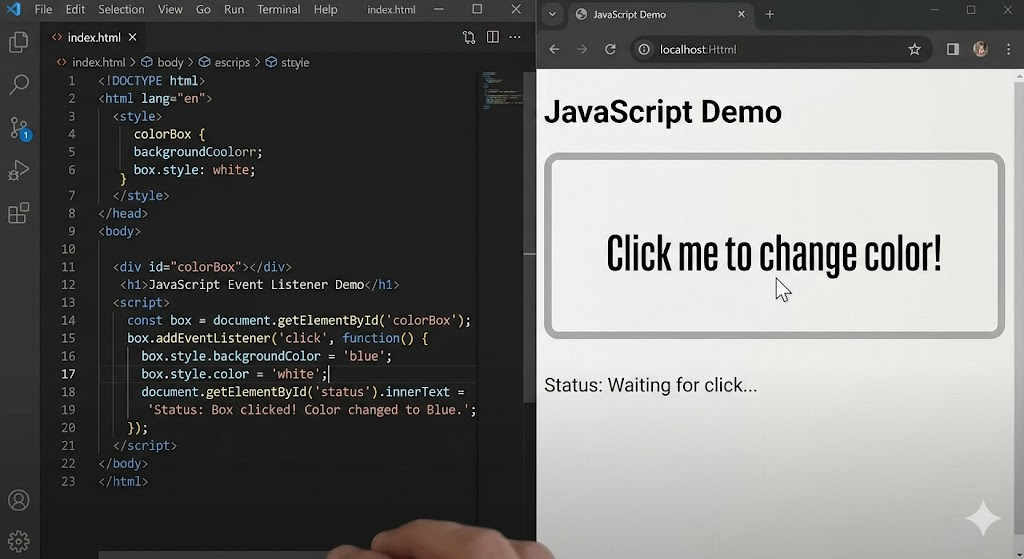
Example of JavaScript Code
// To change the color of a paragraph’s text on click
document.getElementById(“myParagraph”).addEventListener(“click”, function() {
this.style.color = “blue”;
});
In this case, JavaScript attaches an event listener to a paragraph. Clicking on the paragraph turns the paragraph text blue.
The Power of HTML, CSS, and JavaScript
So now we know what each of the languages does, let’s have a look at how we combine the use of HTML, CSS, and JavaScript to build a web app.
- HTML is the structure of the page.
- CSS is the presentation of the content.
- JavaScript animates and interacts with the content.
These technologies allow web developers to build interactive and dynamic user interfaces for websites.
Example of HTML, CSS, and JavaScript Working Together
<!DOCTYPE html>
<html lang=”en”>
<head>
<meta charset=”UTF-8″>
<meta name=”viewport” content=”width=device-width, initial-scale=1.0″>
<title>Interactive Webpage</title>
<link rel=”stylesheet” href=”style.css”>
</head>
<body>
<header>
<h1>Interactive Website</h1>
</header>
<section>
<p id=”myParagraph”>Click to change my color!</p>
</section>
<script src=”script.js”></script>
</body>
</html>
In this case, HTML is used to structure the content of the web page, CSS to style the content, and JavaScript to make it interactive. Clicking the paragraph changes its color, showing the capabilities of the three languages.
Why These Three Languages?
The languages of the internet are HTML, CSS, and JavaScript. They help us to make websites that are useful, attractive, and interactive—just how they should be. If you want to create a web page, blog, or web application, you need to understand how they interact.
Conclusion
To develop websites, you need to know HTML, CSS, and JavaScript. HTML to define content, CSS to style, and JavaScript to add behavior. They make the interactive web possible.
When you’re starting out in web development, remember that they each have their own part to play but also each complement the others. Through some hard work, you will be able to create useful, beautiful, and fun websites.
In this article, you’ll be introduced to the “Big Three”. If you are a new web developer or simply looking to brush up on your skills, it’s time to learn the basics of these languages to help kick-start your web development career.