Introduction
Security is an important aspect of building reliable applications on UNIX. It is important to understand how security works within UNIX in order to prevent unauthorized access and protect sensitive information. Modern Linux systems have various security mechanisms such as file permissions, user identification, privilege separation and mandatory access control (e.g. SELinux).
These can be used to help create applications that run with minimal privileges. Using these mechanisms along with secure programming practices you can limit the vulnerabilities your application has to prevent the misuse of privileges.
Understanding UNIX Security
UNIX security is based on restricting access to resources. Every process will run under a user and group. The operating system will use this information to determine which processes can access certain resources.
By understanding how this works you can design your application to have the correct access restrictions. This will help you create a secure UNIX application.
File Permissions
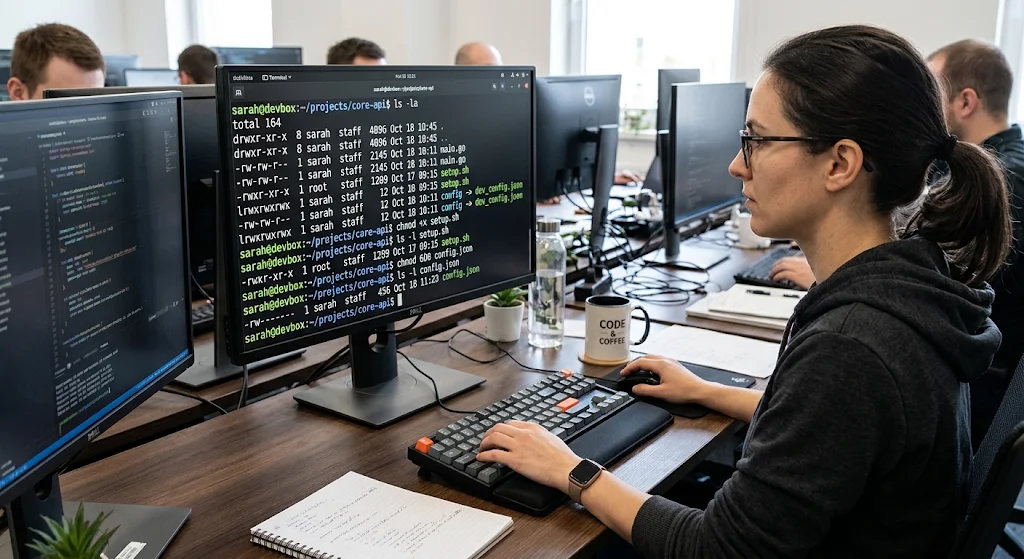
File permissions are one of the most important aspects of security within UNIX. Traditional UNIX file permissions are split into owner, group and other. Each of these can have read (r), write (w) and execute (x) permissions. An example of a permission would be 755 which allows the owner of the file to read, write and execute. Members of the group and other users can only read and execute.
You can view the permissions using commands such as ls -l and change the permissions using chmod. Understanding these permissions is important when creating applications that create files or store configuration or sensitive information. Giving incorrect permissions can leave your information vulnerable.
Understanding Permissions
Permissions will vary between files and directories. Read means users can view the contents of the file. Write means users can edit the contents of the file. Execute means executable files can be run. For directories read means users can view what is contained within the directory. Write means users can create/ delete entries within the directory.
Execute means users can access items within the directory if they have access. You should try to limit the permissions given to processes. If you give too much access there is a higher chance of the file being accidentally edited and sensitive information being exposed. Sensitive configuration, authentication and application files should have tight permissions.
umask
The umask will determine which permission bits are removed from files/directories created by a process. This can help keep your files secure. For example setting umask(077) will mean any new files don’t give access to group members or other users. However this will depend on the mode specified during file creation.
This is useful when creating files that contain private configuration information, temporary data or user specific data. You should set an appropriate umask as early as possible within your application.
Example (Defensive)
#include
#include
int main(void) {
if (umask(077) == (mode_t)-1) {
perror(“umask”);
return 1;
}
printf(“Secure file creation mask configured.\n”);
return 0;
}
This sets a tight mask for creating files. You should also check the permissions of important files within your application. This will ensure that your files aren’t accidentally made more accessible.
User and Group Identities
UNIX uses User ID (UID) and Group ID (GID) to identify processes. Every user will have a UID and groups can be used to give multiple accounts access to certain files and directories. When an application runs the operating system will assign credentials to the processes.
You should understand how real, effective and saved user IDs work. This can affect how privileged applications perform certain security related operations. For example you may have a service that needs elevated permissions to access a secure resource however you should run the normal operations under a dedicated low privilege account. This will help prevent your application from accessing resources it shouldn’t.
Dedicated Service Accounts
Applications that are running constantly should generally be run under a dedicated service account. This will give the application its own identity with specific permissions. If there is a vulnerability within your application this can limit the damage caused as the process won’t automatically have access to administrative privileges. You should also avoid having unrelated applications under the same service account.
This will make it harder to keep your application secure. For example if you have a background service that processes uploaded documents it should only have access to the necessary directories and files. Having separate service accounts will make it easier to manage your permissions.
Privilege Separation
Privilege separation is a security technique that separates your application into different sections. Only the parts of your application that require administrative privileges will be given these. For example a service may only have a small section with elevated privileges to carry out a specific administrative operation. The rest of the application will run without elevated privileges.
This will limit how much of your application has unnecessary privileges. If an attacker finds a vulnerability in the section of your application that processes external input, as this section should have limited permissions it will have less access to sensitive resources. Privilege separation is particularly useful for network services, authentication applications and system administration tools.
Privilege Dropping
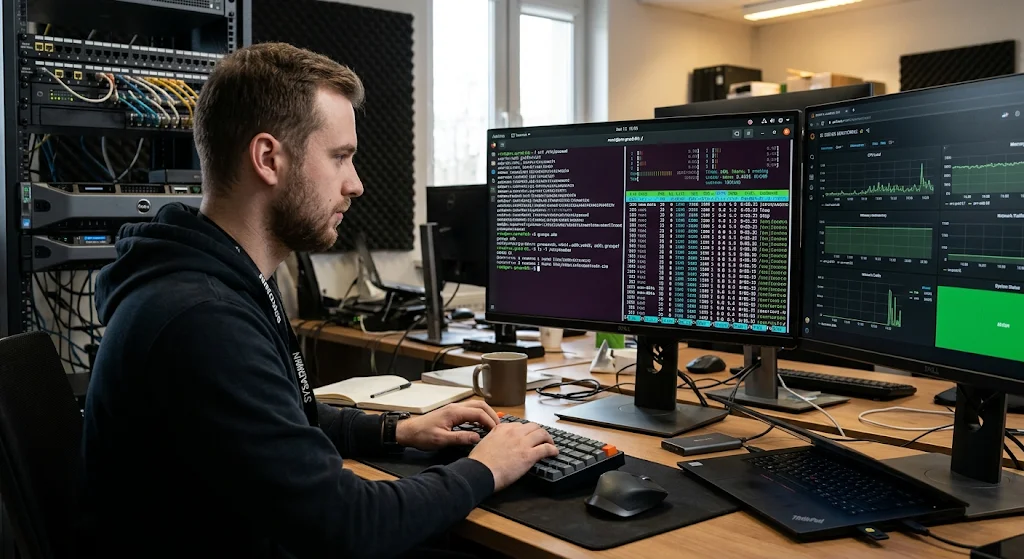
Privilege dropping is when you reduce the privileges of your process. Sometimes a program will need administrative privileges to carry out a small setup operation. Once this has been completed you should drop your privileges as soon as possible. On Linux this can be done by removing any supplementary groups, setting the correct group ID and user ID.
You should be careful when managing real, effective and saved IDs, capability sets and privilege configurations to ensure you don’t accidentally regain any privileges. If your application is multi threaded you should also be careful when changing credentials.
Example (C)
#include
#include
#include
#include
#include
int main(void) {
uid_t service_uid = 1001;
gid_t service_gid = 1001;
if (setgroups(0, NULL) == -1) {
perror(“setgroups”);
exit(EXIT_FAILURE);
}
if (setgid(service_gid) == -1) {
perror(“setgid”);
exit(EXIT_FAILURE);
}
if (setuid(service_uid) == -1) {
perror(“setuid”);
exit(EXIT_FAILURE);
}
printf(“Privilege reduction completed.\n”);
return 0;
}
This shows the general order of changing credentials for a process with suitable privileges. The numeric IDs are just examples and will vary. Within your application you should get the intended account IDs from a trusted configuration. You should also take into consideration saved IDs and capabilities. Finally you should ensure that no unwanted privileges have been retained. This should generally be done before starting any worker threads or processing untrusted requests.
Secure Temporary File Handling
Temporary files can be useful for storing temporary application data, processing uploaded data and background operations. However if you aren’t careful with temporary files you can introduce security vulnerabilities. If you create files within a shared directory the filenames may be predictable and another user/process can interfere with the file before your application accesses it.
This could mean the file is accessed without authorisation, accidentally overwritten or other issues. You should avoid creating temporary filenames manually or checking for existing files. This can introduce a time of check to time of use issue.
Secure Temporary File Creation
Linux and UNIX like systems have secure ways to create temporary files. Within C you can use the mkstemp() function to create and open a unique temporary file with an appropriate filename. This will securely create your temporary file. You should check the file descriptor returned, ensure the file has the correct permissions and delete the temporary file when no longer needed.
You should also consider using a private directory for your application. This should have careful ownership and permissions. As temporary data may contain sensitive information you should avoid leaving any unnecessary files.
Example (Defensive)
#include
#include
#include
int main(void) {
char filename[] = “/tmp/app-XXXXXX”;
int fd = mkstemp(filename);
if (fd == -1) {
perror(“mkstemp”);
return 1;
}
printf(“Temporary file created successfully.\n”);
if (unlink(filename) == -1) {
perror(“unlink”);
close(fd);
return 1;
}
close(fd);
return 0;
}
This creates a unique temporary file. The directory entry will be deleted however the file descriptor will still be available until closed. You should also check for any errors when writing and closing important data. You may also want to use private temporary directories.
Input Validation
Input validation is an important part of secure programming on UNIX. Your application will often receive information from users, configuration files, network connections and other processes. This information may contain unexpected characters, large values or data that doesn’t fit with your application. If you don’t validate this information you may have issues with memory corruption, unexpected file access or unauthorised operations.
You should have clear rules for validating any input your application receives. Any values that don’t fit with your application should be rejected. You should validate the type of data, length of data, numerical range and format. You should also remember that if the data has come from another application or internal file it shouldn’t be assumed to be trusted.
Allowlist Validation
Allowlist validation means you specify what values/formats your application will accept. For example if you expect a numeric account ID you should validate the input to ensure it contains a valid number within the required range. If your application expects filenames you should reject any unexpected path formatting.
You should validate any data before using it in any security related operations. Avoid passing untrusted strings directly to shell commands. If external programs need to be run try to use more secure methods of executing processes with separate argument values. This will help to reduce the chances of unexpected input affecting your application.
Example (C)
#include
#include
#include
#include
int main(void) {
const char input = “250”;
char end;
errno = 0;
long value = strtol(input, &end, 10);
if (errno == ERANGE ||
end == input ||
*end != ‘\0’ ||
value < 1 ||
value > 1000) {
fprintf(stderr, “Invalid input.\n”);
return 1;
}
printf(“Validated value: %ld\n”, value);
return 0;
}
This shows how to convert a numeric string whilst validating any errors, unexpected characters and appropriate range. Within your software you should also enforce a maximum input length before parsing.
Common UNIX Vulnerabilities
Even if you use operating system security features within your application you may still have programming errors that could allow unauthorized access. Some vulnerabilities can occur due to misunderstanding how memory management, file handling and concurrency between processes works. Two important vulnerabilities to understand are buffer overflows and race conditions.
These can affect applications written in C and other languages that give direct memory access. Knowing common vulnerabilities will help you identify risky programming practices and add the correct security measures. When testing your application you should check that your application has the correct permissions and that it securely handles memory, input and shared resources.
Buffer Overflow Vulnerabilities
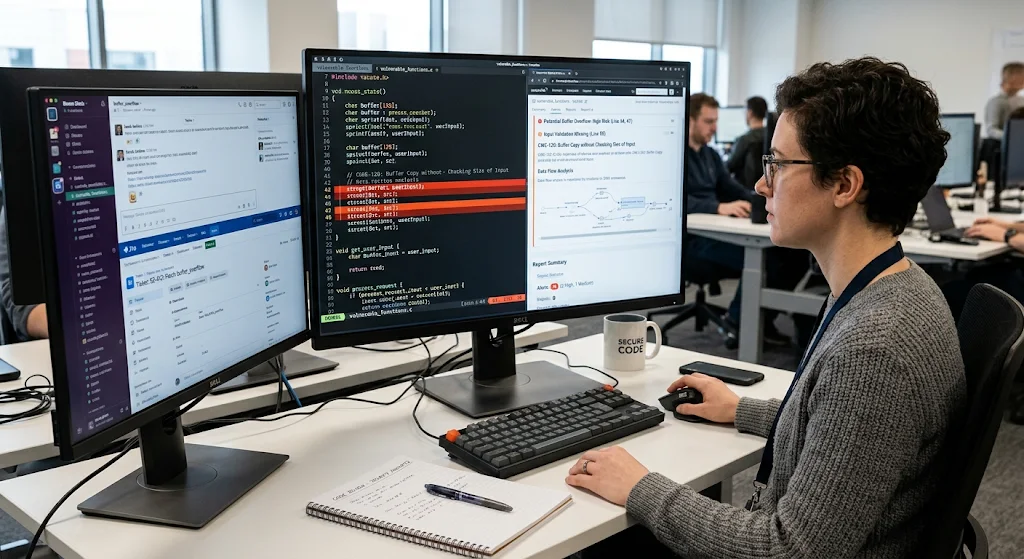
A buffer overflow occurs when your application tries to store more data within a buffer than it can hold. This can cause neighbouring memory to be overwritten causing unexpected behaviour, crashes or vulnerabilities. This is particularly important within C as you are responsible for managing memory. Using functions that don’t validate the length of strings being copied/processed can cause this issue.
For example using an unsafe string copy with untrusted input could cause the data to overflow the buffer. You should use the correct length checks, validate input lengths and use secure interfaces that take the capacity of the destination buffer. You can also use security features within your compiler and test for memory safety.
To help reduce buffer overflows:
- Ensure you are checking the length of your input before copying to a buffer.
- Ensure you have enough memory allocated for the data.
- Avoid using unsafe string functions.
- Use bounds aware functions.
- Enable security features within your compiler (such as stack protection).
- Test your application with unexpected and large inputs.
- Consider using a memory safe language for components that handle untrusted data.
By using security features within your compiler (such as Address Space Layout Randomization support, stack canaries and non-executable memory) you can make certain memory corruption vulnerabilities harder to exploit. However this should not be used as a substitute for proper memory management.
Race Condition Vulnerabilities
Race conditions occur when the behaviour of your application depends on the timing/order of operations between multiple processes/threads. This can become a serious issue if you are checking a resource and then performing an operation on that resource; however , you don’t ensure that the identity/state hasn’t changed. For example you may check the permissions of a file and then open it however another process may have changed the entry within the file system.
This causes a time of check to time of use vulnerability. You should use atomic system calls, secure file descriptors and appropriate synchronisation. Generally it is better to use secure methods to open/access the intended resource rather than checking the file.
To help reduce race conditions:
- Use atomic operations for shared resources.
- Avoid having separate checks and opens for files.
- Use appropriate locking/synchronisation.
- Ensure shared application state is protected from being modified by multiple users.
- Use secure functions to create temporary files.
- Be careful with file descriptors and directory access.
- Test your application with concurrent workloads.
Linux Capabilities
Linux capabilities allow you to have finer grained control over privileges. Rather than giving your application full administrative privileges you can give it specific capabilities. For example CAP_NET_BIND_SERVICE allows a process to bind to privileged network ports and CAP_CHOWN allows certain changes to ownership.
This will reduce the risks of running your application as root. This is particularly useful for network services and system utilities that require limited administrative capabilities. You should carefully review what capabilities your application has as giving it unnecessary capabilities can still leave important resources vulnerable.
Why Use Capabilities?
Capabilities follow the principle of least privilege. This means your application can carry out specific administrative operations without having full root access. This can greatly reduce the impact if your process is compromised as it will only have the authority of the capabilities it has. You should identify exactly what privileged operations your application needs.
Avoid giving your application broad capabilities just to make your software work. Capabilities can be viewed and managed using Linux administration tools. It is important to remember that capabilities should not be used as a complete replacement for file permissions. They work best when used in conjunction with other security measures such as restricted service accounts, access control and sandboxing.
Mandatory Access Control (SELinux/AppArmor)
Mandatory Access Control (MAC) adds another layer of security to UNIX. This will enforce policies across the system and your application won’t be able to easily override them. Unlike traditional permissions which are mostly controlled by file owners and user identities, MAC policies will add further restrictions to processes. Linux has security frameworks such as SELinux and AppArmor that can be used to enforce these policies.
This will help administrators to restrict your application to specific files, directories, network resources and system operations. This is particularly useful if your application is compromised as the policy will stop the process from accessing resources it shouldn’t.
Understanding SELinux
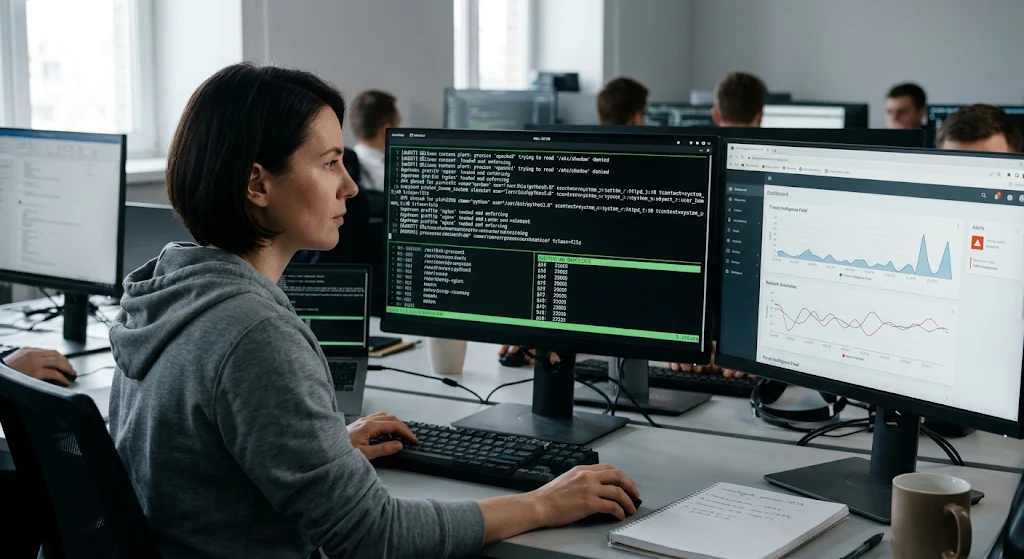
Security Enhanced Linux (SELinux) is a security framework for Linux. It uses policies and labelling to control access between processes and system resources. Security contexts will be applied to files, processes and other objects. The operating system will use this to determine if an operation is allowed. For example your application may have access to read its configuration files but may not have access to sensitive files from another service.
SELinux can run in different modes. Enforcing mode will enforce the security policy whilst permissive mode will log any policy violations. You should test your application in the intended SELinux policy. If you have any legitimate access restrictions you should address these.
Understanding AppArmor
AppArmor is another security framework for Linux. It will restrict your application by using application specific security policies. Unlike SELinux which commonly uses labelling, AppArmor mainly uses file paths and policies. This can be useful if your administrators want to create understandable application level policies.
AppArmor can run in enforce mode (blocking policy violations) or complain mode (logging policy violations). Both SELinux and AppArmor can help reduce the damage caused by a compromised application.
SecComp and System Call Filtering
SecComp (Secure Computing mode) is a feature of the Linux Kernel that allows applications to control what system calls are allowed to be used by a process. System calls are a key part of an application allowing it to request something from the Operating System. This can be things like reading from/writing to files, managing processes and networking.
Most applications will only use a subset of the available system calls. Using SecComp filtering can provide developers with a way to control what system calls are allowed to be used and how the kernel reacts if a restricted system call is attempted to be used. This lowers the overall attack surface of system calls and can help provide extra protection from untrusted data.
Improved Security
SecComp is great for using applications that will only be doing a limited number of actions. For example, an application that handles documents may only use a few system calls for processing the input, performing the actions and returning the output. By limiting the system calls used by the application, this can reduce any opportunities that would be available to a compromised process.
Linux offers ways to do SecComp filtering using the prctl() function and seccomp() system call. Developers can create filters to allow certain actions to be performed but others not. SecComp should not be considered a complete sandboxing technique, it is mainly to reduce system calls. It should be used alongside other methods of protection, such as limiting the user’s capabilities and mandatory access control.
Creating a Multi-Layered UNIX Security Setup
There is no single method of providing security to your application. For example, whilst providing file permissions can reduce access to sensitive files, it will not stop all memory management errors. Whilst reducing privileges can reduce the amount of admin privileges, it won’t automatically stop unauthorised access to resources.
SecComp can limit system calls but it will not provide input validation. A more secure way to provide security to your application is to have multiple methods of providing security. This is known as defence in depth. Developers should look to create an application with multiple layers of independent security.
Some methods of creating a multi-layered UNIX security setup could be:
- File permissions – Provide limited access.
- Separate user accounts – Provide separate accounts for the application.
- Privilege separation – Ensure sensitive actions are done separately.
- Reducing privileges – Remove any unnecessary privileges once admin actions have been performed.
- Linux Capabilities – Only give necessary admin privileges.
- SELinux/AppArmor – Provide extra restrictions.
- SecComp – Limit unnecessary system calls.
- Input validation – Reject any unexpected/unexpected data.
- Memory management – Prevent memory corruption.
- Security Testing – Find any vulnerabilities.
By using multiple methods to secure your application it will be harder for any vulnerabilities to fully compromise the system.
Security Testing and Maintenance
Creating a secure application does not just stop once the code has been created. Regular testing should be carried out to ensure the application is secure. This can be done by testing the application works how it should and ensuring the operating system is secure. This can be done by ensuring the file permissions are set correctly, services are using restricted accounts and that any reductions in privileges are working.
Tools can also be used to carry out static analysis to find any suspicious patterns in the code. Dynamic testing can be done to test for any memory errors. The application should also be tested with limited permissions. Regular maintenance is required to ensure the operating system, libraries and any dependencies have received any security updates.
Security Testing
When developing your application you should implement:
- Static Analysis – Look at the source code to see if there are any insecure patterns.
- Dynamic Analysis – Run the application and monitor memory and how the application behaves.
- Fuzz Testing – Provide unexpected input to find any parsing or crashing issues.
- Permission Testing – Ensure the application cannot access any files outside of its permissions.
- Privilege Testing – Ensure processes with restricted privileges cannot perform any unauthorised admin actions.
- Concurrency Testing – Test how the application behaves with multiple actions.
- Dependency Scanning – Find any outdated libraries.
- Configuration Testing – Ensure security policies, service accounts and deployment are correct.
This will help find any issues with your application before they can be exploited by an attacker or by accident. Security testing should be carried out regularly when any major features, dependencies or OS changes are made.
UNIX Security Programming Checklist
Creating a checklist to help make sure your team is using consistent security throughout the development process.
Security should be considered when designing, developing, testing and deploying your application. Here are some key points to help create a more secure UNIX application.
File Permissions
- Ensure sensitive files have limited permissions.
- Set an appropriate umask.
- Don’t allow unnecessary write permissions to application directories.
- Ensure files have been assigned to the right users and groups.
- Regularly check access permissions.
Users/Privileges
- Create a service account.
- Don’t run normal application processes as root.
- Use privilege separation.
- Reduce privileges as soon as possible.
- Remove unnecessary Linux capabilities.
- Ensure processes have the correct identity/privileges.
Secure Files
- Use secure functions to create temporary files.
- Don’t use predictable names for temporary files.
- Ensure sensitive data in temporary files is protected.
- Check for errors in file actions.
- Ensure not using insecure methods to check pathnames and open files.
Secure Code
- All untrusted input should be validated.
- Ensure input has appropriate length restrictions.
- Use secure memory management.
- Don’t use any unsafe string functions.
- Don’t execute unnecessary shells to prevent command injection.
- Ensure errors are handled securely.
Sandboxing
- If available use SELinux/AppArmor policies.
- Use SecComp to limit system calls.
- Ensure the application has the correct capabilities.
- Limit access to unnecessary directories/resources.
- Test application with its intended security restrictions.
Testing & Maintenance
- Carry out regular code reviews.
- Use static and dynamic security analysis.
- Carry out fuzz testing.
- Scan for dependencies with known vulnerabilities.
- Ensure Operating System and Libraries have security updates.
- Check logs for any unexpected behaviour.
- Carry out regular security assessments once major changes have been made.
This will help ensure your developers are using consistent security practices.
Conclusion
Security programming for UNIX goes beyond simply setting file permissions. Developers should understand how the security features of the Operating System work together and how mistakes can cause vulnerabilities. By implementing file permissions, users/groups, privilege separation, secure temporary files and input validation you can create a good foundation for securing resources on the system.
By using Linux capabilities, SELinux, AppArmor and SecComp you can add extra restrictions to reduce the privileges of the application. These should be used alongside secure coding practices, testing and maintenance. By following the principle of least privilege and defence in depth you can create a more reliable, maintainable and secure UNIX application.