Introduction
The computing world is made up of several elements, such as hardware and software. There are various elements involved in the computing world, including hardware and software.
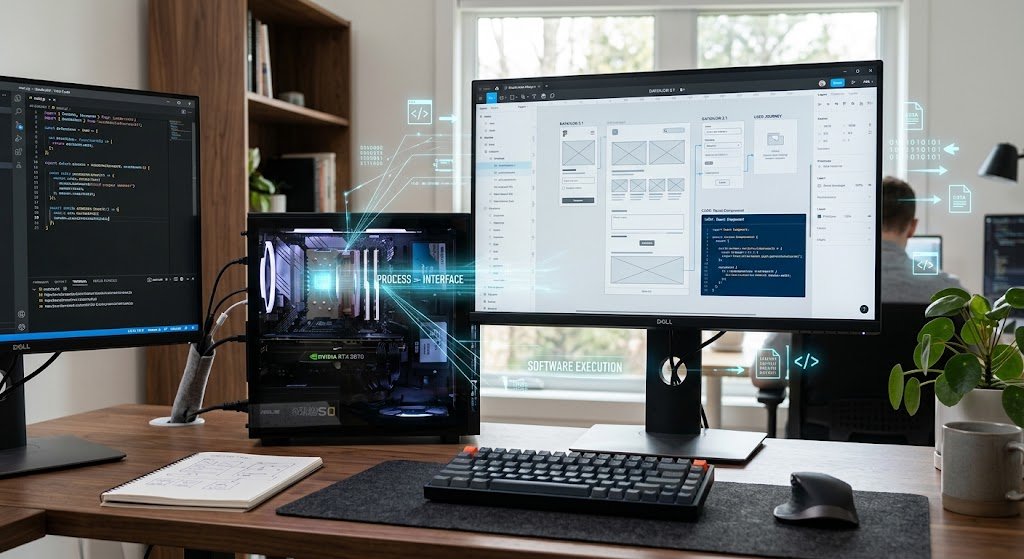
Whether you’re using a personal laptop or a large server for an enterprise organization, every computer system relies on two key elements: hardware and software. These two terms are interchangeable but many people are not sure of the difference between them because they are both necessary to everyday technology and are frequently used in tandem to complete tasks. Hardware is the physical components of a computer system and software are the programs, instructions, and applications that tell hardware what to do. If there were no hardware, there would be no software and if there were no software, there would be no useful hardware.
It is an essential prerequisite for anyone studying computers, information technology, programming or digital devices. While closely related, hardware and software have distinct features, uses and maintenance needs. Examples of hardware include a computer processor, a computer keyboard, a computer monitor, and a computer storage drive. Examples of software include operating systems, web browsers, mobile applications and games. Understanding how these two interact can enable users to make informed decisions about device purchases, troubleshooting, and understanding how digital systems work.
For a more detailed explanation of the difference between hardware and software, it is important to examine their definitions, functions, examples, and how they work together in modern computing systems.
What Is Hardware?
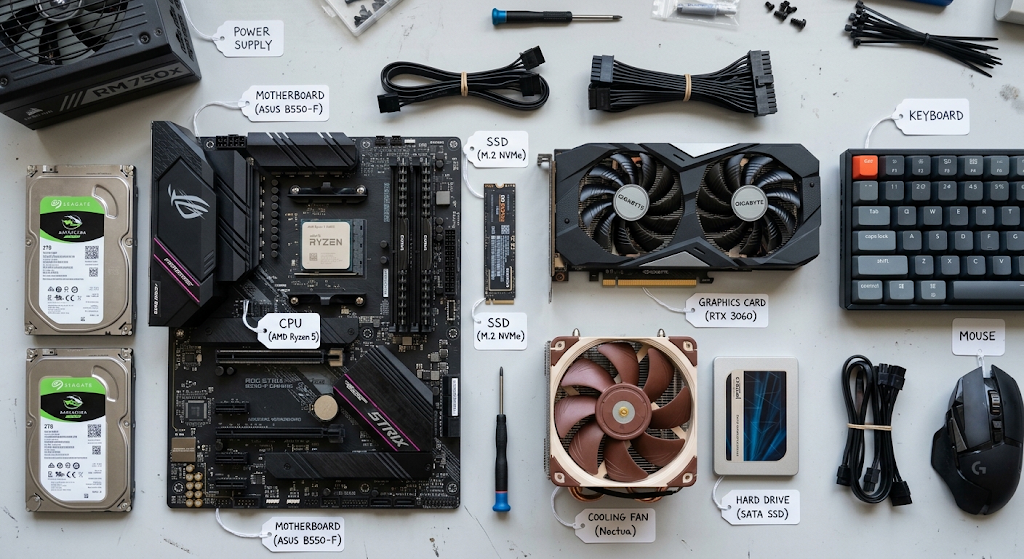
The tangible parts of a computer system are called hardware. It consists of all the electronic and mechanical components that process, store data, accept input and generate output. Materials used for the production of the hardware components include metals, plastics, silicon chips and other electronic materials. These components are meant to make up a computer device that’s able to operate and execute different functions according to instructions given via software.
The hardware components of a computer system can range from keyboards and mice through monitors, printers, network devices, graphics cards, random access memory (RAM), motherboard, and hard drives to solid-state drives (SSD), and the central processing unit (CPU). Every hardware has a particular function. For instance, RAM temporarily holds data used by programs while they are running, and the CPU is the “brain” of a computer which processes instructions. The storage devices store files and programs to be used again in the future, while the input devices enable a person to communicate with the computer.
There are also four major types of hardware: Input devices, Output devices, Processing devices, and Storage devices. Input devices are used to enter information into a computer, like keyboards, microphones, and scanners. Output devices (monitors, speakers, and printers) display or produce output from computer processes. Storage devices store data and processing devices perform calculations and instructions. The two categories combined form the physical infrastructure needed for digital operations.
What Is Software?
Software is a series of instructions, programs and data that is used to guide the hardware in performing a specific task. A software is not tangible, unlike hardware. Rather, it’s a set of instructions in digital code kept on storage devices and carried out by computer machines. Software serves as a medium of communication between users and hardware to enable users to carry out various activities including writing documents, surfing the internet, enjoying games, editing videos and running business processes.
There are two types of software, namely application software and system software. System software is used for the basic functioning of computers and to ensure that the hardware components work. Operating systems like Windows, macOS, Linux, Android, and iOS are the most frequent cases of system software. These systems manage hardware resources, file management and create an environment for running applications.
Application software is the type of software used to perform a task. They can be related to word processors, web browsers, video editing software, accounting software, communication software, and applications for cellphones. System software is used to run and control the computer, while application software is used to accomplish specific tasks. Both kinds of software are essential – hardware resources can be made useful tools instead of dormant electronic components.
The Use of Hardware and Software Together
The computer system depends on both hardware and software for it to work. Hardware refers to the physical devices used for processing, storage and communication, and software refers to the instructions that are given to these devices to tell them what to do. An application is a program that a user opens, which sends commands to the hardware, which executes the commands. For instance, if a person plays a video on a laptop, the media player software tells the processor, memory, graphics card and speakers to collaborate to show and output the video.
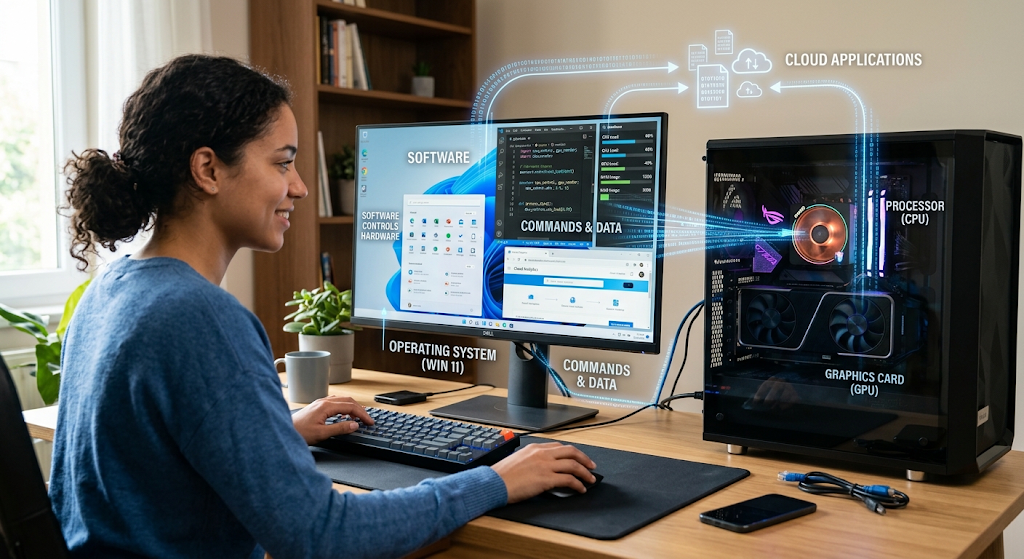
The hardware/software analogy could be likened to the process of a person’s body and the instructions that dictate what it does. Hardware is the structure; software is the intelligence that is used to control operations. A strong computer with high level hardware specifications will be of little use without software to run it and sophisticated software will not work without appropriate hardware upon which to run.
As technology advances, the way these two components interact is continually evolving. Artificial Intelligence software, cloud-based applications and sophisticated Operating Systems are used in modern computers which demand high performance processors and dedicated hardware. The same applies with hardware manufacturers and new devices that are designed according to the needs of new software applications, which is a process that is constantly evolving and being innovated.
Hardware and Software Comparison Table
Hardware and software have been compared side by side. Hardware and Software are compared side by side.
| Feature | Hardware | Software |
| Definition | Any material part of a computer system. A tangible element of a computer system. | Software that manages the computer’s processes and activities. The instructions and programs that direct the computer’s processes and activities. |
| Physical Existence | Can be seen and touched | Is not tangible, physical or concrete |
| Main Function | Supplies tools for computing jobs | Provides directions to hardware |
| Examples | Computer parts – CPU, key board, monitor, RAM, hard drive | Windows, browsers, apps, games |
| Creation Process | Made of electronic and mechanical materials | Developed using programming and coding |
| Damage | May break because of physical problems or wear and tear. | May go awry as a result of bugs, malware or error. |
| Replacement | Typically needs to buy new physical parts. | May be easily reinstalled or updated |
| Maintenance | Needs cleaning, repairs and hardware upgrades | Needs updates, security patches and troubleshooting |
| Dependency | Needs software to perform useful tasks | Requires hardware to operate |
Key Differences Between Hardware and Software
The main difference between software and hardware is that software is intangible while hardware is tangible. Hardware is the physical components of a computer and software is the instructions that control the physical parts of a computer. A keyboard is an example of hardware because it’s a physical device used to input information. A word processor is a software application that is used to create and edit documents digitally.
The other important difference is the method of hardware and software development. Hardware can be manufactured by assembling electronic components and physical materials using manufacturing processes. Programming Languages and Development Processes are the tools used to create software, in which a programmer writes instructions which the computer can understand. The main difference between developing hardware and software is that software development mostly requires programming skills and digital tools, whereas hardware development involves factories and specialized equipment.
In addition to differences in use, the maintenance of hardware and software are also different. Physical parts may need to be repaired, replaced, cleaned, or upgraded if they become damaged or out-of-date. Typical software maintenance tasks include installation of software fixes, software bug fixes, security updates, and feature enhancements. An example of this would be replacing a damaged hard drive, which means that you will have to install a new physical hard drive, versus fixing a software problem, which may involve a software update or reinstallation.
Real-World Examples of Hardware and Software
A simple example of the collaboration between hardware and software is modern smartphones. Inside a smartphone, the components such as the touchscreen, battery, camera, processor and memory chips are referred to as hardware. The software on the device include the operating system, message apps, social media apps, and mobile games. Both parts working together allow the smartphone to only function properly.
Another typical example is a personal computer. A desktop computer could comprise a motherboard, CPU, RAM, graphics card, monitor, and keyboard. That computer might have an operating system, an anti virus software, office software and internet browsers installed in it. The hardware provides the computing power that users can use for completing various activities through software.
The fusion of hardware and software is also crucial for businesses. The hardware infrastructure of a company can include servers, networking infrastructure, computers, and storage systems. Concurrently, it could employ customer relationship management software, accounting programs, communication systems, and cyber security software to oversee operations. The success of modern organizations depends on choosing suitable hardware and software solutions that meet their specific needs.
Types of Hardware and Software
Common Types of Hardware
There are two ways to categorize hardware; according to its functions in the computer system. Input hardware are the devices used to enter information into the computer, for example, keyboards, mice, webcams and scanners. The output hardware consists of devices used to display processed data such as monitors, speakers, and printers. Processing hardware refers to CPUs and graphics processing units (GPUs) that carry out calculations and run instructions.
Information is stored for short or long term duration by storage hardware. These include hard disk drives, solid-state drives, memory cards, external storage devices, etc. Networking hardware, such as network adapters, routers and switches allow computers and Internet services to communicate with each other. Different hardware components have different functions to keep computer systems working properly.
Common Types of Software
There are also types of software based on their function. Examples of system software include operating systems, which are used to control and coordinate the computer resources and to act as a foundation for applications. Utility Software: These are programs used to keep computers running and working efficiently, like anti-virus software and file management programs.
Application Software are the programs used for particular activities by the users. These can range from education, business applications, entertainment software, communication software, and creative software. Programming software keeps programmers making new applications and digital solutions using codes, code editors, and development environments.
Importance of Understanding Hardware and Software
Users will learn about hardware and software to gain an understanding of the technology and how to troubleshoot typical computer issues. If a device is having problems, it’s easier to troubleshoot if you know if the issue is hardware or software related. For instance, if a computer won’t start up at all, it could be a hardware problem with the power components; if a computer is crashing a lot, it could be a software problem.
This information also helps in the buying of technology products. Customers can compare the features and hardware specifications of the various computers; processor speed, memory, and storage size, as well as software compatibility and features. The hardware might be great, but if the software applications are not available on the device, then you won’t be pleased with the device.
In the world of students, professionals, and technology enthusiasts, a grasp of the relationship between hardware and software serves as a stepping stone to delve deeper into other areas like cybersecurity, artificial intelligence, cloud computing, and software development. With the continuous development of technology, the relationship between physical equipment and digital instructions will stay an important part of it.
Conclusion
The two essential components of a computer system are hardware and software. Hardware refers to the physical components of a computer, and Software refers to the programs that are actually executed by the computer. They serve different purposes, but nothing can work without the other. The computer hardware is the equipment that processes and the computer software is the program that directs the processing.
The comparison between hardware and software aids the beginners to gain a better knowledge of computers. Whether it’s a cell phone, a personal computer, a business system or a high-tech machine, all digital devices are reliant upon the partnership between physical components and software directions. Users can appreciate their interaction to understand technology, their maintenance and make informed decisions in an increasingly digital world.