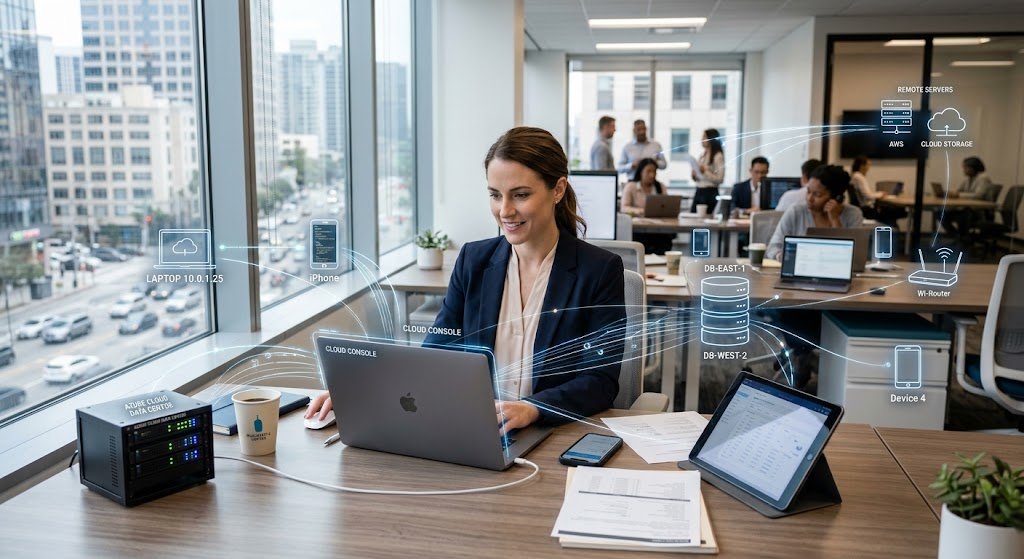
An Operating System is a collection of programs that are required to operate the computer. There are various hardware components of a computer such as processor, memory, storage device, keyboard, mouse, and display. But without software to control and manage them, these components will not be efficient in working together. This necessary software is known as an operating system. If you are a beginner who doesn’t know what an operating system is, it is simply the primary software system that links the computer hardware and applications to the computer users. It enables individuals to communicate with devices, execute programs, save data, and carry out daily activities without being knowledgeable of complicated hardware code. The operating system runs in the background, controlling the resources and ensuring that various programs run smoothly. Today’s computer, smart phones, tablets, and numerous other digital devices would not be practical or easy to use without an operating system.
The operating system is like a computer is a manager that coordinates all the things that are going on in it. Each time the user launches a program, saves a document, attaches a printer or accesses the Internet, the operating system serves as a link between the program and the hardware. It interprets the instructions typed by the user into commands. An explanation of the concept of an operating system can be achieved by using IBM operating systems overview which explains the function of operating systems for computer systems. Operating systems are essential to digital life, and it’s important to grasp their basics.
Introduction to Operating Systems: What is an Operating System?
Definition of an Operating System
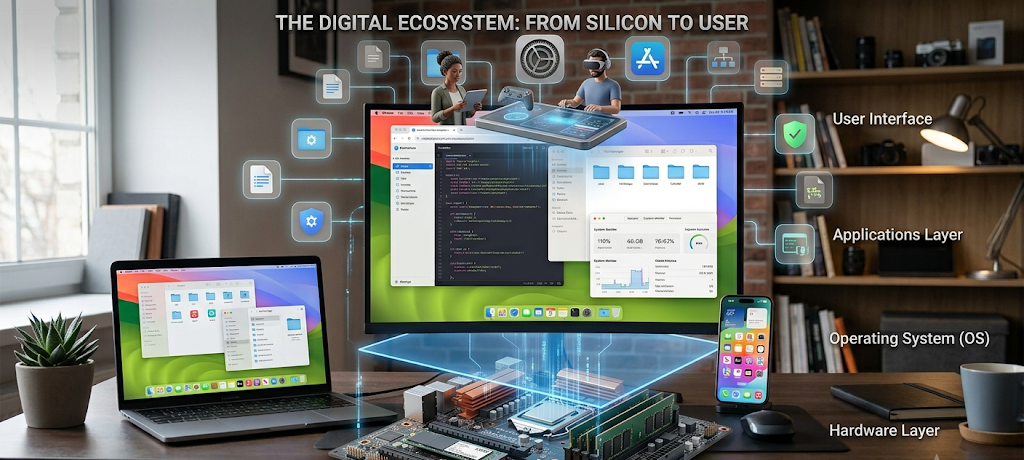
Operating System (OS): These are programs that control computer hardware resources and serve as a platform to run programs called applications. It is typically loaded first when the computer starts up and is responsible for the basic operation needed to make the computer function. Some examples of operating systems include macOS, Windows, Linux, Android, and iOS. They all aim to make computer systems easier and more efficient to use, but have different features, interfaces and purposes. The operating system creates a friendly place for users to interact with the system without having to physically touch hardware components, such as through graphical interfaces, commands, or touch controls.
The OS does a number of important things in the background. It controls the execution of various programs, allocates memory, organizes files, coordinates connected devices and secures information from unauthorized use. If there were no OS, each application would have to contain instructions for how to control the hardware, and software development would be a lot more difficult. The operating system helps to connect hardware and software resources into a standard environment that allows applications to run successfully on various hardware. This makes computers more accessible to students, professionals, businesses and the general public worldwide.
Main Functions of an Operating System
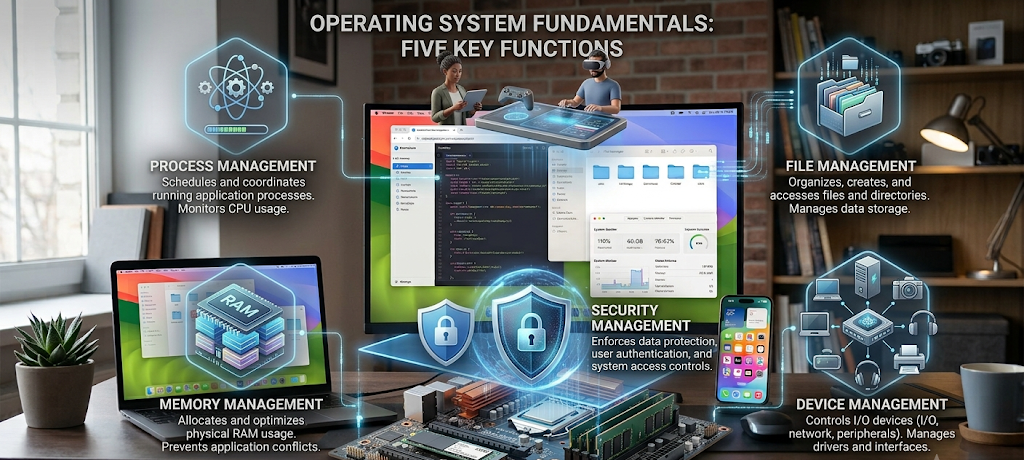
The following are the major functions of an Operating System:
1. Process Management
Process management is one of the main functions of an operating system as it regulates the execution of programs. A process is a program running on a computer; and modern devices are likely to be running multiple processes simultaneously. A user could listen to music, surf the web, edit a document and get notifications all at the same time for instance. These activities are controlled by the operating system, which allocates processor time to each process and prevents any one process from consuming all the available resources. It starts, stops and kills processes as required, enabling several programs to run smoothly without making the system unstable.
The OS also takes care of communication between various processes. The OS coordinates some of the interactions between programs, which require exchange of information or sharing. When several processes want to access the same resource simultaneously, conflicts will be prevented and the system will remain stable. In today’s multi-core computers it becomes critical for the OS to allocate workloads to different processor cores. Users benefit from quicker performance, seamless multitasking and computer stability, thanks to effective process management.
2. Memory Management
Memory Management is the process of managing and organising the main memory of the computer which is also called RAM. All applications need memory to run, and the operating system needs to allocate sufficient memory to each application and not allow applications to conflict with one another. If the user runs several programs, the OS manages memory resources carefully to allocate to each program enough resources to run. If the memory is poorly managed, the computer may become slow, freeze or fail to run important applications properly.
One of the big aspects of the management of memory is to determine where memory is used and where memory can be used. Other techniques are used in operating systems as well, including virtual memory, which can temporarily store data in disk space when there isn’t enough RAM. This enables users to execute larger programs and accomplish more work without having to get ready to purchase new hardware. Good memory management enhances the performance of the computer, allows multiple tasks to run simultaneously and keeps applications running properly. This is one of the reasons for the ability to perform complex operations like video editing, gaming, programming and online communication in modern devices.
3. File Management
File management is a part of the function of an operating system that helps to manage data storage, organization, retrieval, and security on storage media. There are thousands or millions of files stored in computers, such as documents, images, videos, applications and system files. The operating system includes a structure to help users create folders, rename files, move information, look for data, and remove unwanted files. If there were no file management system, it would be very hard to locate and organize information on a computer.
The operating system is also responsible for file permissions and storage organisation. It is used to determine who can access certain files and whether or not an unauthorized user can edit important information. Operating systems manage file systems, which organize data on storage media like hard drives and solid-state drives. There are various operating systems, each with their own file system, and all of them want to store and retrieve information in a reliable and efficient manner. Having organized digital spaces while keeping critically important data available and protected is ensured through good file management.
4. Device Management
Device management is one of the functions of the operating system that enables the computer to communicate with the external hardware devices. There are many devices attached to computers, such as printers, keyboards, cameras, microphones, scanners, external storage drives etc. To communicate properly with the computer, special software programs, called device drivers, are used in the operating system. If it did not have device management, users would have a hard time connecting and using the additional devices.
The operating system tracks and controls connected devices, regulates their activities and provides proper sharing of hardware resources. For instance, if a user submits a document to a printer, the OS forwards the request to the printer driver and oversees the printing job. Creating a seamless experience is enhanced by managing devices, as users don’t need to know how the hardware works. They can, however, just plug-in devices and use them via applications. This function is vital for developing adaptable and convenient computer systems.
5. Security Management
Security management is an important part of an operating system since it safeguards the computer systems, user data, and applications from unauthorized access and threats. Modern operating systems have security features like user accounts, passwords, permission, encryption, firewalls, and system updates. These elements can help prevent attackers from gaining access to sensitive information or causing damage to important files. Given the ever growing interconnectedness of computers via the Internet, computer system security is of ever growing importance.
The operating system manages access to resources, in determining who and what may do certain things. For instance, the user account may not be allowed to change critical system settings without permission from the admin. Security patches are also released regularly to address vulnerabilities and defend against the latest threats. A secure operating system provides a safer space in which people and businesses can keep data, share information digitally, and be more confident using digital services.
Types of Operating Systems
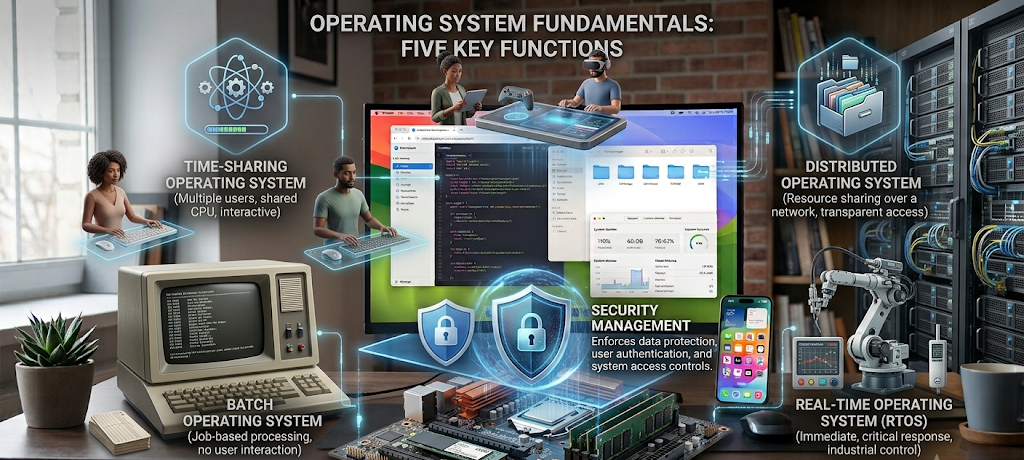
The various types of Operating Systems. The different kinds of Operating systems are:
1. Batch Operating System
A batch operating system is an operating system that allows the execution of sets of tasks called batches that do not necessarily need continuous user interaction. In this type of system, similar jobs are grouped together and they are automatically executed according to the planned schedule. In early computers where users would submit tasks and wait for the computer to finish them, batch systems were often employed. These systems were effective when there was a great deal of repetitive work to be done, such as calculating payroll, processing data, or doing scientific calculations.
The primary benefit of batch operating systems is efficiency in the processing of large quantities of similar tasks. Jobs are organized, and completed automatically, so computer resources are used effectively. The downside is that users might have to wait to see results as tasks are not executed immediately, but are queued in batches. While personal computers seldom use a batch operating system these days, it is still used in many large computer systems.
2. Time-Sharing Operating System
A time-sharing operating system is a computer operating system that enables several users or several programs to use the computer resources simultaneously. It is based on partitioning the processor time into small time-slices, and rapidly switching the processor between tasks. These switches occur rapidly, and the user feels like he is engaging in more than one activity at a time. The importance of time-sharing systems was to enable many individuals to use the power of a very large computer without owning another.
This is a type of operating system that achieves these benefits and enables interactive computing. Time-sharing systems have been used by universities, businesses and organizations to enable many users to share access to a computer system. The same idea is applied to running multiple apps on the personal computer in modern operating systems. For instance, a smartphone can seamlessly switch between messaging, music and internet applications, and perform well.
3. Distributed Operating System
A distributed operating system is an OS that controls a number of interconnected computers and coordinates them to function as a single computer. Distributed systems involve multiple computers connected together via a network, rather than relying on a single computer. They can be used in cloud computing, research projects, and large organizations to share processing power, storage, and resources.
Distributed operating systems offer a number of advantages, such as enhanced reliability and performance. In the event one computer in the network fails, other computers might still be functioning. They also help companies manage vast amounts of data and intricate tasks more efficiently. Distributed operating systems provide a modern example of how a collection of machines can be linked together to form a powerful and flexible computing system.
4. Real-Time Operating System
Real-time operating system (RTOS) is an operating system that responds to events within a certain time limit. Typically, these systems are found in applications where fast, reliable action is required, including medical devices, industrial machinery, vehicles and embedded systems. Real-Time Operating Systems are different from general purpose operating systems where the tasks are ranked according to their urgency and the timing required.
Real time operating systems are useful because they offer stable performance to critical applications. For instance, the systems that manage machinery or keep track of crucial equipment need to react instantly to any changes that happen. Delay may impact safety or system operation. When speed, accuracy and predictable responses are paramount, real-time operating systems help support technologies that demand such control.
Examples of Popular Operating Systems
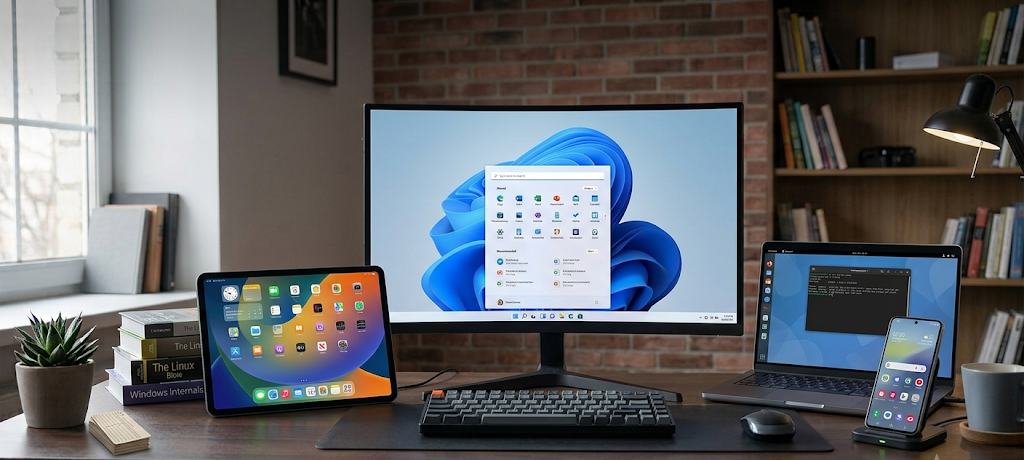
Popular Operating Systems include (but are not limited to):
Today there are a lot of different operating systems available, each of which have been created for various devices and users. Microsoft Windows is one of the most widely used desktop operating systems and is popular among students, business, and professionals. macOS was specifically designed for use on Apple computers, and is widely regarded as having a user-friendly interface and being compatible with Apple hardware. Developers, organizations, servers and techies use Linux for its flexibility and customization options as an open source operating system.
Operating systems are also used for mobile devices. Android is the operating system used by many smart phones and tablets around the world and iOS is the operating system that is used by Apple smart phones and iPads. These operating systems include functionality especially for touch screens, mobile apps, security, and wireless. It is evident that operating systems still have an important role in today’s technology, regardless of if they are used on a computer, phone, or dedicated device.
Conclusion: The Importance of Operating Systems
Operating systems are essential to the functions of modern digital devices because they control the hardware, provide support for applications, organize information and provide protection for users. Beginners will learn the meaning of an operating system and the critical role that these systems play in the world of technology. Operating systems contain many complex functions for managing processes, memory, and files, devices and security etc, making computers easier to use.
There are many different types of operating systems, each with its own purpose, ranging from systems used for repetitive tasks to systems used for critical technologies that need to be real-time. As technology continues to advance, operating systems will continue to change and improve performance, security and usability. Operating systems are the critical software that enables digital interactions, even on a laptop, smartphone, tablet or top-tier computing system.