They may put in a private storage solution like a NAS device, or they may go with a cloud storage service which is a subscription based model. While both options present a way to save and access files, they do so in very different ways. In terms of cost, security, flexibility, maintenance, and ownership they differ greatly.
Network Attached Storage has grown in use by home users, professionals, and small businesses which is due to the fact that it provides private storage which is managed by the owner. Also unlike traditional external drives which connect to only one computer at a time, NAS devices connect to a local network and allow for multiple users and devices to access files. According to IBM Network Attached Storage systems which present a central file storage solution that also supports collaboration, backup and improved data management. Also we see companies like Synology and QNAP which have developed NAS products that present features similar to cloud platforms but which keep data physically under the user’s control.
Cloud storage has in fact changed the game for how we as individuals and organizations store our info. We no longer have to buy the hardware or manage the maintenance. Instead, we pay a monthly or annual fee for a hosted solution which the providers take care of. Services like Google Drive, Microsoft OneDrive, Dropbox and others which are available to the public allow us to upload our files, sync across devices and share info from almost anywhere we have an internet connection. Although cloud storage does bring convenience and simplification we also see that we are putting our data in the hands of external companies which brings in issues of price fluctuation and data management policies.
It is key to understand the differences between NAS and cloud storage before making a decision. What works best for you will depend on your storage needs, tech knowledge, budget, privacy concerns, and if you prefer full control of your files or a managed service that does it all.
Understanding Network Attached Storage (NAS)
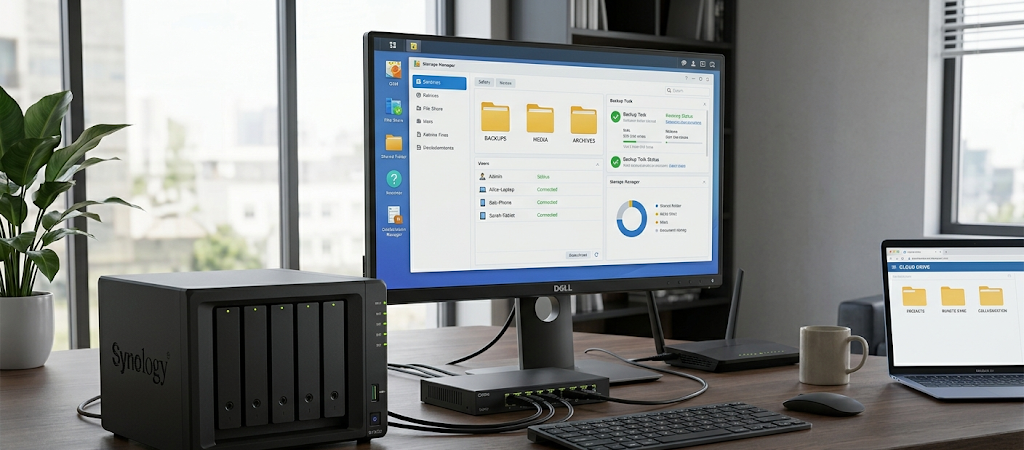
A Network Storage device in fact is a private file server for homes and small businesses. We see that they have one or more hard drives put into a dedicated case which in turn connects to a router or network. Once set up users may access stored info from any of their computers, smartphones, tablets and other attached devices. As opposed to an external drive which in the past has been dependent on a single computer connection our NAS devices run independently and are available to authenticated users across a network.
Leading in the NAS market are Synology and QNAP which present to users very easy to use interfaces which in turn present access to advanced storage features. Users may create folders, set permissions, schedule automatic back ups, install applications and also run extra services which may include media servers, surveillance and collaboration tools. Thus what we see is that NAS devices which used to be simple storage solutions have grown to become the central technology hubs for home offices and small businesses.
One of the primary benefits of using NAS is control. What we see is that when files are stored on a NAS device users also see that they have the say in how the system is run, who has access to what files, and how backups are handled. Also what is very appealing is to photographers, video producers, small business owners and professionals who work with very large sets of data. As an alternative to paying ongoing fees for more cloud storage which may be a continuous expense, users buy in at a point and that investment serves their needs over a few years.
Also in that regard NAS systems do have responsibility. We see that the owner’s role is to put in the device, handle software updates, report on storage health, and develop backup plans. While a NAS does protect against some types of data loss, it does not in all cases present a full backup solution. For example if a NAS is a victim of theft, fire, or hardware failure, files may still be lost which is why it is best to have other backup methods in place.
Understanding Cloud Storage
Cloud storage is a service that puts your files on remote servers which are run by tech companies. Instead of going out to buy hardware, you sign up for an account, choose a storage plan, and upload what you need. The provider takes care of the physical infrastructure, the security systems, hardware repair, and technical maintenance. This ease of use is what has made cloud storage so popular with individuals and organizations.

For at home we see that cloud storage is a simple solution for file sync’ing between devices. A document worked on in a laptop will instantly be available in a smart phone or tablet. In the business world cloud based platforms are used for document sharing among staff, project collaboration, and remote access to key info.
Another benefit of cloud storage is that it scales very well. Our users are able to update the size of the plan for better space at any time as needed. From a small business with a few hundred gigabytes’ worth of data to a company with several terabytes in which case the business may increase their plan as opposed to buying new equipment. Also, cloud service providers do usually throw in a redundancy feature, that is we put your files on over 1 at times so many different servers so as to reduce risk of a permanent loss.
Despite what we see as the benefits to cloud storage it also has issues. You don’t actually own the hardware which houses your data. You are at the mercy of the provider’s policies and also of internet quality which may be out of your control and also of the price which may go up at any time. Also a company may change which features they offer or what services they present. Also for companies which deal with very sensitive information there is the issue of putting that which is confidential out there on a third party platform.
Cost Comparison: NAS Ownership vs. Cloud Based Solutions
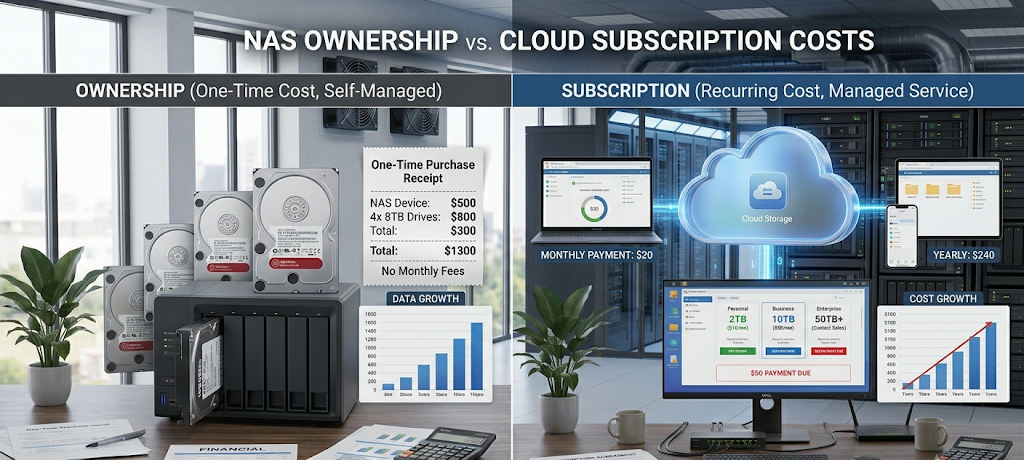
Cost is an issue which is at the fore when we compare NAS and cloud storage. At first look cloud storage seems to be a more economical option as they have free plans and very low monthly subscriptions which are hard to pass up. No purchase of equipment, installation of hardware, or system configuration is required from the user. For people that only require a little storage, cloud services are the best and most convenient choice.
However we see that over time costs of storage solutions may go up as storage needs grow. A business which requires many terabytes of space as it grows may see payment out of pocket in the hundreds or thousands of dollars over a number of years for cloud storage. Also what we are seeing is that these payments are ongoing because the storage is rented as a service. In the long term subscription fees may end up being more than the initial cost outlay for a NAS system.
A large first outlay is required for NAS as users buy the device and storage in separate. With quality NAS systems from players like Synology and QNAP which may run a few hundred dollars based on what performance and storage you get. But once that initial purchase is made, users have that which they can expand. You also are able to add in extra drives at any time which in turn increases your storage as you need it.
A better financial decision goes to what you use the service for. For personal documents and a little bit of photos which you store — cloud storage is more so. But for a small business dealing in large scale video files, databases, customer info, or project materials – a NAS solution will pay off in the long run.
Security and Privacy Differences
Security is a primary issue which we must consider while choosing what to put our important info into. Cloud storage companies put large investment in cybersecurity, encryption, monitoring and data protection tech. Big players also run large teams that are dedicated to fighting off threats to their infrastructure. For users that don’t wish to handle security issues themselves, this professional level of protection is a benefit.
However we see that in the issue of cloud storage users are putting their data into the hands of another company. While many providers do implement robust security measures, what is present is the issue of privacy which is present because your files are stored on remote servers. Also for businesses which are in very regulated industries which have strict data requirements they may need to put in place extra policies and controls before going to the cloud.
NAS solutions present users with a high degree of physical control in which they own the hardware that stores their files. They may choose how data is protected, where backups are located, and who has access. Also we see advanced NAS devices which support encryption, user permissions, two factor auth and security monitoring.
Security is a do it yourself affair with this one. We see systems which are connected to the net and which are poorly configured as very vulnerable if they don’t get updates and weak password use. NAS gives you control but also requires that you manage it well for best protection.
Performance and Accessibility
Performance is also a different aspect which sets NAS and cloud storage apart. A NAS which is attached to a local network is able to report very fast file transfer rates which is a result of data not having to go through the internet. Also for users which are working with large files like videos, design projects, and professional documents this is very useful.
Cloud storage performance is very much a function of internet speed. We see that large file upload and download times may be extended in the case of slow connections. At the same time though cloud platforms do have what it takes for users which require access from many locations. A person while on the go or working remote is able to access files which they would have had to maintain their own hardware connection for in the past.
Today it is also reported that many NAS devices come with remote access features which allow users to access files from anywhere outside the home or office. At the same time though we see that for security remote access setup requires more in depth configuration. For those that value convenience over technical control we see that cloud storage is still the way to go.
NAS vs Cloud Storage: Which choice is better?
There isn’t a universal champion between NAS and cloud storage as each has different uses. In home settings and for creative professionals and small businesses which deal with large data sets, we see value in how NAS gives you control over your storage, privacy of your data, long term cost savings, and the chance to design your own storage environment. Also it works great for those who value that hands-on approach.
Cloud storage is a great fit for people who value ease of use, automated care, and access from any device. It also removes the issue of hardware management and presents a flexible option to those that prioritize convenience.
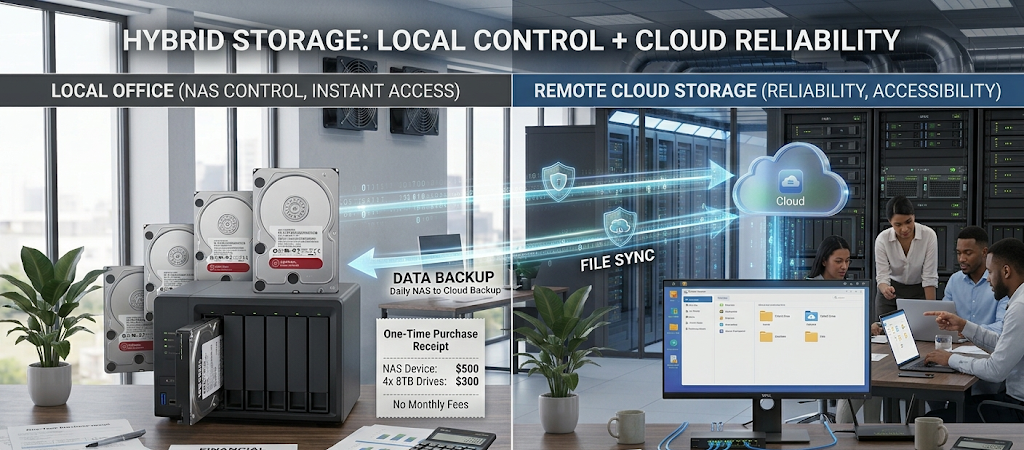
Many users opt for a hybrid solution which is a mix of both technologies. We use NAS as the main storage platform which at the same time puts cloud storage in charge of backup. This approach which is a balance between control and performance also sees to it that important files are protected which may not be the case if either storage method was used alone.
Conclusion
Moving out of a sole dependency on external providers is a big step for those that have large digital info collections. We see that both NAS and cloud storage are very useful for organizing, protecting, and access to files, but they do bring different values. With NAS you get ownership, customization, and long term value in the cloud we see simplicity, accessibility and professional infrastructure management.
For users that prefer to have full control of their data and are into do-it-yourself systems, we see value in products like Synology or QNAP. For those that want an out of the box solution which is maintained automatically, cloud storage is the way to go.
In each case the best choice is based on what will best meet an individual’s needs, budget, and technical experience. As digital storage requirements grow we see that which option to go with is less a matter of what the latest trend is and more a question of what fits best with the user’s present and future requirements.