
The AI assistant space has grown rapidly in recent years. What once included only a few options has evolved into a crowded marketplace, with dozens of tools competing for attention. Some deliver genuine value that justifies subscription costs or workflow changes. Others, however, provide only slight improvements over free alternatives while still carrying premium price tags.
Understanding this space means moving past the hype and focusing on what each assistant actually does well. The right choice comes down to your specific needs, the tools you already rely on, and how willing you are to adjust your workflow. Here’s an honest assessment of which AI assistants earn their place in 2026.
Microsoft Copilot
Microsoft Copilot becomes incredibly valuable for anyone already working within Microsoft 365 environments. The deep integration with Word, Excel, PowerPoint, Outlook, and Teams transforms productivity in ways standalone assistants can’t match.
Copilot’s ability to reference specific documents, summarize email threads, create presentations from existing materials, and analyze data within Excel provides concrete time savings. For professionals spending hours daily in Microsoft applications, these integrations justify the cost many times over.
The search-grounded responses handle current information better than assistants with fixed knowledge cutoffs. Copilot pulls real-time data when needed, making it reliable for queries about recent developments, current events, or changing information.
However, the value proposition collapses outside the Microsoft ecosystem. Someone working primarily in Google Workspace or preferring standalone tools gains little from Copilot’s core advantages. This naturally leads to the broader comparison of Microsoft Copilot vs. ChatGPT, where the decision ultimately depends on whether you prioritize deep ecosystem integration or overall versatility.
ChatGPT
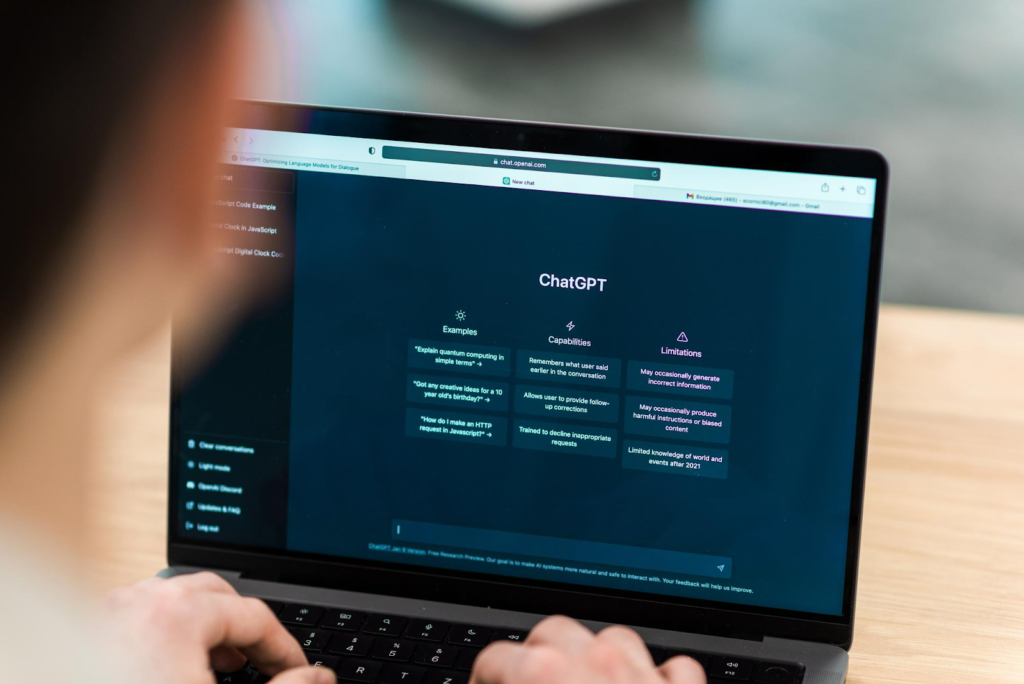
OpenAI’s ChatGPT remains the default choice for general-purpose AI assistance, and for good reason. The platform handles an enormous range of tasks competently. Writing, coding, analysis, brainstorming, learning new topics, and creative projects all fall within its capabilities.
ChatGPT’s paid plans now offer access to more advanced models, faster response times, and expanded capabilities like multimodal inputs, file handling, browsing, and custom GPTs. The free tier remains useful for everyday tasks, giving users a solid introduction to AI without a subscription. Its conversational interface continues to be intuitive and easy to use, making it accessible for both beginners and experienced users.
The biggest advantage is that ChatGPT works well for almost everything without requiring specialized knowledge. Someone can jump in, describe what they need, and usually get useful results. This versatility makes it the safe choice when evaluating whether AI assistants provide value at all.
Of course, no solution is without its boundaries. ChatGPT can sometimes lack depth on more advanced or niche topics. Its knowledge also has limits, so it may not cover the most recent developments without browsing enabled. For those who need the latest insights or deeper expertise, more specialized tools may be a better fit.
Claude
Anthropic’s Claude has carved out a distinct niche as the assistant for people who need careful, nuanced responses and can provide detailed instructions. Claude excels at following complex specifications, maintaining consistency across long documents, and handling sophisticated reasoning tasks.
The platform shines for professional writing, technical documentation, analysis requiring multiple perspectives, and tasks where precision matters more than speed. Claude’s longer context window allows working with extensive documents that other assistants struggle to process completely.
Users who invest time crafting detailed prompts get substantially better results from Claude than from most alternatives. This makes it ideal for professionals whose work quality directly impacts income or reputation. The assistant rarely takes shortcuts or makes assumptions when given clear instructions.
The downside is that getting the most out of Claude often demands more thoughtful prompting than ChatGPT. For everyday users with simple questions, the benefits may not be immediately noticeable, making the extra effort feel unnecessary.
Google Gemini
Google’s Gemini distinguishes itself through strong image analysis, video understanding, and access to current information through search integration. The assistant handles visual content impressively, making it valuable for anyone working with images, diagrams, charts, or video.
Gemini’s grounding in Google’s knowledge graph means factual queries often receive more current, accurate responses than older assistants provide. For research, fact-checking, or staying current with developing situations, this advantage matters significantly.
The platform suits users who are already comfortable in the Google ecosystem and need an assistant that brings together different types of information seamlessly. It is especially useful for students, researchers, and content creators working across various media formats.
Gemini sometimes lacks the conversational polish of ChatGPT or the precision of Claude, making it feel less refined for pure text work. The tool serves best as a complement to other assistants rather than a complete replacement.
Specialized Assistants Worth Considering
Beyond the major platforms, several specialized assistants deserve attention for specific use cases:
- Perplexity AI: Perplexity AI has become the go-to tool for research and information gathering. Its citation-focused approach and real-time search capabilities make it invaluable for anyone who needs reliable, source-backed information quickly. The assistant excels at synthesizing information from multiple sources while maintaining transparency about where information originates.
- GitHub Copilot: It continues to be a key tool for developers. The coding assistance, context-aware suggestions, and integration with development environments provide value that general-purpose assistants can’t match. Developers report significant productivity gains that justify the subscription cost.
- Jasper and Copy.ai: They are designed for marketing professionals and content creators who need to produce content at scale while maintaining a consistent brand voice. These tools generate marketing copy, social media content, and advertising materials more efficiently than general assistants, though quality still requires human oversight and editing.
- Notion AI: Notion AI is best suited for dedicated Notion users who want AI features built directly into their workspace. For users already working within Notion, the ease of in-app assistance often outweighs the limitations of standalone tools.
The Free Tier Strategy
Many users find that combining free tiers of multiple assistants provides better value than paying for premium access to one platform. ChatGPT’s free tier handles general questions. Claude’s free access tackles detailed analysis. Perplexity covers research needs. Together, they address most use cases without subscription costs.
About 71% of organizations say they regularly use generative AI in at least one area of their business. This shows how quickly AI tools have become a standard part of everyday workflows.
The main limitation of this approach is that rate limits and feature restrictions on free tiers can create friction. Users doing heavy AI work quickly hit these boundaries, making paid tiers worthwhile for professional use.
Making the Choice
The “worth it” calculation depends entirely on individual circumstances. Professionals whose income depends on output quality should invest in premium tools matched to their work. ChatGPT Plus or Claude Pro easily justify costs when they save hours weekly or improve deliverable quality.
Artificial intelligence continues to evolve rapidly, making these tools more capable and accessible across a wide range of use cases.
For those exploring AI tools, free tiers are often sufficient. The technology has advanced to a point where even no-cost options offer meaningful value. Trying out multiple free tools before committing to a paid plan is a practical approach.
The key takeaway is that no single assistant leads across every use case in 2026. The most effective approach is to use multiple tools strategically, aligning each one’s strengths with specific tasks instead of relying on a single platform for everything. It’s this flexibility (not allegiance to any one assistant) that delivers the best results.
Author Bio
John Funk is a writer and tech enthusiast passionate about the real-world implications of emerging technologies. He has been writing about the tech sector since 2006. He can frequently be found with his cats working on his novels (or Dungeons & Dragons campaigns).