
Introduction
When it comes to website development, selecting the appropriate platform is essential. There is a wide variety to choose from, catering to different skill levels and requirements. Two such options are Content Management Systems (CMS) and static sites. CMSs such as WordPress are popular for their ease of use and adaptability, but static sites are fast and straightforward. In this article, we’ll explore both of these website creation approaches and decide which one is right for your first website, considering criteria such as speed, user-friendliness, and technical aspects.
What is a Content Management System (CMS)?
A Content Management System (CMS) is a software tool that enables users to publish, edit, and manage content on a website without complex technical skills. A CMS makes it easier to build and manage websites, even for people who have little or no technical expertise. They typically come with intuitive dashboards and templates to help you build a website.
Popular examples of CMS platforms include WordPress, Joomla, and Drupal. In fact, WordPress is used to power more than 40% of the web’s sites, making it the most popular CMS. But how does it stack up against a static website?
Static Sites: An Overview
A static website is a website made up of static content, that is, it is built with HTML, CSS, and JavaScript. Static websites do not communicate with a database like dynamic websites powered by content management systems (CMS). Static sites display the same content to all website visitors.
Static websites are generally faster, more secure, and cheaper to host than those built with a CMS. They are best suited for sites with infrequently changing content and basic features, such as blogs, portfolios, and landing pages. But static sites might also be a little more technically challenging to build.
Static Sites vs. WordPress: Which is Right for You?
1. Ease of Use
WordPress: Beginners’ Choice
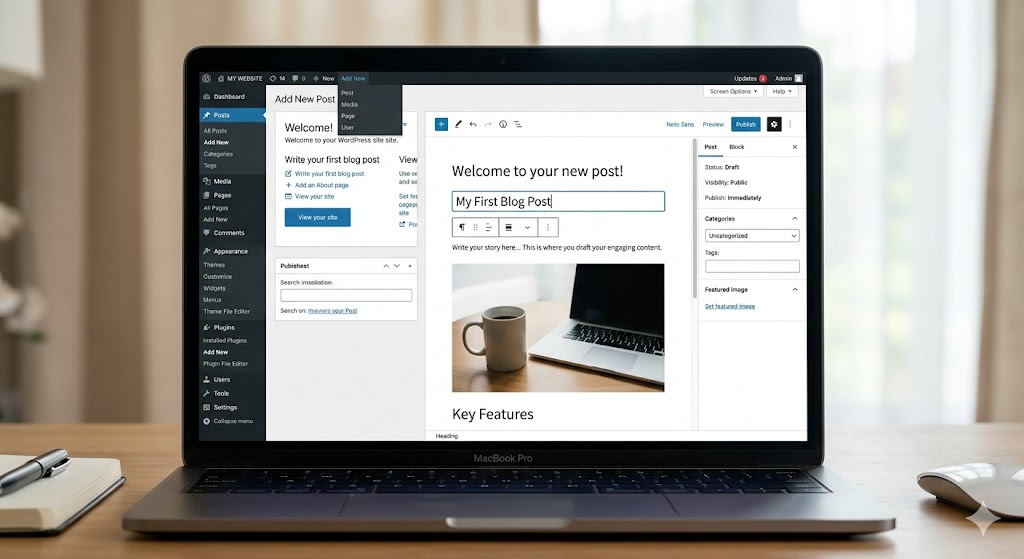
One of the biggest strengths of WordPress is its user-friendliness. It offers an admin interface to create posts, pages, insert media, and change the appearance of your website without needing any coding skills. This makes WordPress an attractive option for non-technical users.
Additionally, WordPress can be extended with plugins that provide additional functionality such as search engine optimization (SEO) and e-commerce capabilities. And with a plethora of themes available, design customization can be done simply by selecting a theme and adjusting some options.
Static Sites: More Technical
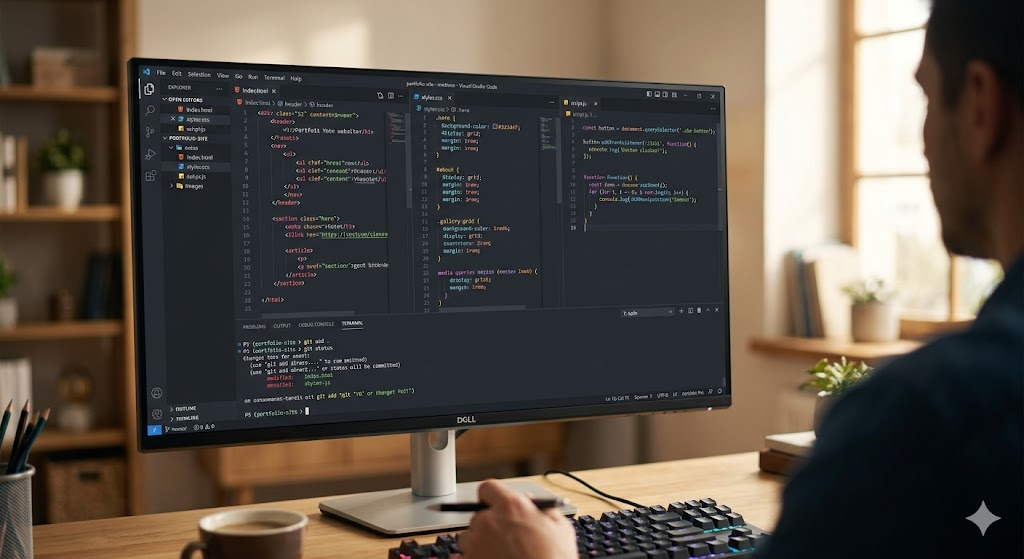
Static sites generally require some skills in HTML, CSS, and JavaScript. Although new static site generators such as Jekyll, Hugo, and Gatsby make it easier to build static sites, you still need to have some knowledge of coding. Static sites may also require manual file and update management.
Static sites can be challenging for beginners, particularly if you’re not familiar with web development. But once you get used to the code, you may find that it is easier to update and manage the site.
2. Performance
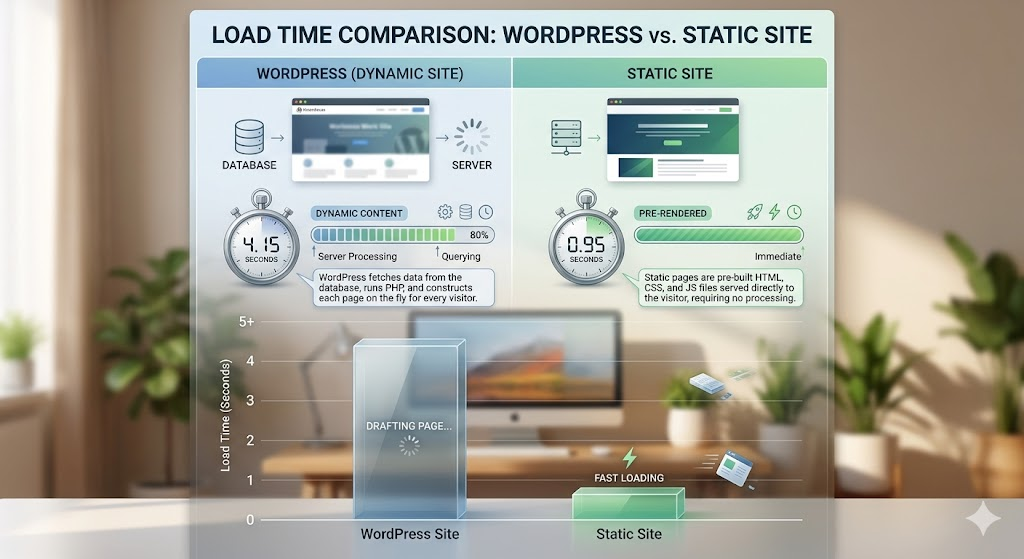
WordPress: Slower Due to Dynamic Nature
WordPress sites are generally slower than static sites as they use a database to generate the content. When a user requests a page, WordPress retrieves the information from a database, and then processes and displays the information in HTML. This can result in slightly slower load times, particularly if there are a lot of dynamic elements or the site is not well-optimized.
But you can increase WordPress speed with caching plugins, CDNs (Content Delivery Networks), and performance plugins, but even with all this it still can’t compete with the speed of a static website.
Static Sites: Blazing Fast
Because the pages are pre-rendered, when you request a static page, the server sends you the HTML file without having to do any work. This means that the page will load almost instantly, enhancing the user’s experience.
Furthermore, static websites are less prone to outages or slowdowns, as there are no dynamic processes involved.
3. Customization and Flexibility
WordPress: Highly Customizable
WordPress is highly customizable with themes and plugins. There are thousands of free and paid themes available to completely transform the appearance of your website. And with plugins you can add features to WordPress without needing to code. You can add e-commerce, memberships, SEO, and practically any other functionality you can think of with plugins.
Static Sites: Endless Possibilities
Static sites give developers ultimate flexibility. Because you’re coding the site, you can modify anything about the site, including its appearance and features. Static site generators allow you to use more advanced functionality, such as dynamically loading data and templates, but you still need to code.
This freedom of static sites is a boon for more experienced coders, but might be a bit much for those starting out.
4. Security
WordPress: Targeted by Hackers
Because it’s widely used, WordPress is often targeted by hackers. When websites are not kept up-to-date with the latest plugins, themes, or software, security issues can arise. But you can install security plugins and, if your website is properly maintained, WordPress is secure.
Static Sites: More Secure
Static sites are more secure. They don’t rely on a database, so there’s less for hackers to exploit. There is no dynamic content for hackers to exploit, no server-side processing to attack. This means that static sites are less prone to vulnerabilities such as SQL injection and cross-site scripting (XSS).
But static sites are not entirely hack-proof and it’s still worth taking precautions such as securing your server and implementing SSL.
5. Hosting and Maintenance
WordPress: Maintenance is Required
WordPress sites need to be maintained. The software, themes, and plugins need to be kept up-to-date to keep the site running and secure. And WordPress sites are generally more resource-intensive, so you’ll need to make sure you have the hosting resources to support your site.
Although managed WordPress hosting can help with some of this, it’s not maintenance-free.
Static Sites: Low Maintenance and Easy Hosting
Static sites are low maintenance. Because the pages are already created and don’t interact with a database, there is no need for upgrades, patches, or version control. Static sites are also relatively cheap to host, since they can be hosted on a simple web server or even CDN, making them highly scalable.
6. SEO
WordPress: SEO-Friendly with Plugins
There are a number of features and plugins built into WordPress that can help with SEO. For example, there are plugins such as Yoast SEO to help you optimize your content for search engines by controlling meta tags, creating sitemaps, and even suggesting keywords.
Also, WordPress supports clean URLs, which are friendly to search engines.
Static Sites: SEO is Still Possible
Static sites don’t offer the same level of SEO assistance as WordPress, but they can still be made search engine friendly. Static sites are generally quicker to load, so this can help with SEO. But you will need to work on titles, descriptions, and meta tags.
7. Cost
WordPress: More Costly
This can be costly, particularly if you consider hosting, paid themes, and plugins. There are free versions available, but quality themes and plugins will need to be paid for to get the full functionality. And if you choose managed hosting or have a developer build your site, costs will be even higher.
Static Sites: Cheaper in the Long Run
Static sites can be more cost-effective in the long term. They don’t need to use a database or other complex server infrastructure, which means you can host a static website at a lower price. And if you have technical skills, the site’s development and maintenance costs will also be low.
Conclusion
When deciding between using a CMS such as WordPress or static site, you should consider your objectives, skill level, and budget. WordPress is a great option for those who are new to website creation and want flexibility, ease of use, and functionality. But static sites provide unsurpassed speed, security, and ease of maintenance, and can be a good option for developers or users with basic site needs.
Knowing the advantages and drawbacks will help you decide how to create your first website. Regardless of whether you choose WordPress or a static site, there’s much potential to build an engaging and professional website.