Interactive product views have moved from a novelty feature on premium retail sites to an expected part of the browsing experience for shoes, electronics, jewelry, tools, and automotive parts. Behind every smooth spin on a product detail page is a workflow that starts with a rotating platform, a locked-off camera, and a very specific set of decisions about lighting, cadence, and post-processing. This article looks at where the professional standard for spin photography sits today and how small studios and in-house e-commerce teams can meet it without reinventing the wheel. It is aimed at product photographers moving from flat stills into interactive assets, marketplace sellers building their own capture stations, and content managers evaluating whether to bring the work in-house. The goal is to explain what actually separates a smooth, publishable spin from a jittery one, and how the modern turntable workflow keeps up with the volume most stores now require.
Why 360 Views Have Become an Expected Standard
Shoppers online no longer compare a product to a static photo; they compare it to the version they can rotate on a competing site. Interactive spins reduce return rates, increase time on page, and give customers the confidence to buy items they cannot touch. That commercial pressure is what pushed spin photography from a specialty service into a routine deliverable, and the tooling has caught up. A modern 360 product photography turntable is no longer a hobbyist’s kit; it is a precisely stepped, camera-triggered platform that produces broadcast-quality frames with minimal supervision.
Studios investing in a purpose-built 360 product photography turntable report a consistent pattern: capture time drops sharply, and the retouching burden shifts from spin-to-spin corrections to a single template applied across all frames. That is where the workflow becomes economical at scale, because a hundred spins a week only makes sense when each spin needs minutes of attention rather than hours.

Frame Counts and Smoothness
Twenty-four frames per rotation is the historic baseline and still works for many small products. Thirty-six frames produces noticeably smoother playback, and seventy-two frames is the current standard for premium categories like watches, sneakers, and jewelry where every detail rewards inspection. More frames mean more capture and processing time, so match frame count to the value density of the product. A pair of sunglasses may not need seventy-two frames; a luxury watch almost certainly does.
Lighting a Rotating Subject Without Flicker
Continuous lights and strobes both work for turntable capture, but each has quirks. Strobes deliver clean, repeatable exposures at every frame, which makes them the default for studio-grade spins. The challenge is timing: the turntable must trigger the strobe only when it has fully settled at each stop, or the image blurs. Motion-control turntables handle this by pausing at each step long enough for vibrations to damp out before firing the camera and light.
Continuous LED lighting simplifies previewing and works well for video-style capture where the camera rolls throughout the rotation. The tradeoff is exposure variance if the LEDs flicker at frequencies that beat against the capture cadence. Higher-end LEDs advertise flicker-free operation across a wide dimming range; verify this on your specific fixtures before committing to a workflow built around them.
Reflection Control on Shiny Products
Rotating a mirrored or high-gloss product multiplies your reflection problems by the frame count. Every angle shows a different environment reflected in the surface, so every angle needs the same clean environment. Solve this by building a light tent or cyc that surrounds the turntable and diffuses light evenly from all sides, so no matter where the product points, the reflection is uniform. Retouching thirty-six frames of streaky reflections is a lesson most product photographers only need to learn once.
Camera, Lens, and Focus Discipline
The camera must not move during a spin sequence. Lock it on a heavy tripod or copy stand, use a wired or wireless remote for capture, and disable image stabilization to prevent tiny reframes between shots. Manual focus is the norm because autofocus can hunt slightly between frames, breaking the visual smoothness that makes a spin feel professional.
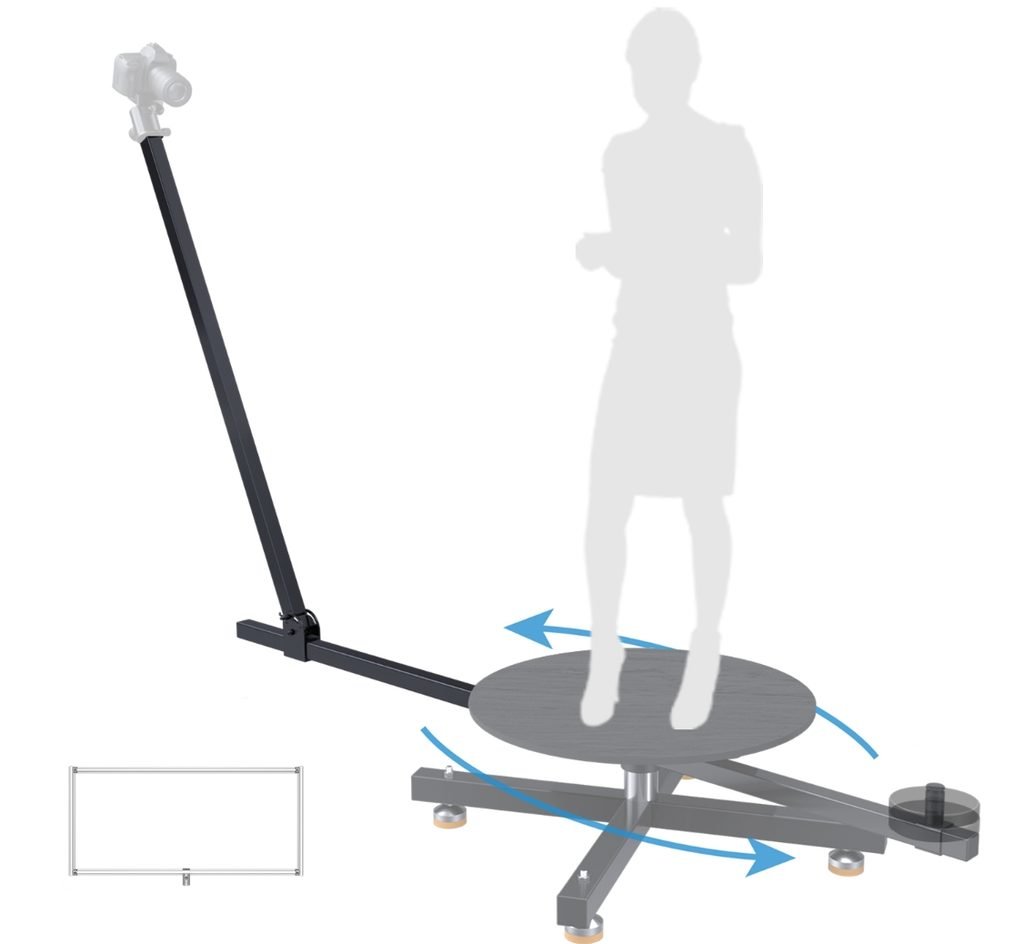
Lens choice matters more than in flat photography. A focal length that flatters a product from one angle can distort the same product ninety degrees around. Longer focal lengths in the eighty-five to one-hundred-millimeter range keep proportions consistent across the rotation, which is why they are the default for spin work. Focus stacking becomes tricky at these focal lengths for deep products, so choose an aperture that carries acceptable depth across the widest dimension of the product and accept a small compromise on frame edges. Turntables in the Raubay motion-control lineup and similar systems synchronize precisely with camera and lighting triggers, which is what makes tight-tolerance workflows repeatable at commercial volumes.
Automation and Software Integration
Modern turntable software controls the rotation, the camera trigger, and often the lighting cue in one script. That integration is the real time-saver, because it removes the human timing error that used to force reshoots. Look for turntables that speak to standard camera tethering software so your capture, culling, and metadata tools all stay in one workflow instead of exporting between disconnected systems.
Post-Production for Consistent Spins
The post workflow for a spin should be batch-based. Apply the same crop, color grade, and background treatment to every frame, then export the whole sequence at once. Any per-frame retouching should be minimal and templated, because the moment you start touching individual frames by hand, the economics of the entire workflow collapses.
Background removal is often the largest single task. Shoot against a color that contrasts cleanly with the product and use masked corrections to keep the mask consistent across the rotation. Newer AI-assisted masking tools handle 360-frame sequences well enough that a single mask template can drive most of the sequence with minor cleanup at the edges. Test any new tool on a full spin before rolling it into production, because per-frame drift is much more visible in a rotating asset than in a still.
Making Interactive Product Views Routine
Spin photography has moved from a specialist deliverable to a routine part of the e-commerce photography brief, and the studios that treat it as routine are the ones that win the volume work. The path there runs through hardware that steps and settles precisely, lighting that stays uniform across every angle, camera settings locked down through the full rotation, and a post-production template that treats the whole sequence as a single asset. When each of those pieces is in place, a spin becomes almost as fast to produce as a set of flat stills and delivers a much more valuable customer experience. Product photographers, marketplace sellers, and content teams who invest in the workflow now are the ones setting the standard everyone else will be measured against next year.