Introduction
Technical instructions are one of the most significant parts of contemporary technology as they enable individuals to accomplish tasks that could be complex, unfamiliar, or troublesome without assistance. It could be to install software, to configure a server, to connect a network device, to set up a cloud service, to change application settings or to resolve an error, users require instructions that outline what to do and do so in a logical and understandable sequence.
Wrong instructions can generate confusion, users can miss key steps, or even cause the wrong configuration. Good technical directions do not just explain what to do, but they will lead the reader step-by-step through the process and show them what to do, what should happen, and what to do if something goes wrong. Hence, organization, terminology, visual support, prerequisites, warnings, examples, troubleshooting, and verification are the key areas for technical writers to consider when creating procedural documentation.

Know the User and the Technical Task
Getting a good grasp of the task and the audience to follow the instructions is the first step in writing effective technical instructions. When writing a procedure for someone who is an expert in network administration, a novice will be confused by any terminology or concepts used; likewise, when writing instructions for general computer users, one would have to explain away a lot of assumptions regarding technical expertise. The technical writer should determine the audience, their skill level, what the technology is and what the intended outcome should be before writing. It is also vital to be aware of the full process as well as individual actions. The writer should understand what will occur prior to the task starts, what each step will accomplish, what can go wrong, and what the successful result should be like when the task is completed. These factors can be understood and instructions generated that suit the user rather than that which is technically correct but hard to follow.
A technical procedure must also have a well-defined goal. Before readers start, they should have an understanding of what they will accomplish while using the instructions. For instance, rather than just give a list of configuration commands, documentation can describe what the procedure is going to do: “This procedure will configure a network device to allow computers on a local network to communicate with a specific service. This provides the reader context, and an understanding of the importance of the steps. The goal should be specific and clearly defined so that the reader can see that the objective has been met. Avoid using multiple unrelated objectives in one procedure as this will make instructions more difficult to follow and test. If the task has multiple goals that do not require coordination, then it is generally wise to split the documentation into distinct procedures or well-labeled sections.
Present Instructions in a Logical Order
One of the most critical attributes of a successful technical instruction is the organization. The procedure should generally follow the same sequence as the user must perform the actions. This requires specifying the prerequisites, setting up the environment, performing the core process, verifying the outcome and, if necessary, giving troubleshooting advice. The steps should not require the user to keep going back and forth to find information that they need to use. Every numbered instruction should be a logical continuation of the action in the former instruction. If there are multiple steps in a procedure, headings and subheadings can break the material down into smaller chunks without changing the flow of the process.
Numbered lists are very helpful for procedures because they help readers know where they are in the process. All numbered steps must start with a clear action, such as “Open the application,” “Select Network Settings,” or “Enter the server address.” Substeps can be employed to ensure clarity in a step if there are multiple related steps. Avoid using more than two actions in each numbered item, as readers may miss an action. Meanwhile, documentation shouldn’t be a chore of “every little mouse move”. The purpose of the procedure is to make it easy to do, not to list all of a person’s movements. Good organization is a balance between being complete and being readable; in other words, users should not have to work too hard to follow their way through the task.
Use Clear and Consistent Terminology
Technical terminology must be precise, coherent and suitable for the intended audience. Often, in technical documentation, authors use multiple terms to refer to the same feature. For instance, if a document mentions a specific configuration page in one place as “Settings”, in another place as “Preferences” and in others as “Configuration”, the user is likely to assume that these are different pages. Whenever possible, the exact name of the software or system appearing in the computer should be used. If a technical term is used, but may not be familiar to the intended audience, it should be explained at first use. Instructions are particularly important to be consistent with: Users frequently rely on precise wording to find buttons, menus, commands, files, and settings.
Authors must also not use unnecessarily complicated language. Technical documentation doesn’t have to be a complicated sounding thing to be professional. Short sentences, which have few clauses and technical terms, are often easier to comprehend than longer sentences. For instance, it is clearer than a long explanation that has multiple actions and conditions in one sentence, to restart the application after installation finishes. Active language is also helpful because it helps to clearly identify who does the action. Rather than saying “The configuration file should then be opened,” the authors could say “Open the configuration file.” Good writing minimizes the need for interpretation and enables readers to focus on the technical task rather than the writing.
Describe Prerequisites Before the Procedure
Prerequisites must be listed before the prime instructions, as readers have to have the information on prerequisites before they start to read. Requirements might vary from hardware and software to operating system versions, network access, administrator permissions, account credentials, configuration files, backups, and storage space available as needed for the task. When installing software, a procedure may ask the user if their computer has the necessary operating system requirements, download the proper installer, and have permission to install the software. Alternatively, a cloud configuration procedure may need an active account, access permissions, project and service credentials. If users can avoid being halfway through a process only to find they need something they haven’t prepared, it’s a major advantage to have a clear sense of the requirements.
Prerequisites should be specific and not general. It’s not as helpful to say that they require the “right software” as it would be to say the application version they need, for instance.It’s not as helpful to say that the user needs “the correct software” as it is to say what version of the software they need, or what operating system is supported. Likewise, if administrative privileges are needed the documentation should explain this before the procedure is actually performed. The writers must differentiate between the requirement and recommendation. A requirement is a mandatory item that the user needs to complete the task, a recommendation is an optional item that might enhance the performance, security or convenience of the task. This distinction is useful to the reader and helps to avoid unnecessary barriers to progress. Prerequisites may also contain warnings that will impact existing data, such as when there are changes to the system configuration, database, network, or software being removed.
Know How to Use Screenshots and Diagrams Effectively
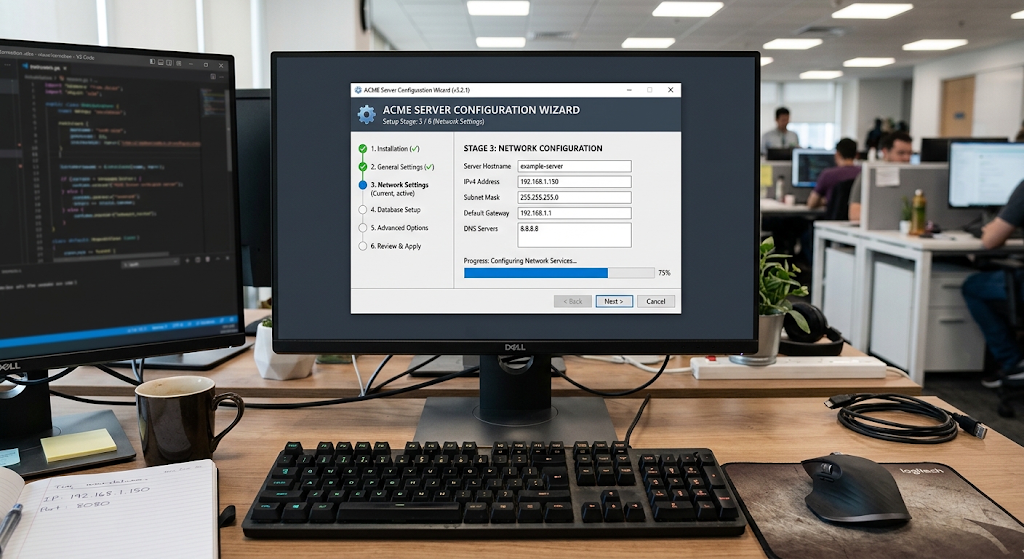
Technical instructions can be very easy to understand when certain information can only be conveyed visually and is provided through screenshots and diagrams. A screenshot can demonstrate to users where a button, menu, checkbox, field or configuration option is. This is especially helpful when creating software interfaces, cloud dashboards, operating system settings, and admin consoles. But screenshots should be used to supplement with written instructions. Interfaces may vary from one version to another and a picture showing a screen without a description of what the user is supposed to do may not clarify the action for the user. Therefore, in the case of writers it is important to provide enough context so that the reader knows what to expect to see and what to do with it.

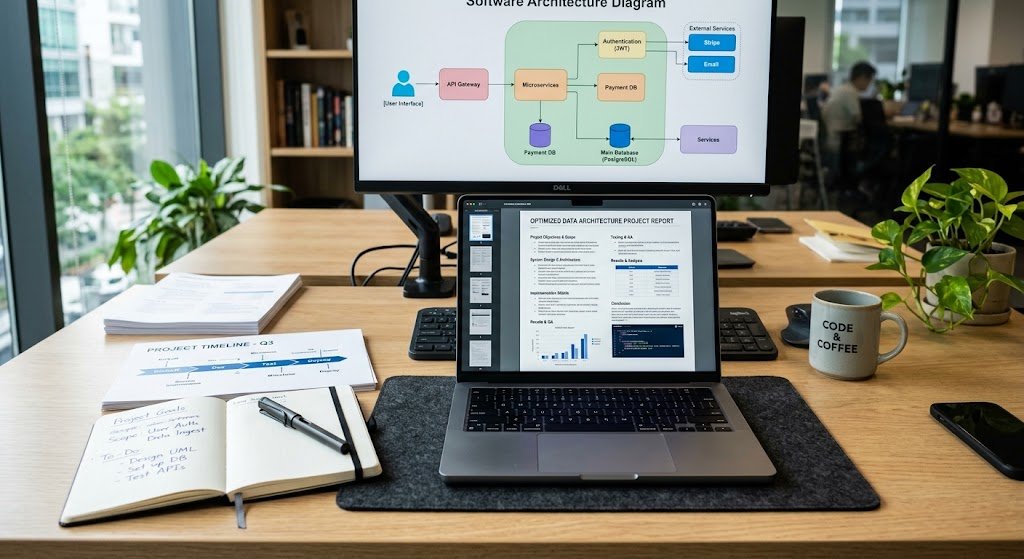
Diagrams work particularly well if a procedure has many components and/or relationships among them. For instance, a networking guide might employ a diagram to depict the connection between a client computer, a server computer and a network switch/computer networking router. A diagram would be useful in the cloud deployment guide to illustrate how an application interacts with the database, as well as with other cloud services. Diagrams: Writers should be simple and label key parts of the diagram. The use of unnecessary decorative elements can divert from the technical information. It is also best to crop screenshots where possible so that the part of the interface that is relevant to the problem is clearly visible. Handled in a consistent manner, arrows, highlighting, or numbered markers can emphasise the significance of controls, but should not obscure information the reader must view.
Add Warnings and Important Notes
Warnings should be issued when an action might result in data loss, service disruption, security issues, configuration issues, or other noteworthy consequences. A warning should be displayed prior to the risk rather than after. If changing a configuration setting would cause users to lose access to a network service, then the warning should be displayed prior to changing the setting. This will allow readers to take time to comprehend the consequences and make the necessary preparations. Warnings should be specific and tell why the warning is being issued, not just in alarming terms. Useful warning: one that states what may happen and, if applicable, what measure should be taken.
Note and tips can give extra information but not break the flow of actions. A note could be used to explain a difference in menu names between versions of a software and a tip could be a quicker way for an experienced user. Make sure that not every part is cluttered with warnings and notes as this can make the important information less prominent. The rule of visual emphasis should be used only with information that the reader must see. The goal of warnings and notes is to help the user make safe and informed decisions, rather than to make the documentation look like it is more detailed.
Provide Useful Examples
Examples are provided to aid readers in grasping how abstract instructions are applied to actual situations. A configuration procedure can mention that they need to specify a server, but an example can be provided that indicates the format of an address without having to include information from a real organization. Likewise a command-line guide can give an explanation of the structure of the command and then give a sample command with clearly identified example values. Examples are useful where the user has to provide information for placeholders. Placeholders should be clearly visible to writers to avoid readers copying sample values into an actual environment.
Good examples should illustrate realistic situations with reasonable complexity. If a procedure is intended to be used in multiple environments, the procedure documentation could include a simple example first and then discuss how the values vary across the environments. When there are important differences between examples that impact the procedure, writers should also explain. For example, the development environment may have one server address, and a production environment may have a different server address. The example should then illustrate the proper concept and explain the need for the user to insert his/her environment-specific information. Examples are most fruitful if they illuminate both the what and the why of what to enter.
Include Troubleshooting Steps
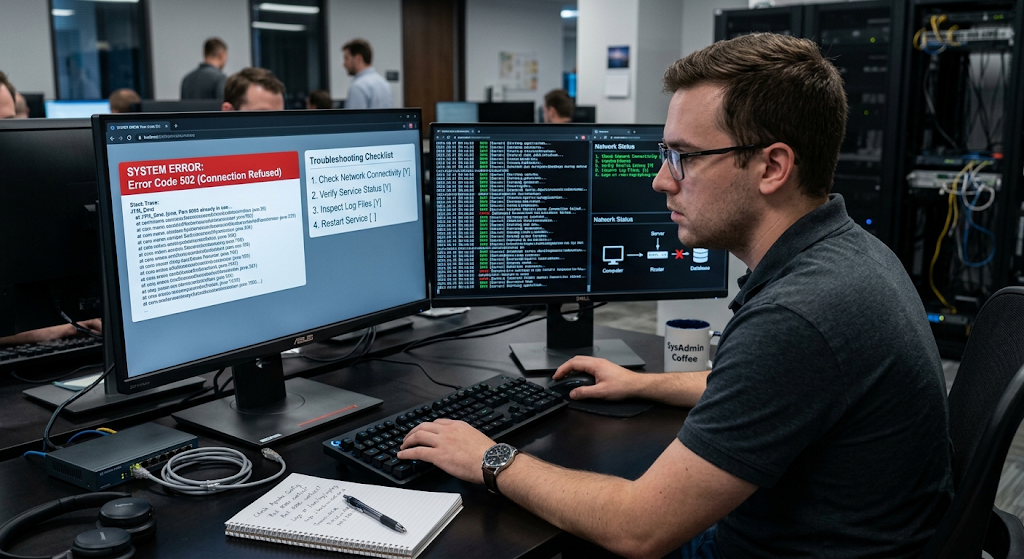
Even well-written procedures cannot prevent every technical problem, so troubleshooting should be included whenever failure is reasonably possible. Troubleshooting information should connect common symptoms with likely causes and practical solutions. Instead of providing a long list of unrelated possibilities, writers should organize troubleshooting around observable problems. For example, if a user cannot connect to a service, the documentation might suggest checking network connectivity, verifying the server address, confirming credentials, checking whether the service is running, and reviewing relevant error messages. This gives the user a logical path for investigating the problem rather than encouraging random changes to the system.
Troubleshooting should also explain what information users should collect when a problem cannot be resolved immediately. Useful information may include error messages, software versions, operating system versions, configuration details, timestamps, or relevant log entries. Documentation can explain where users can find this information and what parts are important when reporting an issue to a technical team. Writers should avoid recommending actions that could destroy useful diagnostic information unless there is a clear reason to do so. A strong troubleshooting section helps users solve common problems independently while also making it easier for technical support teams to investigate more complex cases.
Include Verification Procedures
A technical procedure is incomplete if it explains how to perform the task but does not explain how to determine whether the task worked. Verification procedures provide a clear way for users to confirm the expected result. The verification step should be based on an observable outcome, such as successfully opening an application, connecting to a service, receiving an expected response, viewing a newly created resource, or confirming that a configuration value has been applied. When possible, the documentation should state what successful completion looks like instead of simply telling the reader to “check that everything works.”
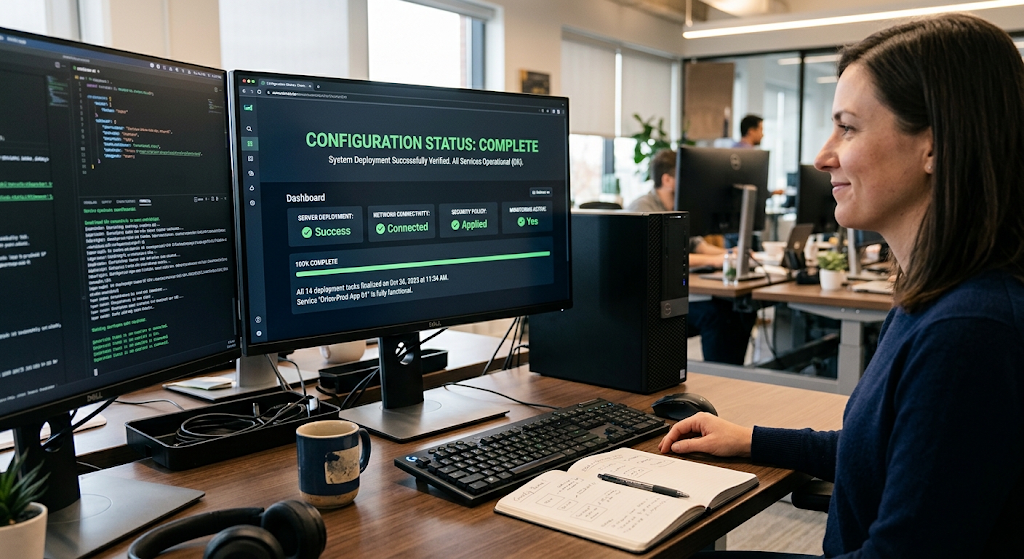
Verification is particularly important for technical tasks that do not produce an obvious visual result. For example, changing a network configuration may require a connectivity test, while configuring a cloud service may require checking service status, logs, or application behavior. A database configuration may need a test query or connection attempt. Verification steps give readers confidence that they have completed the procedure correctly and can also help identify problems before the system is placed into normal use. If verification fails, the documentation should point the reader toward relevant troubleshooting information rather than leaving them uncertain about what to do next.
Review Instructions Before Publishing
Technical writers should test instructions before publishing them, preferably by following the procedure exactly as a reader would. The writer should avoid relying on memory because familiarity with a system can cause important steps to appear obvious even when they are not obvious to someone encountering the task for the first time. Testing the procedure can reveal missing prerequisites, outdated interface labels, incorrect commands, ambiguous wording, incomplete examples, and steps that are presented in the wrong order. When possible, another person from the intended audience should also follow the instructions independently. Their questions and points of confusion can reveal weaknesses that the original writer may not notice.
Documentation should also be reviewed for consistency, accuracy, and maintenance requirements. Software interfaces, cloud platforms, operating systems, and networking technologies change regularly, meaning that instructions can become outdated even when they were originally correct. Writers should identify version-specific information and update procedures when significant changes occur. Screenshots should be checked against the current interface, commands should be tested where appropriate, and links should be verified. A document that is technically correct but outdated can be just as frustrating as a document that was poorly written from the beginning. Regular review therefore plays an important role in keeping technical instructions reliable.
Conclusion
Writing technical instructions that are easy to follow requires more than documenting a series of technical actions. Effective instructions transform complicated procedures into a clear path that guides users from preparation to successful completion. Writers should understand their audience, define the objective, organize actions in a logical sequence, use consistent terminology, explain prerequisites, and provide screenshots or diagrams when visual information improves understanding. Warnings, notes, and realistic examples can help users avoid mistakes, while troubleshooting sections give them a structured way to respond when something goes wrong.
Most importantly, every procedure should include verification steps so that users can determine whether the task was completed successfully. By testing instructions before publication and reviewing them regularly, technical writers can create documentation that is accurate, practical, and useful across software installation, configuration, cloud services, networking, troubleshooting, and many other technology tasks.