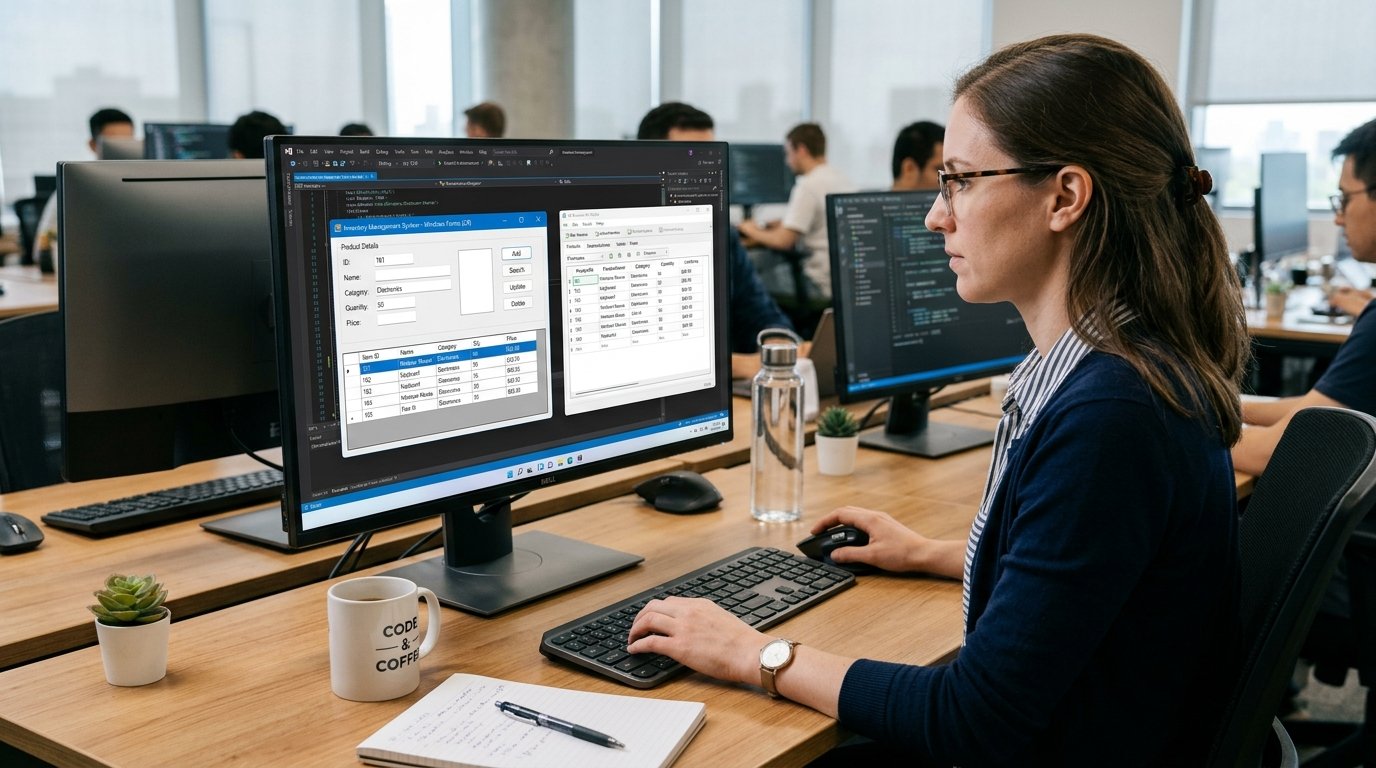
The adoption of cloud computing has shifted the use and access to technology from people, businesses, schools, developers and organizations. With the internet, users can gain access to computing resources as and when required, rather than needing to buy physical computing hardware, install complex software packages and keep them in good working order. This allows technology implementation to be more flexible as organisations can scale up or down technology needs without significant investment in physical infrastructure.
But cloud computing is not one-size-fits-all. Cloud providers provide various levels of control and responsibility depending on what a customer requires. There are three primary types of cloud services: Infrastructure as a Service (IaaS), Platform as a Service (PaaS), and Software as a Service (SaaS). It is easier for beginners to comprehend these models if they understand what it means, what the cloud provider manages, what the customer manages, how applications are built and how costs are generally billed.
Cloud Service Models.
Cloud service models outline the various ways in which cloud services and technology are offered to customers by cloud service providers. The concept is that one entity owns and maintains a portion or the entire underlying technology, but the client uses it without direct control over all the components. Depending on the service model, the extent of the responsibility placed on the customer will vary. IaaS provides customers with the basic computing services like virtual machines, storage and networking, and gives them a lot of control over the operating environment. In the PaaS model, the provider is responsible for the greater part of the technical infrastructure while the developer focuses on creating the applications. SaaS involves the vendor performing nearly all of the management tasks for the application, and the user gaining access to finished software via the web. Such differences have significance in terms of flexibility, technical responsibilities, development, accessibility and costs.
These models can be seen as a progressive transfer of responsibility. IaaS offers the building blocks to build and run computing environments, PaaS offers a managed environment for developing and deploying applications, and SaaS offers completed applications that users can use without managing the underlying technology. IBM offers a helpful overview of the various types of services and their distinctions and role in the cloud computing landscape. For beginners, the easiest way to distinguish between IaaS, PaaS and SaaS is to consider how much technology you are responsible for the cloud provider. IaaS provides you with more control, while also increasing your responsibility for managing the infrastructure; PaaS will take away much of that responsibility; and SaaS will give you software that is there without you needing to manage any of the infrastructure.
Infrastructure as a Service (IaaS)
Infrastructure as a Service (IaaS) is online delivery of virtualized computer infrastructure. A company can rent all of the above hardware from an organization or provider known as the cloud. The user can build virtual machines, assign storage space, set up networks and load operating systems and applications as desired. The cloud provider has responsibility for the physical data centers, servers, networking hardware and virtualization infrastructure, and the customer typically has a responsibility for the operating system, applications, data, and for many decisions about configurations and security. This is especially valuable for organizations that need a lot of technical control, but don’t want to buy and maintain the physical hardware that could support their workloads.
One example of IaaS would be a developing online enterprise that demands to have their own web app. The business would not need to purchase multiple physical servers, but rather rent virtual servers from a cloud service provider. The technical team could choose the operating system, install the necessary web server software, configure databases, set up applications, and decide on the amount of disk space and CPU that the environment will need. When there is more traffic on the website, the organisation can almost always increase its resources, or create more virtual machines. During periods of low demand, it might be able to diminish those resources. This flexibility can prove to be appealing to businesses whose computing needs evolve, as they don’t have to physically acquire new infrastructure when they need it.
How IaaS Management Works.
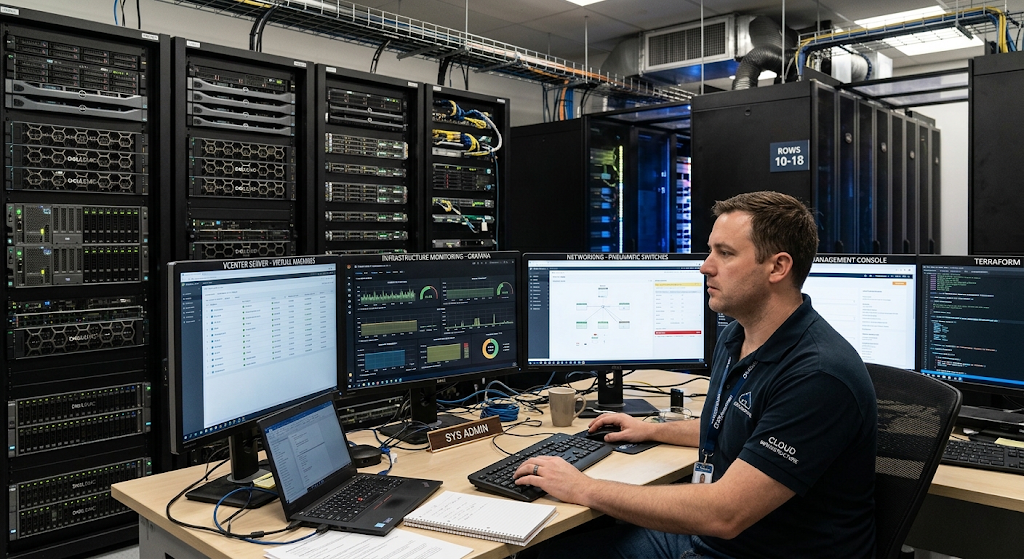
IaaS is very flexible, yet also very responsible. The cloud provider is responsible for the physical infrastructure, such as the data centre facilities, physical servers, storage hardware, and network equipment. Most customers are responsible for managing the virtual infrastructure they establish, including virtual machines, operating systems, applications, configurations and data. This shared responsibility model is a situation that does not obviate the need for technical expertise when using IaaS.
There are still jobs to be filled that require knowledge of how to manage servers, operating systems, networking, application deployment, backup and security settings, and resource management. IaaS is ideal for businesses seeking to tailor their computing setup, move legacy applications to the cloud without relinquishing as much control as would be seen with on-premise servers.
The Benefits and Drawbacks of IaaS.
A key benefit of IaaS is flexibility. Users are not limited to a specific software environment, but can set up computing environments as needed. Also, using IaaS can eliminate the need for huge upfront hardware investments, as businesses pay for the resources that they use from the cloud rather than buying all the physical hardware. Another advantage is scalability, because sometimes the computing power can be scaled up or down as per the requirement of the workload.
But the same applies to IaaS: It must be managed carefully. Misconfigured resources can lead to cost overruns and security holes can be created by weak security settings. Much of the software environment over the infrastructure layer is also managed by the customer. This can be a risk for organizations without the technical know-how, as it can be more difficult than more controlled cloud services.
Platform as a Service (PaaS)
Platform as a Service, or PaaS is a managed environment that developers use to build, test, deploy and manage applications. Cloud platform tools and services enable the developer to focus more on application development than on the servers and operating systems they are running. In an IaaS setup, the provider will handle more of the underlying infrastructure than in a PaaS setup, such as the servers, storage, networking, operating systems, and more. The platform may also offer development frameworks, database, application hosting services, monitoring and deployment services, depending on the particular PaaS offering. This can lead to a more efficient application development process since the developer doesn’t have to maintain each layer of the computing environment.
Suppose that a group is creating an online education app. The developers may have to set up and configure servers, install operating systems, install databases, manage run-time environments, and prepare deployment systems before focusing entirely on the application. Many of these things can be offered as a managed service by a PaaS solution. Developers can upload their application code, link to the various services required, test new versions, and deploy updates in the platform. The cloud provider is responsible for a significant portion of the infrastructure that is under the app. This means that developers can focus more on developing features and enhancing the user experience, while also minimizing the time they need to dedicate to server maintenance and other infrastructure tasks.

How PaaS Management work
PaaS falls somewhere between IaaS and SaaS in terms of customers’ control and provider’s responsibility. The provider takes care of the physical infrastructure and some of the software layers that enable the application to run, with the customer primarily responsible for writing the application code, its configurations, and its data. This setup can ease the development process as many common infrastructure issues are managed or automated.
It can also facilitate collaboration by having development teams share a common environment instead of having to develop their own server environments. But customers do not have the same level of control over the underlying environment as with IaaS. The specific programming languages, frameworks, operating systems, databases and deployment methods that a specific PaaS provider supports may require developers to work in them.
Purpose and Nature of PaaS
The primary benefit of PaaS is that it enables developers to focus on software and not infrastructure. The platform provides infrastructure for many tasks, which enables faster development and application release by the development teams. Other benefits of PaaS include support for scaling, automatic deployment, testing, and integration with other cloud services.
The primary drawback is a decrease in control. Developers rely on the capability and rules of the platform; some custom configurations may be challenging or impossible. Sometimes moving an app from one PaaS provider to another is an issue, too, because the app might rely too heavily on specific tools from the first PaaS provider. This is why it is important to consider the platform’s usability and the future needs of your application when selecting a PaaS service.
Software as a Service (SaaS)
The cloud model, which people know best, is Software as a Service (SaaS). Instead of downloading and installing software on a personal computer or organizational server, access to a complete application is done via the internet. The SaaS provider takes care of application, servers, operating system, infrastructure, updates, security mechanisms and other technical aspects necessary to provide the service. Typically, users make an account, log in via a website or application, and run the software without being aware of how the cloud environment works. This is one of the reasons SaaS is very simple to use for newbies as they do not have to deal with the technical aspects as much as they do in IaaS or PaaS.
Examples of SaaS include web-based email systems, online document editors, customer relationship management (CRM) systems, project management software, collaboration solutions, and numerous online education software. Suppose there is an organization that requires an application to manage customer information. The organisation could subscribe to a cloud-based customer relationship management service in lieu of buying a server and installing special software. Employees would use the internet to log in, the provider would be responsible for software updates, infrastructure maintenance and many other aspects of software operation. This is to give the organisation the opportunity to concentrate on running its business through the software as opposed to supporting the technology that is needed to run the application.
How SaaS Management Works
SaaS has a higher degree of technical responsibility than traditional on-premises software. The provider owns the infrastructure, maintains the application, applies updates, manages the underlying systems and provides customers with software via the Internet. Customers are responsible for their use of the Application, including account management, permissions management, settings and information put into the service.
This can significantly make IT management easier as they won’t have to install the application on each computer and keep their own application servers. There are still some things customers have to take into account, though, including account security, user permissions, data protection, service availability, and compliance to applicable requirements. The customer is not relieved of his responsibilities by having a managed application: the responsibility is focussed at a higher level.
Pros and Cons of SaaS
The convenience and accessibility of SaaS make it a popular choice. Applications are frequently available from various devices, depending on the user’s internet connection and credentials. The provider typically provides software updates, which means it doesn’t normally require users to perform software updates manually. SaaS can also benefit organizations in offering applications to a huge number of users, without the necessity of deploying individual applications.
SaaS users, on the other hand, often have less control over the underlying technology of the application and fewer customization options than do the people running their own application(s). Users can also be impacted by service interruptions, price changes, feature changes, and reliance on Internet connectivity. Organizations should, therefore, examine the reliability, security, data management and provider policies before implementing a SaaS solution.
Difference between IaaS, PaaS and SaaS
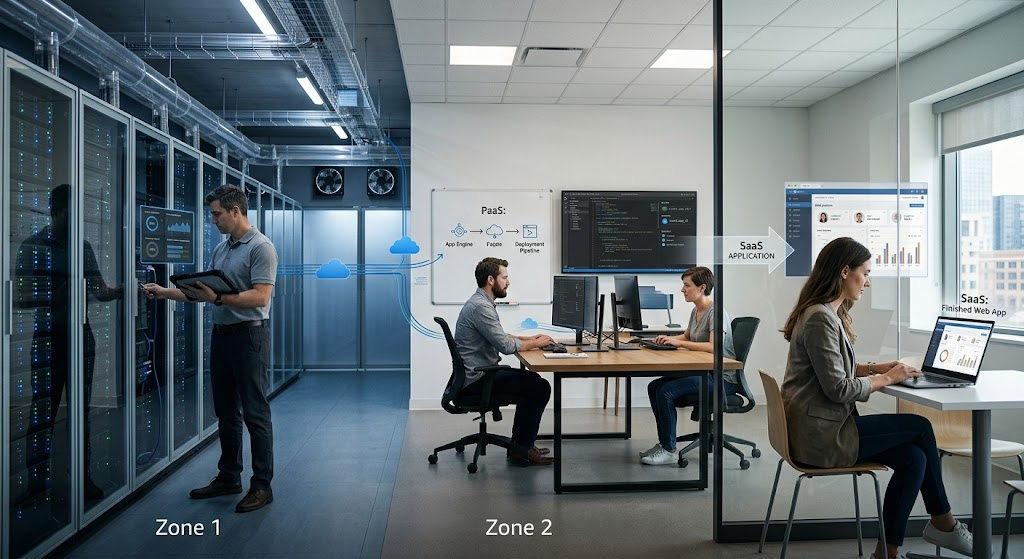
The main difference between IaaS, PaaS, and SaaS is the division of responsibility between the customer and the cloud provider. IaaS provides the most flexibility to the customer with respect to the computing environment and also demands the most responsibility by the customer to manage more components. PaaS takes a lot of the infrastructure management burden off the developer, since they can focus on app development.
SaaS takes it one step further by providing a full application that users have access to right away. When moving up the technology stack from IaaS, through PaaS and to SaaS, the provider is increasingly responsible for more of the technology stack, and the customer has less control over the underlying technology. The relationship between control and management is critical to the understanding of the cloud service models: greater control generally leads to more management tasks; greater management leads to greater convenience, but fewer management tasks.
Cost Implications across the Three Models.
The other key distinction between IaaS, PaaS, and SaaS is cost. IaaS can help to lower capital expenditures since organizations don’t necessarily have to buy physical servers and other infrastructure. Users must however be careful of resource consumption as their charges may rise when they use more resources such as computing capacity, storage, networking etc. While the cost of PaaS varies from platform to platform and resources to resources, it can save the provider more time in the operational aspect.
Some users will find it easier to understand the costs associated with using SaaS because they are paying for access to the software, not the individual servers. When an organization expands its number of users or features, however, subscription costs can increase. The most cost effective depends on workload, scale, staffing, the level of control required and the pricing structure of the provider.
The decision of which of the three—Infrastructure as a Service (IaaS), Platform as a Service (PaaS), or Software as a Service (SaaS)—to use depends largely on the purpose of the company or individual. IaaS is a suitable option when an organization requires a lot of control over applications, network, operating system, and server. It can be beneficial for companies that are transferring their existing workloads to the cloud or developing more customized computing environments. In most cases, PaaS is appropriate for the teams that are developing and deploying applications without investing the time in managing the servers and operating systems.
For organizations and individuals who want to use software that works but don’t want to maintain the software technology, SaaS is frequently the most convenient choice. In practice it is not a requirement for an organisation to adopt only one model. It could be running SaaS applications for daily business needs, PaaS applications for new software, and IaaS applications for specialized workloads that demand more control over infrastructure.
Shared Responsibility Model.
Just because the provider offers cloud computing doesn’t make them the one who is responsible for everything from security to technology management. Responsibility is split between the cloud provider and the customer, but varies with the service model. With IaaS, the customer assumes the responsibility for operating systems, applications, configurations and data. The main difference between PaaS and SaaS is that in PaaS, the provider takes more responsibility for the underlying environment, while the customer focuses on the applications and data.
While the provider is responsible for most of the technology stack in SaaS, it is still the responsibility of the customer to ensure that the customers’ accounts are protected, and that they are using the service appropriately. It’s crucial to understand this shared responsibility because a cloud service may offer great security features, but still be susceptible to misconfigurations by the customer or account management issues.
Cloud Service Models in Real life scenarios
It’s easiest to grasp the 3 models by picturing 3 different methods of operating a restaurant. IaaS is like a professional kitchen which is shared and you’re granted access to the big stuff, but must do much of the rest. PaaS is more akin to hiring a managed kitchen that is set up around cooking, so that all of the technical equipment is in place, and you can focus on cooking.
One analogy is that SaaS is similar to ordering a meal at a restaurant: you get the completed product and you don’t have to worry about the kitchen, equipment, ingredients or preparation process. This is not a perfect match, but it does show the fundamental concept behind cloud service models – the higher the level of responsibility assumed by the provider, the less that the customer is directly responsible for managing.
The Future of Cloud Service Models
As businesses keep shifting applications and workloads to the cloud, IaaS, PaaS, and SaaS will continue to play a role. Cloud providers are increasingly integrating these models with other technologies like AI, automation, containers, serverless computing, data analytics, and managed databases. The developments can help businesses and developers to develop digital services without having to build each and every technical component.
Meanwhile, companies should take security, privacy, vendor reliance, regulatory compliance, performance and future expenses into account when choosing cloud services. With the vast range of cloud services available, selecting a service needs not to be just a matter of whether it is IaaS, PaaS or SaaS. Organizations should review what they would like to control, what they will manage and what they’d like the provider to do.
Conclusion
Cloud technology can be easily navigated with an understanding of three different approaches to using cloud computing services: IaaS, PaaS, and SaaS. With IaaS, customers have significant control and responsibility for basic infrastructure including virtual machines, storage, and networking. PaaS offers a managed development environment, enabling developers to spend more time on application design and deployment, while less on infrastructure management. SaaS is a service that provides finished software via the internet with most technical maintenance tasks being managed by the SaaS provider.
The difference is not just whether it is technology that is being offered, but who is responsible for the technology — the provider or the customer — as well as who is in control of the technology, how the technology is managed, who can access the technology, and who needs to pay for the technology. Learning about these differences can help beginning users choose cloud services for their personal, educational, development, or business needs.