Introduction
Having a business is more than the product you sell or how you deliver the service. Owners must also monitor income/outgo, invoices, payments, taxes and financial performance. As a small business or startup with a thin margin, a startup might think about paying for accounting software at first glance, as if it were an unnecessary expense. Fortunately, there are some platforms that provide businesses with free accounting tools, so that businesses can organize their finances without having to add another bill each month. The ideal free accounting software can help you with the bookkeeping, make professional invoices, track your expenses, and make helpful financial reports. But sometimes it’s not exactly free, and companies should be aware of what each site offers them before they opt for one. When considering no-cost accounting solutions, one option to consider is using a free and open-source solution like Akaunting, created for small businesses and freelancers.
Free Accounting Software
Free accounting software is a financial management system, which enables you or a company to conduct vital accounting functions without having to pay a monthly subscription fee for the standard version. A free plan can contain diverse features, such as invoicing, tracking of income and expenses, financial reporting, customer management, bank reconciliation, and tax-related features, depending on the provider. Some are web-based, others are desktop software or open source software that companies can install themselves. What’s crucial to remember is that free accounting software can differ substantially in the kinds of features it supplies. Some providers might allow unlimited invoices and limit bank connections, while others might offer robust reporting capabilities and charge for extra users or advanced integrations. As a result, it is impossible to evaluate businesses based on the fact that the software is free of charge, as there are many restrictions and features that should be taken into account.
Key Features to look for in Free Accounting Software.
Managing payment and invoicing.
Getting paid efficiently is critical for freelancers and small businesses to have a steady cash flow, which is why invoicing features are one of the most critical ones. A good free accounting software should provide the ability to generate professional quality invoices, enter customer details, list products or services, add taxes or discounts, and track whether or not the invoices have been paid. Recurring invoices can be beneficial for companies that charge customers on a regular basis as they eliminate repetitive administrative tasks. Some platforms also link up invoices to the online payment service, so that the client can pay electronically. For example, a professional invoicing solution, support for reoccurring transactions, customer management, and online payment options are provided by Akaunting. For businesses looking at free plans, there will be questions regarding the number of invoices that are created – not all free plans have an unlimited number of invoices that can be created; some may have a limited number of invoices per year or month, which can become cumbersome for businesses as sales volume increases.
Tracking and Management of Expenses and Receipts
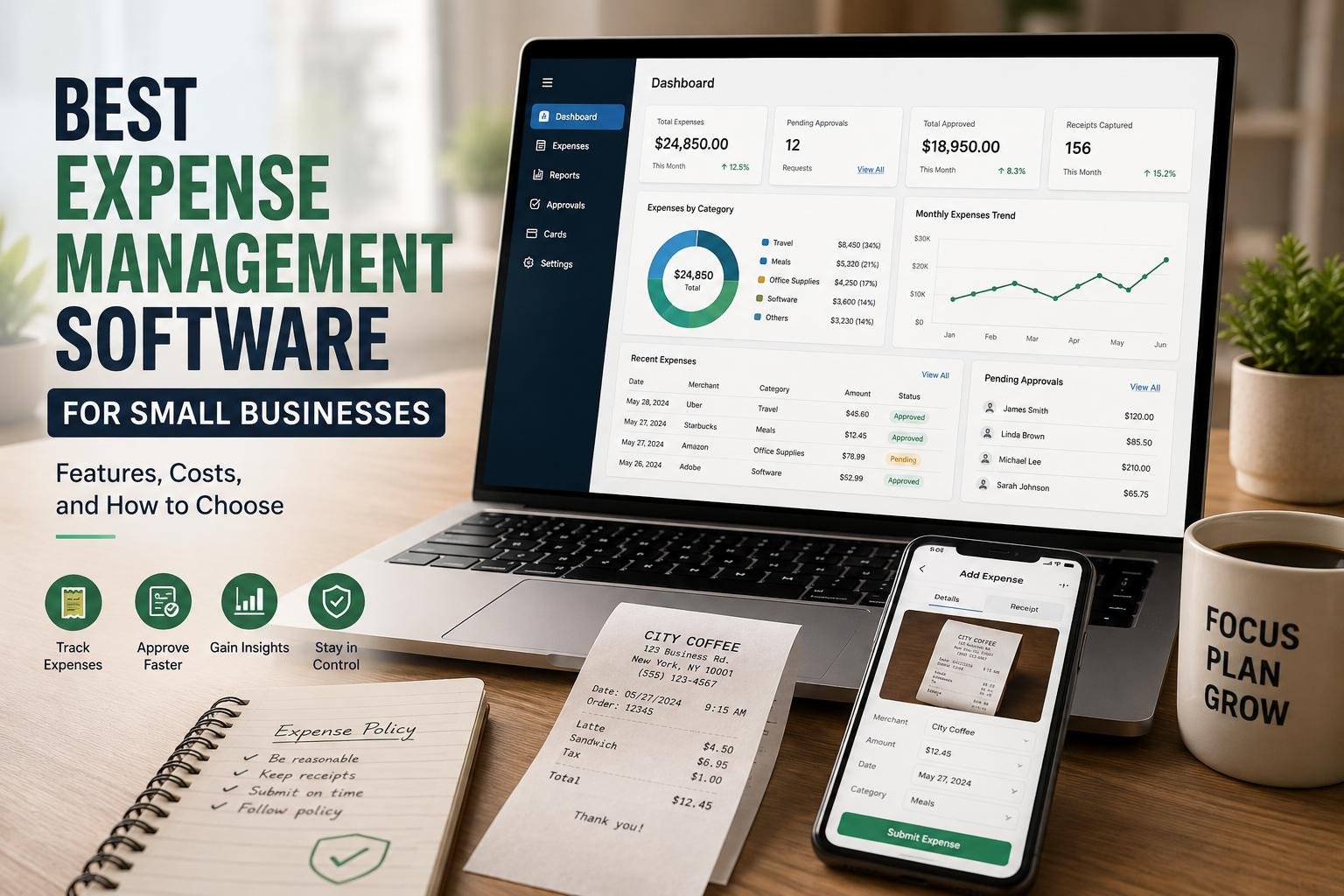
By tracking expenses, business owners can better understand where their funds are going and it will be easier to keep accurate financial records. The ideal accounting solution should enable you to classify your costs, document your bills, input receipts and link spending to accounts in your bank or cash account. For freelancers and small teams, where paper receipts can be easily misplaced or lost, receipt management is particularly beneficial. Advanced platforms may employ receipt-scanning technology to automatically derive data, cutting down on manual entry. For example, Zoho Books includes receipt autoscanning in its free plan and Wave has receipt-related features and automatic transaction categorization in its paid Pro version. So companies would be better off thinking of what they mean by expense tracking and see if their free plan has the scope to provide the desired level of automation.
Financial Reporting
Financial reports transform bookkeeping data into information to make decisions. Small businesses should at least check for reports on income, expense, profit and loss, balances and cash flow. Some more sophisticated enterprises may require balance sheets, general ledgers, trial balances, tax reports or customized reports. One of the most significant distinctions can be the sophistication of reporting, which might be significant between free tools and paid accounting software. For instance, GnuCash uses double-entry accounting and offers financial reports, whereas Akaunting offers detailed financial reporting as well as dashboards to track business performance. System software (GnuCash) is fine as long as the owner is only seeking basic financial visibility, but if the business is in need of the sort of financial reports that cost money, then it will be time for a paid program.
Bank Connections and reconcile them.
The connectivity with banks can minimize manual bookkeeping of bank transactions. The user can import all bank transactions or automatically sync all bank transactions, and then match them with the invoices or bills or expenses. But there are certain limitations in free plans, namely bank connectivity. Akaunting allows import of bank transactions and its Bank Feeds feature can automatically sync transactions if supported (availability of this feature depends on region, the provider notes). Zoho Books also has automatic bank feeds on its free tier, but it does have the limitations of connected accounts documented. Also, Zoho Books has automatic bank feeds on free tier in some markets, though there are some limitations on connected accounts as stated in Zoho Books’ documentation. Businesses need to identify whether they can connect their bank and country directly with software, before choosing software that will fit their needs.

Tax Tools
Accounting software can be quite helpful, especially when you need to monitor taxes like sales tax, VAT, or other taxes applied to transactions. With free software, users can set up their own tax rates, input their expenses and invoices, and produce reports that can help them prepare their taxes. Just because the software has tax capabilities, however, doesn’t mean that software will automatically file taxes on the business owner’s behalf. Akaunting enables users to set up tax rate and apply them to transactions and also supports a wider ecosystem with tools for implementing different tax requirements. Businesses should find out if their country’s tax system is supported and if features like tax calculations, tax compliance reporting, and electronic filing are available in the free version or as a separate application or paid plan.
User Access and Collaboration
For a growing business, there could be a need for accounting users for the owner, employee, bookkeeper, accountant, or manager. Therefore, the user limits can be an important factor to take into account when comparing free plan. Some platforms limit the number of users, others offer more access, but are based on different additional permissions/collaboration fees. According to the current listing on Zoho Books, their free plan only includes one user and one accountant. (Zoho) Akaunting’s cloud plans come in different ranges of user and accountant specifications, and its broader platform features role-based permissions and instrument for managing access. When thinking of the number of users required, it is not just the current users, but potential future users that should be taken into account. (Akaunting) Some free plans may be limiting if you have more than one person to bookkeeping for.
All Integrations and Data Storage
Integrations enable accounting software to talk to other applications utilized by a business. These can be payment processors, ecommerce platforms, customer relationship management, payroll applications, banking services or business management applications. Open sources might be especially appealing to businesses looking for flexibility, as they may provide extensive app ecosystems and customization possibilities. Akaunting offers an app store with over 100 financial and business applications, integrations and feature extensions. Data storage is also crucial (Akaunting). Cloud software typically saves data to the Internet and is available on supported devices, while desktop or self-hosted software applications allow a business to have more control over where the financial data is stored. GnuCash is a desktop application for many operating systems, for instance, while Akaunting is an on-premise solution that allows users to have control and ownership of their financial data. (GnuCash)
Best Free Accounting Software Options
Akaunting
Akaunting is interesting for freelancers and small businesses who believe that it is essential that they have access to open-source accounting software and more control of their financial data. It has a platform with invoice, expense tracking, customer and vendor management, transaction classification, tax rates, multi-currency, financial reports and dashboards. The self-hosted Standard version is offered at no cost, and businesses that are more demanding can choose from various Standard plans as a cloud service. One of Akaunting’s major advantages is flexibility. Through the platform’s application ecosystem, businesses can tap into the platform’s greater extensibility, and users who wish to self-host can gain a greater degree of control over their accounting environment. Some higher-level features, such as Bank Feeds and double-entry accounting in the cloud, can only be done via premium functionality or other apps, however.
Zoho Books
There is another great choice for very small businesses and solopreneurs that offers an impressive number of accounting features in the free tier Zoho Books. The free version of the software offered in the United States is currently available to users with invoices, quotes, expenses, journals, vendor management, mileage tracking, payment collection, bank reconciliation, recurring invoices and over 50 reports. It also features receipt autoscanning and it can be used by one user and one accountant. The best part is that companies can start them out as a professional accounting platform and don’t have to sign up for a subscription right away. There’s still limits on transactions and user restrictions, though, and the other features like extra bank feeds, more users, advanced tax features, custom reports and API access come into play as a business grows. Businesses should also make sure that the free plan they can see in their country is the same plan that they can get in their market.
Wave
Wave is built with the needs of small businesses and freelancers in mind, offering easy bookkeeping and invoicing. It’s free and has no hidden catches, including unlimited estimates, invoices, bills, bookkeeping records, mobile invoicing and a dashboard for tracking cash flow and customers. The paid Pro version of Wave gives features like automatic import of bank transactions, transaction categorization, unlimited users, and additional receipt features. This is a great option for businesses that are mainly looking to have basic invoicing and bookkeeping features without the commitments of having to pay for a subscription, but may wish to upgrade later to gain greater automation. The biggest factor is that the availability and functionality may be different depending on location and plan, so enterprises in markets other than Wave’s strongest supported markets should check to see if banking, payment and other services are suitable for their daily accounting before they use the platform.
GnuCash
Unlike many current cloud-based accounting applications, GnuCash offers a free option. It is a no-cost, open source desktop accounting program that follows the principles of professional accounting by double entry. It can handle bank accounts, income and expenses, account reconciliation, invoicing, tracking customers and vendors, budgets, reports and imports financial data like QIF or OFX. This is especially desirable for those who want powerful accounting tools without the cost and subscription fees and like to run software on a computer. The biggest drawback is convenience: companies seeking a contemporary, browser-primarily based system that is effortless to collaborate on, with automated cloud workflows and ample mobile access could discover it is not as convenient as cloud-first choices. GnuCash may be a great option for those who are tech-savvy, but you may need more accounting expertise than other, less complex small-business solutions.
Limitations of Free Accounting Software
While free accounting software may be very beneficial, businesses are advised to know its drawbacks before putting all their financial processes in such software. Often these limitations are in the form of a limited number of users, a limit on transactions or invoices, less integration, fewer bank connections, basic customer support, less automation, and less advanced reporting. There might be also some free products that might require a transaction fee when the accounting software doesn’t come with a subscription fee. The scalability is another factor to think about. The solution that fits a freelancer’s needs perfectly could leave the firm with too many staff members, a number of bank accounts, inventory, more complicated tax needs, and several legal entities. Data export and backup solutions should also be taken into account by businesses. Being able to export all of the financial records in a format that is still usable can avoid a costly and problematic migration to another platform later on.
When Should a Small Business Upgrade to Paid Software?
When the restrictions of the free version start to make more management time and/or financial risk than the accounting plan’s price, upgrading to a paid version is sensible. When a business is prepared to upgrade, it could be because of: automatic bank feeds, more users, enhanced reporting, payroll, inventory management, more sophisticated tax functionality or expanded integrations or better automation. Numerous features don’t necessarily mean the right choice. Owners, however, should estimate their employees’ or accountants’ time, on a weekly basis, spent on manual tasks that paid software can do. If the monthly subscription provides several hours of bookkeeping that you would otherwise have to perform each month, will save you time from bookkeeping errors, will provide you better visibility into your cash flow or will make tax time easier, the investment might be worth it. Paid software should be considered as a cost of efficiency and control, not a business expense.
Factors to Consider When Selecting Free Accounting Software
The ideal free accounting software will rely on the size, shape, area and accounting requirements of the business. First, see what tasks are crucial for you to manage, like invoicing, expense tracking, bank reconciliation, reporting and tracking taxes. Next, make a comparison of the real constraints on each feature. Take a look at the number of users, invoices, expenses, banks, integrations and currencies supported before taking the word “free” at face value. Consider data ownership, backups, security, customer support, ease of use and exportability of data is also important. Last but by no means least, consider future growth. This is preferable to picking a program that is good, but will need to be replaced all together in a few months, since the software may need to be converted to a paid version.
Conclusion
If you are a freelancer, a start-up or a small business, and you wish to start managing your finances without having to subscribe to software for a monthly fee, you can start with free accounting software. Alternatives like Akaunting, Zoho Books, Wave, and GnuCash prove that small businesses can benefit from features like invoicing, expense tracking, financial reporting and reconciliation, without having to invest in costly accounting software. But each free solution offers a set of features, limitations and geographies. It’s not always the platform that offers the freest features, however, that’s the right option. The system of your choice should manage your present accounting needs, safeguard and maintain your financial data and offer a sensible progression for the business should it grow in complexity. While free accounting software may make good business sense initially, it may be prudent to re-evaluate its business requirements as the company expands and determines if the software is still a suitable solution.
Get more well researched information about Free accounting software for small businesses here.