Introduction
As a small business expands, it can get harder to keep track of business expenses. Receipts pile up, staff put in requests for reimbursement, Managers approve spending, and Finance teams have to make sure that all transactions are recorded properly. For a very small business, you may be able to use a spreadsheet or do it by hand, but for larger businesses this can become time consuming and difficult to do correctly. Expense management software offers a more systematic method for tracking, managing and reporting business expenses. By knowing what the key expense management capabilities are, business owners can select a solution that suits their business without being overcharged for additional features they don’t need. It should be easy to use and increase a business owner’s awareness about the company’s money flow, while allowing employees to adhere to company spending guidelines, the best expense management software for small businesses should make daily management simple.
Expense Management Software
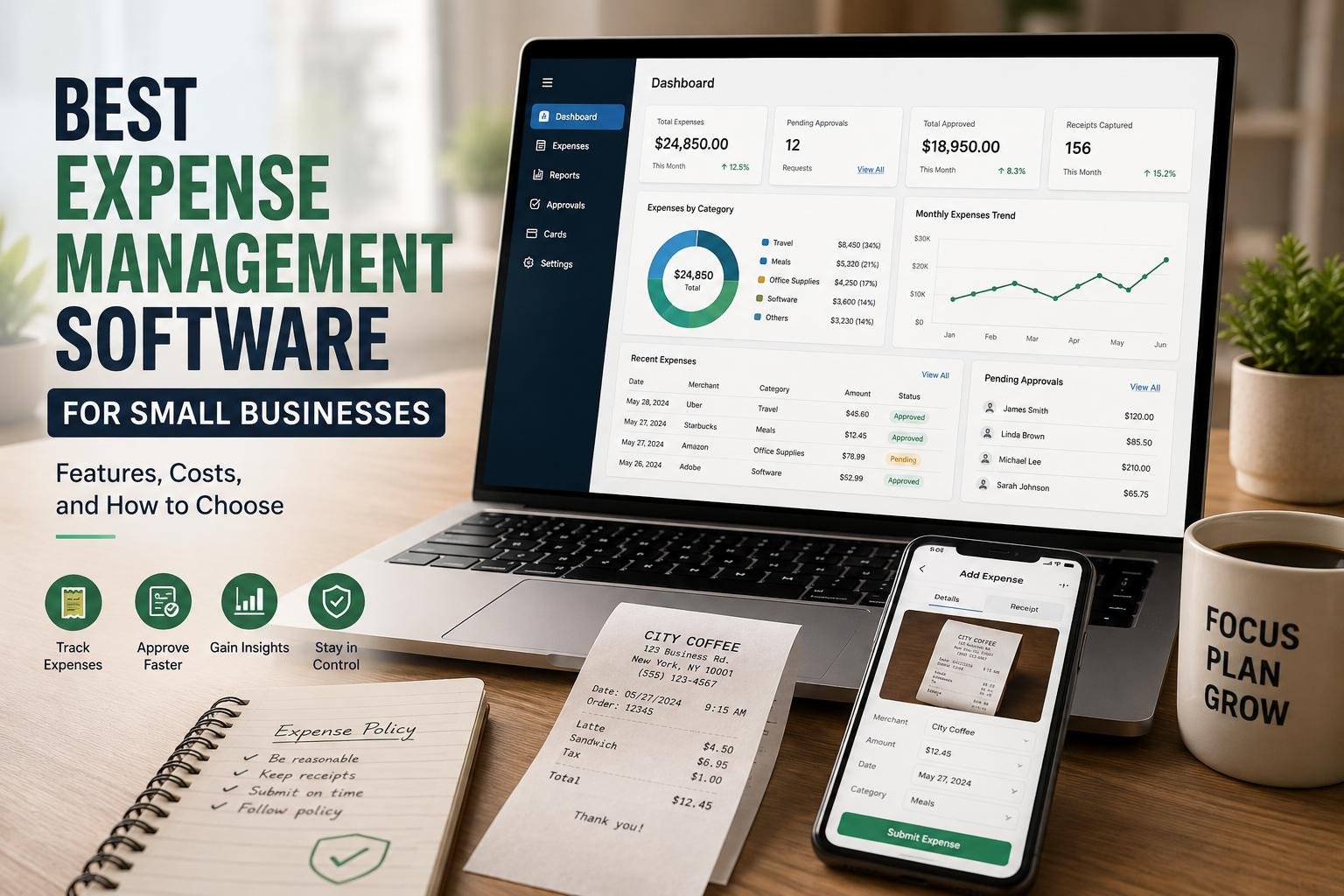
Expense management software is a virtual solution that works to maintain, track, approve, charge back and report employee and company expenses. Businesses can oversee a lot of the expense process from one location, rather than using paper receipts, spreadsheets, emails, and separate accounting records. Employees can access the software via their mobile device, upload expenses, take pictures of receipts, classify purchases, and submit claim items for approval, depending on the software. Managers will then be able to check the transactions before it’s reconciled by finance staff with the accounting records. This can help simplify administration and provide a better audit trail for small businesses. Centralized expense data will make it simpler to track unnecessary expenses, enforce internal policies, create financial reports and make sure that business costs aren’t a burden on cash flow.
The Necessity of Small Businesses in Expense Management Software
Small business owners or the small finance team may have to carry out business expenditure among a host of other responsibilities as administrative resources are limited. With manual expense bookkeeping, it can take a lot of time to go through each transaction, which needs to be verified, categorized, approved, documented and matched with supporting documents. Receipts may also be lost or employees may use category of expenses inconsistently, which can also result in errors. With expense management software, many of these repetitive tasks can be automated, and it can keep an accurate log of expenditures. It can also be a more convenient option for staff as they will not need to hold onto to receipts or wait until the month’s end to claim. For expanding businesses, it’s best to implement software early as expense management will be far more complex when the time comes.

Features to Consider when Choosing Expense Management Software
Optical Character Recognition
One of the most valuable features for businesses seeking to minimize the amount of manual data entry is receipt scanning. The feature enables an employee to typically take a picture of the receipt with a mobile application and submit it instantly to the expense system. OCR can extract information like the merchant, transaction amount and date, and even tax information, eliminating the need for employees or finance staff to type the information. The receipt can also be saved on a digital copy, which will help to locate supporting documentation later. Businesses should also compare expense management software in terms of the ability to accurately capture receipts, receipt formats supported and easy access to receipts during an audit or financial review.
Automated Expense Categorization
Expense categorization enables businesses to gain insight into where their money is going by assigning expenses to specific categories, such as travel, housing, office supplies, meals, software subscriptions, marketing, and more. If there is no consistent categorization, financial reports might get difficult to read and management will have problems in pinpointing spending patterns. The good expense management software will automate some of the categorization by identifying merchants, transaction descriptions, past selections, or by pre-defined company rules. Employees can still see and/or modify a category if needed and finance can set up a standard category throughout the organization if needed. This can be particularly useful as businesses expand as hundreds or thousands of transactions may need to be reviewed manually. The consistency of categorization also contributes to the organization of the accounting processes and can increase the value of the financial reports for budgeting and spending decisions.
Employee Expense Reimbursements
Reimbursements for employees are also a crucial factor to take into account especially if the company has employees that regularly have to cover the cost of legitimate business expenses themselves. Normal reimbursement systems include employees filling out forms, capturing receipts, emailing, and waiting on a manager or finance person to process their reimbursement. These steps can be combined in one process with the help of expense management software. Staffs are able to make claims electronically, upload supporting receipts, input needed information, and track the status of their claims. The finance departments can check approved claims and keep track of payment records. Certain platforms can also have automation in the reimbursement workflow, or integration with payroll and accounting. Companies need software that allows reimbursements to be easily made without taking away important controls and ensures that employees are paid correctly while keeping the company well documented of all approved expenses.
Approval Workflows and Spending Policies
Approval workflows are important in business for controlling spending before any money is wafted out of the business. A company can set rules that determine who should approve specific expenses, rather than waiting for them to get approval via informal email. For instance, if the purchase is low value, it may need to be authorized by a line manager, but if it is a high value purchase, it could need additional authorization from a senior manager or business owner. Claims can be automatically signed off to the right individual, minimizing delays and documenting the approval procedure. Spending policies can also specify what is and is not allowed, for example, a travel restriction might be to spend no money on traveling more than 100 miles, or a meal policy might be to spend no more than $50 per meal. Owners must take into account whether workflows can be tailored to fit an organization’s needs. Flexible approval conditions are certain to be of great value to expanding businesses, as they can offer better controls, while not adding needless bureaucracy.
Spending Controls and Corporate Cards
Classical corporate card can be yet another means for controlling employees’ spending. Business cards can be given to employees, groups or for a specific purpose instead of giving them their own and then asking for reimbursement later. Administrators can set spending limits, limit transactions, track the transactions in real time and tie them to the expense records, depending on the platform. This could enhance visibility since business owners don’t have to wait till the end of the month for employees to submit their claims for what they have purchased. Corporate cards can also minimize the administrative hassle of reimbursements. But businesses should thoroughly research the card-related costs, controls, transaction limits and policies on all platforms they are considering, especially when it comes to managing cards.
Reporting & Expense Analytics
Reporting tools transform individual transactions into information, which business owners can use in making financial decisions. An effective expense management solution should allow you to report on expenses at the employee, department, expense category, supplier, and project and/or time level. Dashboards can give an overview of expenditure, and detailed reports can alert you to any suspicious transactions, expenses that keep happening or rising spending. This could help an owner to budget and plan cash flow as they are able to cross check their actual or expected costs. Reporting can also be used to identify opportunities for unnecessary expenses like unused subscriptions or if travel is a recurring expense that can be cut. One factor to take into account when comparing software is the ability to customise and export reports in helpful formats. Reporting’s value lies not just in the volume of reports available, but in the quality of the information that can be easily understood to make viable business decisions.
Accounting Software Integrations
Businesses will want an expense management solution that integrates with its existing accounting software. If no integration is in place, the finance team might still need to import expenses data one by one from other systems, which would add to its administrative workload and risk of errors entering data. Allowing for approved transactions, expense categories, tax information and other relevant details to be transferred into the accounting system more efficiently could be a benefit that can be achieved through accounting integrations. This can help minimize duplicate data entry, and ease of reconciling. It’s important for businesses to consider whether the platform can connect with their current accounting system and if the integration can support the functions they need before they buy a platform. Also, see if integration is free of charge or there is a charge. Having a great expense platform doesn’t automatically make it easy if the platform does not integrate well with the company’s financial systems.
Application for Employees on Mobile Devices
A mobile app can simplify employee expense reporting, when working from the road, traveling often, or buying things out of office. Rather than storing receipts in a wallet or bag when they go back to work, employees may be able to snap photos of their receipts and claim expenses via the smartphone. Mobile access may also enable users to monitor the status of reimbursement claims, view transactions and be alerted to approvals or if information is required. Mobile applications can be beneficial to managers who are away from their desks to review and approve expenses. In terms of mobile capability a business should know if the app is available on the devices employees’ use, how easy it is to capture receipts on the phone, and if the mobile version has the same critical features that the desktop version does. An application that is designed properly can help to motivate employees to have their expenses current.
What is the cost of Expense Management Software?
Expense management software costs greatly differ according to the software vendor, the number of users, the features offered and pricing. Some sites have a monthly fee for each user, some have other packages according to the functionality or the size of the business. The overall cost can also be impacted by corporate card services, advanced reporting, accounting integrations, international transactions and more automation. It’s important for small businesses to not select software on price alone, however, since the subscription fee is what’s being advertised. To the contrary, owners should measure the total cost of ownership, and compare that to the amount of time that the software could save them. If the payment of any extra features or integrations is required for the relatively inexpensive system to be effective, then it can easily turn to be expensive. On the other hand, if it can save employees time on multiple expense administration tasks, it could be a more cost-effective option.
Tips to Select the Best Expense Management Software for your Business
The first step in picking the platform is to determine the company’s real expense management issues. A business that focuses almost entirely on reimbursing employees, might be more interested in a receipt capture and approval workflow, while a business that frequently requires employees to purchase on their own might prioritize corporate cards and spending controls. For companies that already have a financial solution, attention should be paid to integration with the accounting solution, and for companies with mobile or distributed employees, robust mobile applications are important. Usability should also be taken into account since even the most high tech software will be of little use if employees do not know how to use it. Prior to choosing, business owners should seek to compare features, pricing, user limits, integration, user support, security, reporting and contract terms. A trial or demonstration can also help a company decide if the software integrates into its existing processes, and if it does, it can determine if it is the right fit for the company before committing to it for the long run.
Other Factors that Small Businesses should Consider
It is important to not overlook security and scalability when making the selection. For businesses, expense systems are used to process financial data, employee information, receipts, and even (often) company card transactions, and they ought to be conscious of how they safeguard and manage this data. Having access control will help ensure employees view only the information that’s relevant to their work, and audit trails will help facilitate tracking of changes and approvals. For companies that are destined for growth, scalability is also crucial. There are platforms that work great for 5 employees, but become limiting when the number of employees reaches 50 or more. Business owners should therefore take into account the expansion of the number of users, approval levels, departments, projects, spending limits, and reporting requirements without having to replace the entire system. When selecting software for the business, one should select software that has growth potential to avoid unnecessary disruptions in the future.
Conclusion
Not every small business expense management software, offers a great deal of features. It is the one which solves the firm’s most critical expenditure and administrative issues without being costly and too complicated for workers to use regularly. The expense process can be streamlined by scanning receipts, automating categorization, managing reimbursements, implementing approval workflows, using corporate cards, reporting, integration with accounting software, and mobile apps. But companies should consider these features based on their requirements, not as they may be for all businesses. Small-business owners can evaluate functionality, pricing, integrations, security, usability, and scalability and choose an expense management tool that will make it easier to track expenses, manage paperwork, enhance financial controls, and enable good financial management as the business expands.
Get more well researched information about Expense management software for small businesses here.