
WooCommerce gives you the basics of an online store: product pages, a cart, a checkout, and a place to manage orders. That’s enough to start selling, whether you’ve already settled on a niche or are still exploring the Most Successful Businesses To Start. But a new store still has gaps. It won’t back itself up. It won’t speed up its own pages. And it won’t help much when you need to add 500 products or move your customer list to a new site.
That’s where these essential WooCommerce plugins come in. The catch is that every plugin adds code, settings, and updates you need to look after. So the goal isn’t to install as many as you can. It’s to pick one good tool for each real problem your store has.
This guide covers 17 WooCommerce plugins, grouped by the job they do: keeping your store fast and safe, managing your catalog, getting found, turning visits into orders, handling orders and customers, and bringing buyers back. For each one, you’ll see what it does, when it helps, and what you get in the free and paid versions.
Keep Your Store Fast and Safe
These plugins don’t sell anything on their own. They protect everything else on this list from slow pages, attacks, and lost data.
1. WP Rocket

Shoppers notice a slow store right away, and many won’t wait. WooCommerce doesn’t include page caching. Caching means saving a ready-made copy of a page so it loads faster for the next visitor.
WP Rocket turns on page caching as soon as you activate it. It also adds lazy loading, which loads images only when a shopper scrolls to them. Other options can remove unused CSS and delay JavaScript, so the part of the page people see first shows up sooner.
The detail that matters most for stores is how it handles private pages. WP Rocket leaves the cart, checkout, and My Account pages out of the cache automatically. That way, no shopper ever sees an old version of their cart.
WP Rocket is a paid plugin. There’s no free version.
Best for: Store owners who want faster pages without learning server settings.
2. Wordfence Security

Online stores hold names, addresses, and order history. That makes them a target. Login pages get hit by bots that try thousands of password guesses.
Wordfence Security adds a firewall, which blocks harmful traffic before it reaches your site. The free version also includes a malware scanner, two-factor login, CAPTCHA on the login page, and limits on repeated login attempts.
The paid plans (Wordfence Premium and higher) get new firewall rules and malware signatures in real time. Free users get the same rules 30 days later. Premium also adds a real-time list of known bad IP addresses and country blocking.
If your host already runs a server firewall, check what it covers before you add another layer.
Best for: Stores on standard hosting that don’t have security managed for them.
3. UpdraftPlus

A bad update or a plugin clash can break a store in seconds. A recent backup turns that from a disaster into a short delay.
UpdraftPlus saves copies of your site files and database on a schedule. The free version can send those backups to Google Drive, Dropbox, Amazon S3, and other storage. When something goes wrong, you can restore your site in a few clicks.
UpdraftPlus Premium adds incremental backups, which save only what changed since the last backup. It also backs up your site automatically before updates and can send copies to more than one place.
A useful tip for stores: back up the database more often than the files. New orders live in the database, so it changes every day.
Best for: Every store. You only find out how much you needed a backup after something breaks.
Build and Manage Your Product Catalog
A clean, well-organized catalog makes everything else easier, from SEO to shopping ads.
4. Product Import Export for WooCommerce

Adding products one by one is fine for ten items. It’s painful for 300. Supplier price changes and stock updates make it worse, because they never stop coming.
WooCommerce Product Import Export lets you add or update products in bulk from a single file. You can map the columns in your file to WooCommerce fields, which helps when you move products from another platform like Shopify.
The free version works with CSV files. It handles simple, grouped, and external products, along with categories, tags, and product reviews. You can also update stock, prices, and categories for existing products. Export filters let you pick products by category, tag, status, stock status, or product type. For example, you can export only out-of-stock items and send that file to your supplier.
The premium version supports variable and subscription products. It also adds XML, Excel, TSV, and Google Sheets files, plus scheduled imports and exports over FTP or SFTP. During import, you can change values with simple formulas, such as setting every sale price to {regular_price} – 5. It can even write descriptions for products that are missing one, using the ChatGPT API.
Best for: Stores with large catalogs or regular supplier updates.
Help Shoppers Find Your Products
A product nobody sees can’t sell. These two plugins cover search engines and shopping channels.
5. Rank Math SEO

WordPress handles some SEO basics, but it doesn’t give you much control over how product pages show up in search results.
Rank Math SEO lets you edit page titles and meta descriptions, creates XML sitemaps, and manages redirects. The free version also adds schema markup for WooCommerce. Schema is code that tells search engines details like a product’s price and stock status. It includes a 404 monitor and a Google Search Console connection as well.
Rank Math PRO adds a rank tracker for your keywords and an advanced schema builder. For stores, it adds product fields like GTIN, MPN, and brand, and an option to hide chosen products from search engines.
Use only one SEO plugin. Running two at once leads to duplicate tags and confusing settings.
Best for: Store owners who want clear SEO guidance inside the product editor.
6. WooCommerce Product Feed & Sync Manager
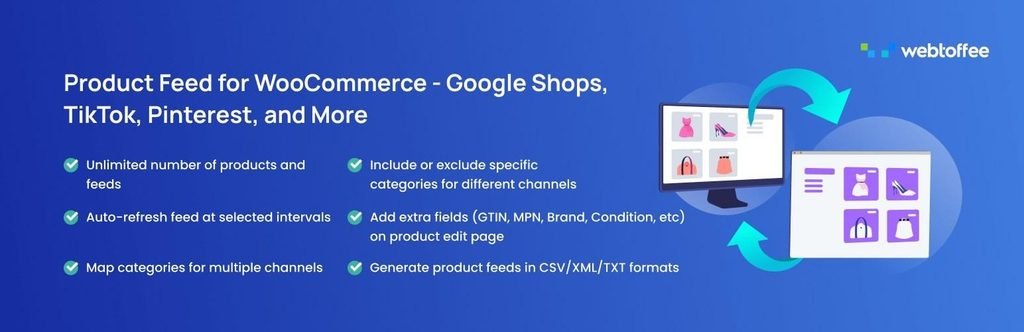
Many shoppers find products on Google Shopping, Facebook, Instagram, or TikTok before they ever visit a store. To list products there, you need a product feed. A feed is a file that lists your products, prices, stock, and images in the format each channel asks for.
WooCommerce Product Feed & Sync Manager creates and manages these feeds for you. The free version supports more than 25 sales channels, including Google Shopping, Facebook, Instagram, TikTok, Pinterest, and Bing. It allows unlimited products and feeds. You can map your store categories to Google and Facebook categories, filter products by category, sync with your Facebook catalog, and check the status of each feed from one page.
The premium version keeps prices and stock in your feeds updated automatically. It adds advanced filters by price range, stock status, or attribute, and can leave out-of-stock items out of the feed. It also supports server cron for more reliable refreshes, multilingual and multicurrency stores, Google Manufacturer Center, and custom feeds.
Best for: Stores running Google Shopping ads or listing products on social shops.
Turn Visits Into Orders
Traffic means little if the product page doesn’t build trust or the checkout gets in the way. These plugins work on reviews, accessibility, checkout, and payments.
7. Customer Reviews for WooCommerce

Most happy customers never leave a review unless you ask. WooCommerce supports product reviews, but it doesn’t remind buyers to write one.
Customer Reviews for WooCommerce sends review reminder emails after an order. The free version supports photo and video reviews, store reviews, and a questions-and-answers section on product pages. Photo reviews are especially helpful for products where fit or finish matters.
The paid Professional plan lets you send reminders from your own name and email address and use your own logo. Keep in mind that some free features need a free CusRev account, and free emails show CusRev branding.
Best for: Stores with few reviews or only text reviews.
8. Accessibility Tool Kit by WebYes

Some shoppers use screen readers, move around a page with a keyboard, or need larger text and stronger contrast. If your store is hard for them to use, they can’t buy from you. Many stores that sell in the EU also need to meet the European Accessibility Act.
Accessibility Tool Kit by WebYes helps you find and fix common accessibility problems. Its checker scans any page of your site from the dashboard, in desktop and mobile views. It flags issues like missing image alt text, low color contrast, unlabeled form fields, and headings in the wrong order. Alt text is a short description of an image that screen readers read aloud.
This Accessibility toolkit plugin can also fix some issues for you. It can add a skip-to-content link, show a clear outline on links and buttons for keyboard users, and add labels to form and search fields. An optional toolbar lets visitors change the font size, switch to high contrast, or turn on greyscale. You can also create and publish an accessibility statement for your store.
Accessibility Tool Kit is a free plugin. It doesn’t hide problems behind an overlay, and it doesn’t promise full legal compliance. Some checks, like writing useful alt text, still need a person.
Best for: Stores that sell in the EU or want every shopper to be able to browse and buy.
9. FunnelKit Funnel Builder

The default WooCommerce checkout works, but you can’t change much about it without code.
FunnelKit Funnel Builder lets you design your own checkout pages. The free version includes custom checkout pages, a one-page checkout template, a field editor for adding or removing checkout fields, and custom thank-you pages.
FunnelKit Pro adds order bumps. An order bump is a small extra offer shown just before payment, like adding a phone case to a phone order. Pro also adds one-click upsells after purchase, multi-step checkouts, A/B testing, and detailed reports.
Best for: Stores with steady traffic that want more control over checkout.
10. WooCommerce Stripe Payment Gateway

If shoppers can’t pay the way they like, many will leave. The official WooCommerce Stripe Payment Gateway accepts major cards plus Apple Pay, Google Pay, and Link. Mobile shoppers can pay without typing card details.
It also supports buy now, pay later options like Klarna, Affirm, and Afterpay, and local methods such as SEPA and iDEAL. Stripe’s built-in fraud screening (Radar) helps flag risky orders. It works with WooCommerce Subscriptions too.
The plugin is free, with no paid version. You need a Stripe account, and Stripe charges its own fee on each transaction.
Best for: Stores that want cards, wallets, and local payment methods in one plugin.
Handle Orders and Customer Data
After checkout, the work moves to orders, shipping, returns, customer questions, and customer records. This is where missing data and manual work slow you down.
11. Order, Coupon, Subscription Export Import for WooCommerce

WooCommerce can download basic order reports from its Analytics screen. But it can’t import orders, move them to another store, or bulk update them.
Order Export Import for WooCommerce handles that. The free version exports and imports orders and coupons as CSV files. You can filter exports by order status, product, coupon, customer, or date range. It also supports bulk updates to existing orders and coupons during import. A simple example: export last month’s completed orders and send the file to your accountant.
The premium version adds subscriptions from WooCommerce Subscriptions. It supports XML, Excel, and TSV files, custom order fields from other plugins, and scheduled imports and exports over FTP or SFTP. That makes it easy to send a daily order file to a warehouse or fulfillment partner without doing it by hand.
Best for: Stores that share order data with other systems or are moving to a new site.
12. Advanced Shipment Tracking

“Where’s my order?” is one of the most common emails stores get. WooCommerce doesn’t have a built-in place to add tracking numbers.
Advanced Shipment Tracking lets you add a tracking number and carrier to each order. The tracking link then shows in the shipping email and on the customer’s account page. The free version includes more than 1,000 carriers, “Shipped” and “Partially Shipped” order statuses, and CSV import for tracking numbers.
AST PRO can pull tracking numbers in automatically from services like ShipStation. It also adds a fulfillment dashboard. Live delivery updates come from TrackShip, which is a separate service.
Best for: Stores that ship physical products with more than one carrier.
13. EU Withdrawal Button for WooCommerce

If you sell to customers in the EU, the rules for returns have changed. From June 19, 2026, EU Directive 2023/2673 requires online stores to give customers an easy online way to withdraw from a purchase.
EU Withdrawal Button for WooCommerce adds a “Request Withdrawal” button to the customer’s My Account orders page. The button only shows while the withdrawal period is still open.
The free version lets customers withdraw a full order or only some of the products in it. They fill in a short form, confirm the request, and get a confirmation email. Guests can send a request using their order number and billing email. You review every request in a Withdrawals dashboard under WooCommerce and approve or reject it in one click. You can set the withdrawal period to 2, 7, 14, or 30 days and exclude products that can’t be returned. The plugin is translated into all 24 official EU languages.
The premium version adds automatic refunds and can show the button only to EU customers, based on billing address or location. It also creates a withdrawal terms page for you, supports WooCommerce Subscriptions, and lets you change the button’s style.
Best for: WooCommerce stores that sell to customers in the EU.
14. Tidio

Customers have questions before and after they buy, such as “Does this come in my size?” or “How do I send this back?” One unanswered question can cost you a sale or a repeat customer. Tidio adds live chat to your store, plus chatbots that answer common questions about shipping or returns when nobody is online. Messages from chat, Facebook Messenger, Instagram, and email land in one inbox.
The free plan includes the chat widget, chatbot templates, and mobile apps, with a monthly limit on conversations. Paid plans add more AI replies, more conversations, and more automation. You need a Tidio account, as the chat runs on Tidio’s service.
Best for: Stores where shoppers ask a lot of questions before or after buying.
15. WordPress Users & WooCommerce Customers Import Export

Customer accounts are hard to move by hand. If you switch hosts, merge stores, or need to update many accounts at once, you need a tool built for it.
WordPress Users & WooCommerce Customers Import Export exports and imports user and customer data. The free version works with CSV files and includes guest customers. It keeps existing passwords during a move, so customers can log in to the new site without resetting them. You can filter exports by user role, email, or date range and bulk update existing accounts during import.
The premium version adds XML and Excel files, custom user fields from plugins like BuddyPress and Ultimate Member, and scheduled imports and exports over FTP or SFTP. It can also email users when their data has been moved.
Best for: Stores moving to a new site or keeping customer data in sync with other tools.
Bring Customers Back
Winning a repeat sale usually costs less than finding a new customer. Email is one of the simplest ways to keep the conversation going.
16. MailPoet

MailPoet lets you create and send emails from inside WordPress. The free version includes a newsletter builder, signup forms, welcome emails, and WooCommerce emails such as abandoned cart reminders and first-purchase follow-ups.
Paid plans add more advanced automations with if/else paths, segments based on several conditions, and detailed reports. The free plan has a subscriber limit and adds MailPoet branding to emails.
Best for: Small stores that want email marketing without a separate platform.
Manage All Your Store Data in One Place
17. Import Export Suite for WooCommerce

Plugins 4, 11, and 15 each handle one type of data. That works well if you only need one or two of them. But if you regularly move products, orders, and customers, three separate plugins means three sets of settings.
Import Export Suite for WooCommerce puts all of it in one plugin. It handles products, reviews, orders, coupons, subscriptions, and users. It works with CSV, XML, TSV, and Excel files, and supports all WooCommerce product types.
You get quick, template-based, or advanced import and export methods, with filters for each data type. You can bulk update data during import, schedule jobs over FTP or SFTP, keep user passwords during a move, and check a log of every import and export. It also includes the ChatGPT option for missing product descriptions.
The Suite is a paid plugin with no free version. You don’t need it and the separate plugins at the same time. Choose the separate plugins if you only work with one or two data types. Choose the Suite if you manage several or are planning a full store move.
Best for: Store owners and agencies moving or syncing a lot of store data.
Wrapping Up
A better WooCommerce store doesn’t come from piling on plugins. It comes from choosing one reliable tool for each job and making sure it does that job well. Plugins work best when each one supports a clear goal in your eCommerce growth strategy.
Start with protection: backups, security, and speed. Then work on getting found and making checkout easy. Add order, customer, and email tools as your store grows and the manual work starts to pile up.
Most plugins on this list have a free version, so you can test each one against a real problem before you pay. Upgrade only when a paid feature saves you more time or money than it costs.