Introduction
Best Car Diagnostic Apps for Android and iPhone help modern cars that use electronics for engine, emissions, transmission and key components monitoring. We see issues via fault codes that point to the affected system. In the past drivers had to visit a mechanic or buy a dedicated tool. Today a smartphone with an OBD-II adapter makes diagnosis easier, reads codes, live data, and tracks maintenance.
The best smartphone apps for car diagnostics do more than just read out fault codes. What they can do depends on the make of the car and the adapter used, but they can report in real time on sensor information, watch engine performance, log details of your drive, and also help in organizing maintenance records. Smartphone-based car diagnostic apps are also very useful for the average driver who is interested in what those warning lights mean and for the enthusiast who wants in-depth information on how their car performs.
How Smartphone Car Diagnostic Apps Work
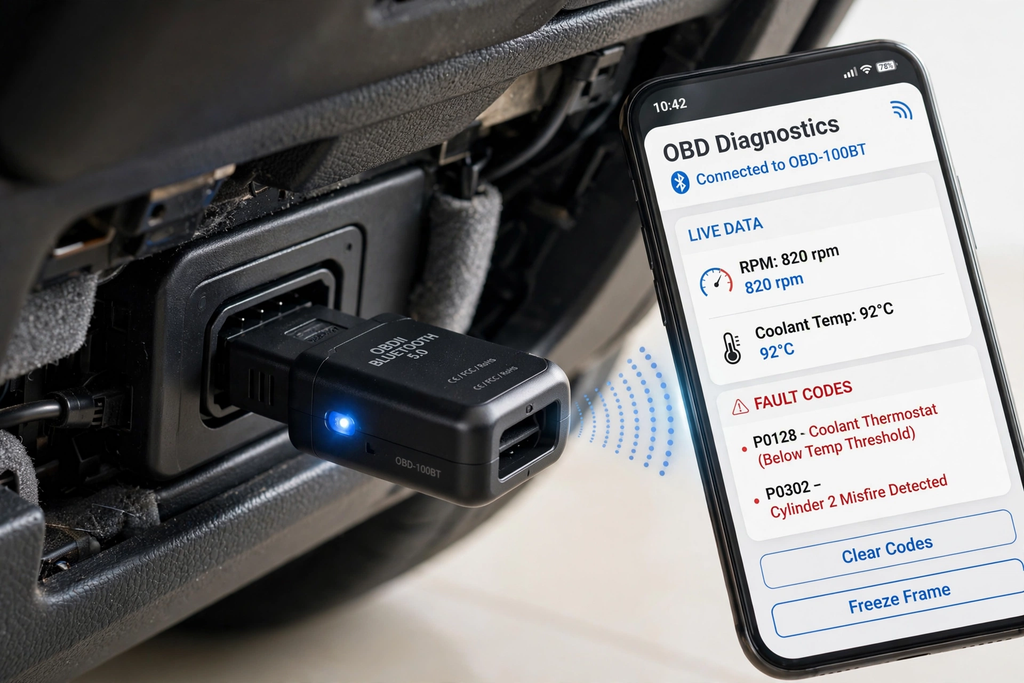
The OBD-II port, an OBD-II adapter, and a smartphone app are the main parts of the system. The adapter, which is usually found below the dashboard, plugs into the diagnostic port. It reports to the vehicle’s electronic control systems and transfers relevant information to the phone via Bluetooth, Wi-Fi, or some other compatible wireless connection.
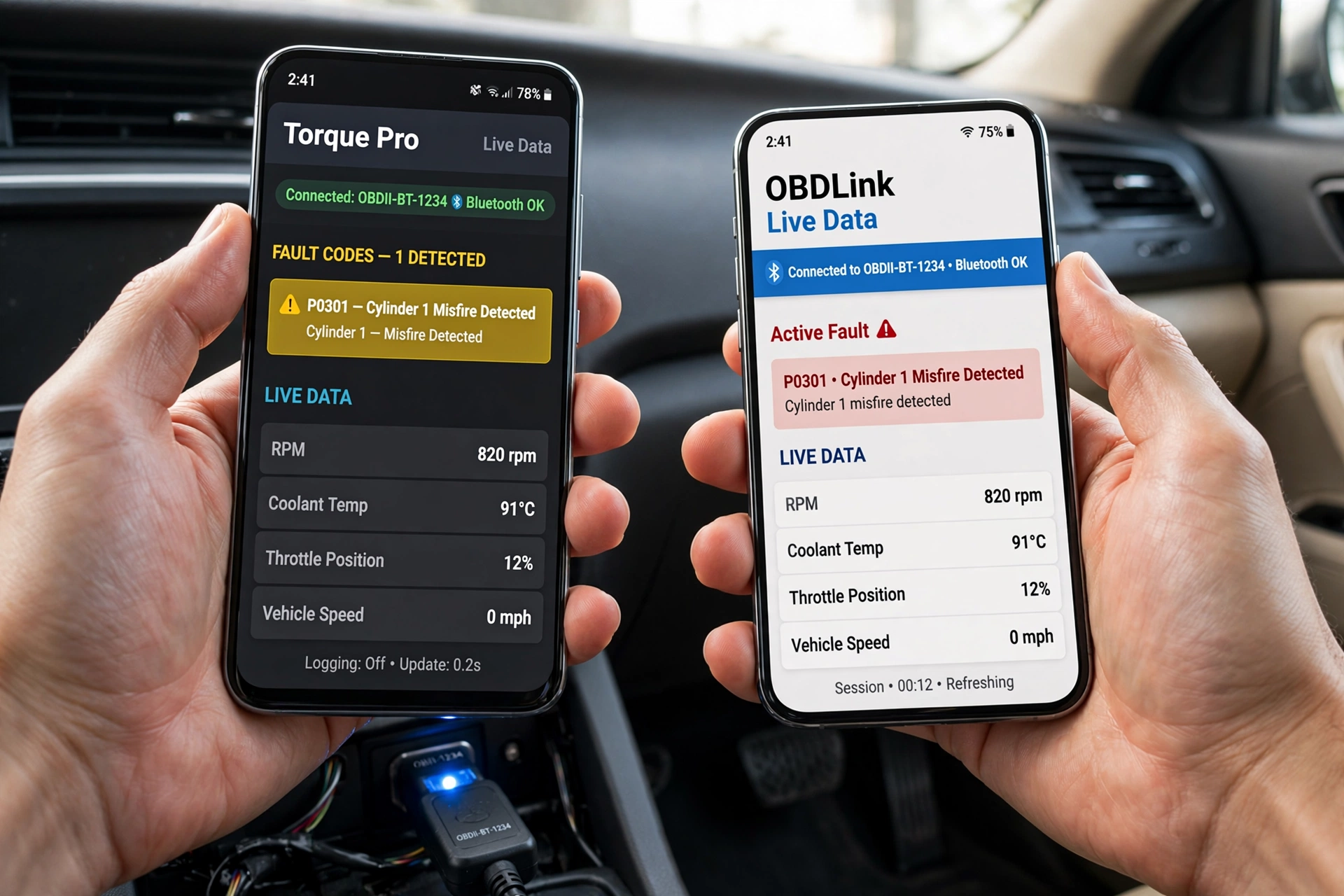
The application reports the car’s technical information in a user-friendly format. What vehicle it is may determine what data is available to see. For some cars, users may look at engine speed, coolant temperature, vehicle speed, throttle position, fuel information, and diagnostic trouble codes. But what you see varies by make and model. Also, some apps may only present the very basic OBD-II information, whereas others will include the manufacturers’ special features.
Understanding OBD-II Adapters
The OBD-II adapter is what you put in between your car and your phone, which is why it has to be of good quality. Basic adapters do the job for reading out general engine codes and viewing basic live data, but for more advanced uses, you will want one with better communication features. Cheap and poorly made adapters at times cause connection issues and unreliable results.
Drivers should, before purchase, check that an adapter is compatible with their smartphone and which app they will be using. The device you have, Android or iPhone, may require different connections, and some apps may put forth what they prefer for adapters. Also, by choosing a good-quality adapter, the full diagnostic process will go more stably and easily.
Key Features to Look For
Fault-Code Reading
Fault-code reading is a very useful feature in diagnostic applications. At the drop of a check-engine light, the app will pull out the related codes, which in turn will tell the user what systems are affected. In that way, the driver is able to have a better idea of what is going on, which in turn will make their repair shop visit more informed.
Also, a diagnostic code is not to be taken as a full diagnosis. It is an indicator of a certain system issue but does not pin down the exact failed element. At times, what may appear to be the same code results from problems in wiring, connectors, sensors, or other components. Also, use that information as a base for further diagnosis.
Live Vehicle Data
Live data monitoring provides what your car’s sensors are putting out in real time. What you see is information from the engine’s performance as it runs. Also, based on the car model you have, engine RPM, coolant temperature, vehicle speed, throttle position, intake information, and other parameters may be available.
This feature is of great value to car enthusiasts, which we have made easy by the fact that they are able to see how their cars perform in real time as they drive. Also, we are able to present some applications which do this via graphs, which in turn makes it easy to spot out-of-the-ordinary trends. At the same time, it is up to the user to know what is normal for their particular car.
Engine Monitoring
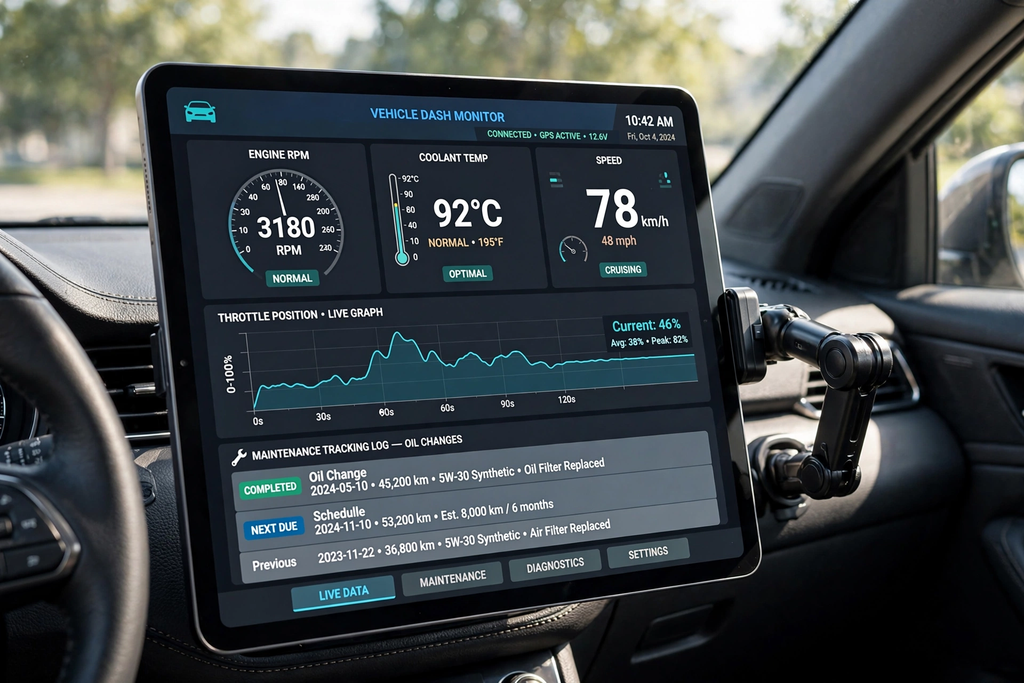
Some diagnostic tools present a digital dashboard. Also, users may put together their own displays, which include key information like engine speed, coolant temperature, speed, and other available data. This, in turn, makes it easy to see how your vehicle is performing during normal use.
Engine tuning also reports to car hobbyists which of their vehicle’s performance changes out in the varied conditions. But do note that phone apps which do this are only as good as the car’s sensors and the OBD-II connection quality. Thus, they do not put forth a good alternative to dedicated tools when very accurate results are what you’re after.
Maintenance Tracking
In certain applications, we see that maintenance tracking is a very useful feature. What a driver does is log in oil changes, repairs, inspections, tire work, and also other maintenance tasks. By keeping all of this digitally instead of paper records, it makes it that much easier to remember what has been done as well as what still needs attention at a later time.
These features are in addition to what is put forth by the manufacturer’s maintenance schedule, which they should not do away with. Vehicle owners should still follow the service intervals and recommendations given out for their particular make and model. The app is best used as a tool which puts maintenance information at your disposal in an organized way.
Android vs. iPhone Compatibility
Android has a large variety of OBD-II apps and adapters at your disposal. But which ones will work for you may depend on your Android version, phone make and model, the adapter, and the app. Some applications play well with many different adapters, while some do best with a particular model.
iPhone also has a large set of diagnostic features, which at the same time should be checked out very carefully. We have some adapters which use Wi-Fi and others which use supported Bluetooth technologies. Before you buy an adapter, it is best that you check which drivers it includes and that they work with your iPhone and the application you wish to use. This will in turn prevent connection issues and also unnecessary spending.
Vehicle Compatibility Matters
In every case, it is not true that any given diagnostic app has access to all vehicle systems. Generic OBD-II protocols do report on some basic diagnostic information which is the same across brands, but for other functions, manufacturers may implement their own communication protocols which are not standardized. Thus, it is that some apps do very well for basic engine issues but may come up short when it comes to transmission, airbag, body, or other electronics issues.
Drivers should look up what makes, models, and model years the application supports before choosing which one to use. Also, note that some advanced features may require a certain adapter or the paid version of the app. This is very true for enthusiasts who are looking for more in-depth information beyond what is provided by basic check-engine reports.
Benefits of Using a Diagnostic App
One of the top benefits is that of convenience. We have that car owners do not have to bring along a dedicated diagnostic tool; instead, they may use a small OBD-II adapter which they plug into their present smartphone. Also, this makes it easy to check out which fault codes are present or to monitor the health of your vehicle at any time.
Diagnostic apps also play a role in better communication between drivers and mechanics. We see that the stored fault codes and reported sensor readings a car is presenting are valuable to bring up during repair issues. Also, for the advanced user, live data and custom dashboards give extra means in which to analyze how a vehicle is performing.
Limitations of Smartphone Diagnostics
Smartphone apps for car diagnostics are a great tool but also have issues. What you get out of them depends on your car, the adapter, and the app. Some cars may only support basic OBD-II features; also, some manufacturers have proprietary systems which require professional-grade diagnostic tools.
Another issue is that of interpretation. We find that a diagnostic code does not in fact point out the exact cause of an issue and that an atypical sensor reading may in fact be a call for more testing. That is to say, drivers should not put into practice the replacement of expensive parts based only on what an app reports. With serious mechanical, electrical, or safety-related issues, a qualified professional should be the one to do the inspection.
How to choose the Best Car Diagnostic App
The best app varies based on what the driver is looking for. For the person that only wants to read check-engine codes, we have very basic apps which may do the trick, but for the car enthusiast, you will want to go for live data, graphs, custom dashboards, and also data recording. For those that want to keep very detailed service records, maintenance tracking may be of most importance.
Before you choose an app, make sure to check its compatibility with your vehicle, smartphone, and OBD-II adapter. Also, take into account the connection quality, ease of use, what features are included, which updates will be made available, and the price. A trusty application that properly supports the car is usually better at this point than one with lots of fancy features that can’t be used.
Conclusion
Car diagnostic apps have improved the access and ease of basic vehicle diagnostics. We see a smartphone paired with a compatible OBD-II adapter, which in turn gives drivers the ability to read out supported fault codes, see live car data, which also includes engine information, and to put together a log of maintenance records. Also, these features in turn benefit both the average car owner and the auto enthusiast.
However, these applications are to be used as tools which supplement professional ones. What is important is compatibility, and it is up to the user to know that a fault code is at best a clue and not a definite diagnosis. With the right app, adapter, and vehicle support, smartphone diagnostics can be a very practical addition to a driver’s toolkit.